Profile Picture

Export animations with Character

Posted By waltercl 4 Years Ago
You don't have permission to rate!
1
2

Author
Message
4u2ges
4u2ges
Posted 4 Years Ago
View Quick Profile
Distinguished Member

Distinguished Member (22.3K reputation)Distinguished Member (22.3K reputation)Distinguished Member (22.3K reputation)Distinguished Member (22.3K reputation)Distinguished Member (22.3K reputation)Distinguished Member (22.3K reputation)Distinguished Member (22.3K reputation)Distinguished Member (22.3K reputation)Distinguished Member (22.3K reputation)

Group: Forum Members
Last Active: Last Month
Posts: 5.3K, Visits: 16.8K
It is actually so funny that sometime you just can't please everyone.
We had a solid export applet, so a few users with low-res laptops complained they cannot see the bottom of it.
RL has added a scroller.
Now whole lot of other people cannot find hide mesh option and/or add animations.

There is a solution however.
Make it stretched as it used to be, but allow to resize from the top and allow to scroll resized window, so that a few laptop users can resize, drag it up and scroll to see the rest.
And spare the rest of us from annoying scrolls.


Rampa
Rampa
Posted 4 Years Ago
View Quick Profile
Distinguished Member

Distinguished Member (37.5K reputation)Distinguished Member (37.5K reputation)Distinguished Member (37.5K reputation)Distinguished Member (37.5K reputation)Distinguished Member (37.5K reputation)Distinguished Member (37.5K reputation)Distinguished Member (37.5K reputation)Distinguished Member (37.5K reputation)Distinguished Member (37.5K reputation)

Group: Forum Members
Last Active: Last Week
Posts: 8.2K, Visits: 62.6K
Actually, 4u2ges had the answer. The export box has gained an elevator on the right side. So just scroll down a little to see the rest of the box.
waltercl
waltercl
Posted 4 Years Ago
View Quick Profile
Junior Member

Junior Member (141 reputation)Junior Member (141 reputation)Junior Member (141 reputation)Junior Member (141 reputation)Junior Member (141 reputation)Junior Member (141 reputation)Junior Member (141 reputation)Junior Member (141 reputation)Junior Member (141 reputation)

Group: Forum Members
Last Active: 3 Years Ago
Posts: 12, Visits: 73
Oh man, do I feel dumb. Rampa had the answer.
waltercl
waltercl
Posted 4 Years Ago
View Quick Profile
Junior Member

Junior Member (141 reputation)Junior Member (141 reputation)Junior Member (141 reputation)Junior Member (141 reputation)Junior Member (141 reputation)Junior Member (141 reputation)Junior Member (141 reputation)Junior Member (141 reputation)Junior Member (141 reputation)

Group: Forum Members
Last Active: 3 Years Ago
Posts: 12, Visits: 73
I do have CC3 Pipeline, and I've followed the directions in the manual. Maybe I'm missing something simple so I'll go over it again tomorrow.
Rampa
Rampa
Posted 4 Years Ago
View Quick Profile
Distinguished Member

Distinguished Member (37.5K reputation)Distinguished Member (37.5K reputation)Distinguished Member (37.5K reputation)Distinguished Member (37.5K reputation)Distinguished Member (37.5K reputation)Distinguished Member (37.5K reputation)Distinguished Member (37.5K reputation)Distinguished Member (37.5K reputation)Distinguished Member (37.5K reputation)

Group: Forum Members
Last Active: Last Week
Posts: 8.2K, Visits: 62.6K
waltercl (5/15/2021)
So I only have CC3. Guess I have to get IClone7 and the 3d export tool (3dxChange?).


If you are exporting for a game engine, you actually need CC3 Pipeline. :)

Please check the earlier linked manual page for exporting the motions with your character from CC3 Pipeline.
waltercl
waltercl
Posted 4 Years Ago
View Quick Profile
Junior Member

Junior Member (141 reputation)Junior Member (141 reputation)Junior Member (141 reputation)Junior Member (141 reputation)Junior Member (141 reputation)Junior Member (141 reputation)Junior Member (141 reputation)Junior Member (141 reputation)Junior Member (141 reputation)

Group: Forum Members
Last Active: 3 Years Ago
Posts: 12, Visits: 73
So I only have CC3. Guess I have to get IClone7 and the 3d export tool (3dxChange?).
michaelrbarton
michaelrbarton
Posted 4 Years Ago
View Quick Profile
Distinguished Member

Distinguished Member (7.0K reputation)Distinguished Member (7.0K reputation)Distinguished Member (7.0K reputation)Distinguished Member (7.0K reputation)Distinguished Member (7.0K reputation)Distinguished Member (7.0K reputation)Distinguished Member (7.0K reputation)Distinguished Member (7.0K reputation)Distinguished Member (7.0K reputation)

Group: Forum Members
Last Active: Last Year
Posts: 974, Visits: 11.2K
CC3 only does poses. And only the first frame. 
4u2ges
4u2ges
Posted 4 Years Ago
View Quick Profile
Distinguished Member

Distinguished Member (22.3K reputation)Distinguished Member (22.3K reputation)Distinguished Member (22.3K reputation)Distinguished Member (22.3K reputation)Distinguished Member (22.3K reputation)Distinguished Member (22.3K reputation)Distinguished Member (22.3K reputation)Distinguished Member (22.3K reputation)Distinguished Member (22.3K reputation)

Group: Forum Members
Last Active: Last Month
Posts: 5.3K, Visits: 16.8K
@waltercl

Just use scroller on the right to see the option for adding animations. :)


michaelrbarton
michaelrbarton
Posted 4 Years Ago
View Quick Profile
Distinguished Member

Distinguished Member (7.0K reputation)Distinguished Member (7.0K reputation)Distinguished Member (7.0K reputation)Distinguished Member (7.0K reputation)Distinguished Member (7.0K reputation)Distinguished Member (7.0K reputation)Distinguished Member (7.0K reputation)Distinguished Member (7.0K reputation)Distinguished Member (7.0K reputation)

Group: Forum Members
Last Active: Last Year
Posts: 974, Visits: 11.2K
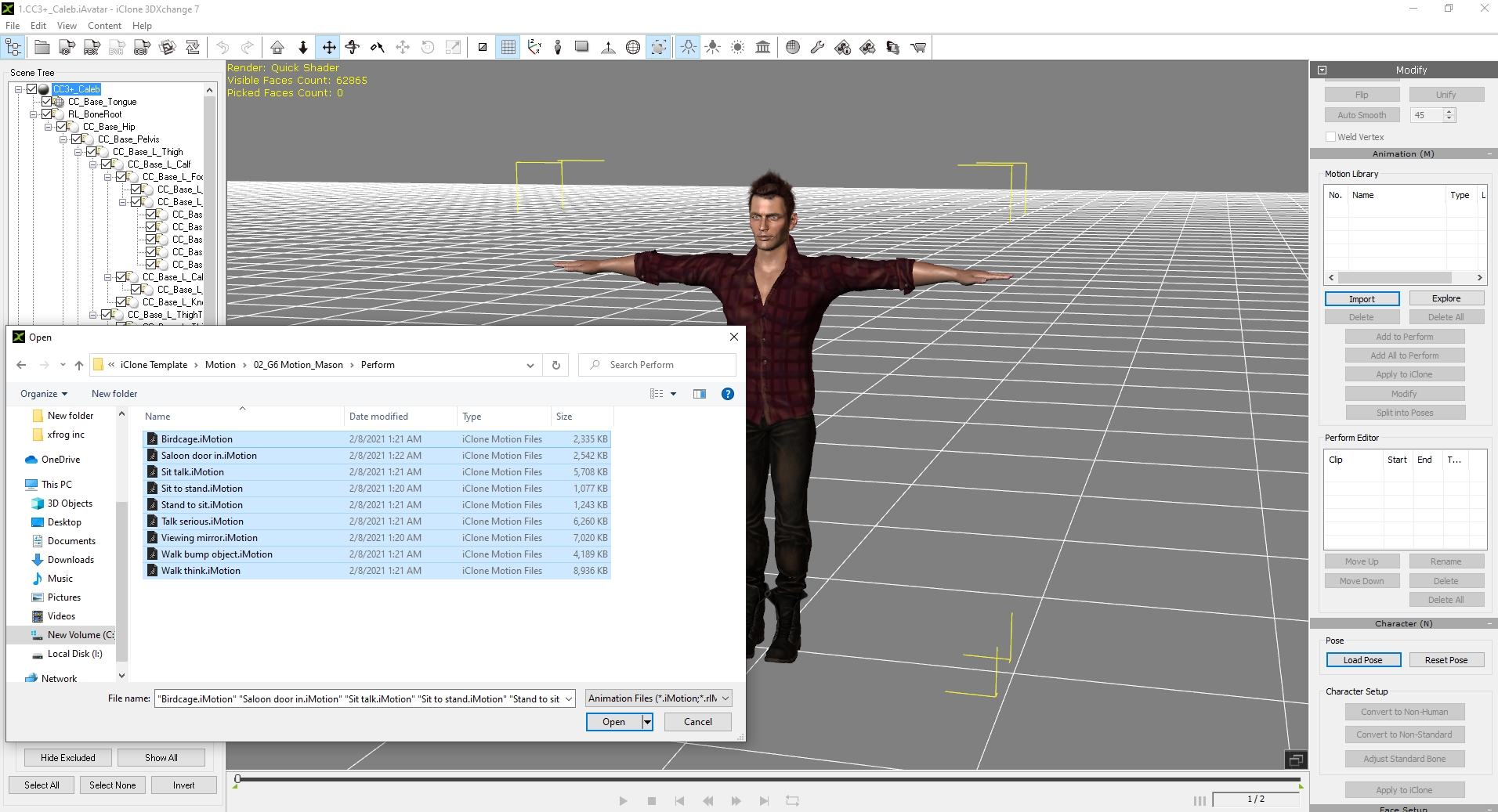
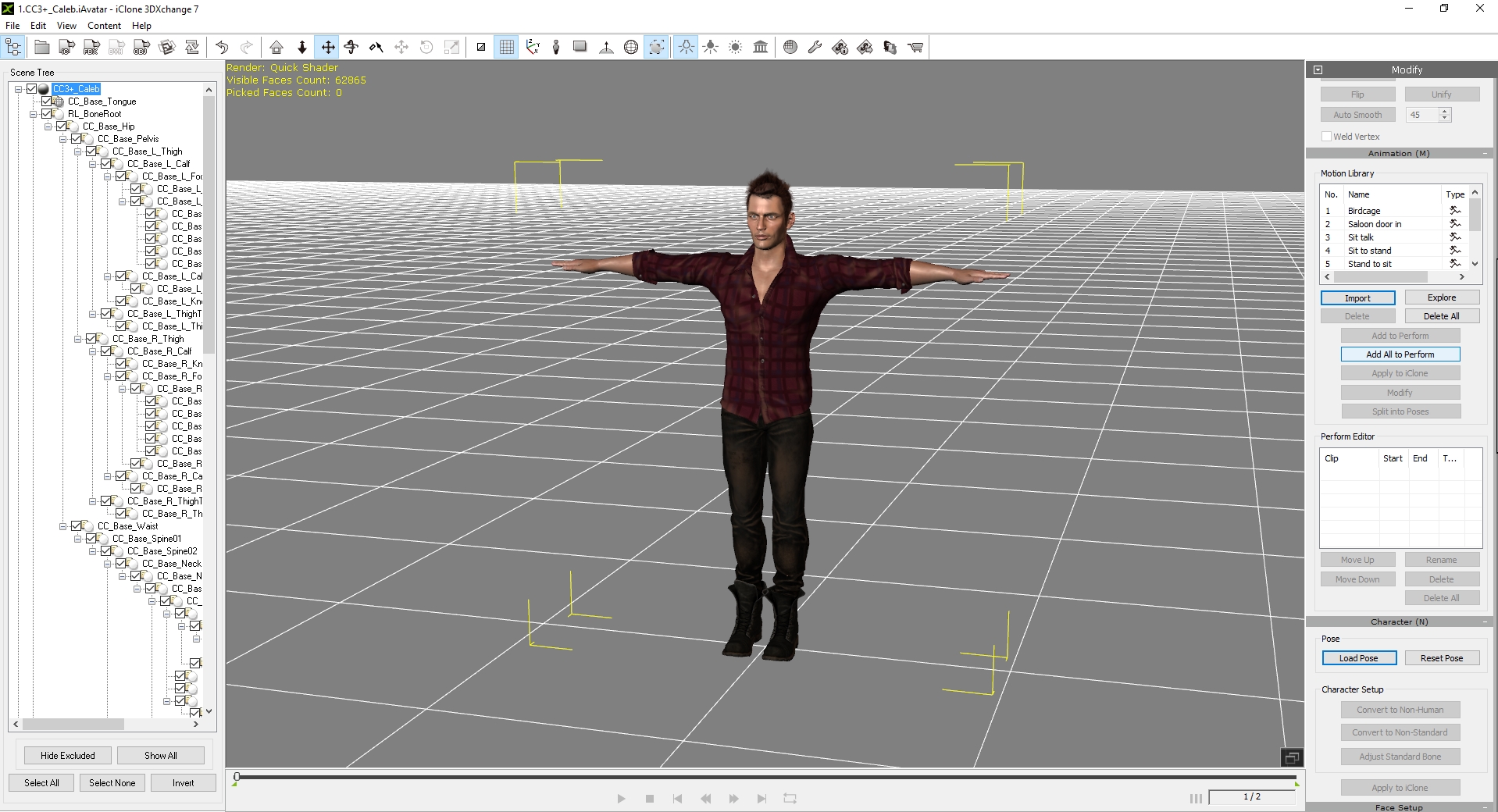
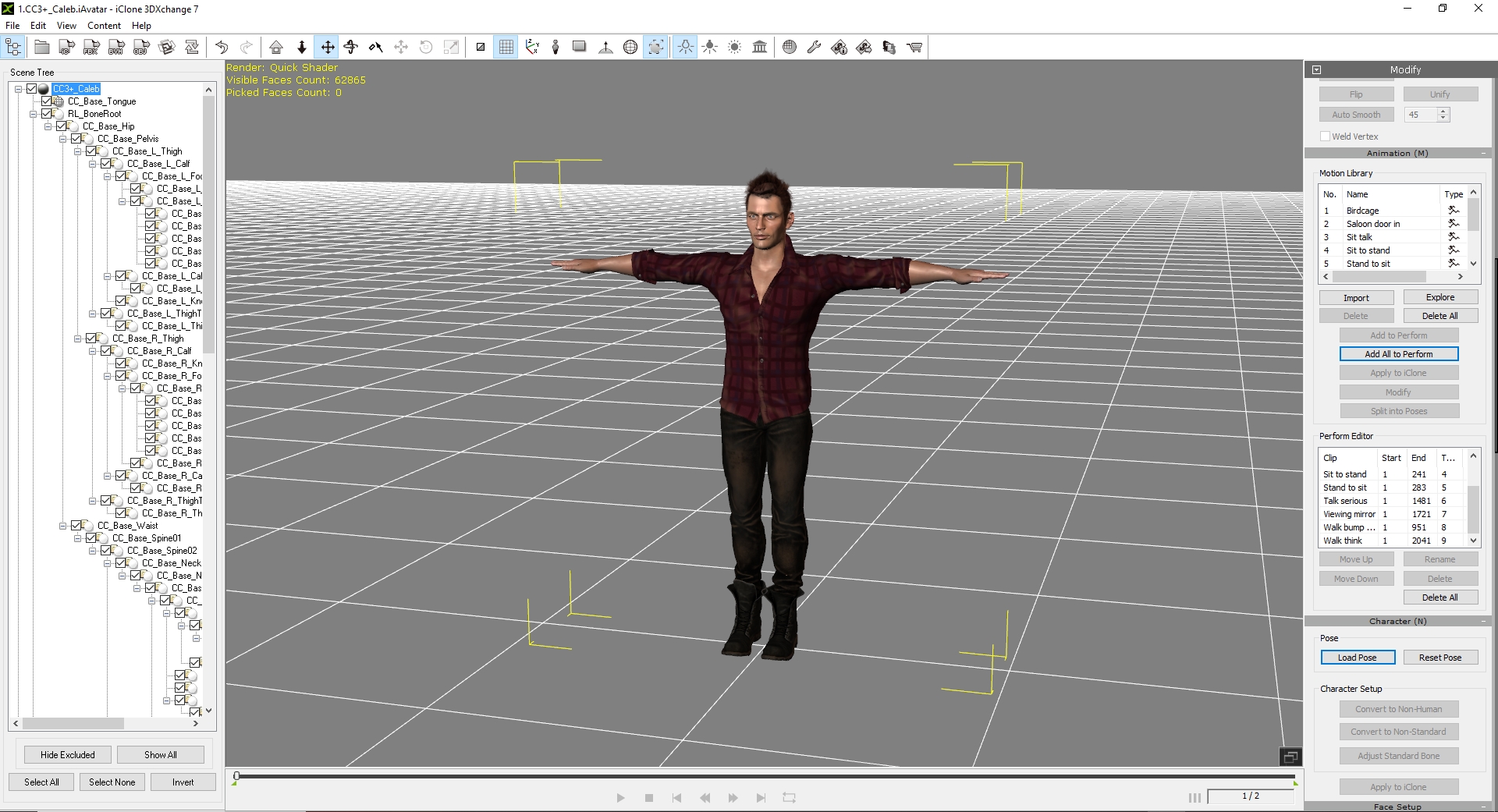
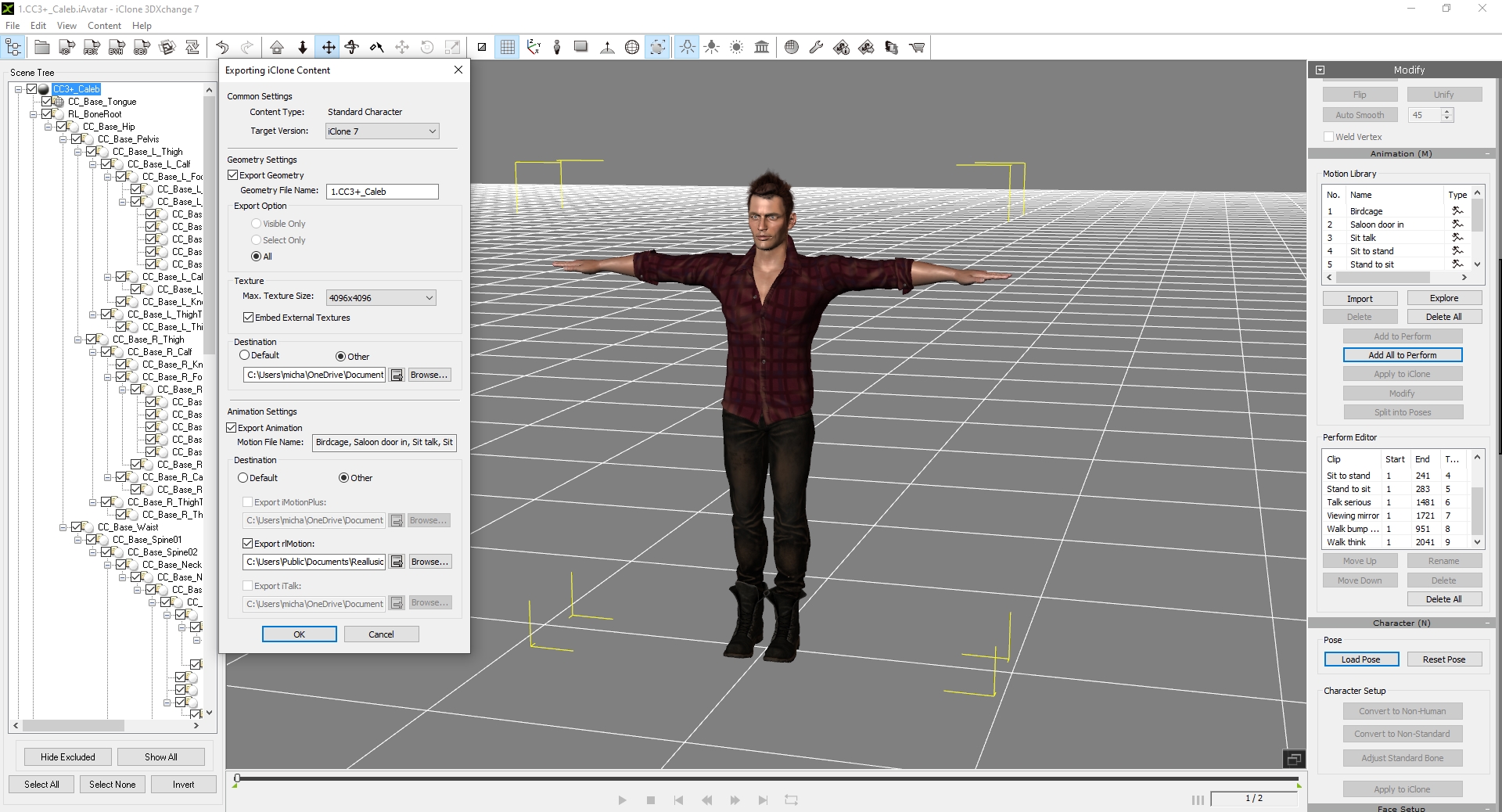
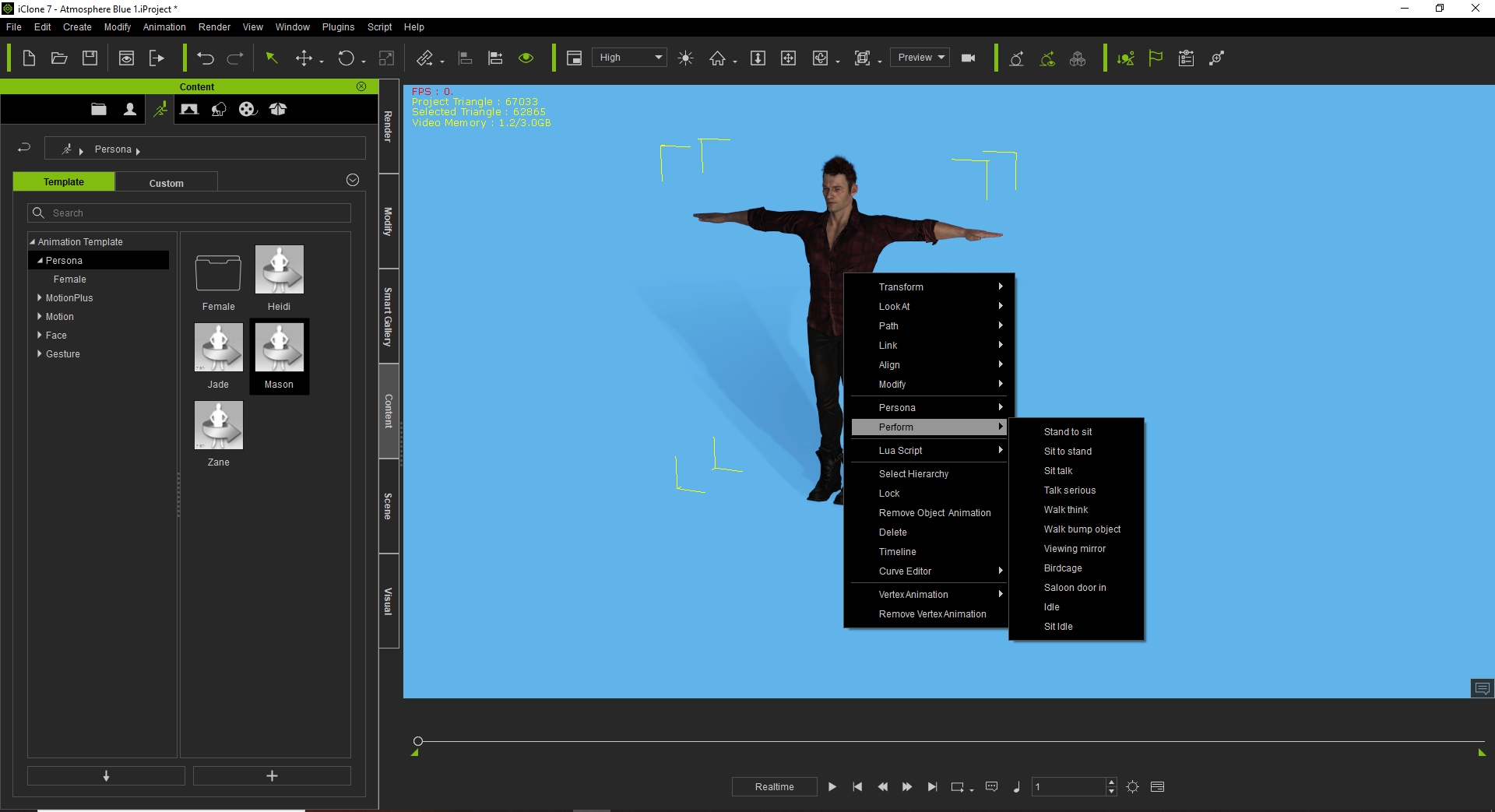
Have you downloaded the trial version of 3DXChange? What you need to do is to load your character into 3DXchange. Then in 3DXchange you can add motions to your character. Look at the 
photos. When you load your character in iClone 7, it will have the motions included. Then you can save the motions in persona by clicking the + sign to add  your character's motions.
Then any avatar you use, all you have to do is go to persona and click on the saved motion and all will be added to any avatar you have highlighted in the scene.
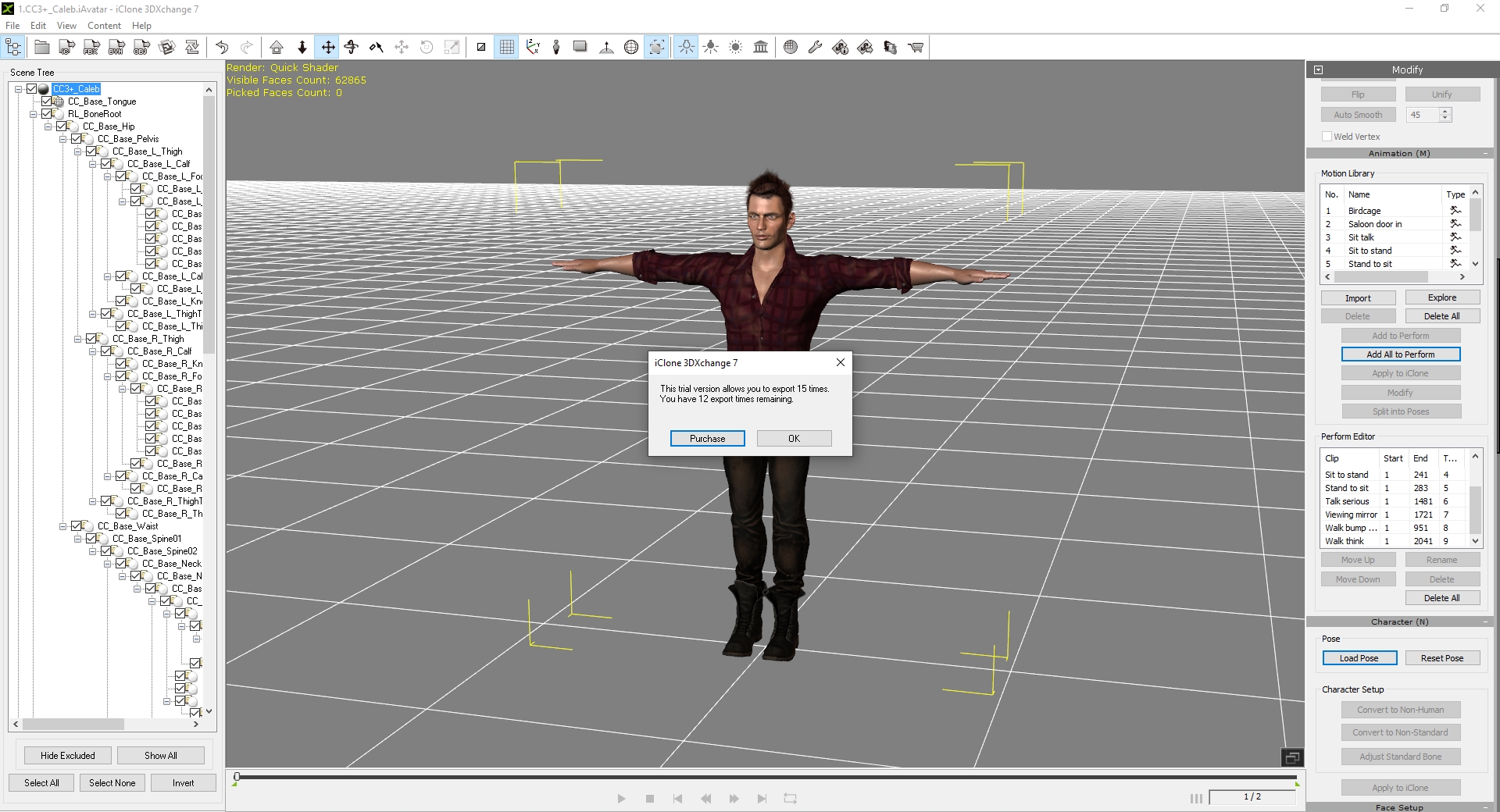
I did not actually send the character to iclone, because I am saving the 12 times I have left for other things.
Make sure you click on the IC tab next to FBX. That way you will be accessing  iclone files to import into 3DXChange and when you are ready to export files back into iclone, just click on the IC tab.  
When exporting, make sure the boxes are checked for exporting avatar, animations and rlmotions.https://forum.reallusion.com/uploads/images/711dc254-fc06-436b-bb44-6077.jpghttps://forum.reallusion.com/uploads/images/e831b83c-330f-4016-91e3-ce29.jpghttps://forum.reallusion.com/uploads/images/e95be948-363e-497a-ab2b-2358.jpghttps://forum.reallusion.com/uploads/images/78c39c74-9856-4c05-98ac-1dcc.jpghttps://forum.reallusion.com/uploads/images/6da79d4a-90cc-4fed-b443-5cd5.jpghttps://forum.reallusion.com/uploads/images/fe56b92c-29b2-43cd-a087-f95a.jpg
waltercl
waltercl
Posted 4 Years Ago
View Quick Profile
Junior Member

Junior Member (141 reputation)Junior Member (141 reputation)Junior Member (141 reputation)Junior Member (141 reputation)Junior Member (141 reputation)Junior Member (141 reputation)Junior Member (141 reputation)Junior Member (141 reputation)Junior Member (141 reputation)

Group: Forum Members
Last Active: 3 Years Ago
Posts: 12, Visits: 73
My animations are motion and not motion plus so I checked out this article: https://manual.reallusion.com/Character_Creator_3/ENU/3/Content/Character_Creator_3/3/17_Export/Exporting_FBX_Characters_with_iMotion.htm

I followed that, but I do not have the option to add animations. It's not just that I can't add the animations I bought, but I can't add anything including the standard default animations.
Screenshot is attached.
Attachments
CC3Export.PNG (52 views, 76.00 KB)

1
2


Reading This Topic