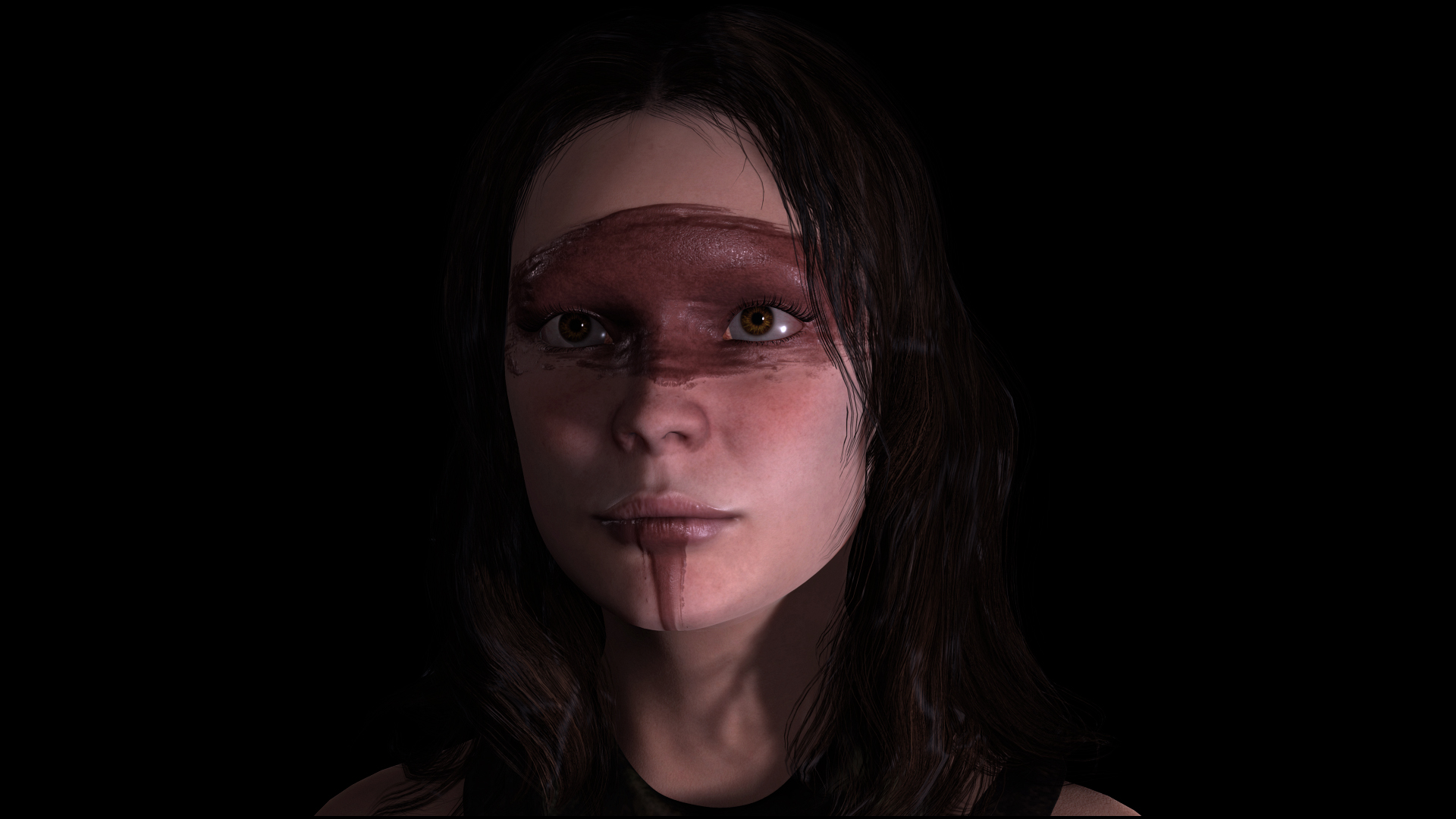
Hi,
I am still learning about iclone and am enjoying it. I am working on the first scene of a larger project and have been exploring both using DAZ Studio or iclone to accomplish this.
I have used DAZ for still and a few animations for a number of years. I love the iray render quality, but do hesitate to use it for my full animation project as I think I will be rendering forever.
Animation wise, it is okay. Has some nice features like Puppeteer and aniblocks, but seeing what iclone can do and what I have started getting a grasp of, I really like it.
I can use my characters from DAZ in it via CC3, props and sets via 3dxchange, which is wonderful I know you can port over to Unreal, however, I am a ways off really learning that though I've had some exposure.
I really like the idea and practice of using iclone's real time rendering for my animations. I haven't mastered the lighting and setup yet to get consistantly great looking character renders yet. I was wondering if anyone with more experience has some tips and tricks. I hesitate to use IRAY via iclone as that too takes forever, even optimized to a minute a frame. Before I dive down that path, I wanted to see if the real time renderer in iclone 7 can do justice to character and scene renders.
Any tips, tricks, or tutorials you all may suggest?
Thanks!