|
Author
|
Message
|
|
luke (RL)
|
luke (RL)
Posted 3 Years Ago
|
|
Group: Power Developer
Last Active: 3 Months Ago
Posts: 289,
Visits: 5.6K
|
try to disable the "Mouth Open as Morph" option 
|
|
|
|
|
Livewerks
|
Livewerks
Posted 3 Years Ago
|
|
Group: Forum Members
Last Active: 3 Years Ago
Posts: 3,
Visits: 50
|
Hello All. This is my first post and I appreciate any insight from the community that can help. I have a CC3 character with animation and Viseme data captured from Motion Live (iPhone) in iClone. When I import the animation to the CC3 character in UE 4.27 or 5 the mouth is having issues (Using auto-setup). The Jaw and mouth are is moving but the lips are not. It also seems like the mouth never closes, it's over exaggerated, except without any animations at all. Also, it appears normal in iClone 7. I have tried on two different animations on 2 characters, same result. Should I start with an ExPlus expression to create a "none" key at the start? Anyone having this issue, or know a fix? better to capture the facial data via live link?
(Mouth During Animation - Always lol)   (Mouth on Mesh only - No Animation)  Character 2 same issue 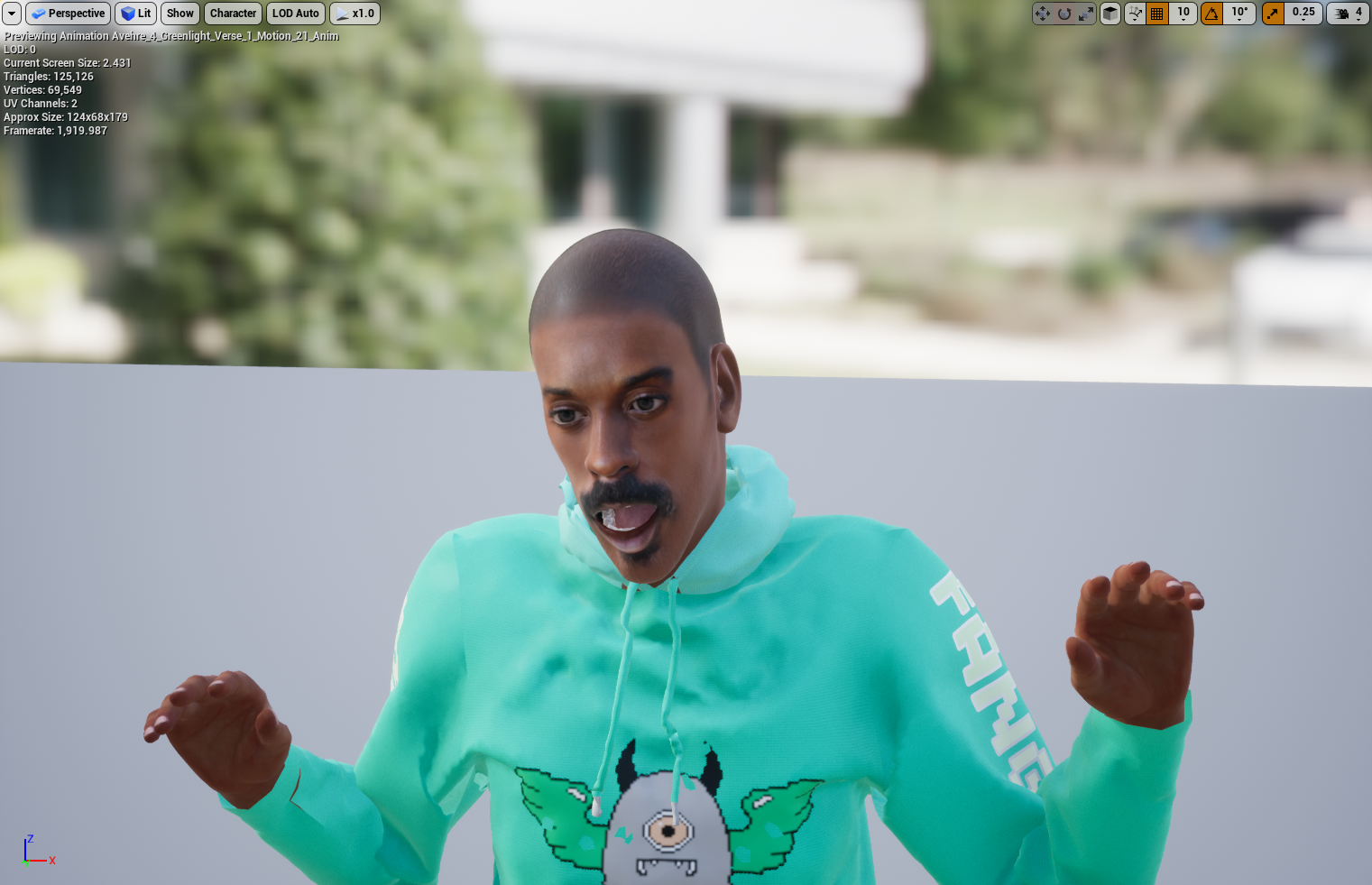
|
|
|
|
|
cloud.ninja
|
cloud.ninja
Posted 3 Years Ago
|
|
Group: Forum Members
Last Active: Last Year
Posts: 26,
Visits: 296
|
I have a character that I applied AccuLips lip-sync to while in a T-pose in iClone. I only want the lip-sync animation when I import the facial animation into Unreal as I have a different, native animation for body animation already in Unreal. The problem is: - If I uncheck “Motion” when exporting the collected clip in iClone to motion library (then to CC3, then import into UE), the result is - no animation works. I thought that would only export the facial animation (which is checked)?
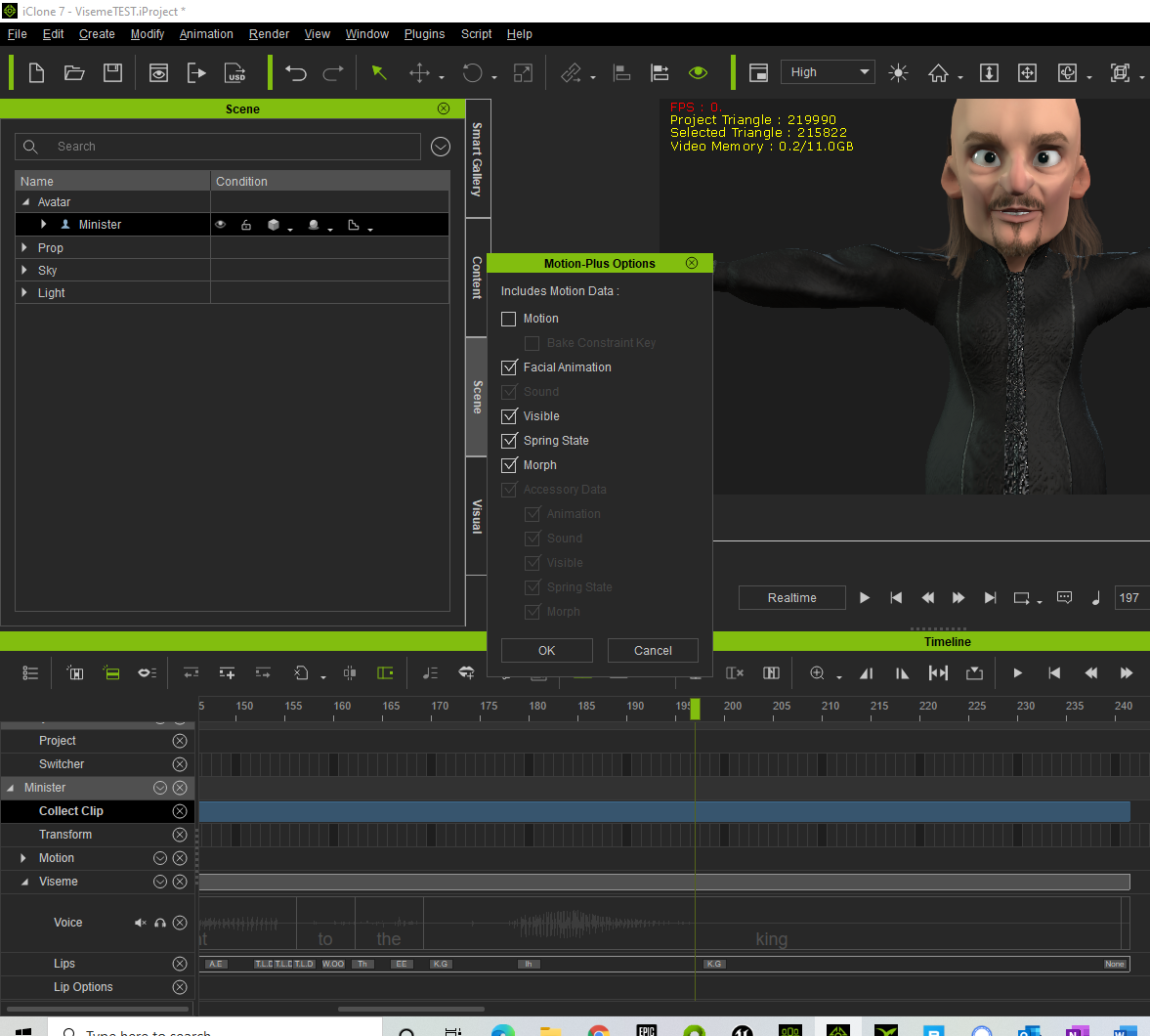
2 - If I check “Motion” then I get the facial animation in working Unreal but I also get the T-Pose – which now the T-pose is in conflict with the other body animation I want to use – ARG!
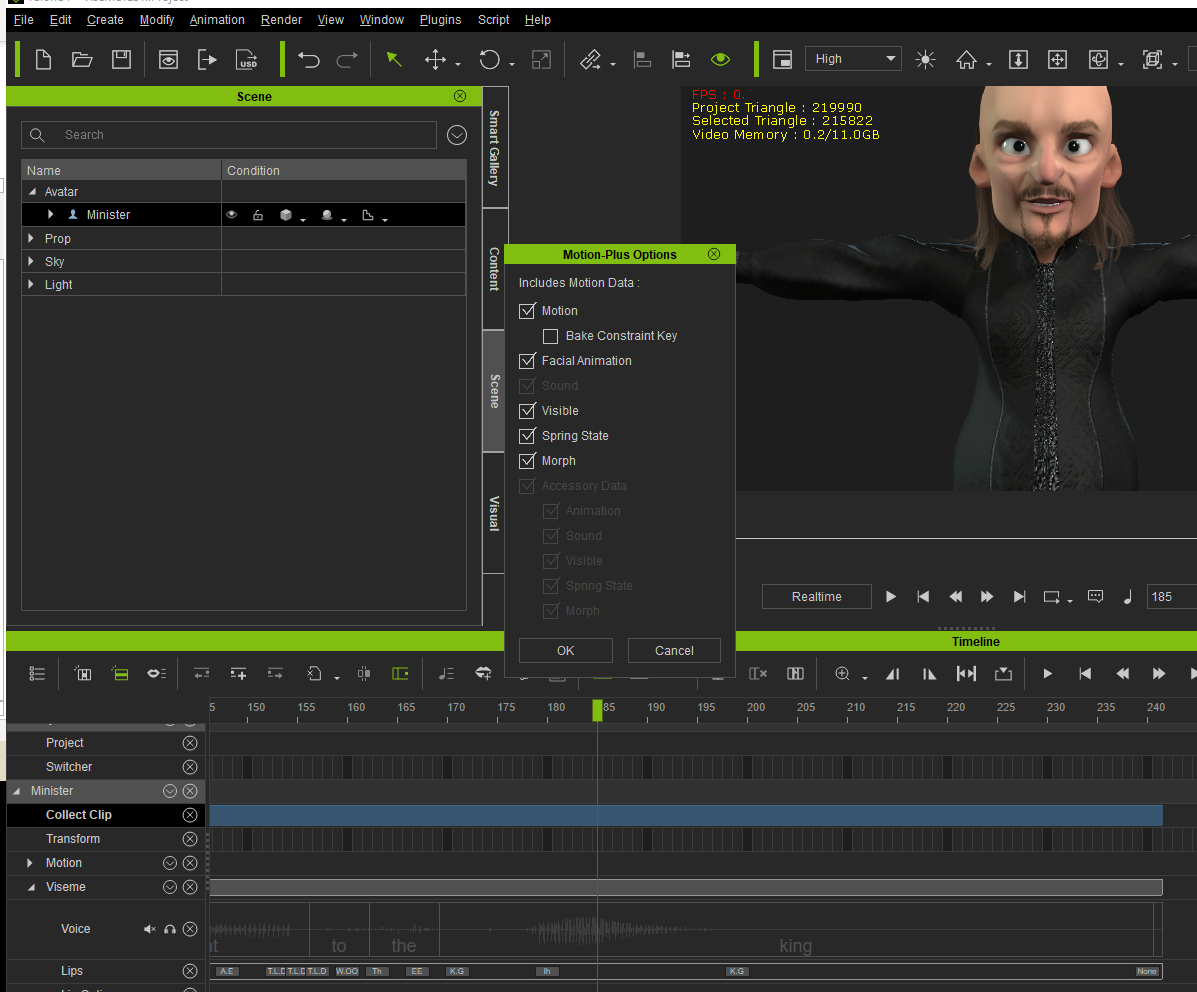
Could you please advise how to export only the facial lipsync animations? With appreciation,
.cn
|
|
|
|
|
Peter (RL)
|
Peter (RL)
Posted 5 Years Ago
|
|
Group: Administrators
Last Active: Last Year
Posts: 23.1K,
Visits: 36.6K
|
Hi Steve... Not sure why you posted your message as a tag but to answer your question yes you do get Faceware Realtime for iClone when you buy the Faceware Gear Profile.
Peter
Forum Administrator www.reallusion.com
|
|
|
|
|
steve_adams2003
|
steve_adams2003
Posted 5 Years Ago
|
|
Group: Forum Members
Last Active: 5 Years Ago
Posts: 1,
Visits: 7
|
kent_310387 (7/27/2020)
I am trying to export motion data from iclone 7.8 to unreal engine 4.25 that INCLUDES facial motion data. I used VISEME within iClone to create a Lips track. My typical workflow is to export the motion data from iclone as an FBX and then import it into unreal. Unfortunately, the export from iclone does not seem to give options to also include the Lips Track as this is "motion plus" type data. I tried to collect the clip and export to 3Dxchange to include the motion plus data, but then I can't export that from 3Dxchange with the included Lips track. Any pointer would be greatly appreciated.
Thanks -kent
|
|
|
|
|
carlo1981
|
carlo1981
Posted 5 Years Ago
|
|
Group: Forum Members
Last Active: 10 Months Ago
Posts: 56,
Visits: 196
|
hello Mates,
i tried almost 2 days to export an Full Body animated character ( body idle and face animation) to Unreal.
workflow:
i make an animation on the body ( idle breath)
i put an audiofile on it and let him talk
i saved both clips into motion plus option and go.
In Unreal i import first the idle pose and save everything, after this i import the facial fbx and it comes in t Pose with error. How i can combine hem in Unreal ?!
CC3 export options are Unreal preset, Mes&Motion. i dont understand. thanks for help
do i need iClone Livelink ?!
|
|
|
|
|
kent_310387
|
kent_310387
Posted 5 Years Ago
|
|
Group: Forum Members
Last Active: 3 Years Ago
Posts: 12,
Visits: 114
|
I think I did not have that check box checked when I brought in the character. I checked it and it fixed my problem. Thanks. -kent
|
|
|
|
|
kent_310387
|
kent_310387
Posted 5 Years Ago
|
|
Group: Forum Members
Last Active: 3 Years Ago
Posts: 12,
Visits: 114
|
I think I did not have that check box checked when I brought in the character. I checked it and it fixed my problem. Thanks. -kent
|
|
|
|
|
StyleMarshal
|
StyleMarshal
Posted 5 Years Ago
|
|
Group: Forum Members
Last Active: Last Year
Posts: 5.8K,
Visits: 14.3K
|
Did you import your Character with Morph Targets? 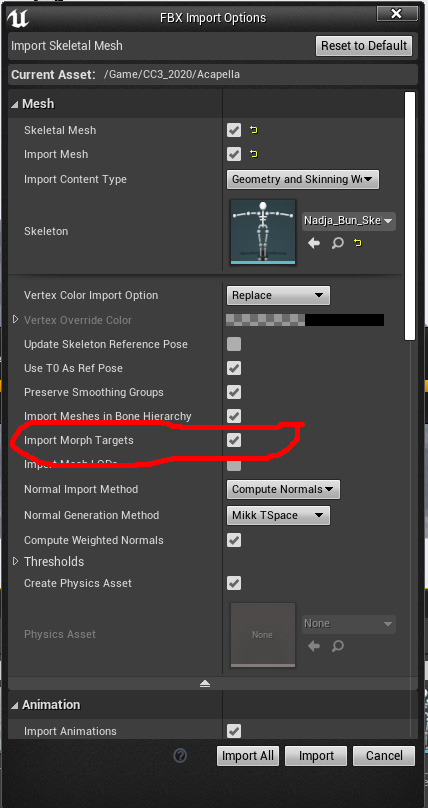
|
|
|
|
|
kent_310387
|
kent_310387
Posted 5 Years Ago
|
|
Group: Forum Members
Last Active: 3 Years Ago
Posts: 12,
Visits: 114
|
I mean the LIP track does not export as part of the iclone fbx export process for me. From iclone I set the following export options but the Lips track facial motion data does not come along when I import this FBX into unreal. 
|
|
|
|