|
charly Rama
|
charly Rama
Posted 5 Years Ago
|
|
Group: Forum Members
Last Active: Last Year
Posts: 1.9K,
Visits: 17.3K
|
Hi guys, This post was at one of my thread but it was drowned in many discussion topics apart from the main topic so I had to create a new thread :), so thank you guys, with all due respect to you, if you are not interested, we have said enough on "I like iclone, I leave unreal or vice versa "just let those who are interested discuss the real subject of the post. Really, thank you.
Okay guys, here are the screens, it's for Rosuckmedia as he asked to it but for other interested too
EXPORT PRINCIPAL AVATAR WITH ALL MOTIONS EXPORT ALL OTHERS AVATARS WITHOUT ANIMATION EXPORT ALL OTHERS AVATARS WITHOUT ANIMATION IMPORT TO UNREAL YOUR PRINCIPAL AVATAR WITH ALL MOTIONS (you know doing that)AND IMPORT ALL OTHER AVATARS WITHOUT ANIMATIONS WITH THIS SETTING, CHOOSE THE SAME SKELETON OF YOUR PRINCIPAL AVATAR; unreal keep the last skeleton used, so you just check, normally, it's already the good skeleton IMPORT TO UNREAL YOUR PRINCIPAL AVATAR WITH ALL MOTIONS (you know doing that)AND IMPORT ALL OTHER AVATARS WITHOUT ANIMATIONS WITH THIS SETTING, CHOOSE THE SAME SKELETON OF YOUR PRINCIPAL AVATAR; unreal keep the last skeleton used, so you just check, normally, it's already the good skeleton IN UNREAL PLACE ALL ANIMATED MESH AT YOUR SCENE (in red) IN UNREAL PLACE ALL ANIMATED MESH AT YOUR SCENE (in red)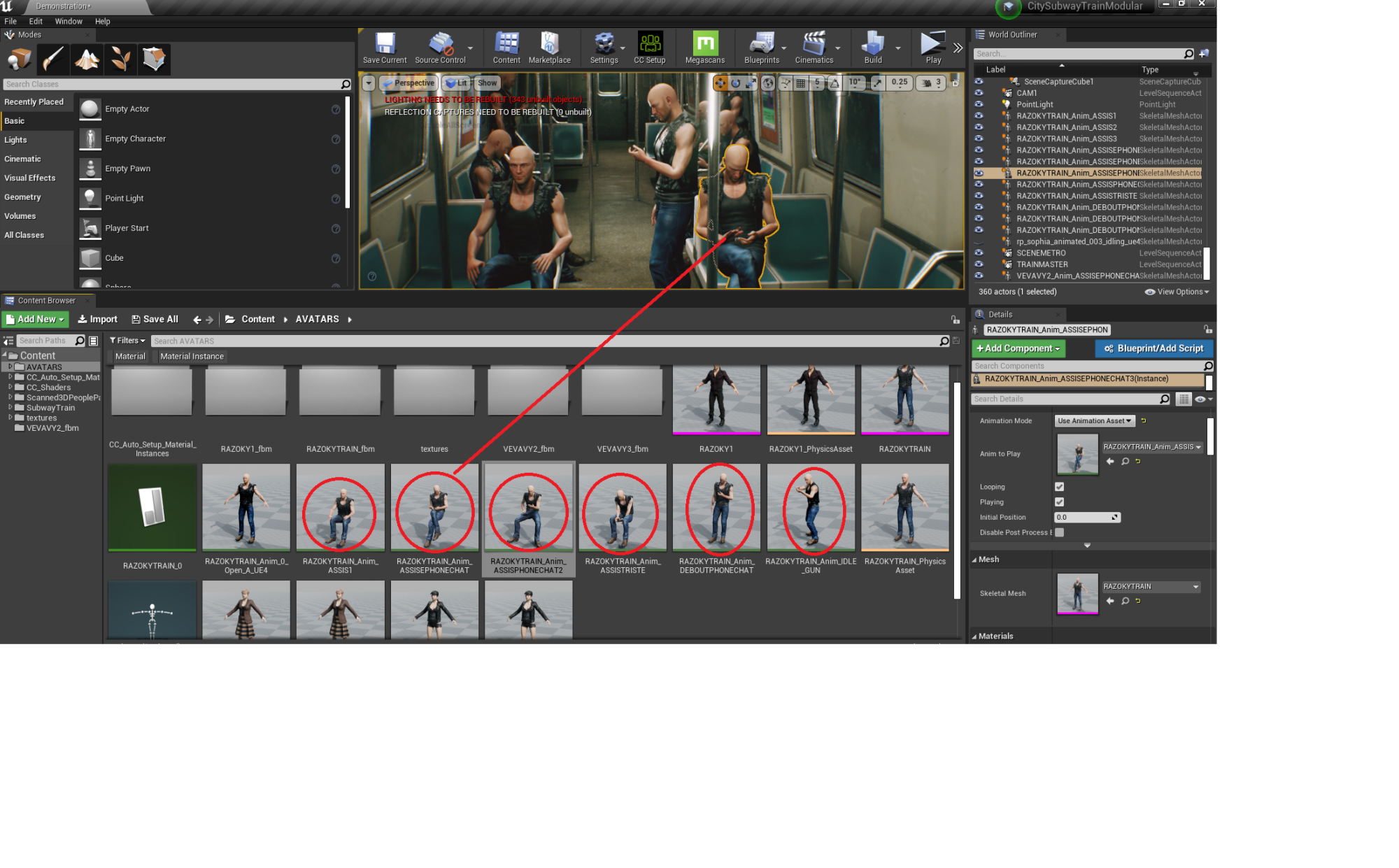 FINALLY CHANGE THE MESH AND THAT'S IT FINALLY CHANGE THE MESH AND THAT'S IT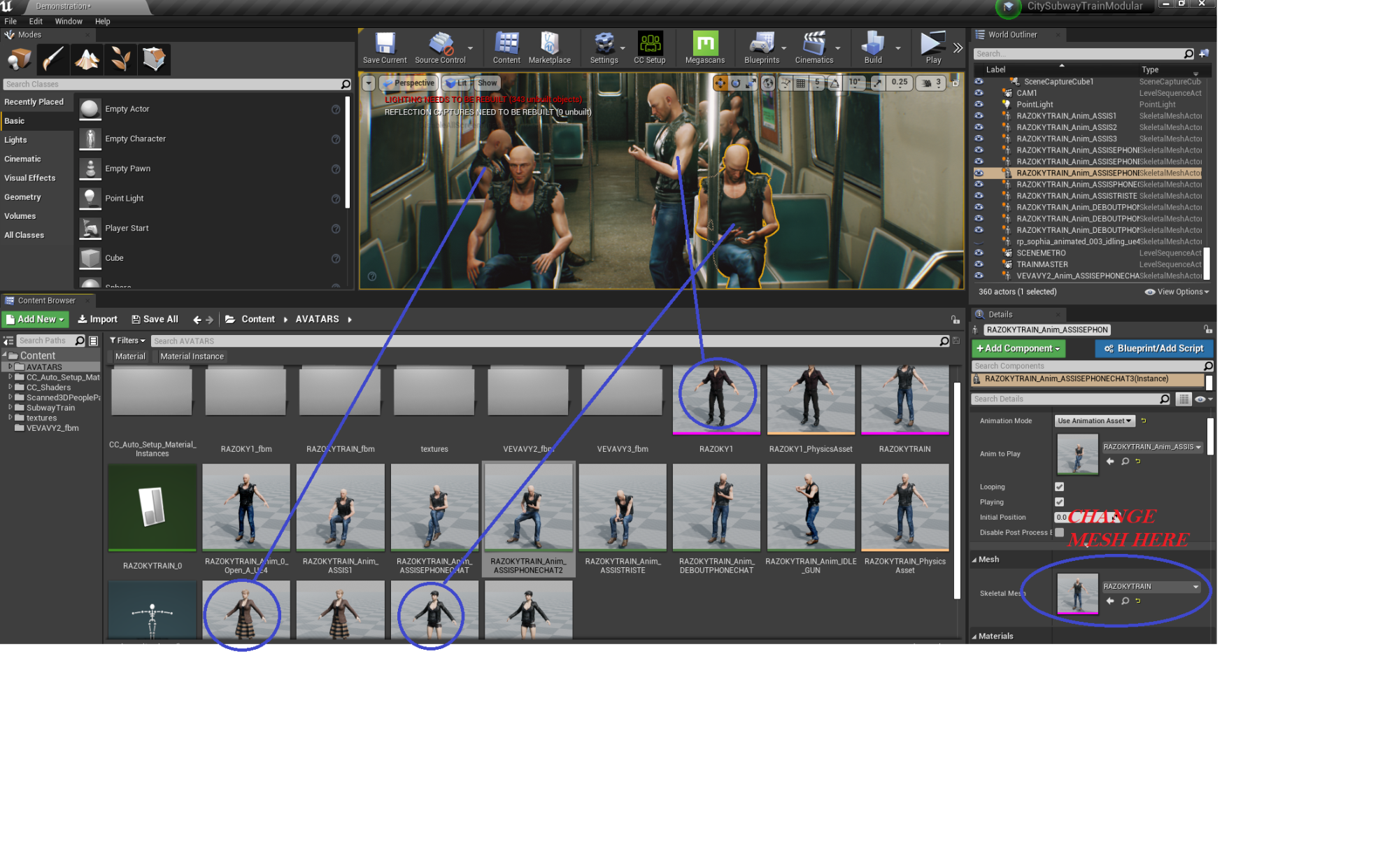 R R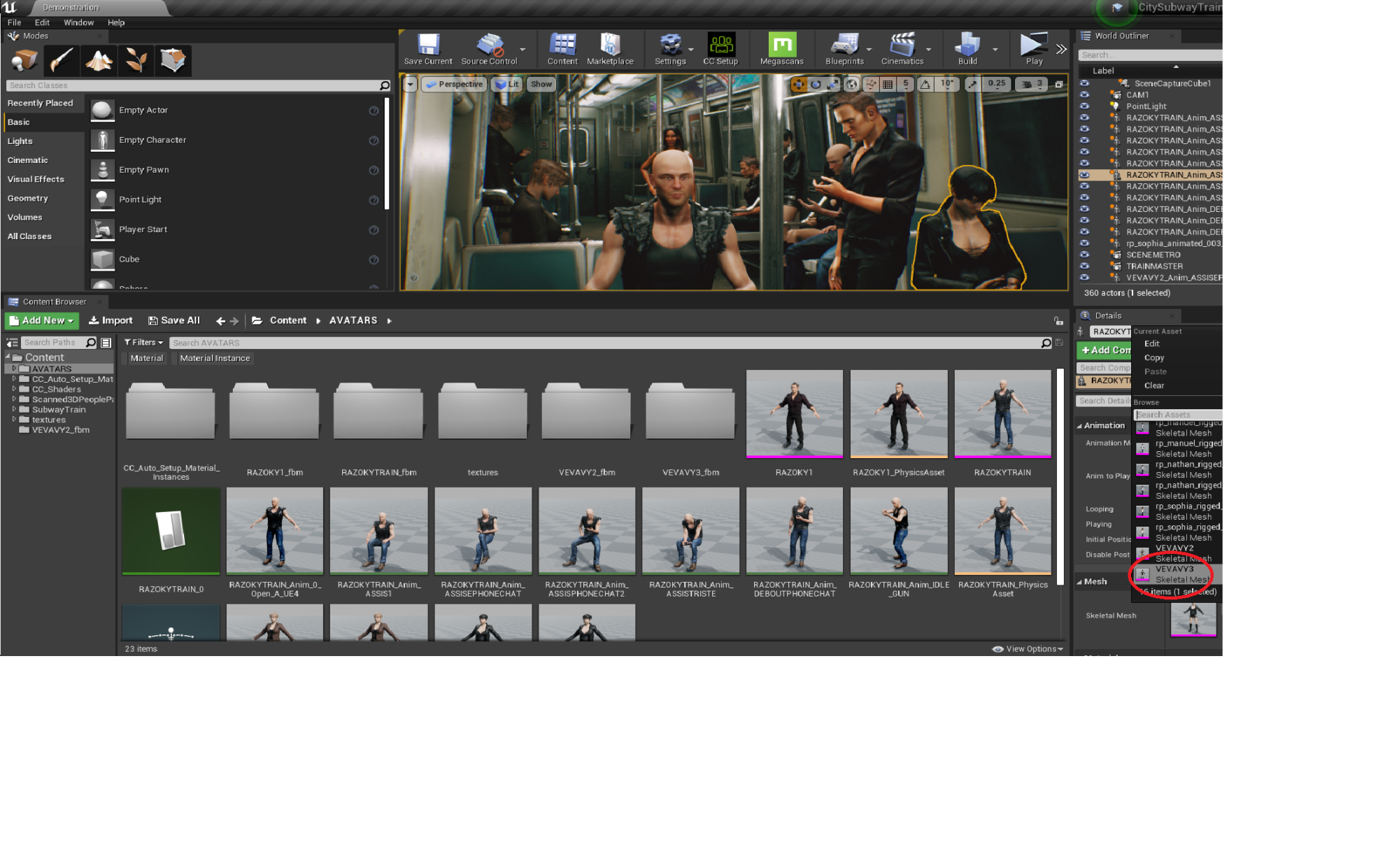 That's it. Please, don't say it's a ton of difficult work, it's easy if you're concentrated, and even if it's not easy, I don't think there's a magic clic giving you a good results, we have to learn learn learn, work work work :) That's it. Please, don't say it's a ton of difficult work, it's easy if you're concentrated, and even if it's not easy, I don't think there's a magic clic giving you a good results, we have to learn learn learn, work work work :)
|