I have a character that has an imported Gown mesh (obj from Maya). It has been added to the rig and skinned via transfer weights. In CC3 the normals are displaying correctly, but when exported and added to Unity, the Gown seems to still have hard normals..... Back in CC3 I went to Edit Normals and auto smoothed, and re-exported to Unity to no avail.
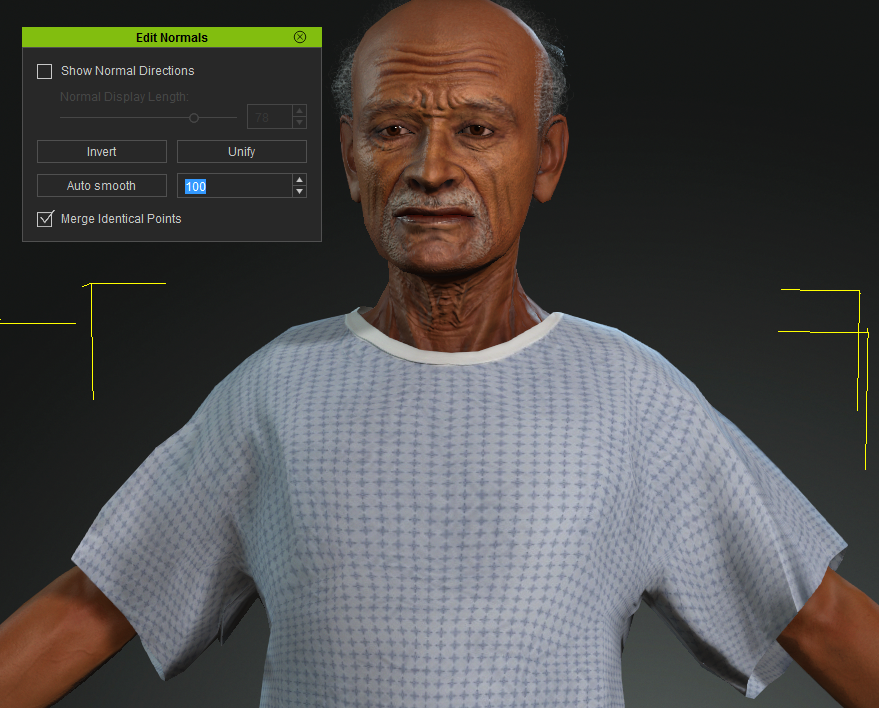
Here is a view from inside CC3 - Normals softened and showing correctly
Here is a view from inside Unity - The issue with the normals are visible on the gown mesh
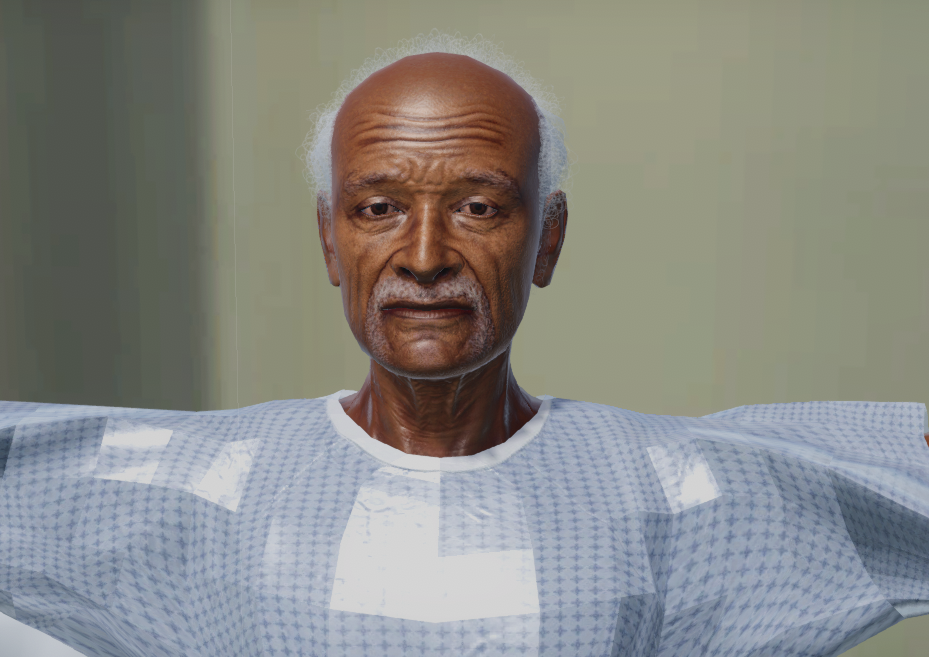 Not sure why but it seems that I cant get the Edit Normals to apply to the mesh on export. Is there a known issue ? Is there a method to get this working properly ?
Thanks in advance, Chase C