|
Author
|
Message
|
|
Parthoo
|
Parthoo
Posted 7 Years Ago
|
|
Group: Forum Members
Last Active: 5 Years Ago
Posts: 60,
Visits: 199
|
Hi Gary,
Thanks for the video link.
I have already bought Crazy talk standard . it is wizard based ,, just import the photo, wizard runs through all settings. so easy.
I can creating many talking avatars :)
Thanks,
Parthoo.
|
|
|
|
|
garylearntech
|
garylearntech
Posted 7 Years Ago
|
|
Group: Forum Members
Last Active: 3 Years Ago
Posts: 158,
Visits: 2.3K
|
Demo 15 originally shipped with the previous version - CrazyTalk Animator v3. It's not new or specific to CA4. :)Parthoo - I think this is the original tutorial that dealt with that project: "CrazyTalk Animator 3 Tutorial - Morph-based Heads for Free Bone Actors" https://www.youtube.com/watch?v=GLULAIRiAMg
---
Cartoon Animator 4 Pipeline (always the current production version, unless otherwise stated)
Mac mini M1, macOS Big Sur (11.6.5)
Signature data last updated 2022-05-15
|
|
|
|
|
vepop
|
|
|
Group: Forum Members
Last Active: 2 Years Ago
Posts: 1.0K,
Visits: 9.9K
|
Actually, the demo that you referred to is done in Cartoon Animator.

YouTube Tutorials Here
|
|
|
|
|
Parthoo
|
Parthoo
Posted 7 Years Ago
|
|
Group: Forum Members
Last Active: 5 Years Ago
Posts: 60,
Visits: 199
|
oh ok. got it.
Anyway, thanks for your time and quick response.
I will check CrazyTalk and if it fit my requirement, i will buy that.
|
|
|
|
|
vepop
|
|
|
Group: Forum Members
Last Active: 2 Years Ago
Posts: 1.0K,
Visits: 9.9K
|
Crazytalk and Cartoon Animate are two separate program. Both are from Reallusion. If you bring the image to the Composer Mode, you can see that there are two separate body parts: 1. Body 2.Head
YouTube Tutorials Here
|
|
|
|
|
Parthoo
|
Parthoo
Posted 7 Years Ago
|
|
Group: Forum Members
Last Active: 5 Years Ago
Posts: 60,
Visits: 199
|
It is Crazy Talk 4 video, isn't?
|
|
|
|
|
vepop
|
|
|
Group: Forum Members
Last Active: 2 Years Ago
Posts: 1.0K,
Visits: 9.9K
|
Sorry, the video is not from me. For this kind of animation, you have to split the image into the head and body parts. Also, you have to split any body parts that has to be animated,
YouTube Tutorials Here
|
|
|
|
|
Parthoo
|
Parthoo
Posted 7 Years Ago
|
|
Group: Forum Members
Last Active: 5 Years Ago
Posts: 60,
Visits: 199
|
BTW, I tried your method of attaching each part in Sprite Editor, But for my image , it is tedious to split each part then put in Sprite Editor then attach it to G360 character.But, I saw below Youtube video (import photo and customize it):
https://www.youtube.com/watch?v=9tN2EVtikCg
How to do similar in CTA4?.
Thanks,
|
|
|
|
|
Parthoo
|
Parthoo
Posted 7 Years Ago
|
|
Group: Forum Members
Last Active: 5 Years Ago
Posts: 60,
Visits: 199
|
Hi Vepop, It is in CTA4 Pro, demo folder. 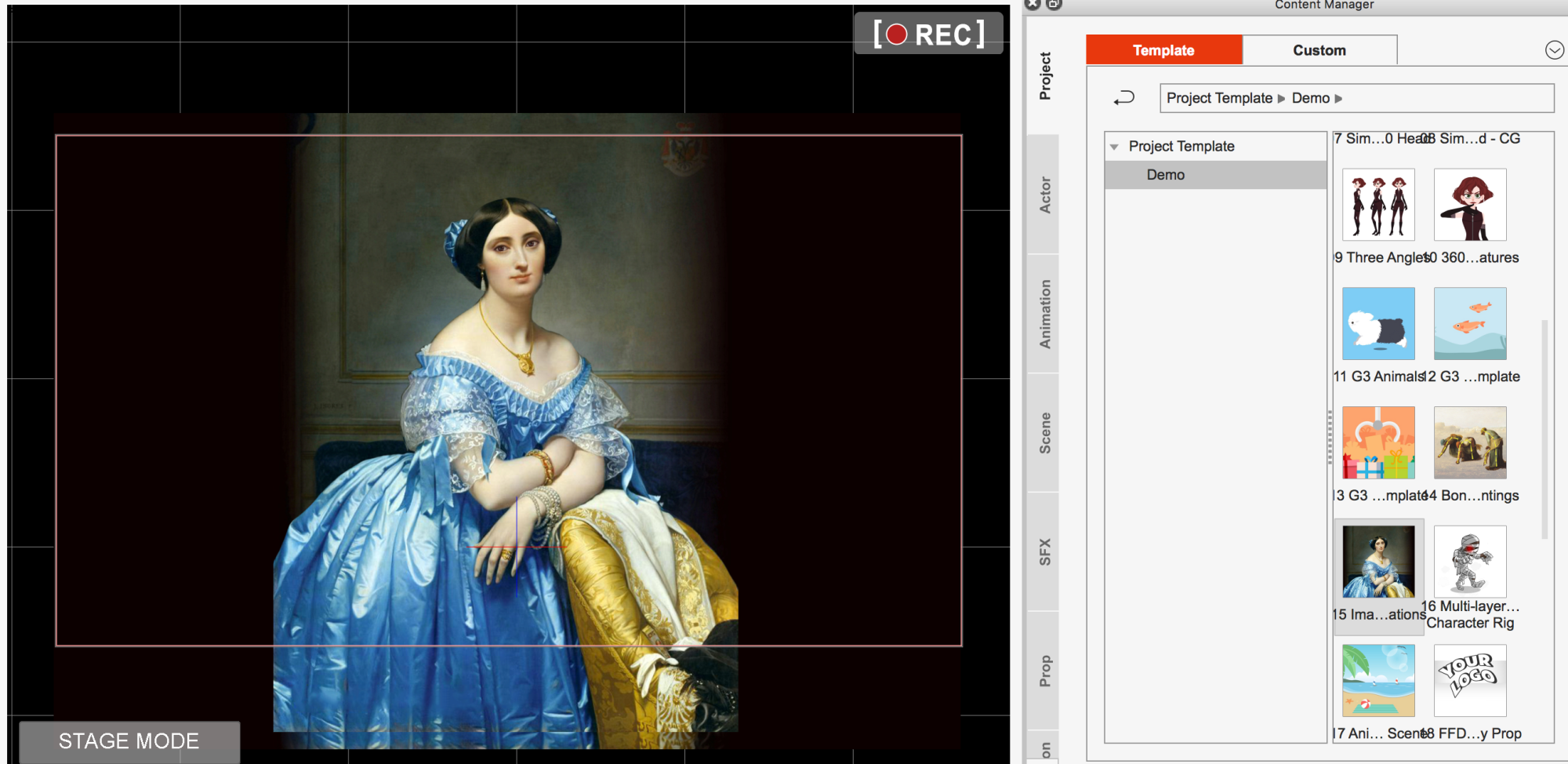
|
|
|
|
|
vepop
|
|
|
Group: Forum Members
Last Active: 2 Years Ago
Posts: 1.0K,
Visits: 9.9K
|
Not sure what demo 15 you are talking about ... any link?
YouTube Tutorials Here
|
|
|
|