Dear Character Creator users,
The Character Creator 3.2 update has now been released.
Since both Character Creator 3, and the Character Creator 3 Pipeline Extension are updated, please find the Update tab in Reallusion Hub, and download two program updates accordingly.
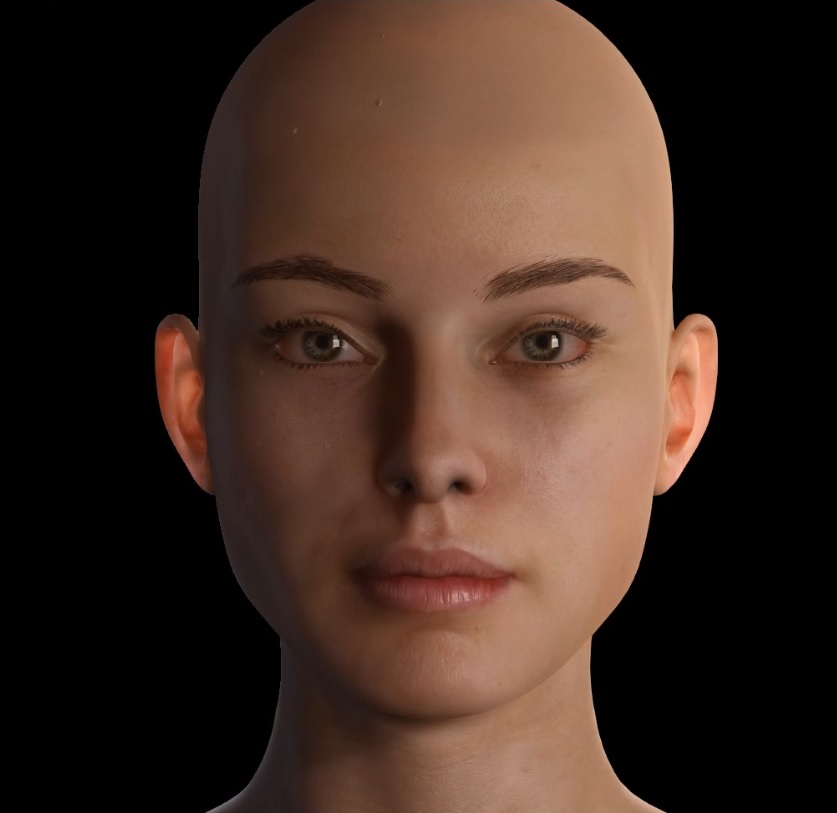
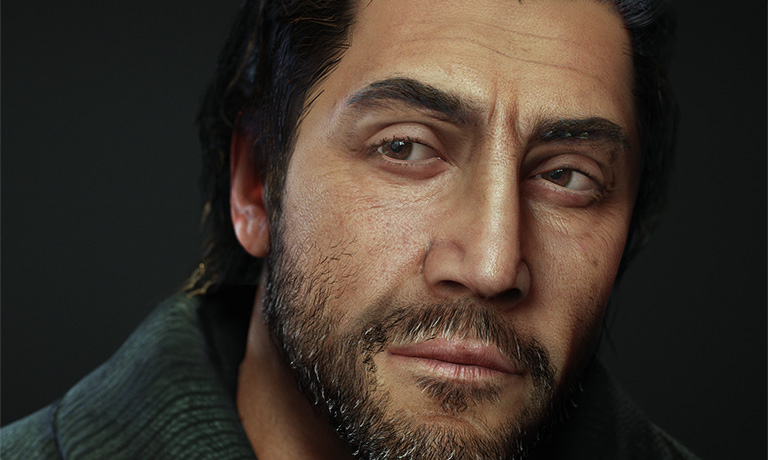
Digital humans are everywhere these days from games to films and inside immersive AR, VR experiences or pioneering previz in virtual production. The rise of the digital human has many examples, however, iClone and Character Creator are the tools that can help you rapidly create and animate fully-rigged 3D characters. In version 3.2, Character Creator 3D Human Characters are equipped with Reallusion
Digital Human Shader for Skin, Eyes, Teeth, and Hair along with SSS (Sub-surface Scattering) and Micro Normal technology. You can create believably true-to-life digital humans by allocating CC shader pipeline and custom pro textures assignment.
Lighting is also enhanced with shapes to produce soft shadow and look more natural. Enjoy fast and quality real-time render results for still art design or live animation performance. >>
Know More 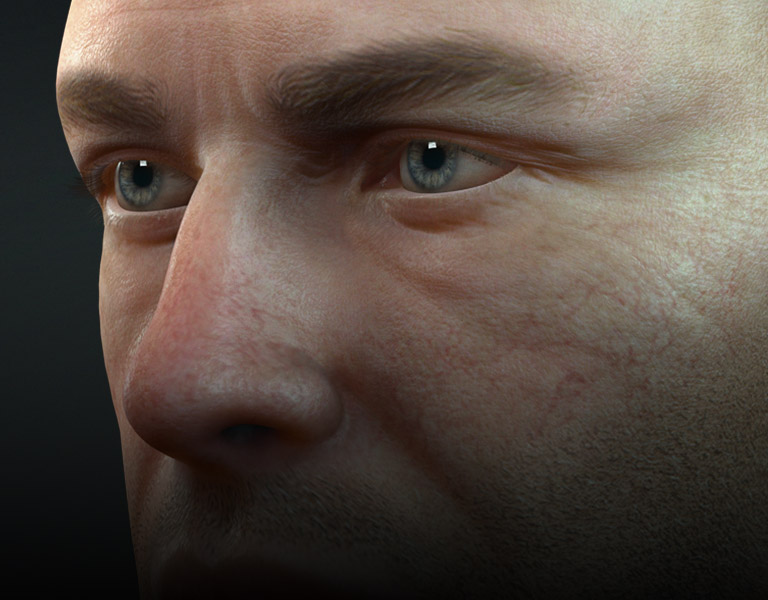
To perform
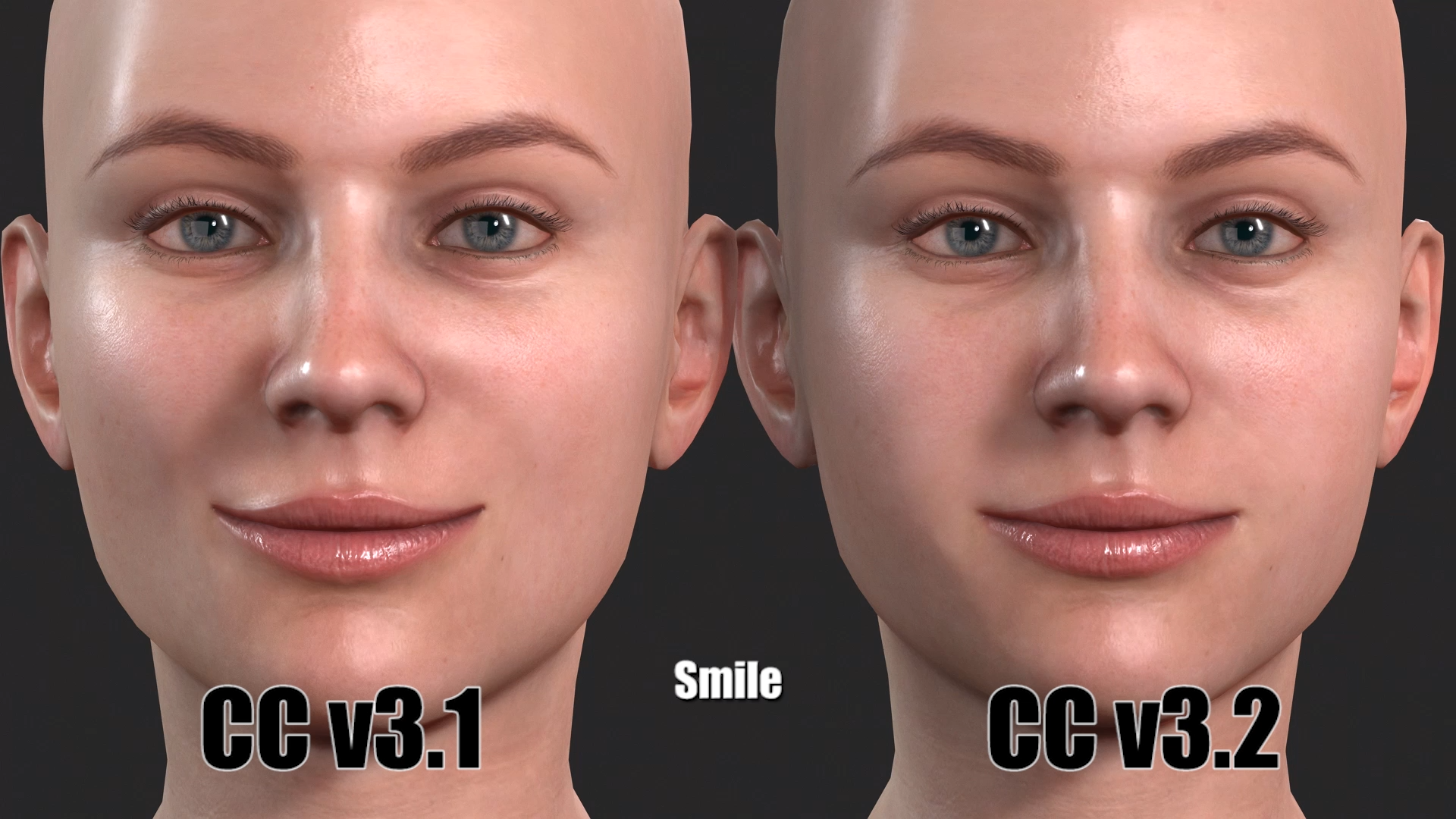
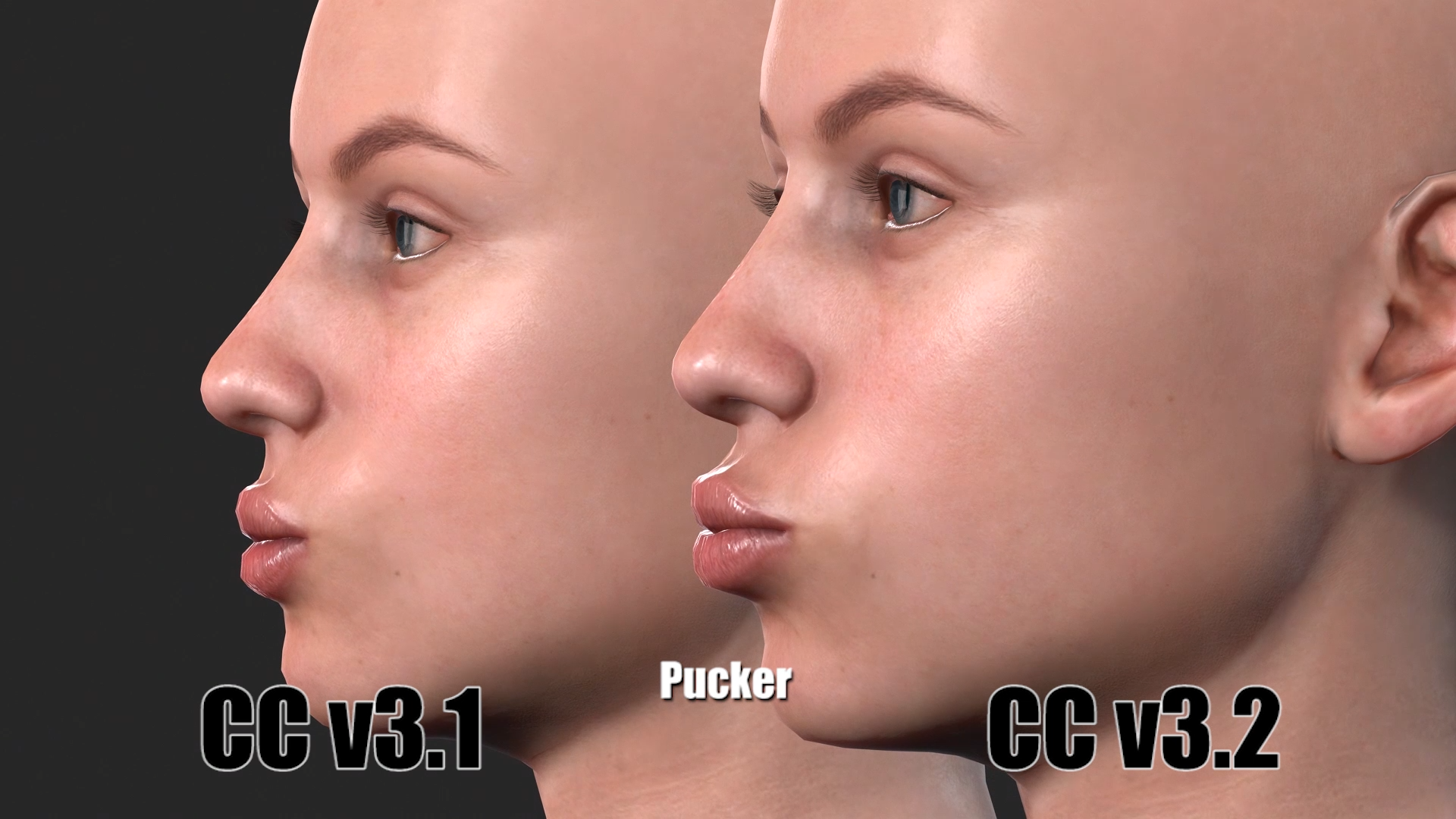
natural facial expressions for realistic digital human, the CC3 character expression data has been enhanced in this version. All CC3.2 embedded characters have been updated with the new expression set. If you'd like to have much natural facial expressions on your existing CC3 characters when animating or motion capturing, you can simply apply the new expression set to make it work. >>
Know MoreFor example, the shape of mouth becomes natural when smiling and puckering.
 There are other useful features added in version 3.2, which includes
 - Correct Eyeblink: quickly fixes the eyeblinking issue when the eyes of character are larger or smaller than the base character. >> Know More
- Create Head and Body Morph Sliders: allows users to quickly generate the head and body morph sliders of the current character. >> Know More
- Edit Mesh - Mirror Copy: Edit Mesh now supports mirroring meshes for characters to quickly fix the asymmetrical issue. >> Know More
- Back to Neutral Base: one-click to load the neutral character, which helps users to start a new character in an efficient way. >> Know More
- Ability to Save and Render Trial Content (with Watermark): enhances the usability of trial content and capability of project sharing, which makes it possible for collaboration between two parties with different accounts. >> Know More