Profile Picture

Seams on Custom Normal Maps

Posted By lorenzi_khan 6 Years Ago
You don't have permission to rate!
Author
Message
lorenzi_khan
lorenzi_khan
Posted 6 Years Ago
View Quick Profile
Senior Member

Senior Member (308 reputation)Senior Member (308 reputation)Senior Member (308 reputation)Senior Member (308 reputation)Senior Member (308 reputation)Senior Member (308 reputation)Senior Member (308 reputation)Senior Member (308 reputation)Senior Member (308 reputation)

Group: Forum Members
Last Active: 5 Years Ago
Posts: 5, Visits: 77
Hey everyone,

So I have gone and modeled my High poly Mesh in Zbrush and then exported that to substance painter to Bake my normal Maps. In substance painter as you can see there is no errors or visible seams
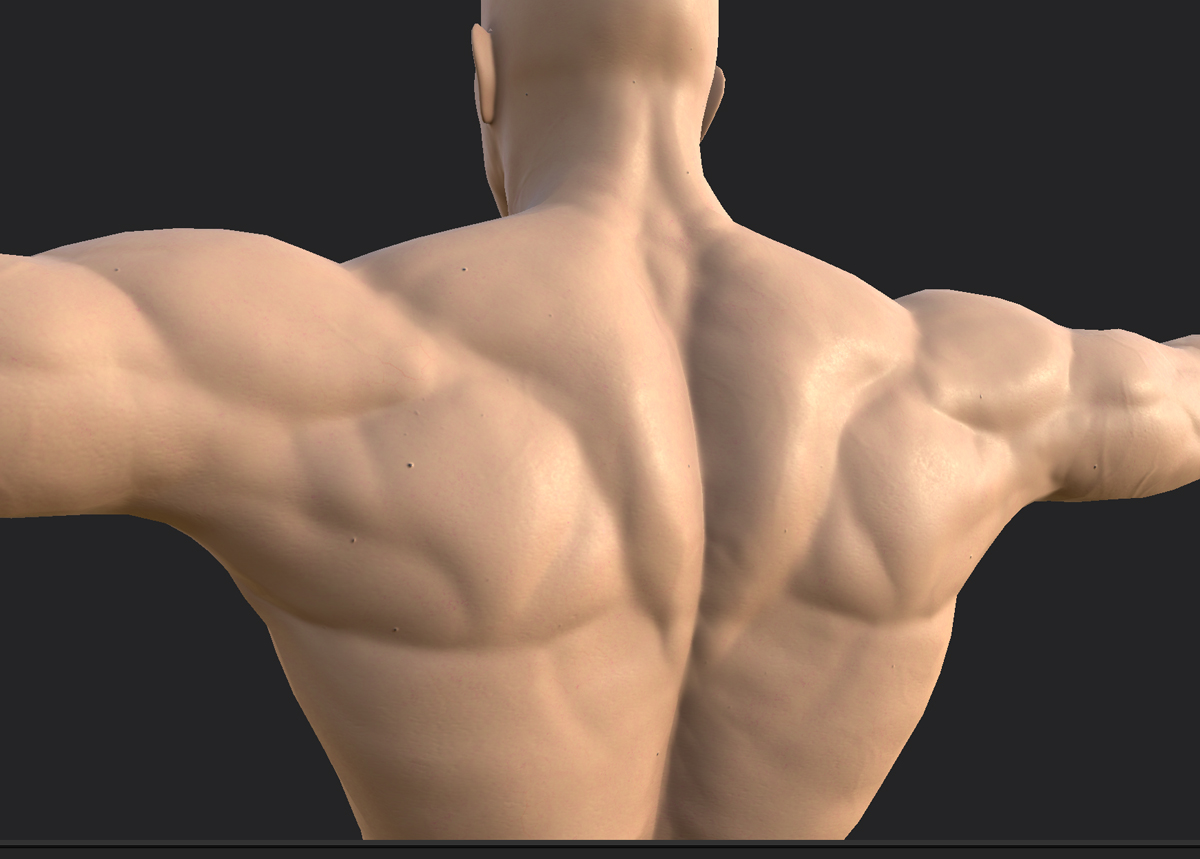
https://forum.reallusion.com/uploads/images/80002d82-5d21-4211-9675-2bef.jpg

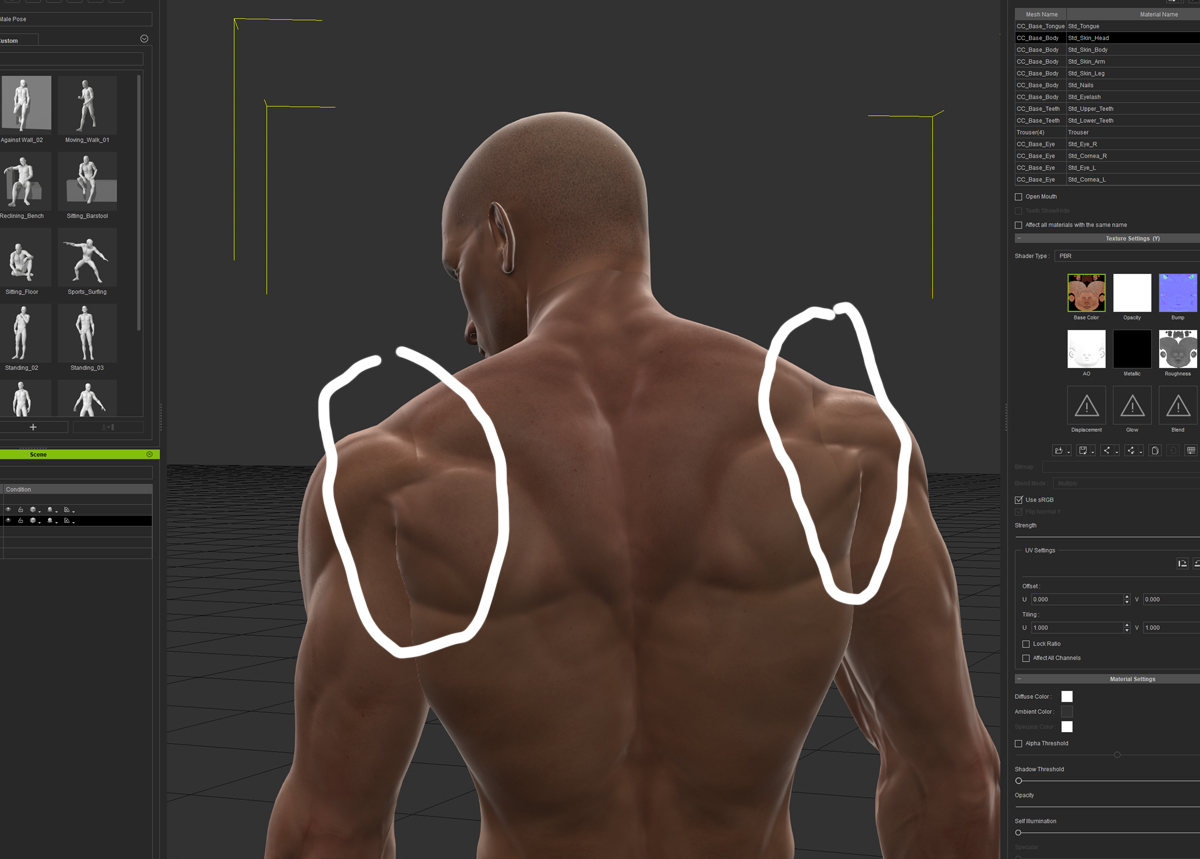
However, once I render out my Normal map and bring it back into Character Creator I am getting visible seams. Ive tried various edge dilation distances in Substance painter to no avail. 
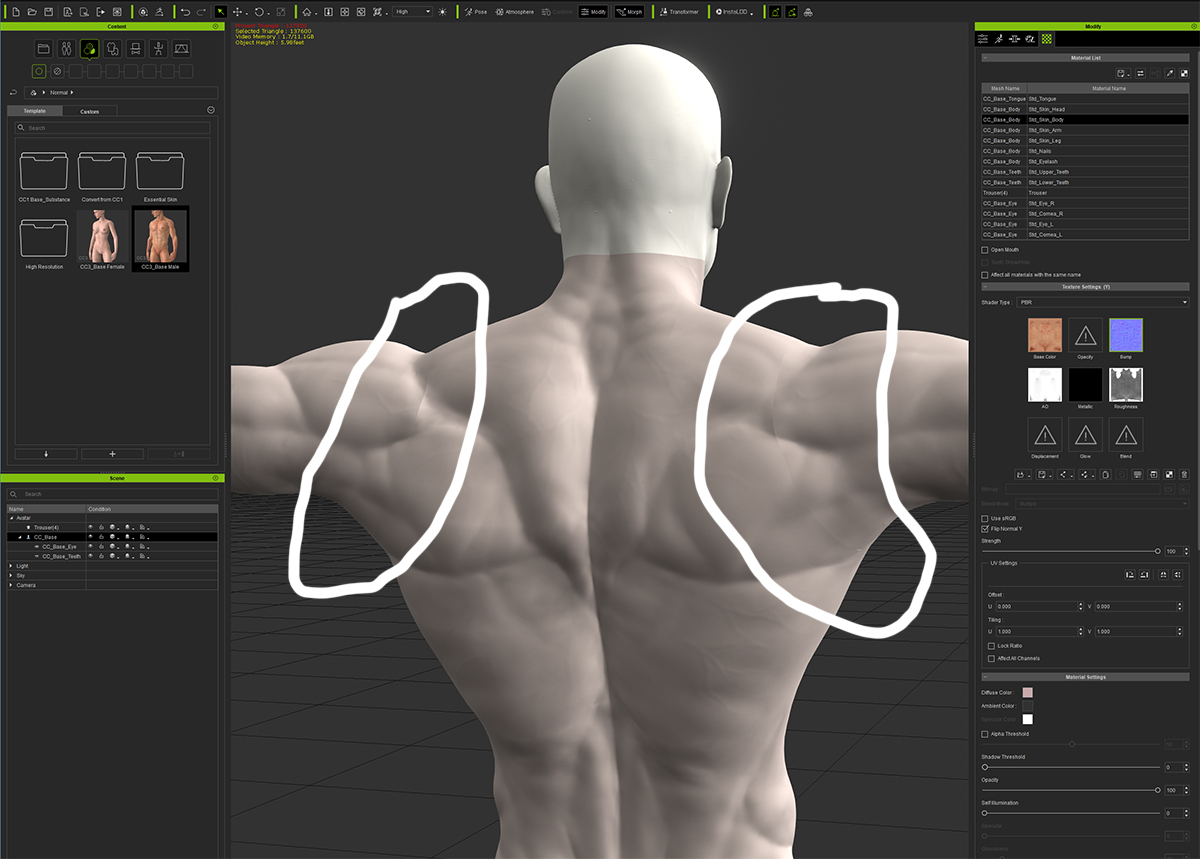
https://forum.reallusion.com/uploads/images/86085f0b-78c9-41fe-bfe2-7788.jpg
https://forum.reallusion.com/uploads/images/7d6366c2-4b9b-4d52-9a35-6bec.jpg

I have also noticed that in this video that is on the Reallusion Youtube page, the artist is experiencing the same issue but does not draw attention to it
https://www.youtube.com/watch?v=XoLmfigSffM
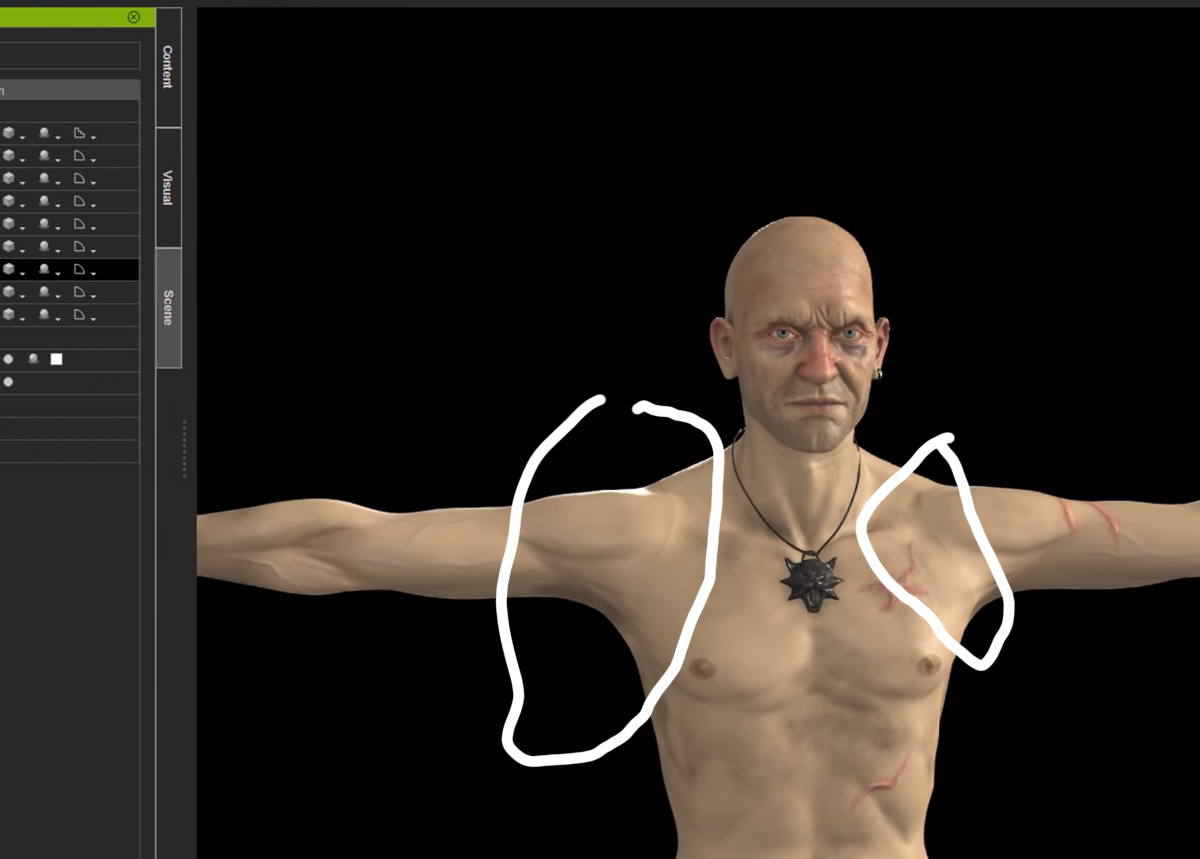
https://forum.reallusion.com/uploads/images/7a7e6f84-4c79-464a-85a1-da72.jpg

So does anyone have any idea about how to fix this issue? I have tried a few different baking methods, but I believe the issue might lie in the Normals of the low poly CC3 mesh itself.

Any feedback or suggestions would be greatly appreciated.

Thanks guys!


Reading This Topic