|
Author
|
Message
|
|
mtakerkart
|
mtakerkart
Posted 7 Years Ago
|
|
Group: Forum Members
Last Active: 2 Months Ago
Posts: 3.2K,
Visits: 29.2K
|
Oh ok. I'm sticking with the Universal T-pose cc2... :doze:
Now I'm waiting for the UDK 4 import plugin 2.0 to test them....
|
|
|
|
|
Rampa
|
|
|
Group: Forum Members
Last Active: 2 Months Ago
Posts: 8.2K,
Visits: 62.6K
|
You can make your open finger pose. Since you can rig clothing to a posed character, try modeling your gloves with open fingers. Then adjust the character's hands in CC3P to fit the gloves before rigging.
|
|
|
|
|
mtakerkart
|
mtakerkart
Posted 7 Years Ago
|
|
Group: Forum Members
Last Active: 2 Months Ago
Posts: 3.2K,
Visits: 29.2K
|
Thank you again Rampa , now it's easier to fit body for extreme body shape. And this is my Gally. 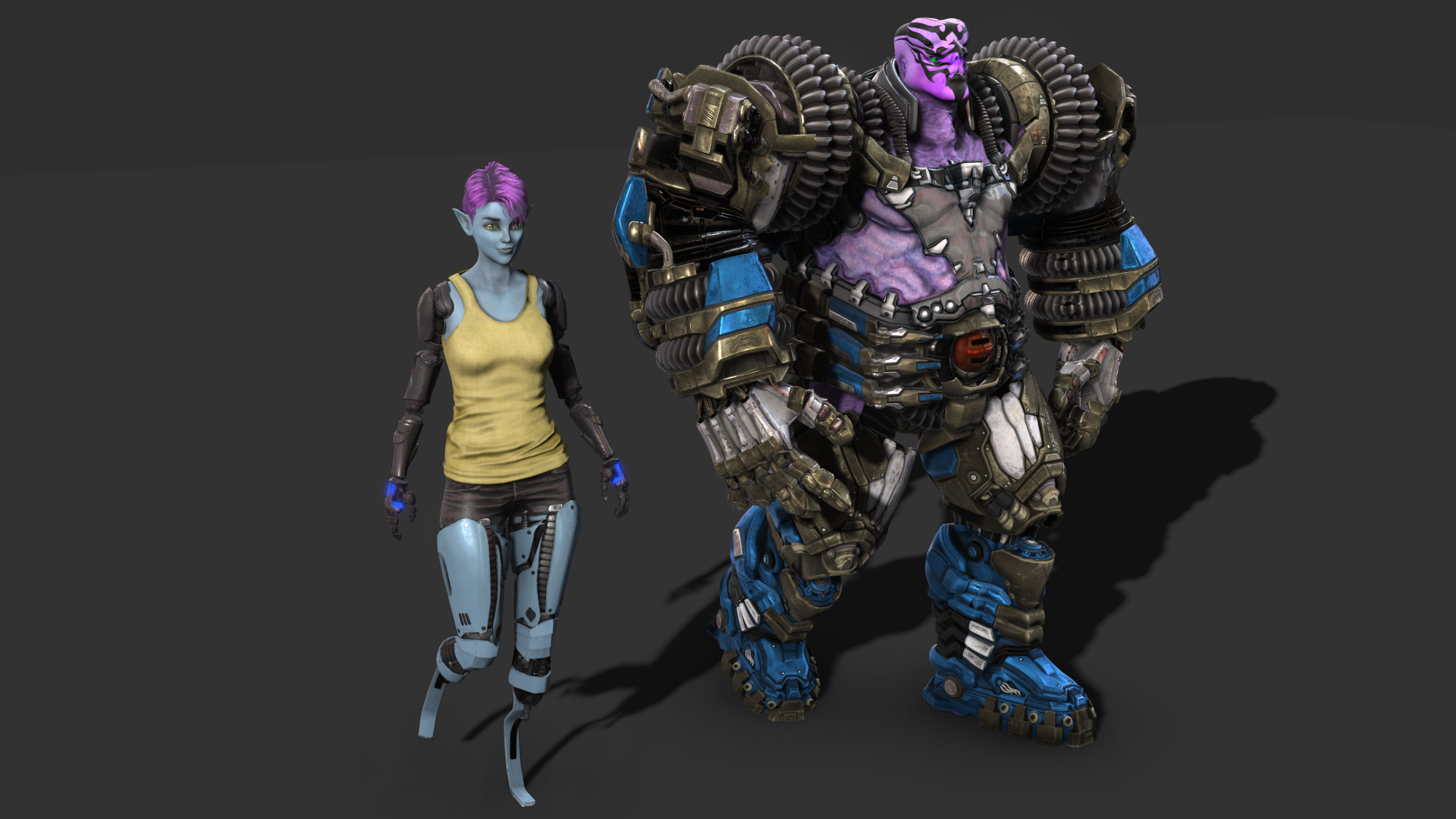 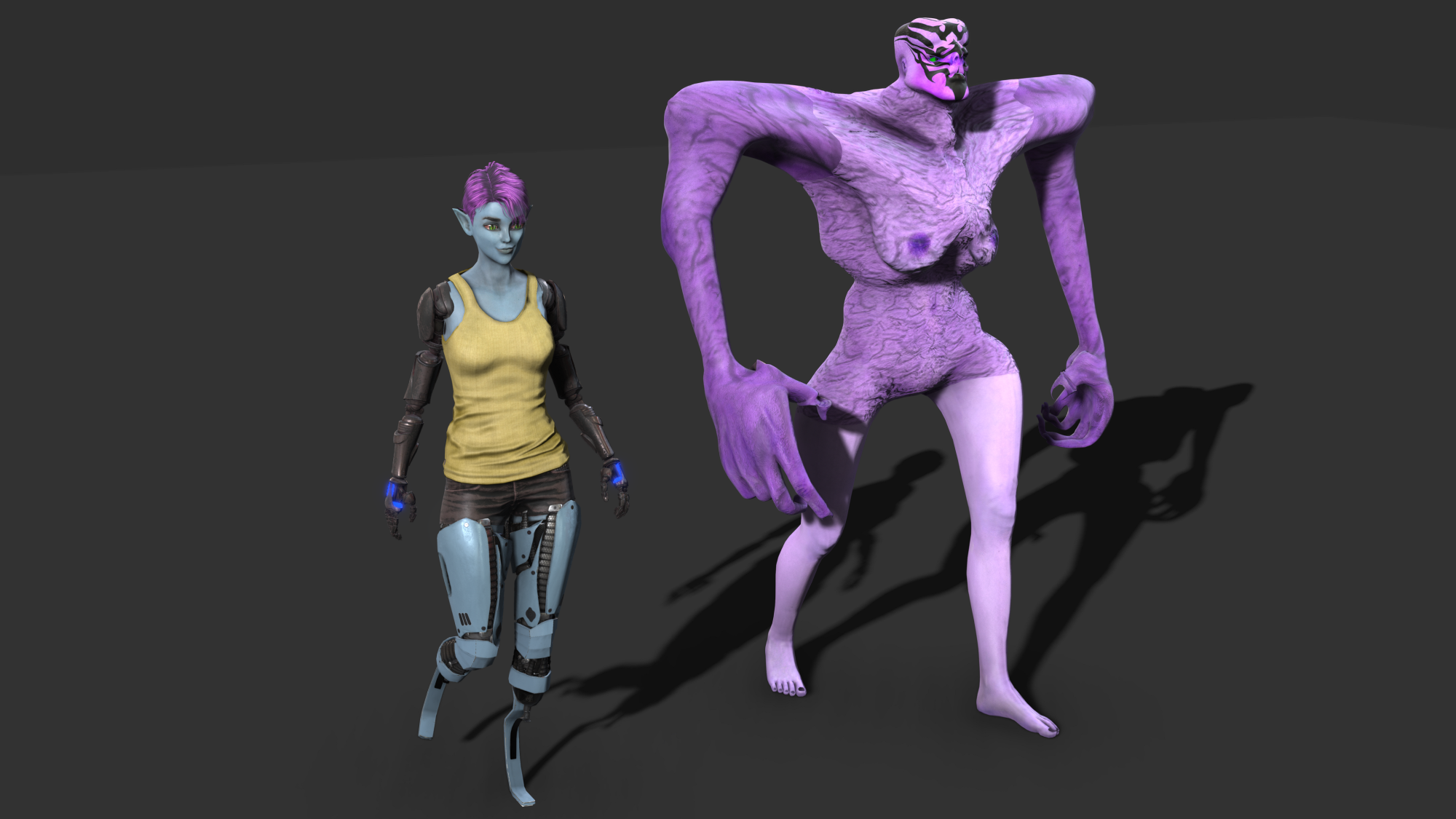 Unfortunately , I never success to transfert skinWeight with the "Gloves" feature. It's a real mess and pita trying to fix it. I use body/legs feature and create finger by finger from scratch to have better result. It would be very nice to have for fingers a sort of "open/spread" fingers instead of the "open mouth".
|
|
|
|
|
mtakerkart
|
mtakerkart
Posted 7 Years Ago
|
|
Group: Forum Members
Last Active: 2 Months Ago
Posts: 3.2K,
Visits: 29.2K
|
Hahaha!! Yes I think of her, it's for my Cyberpunk project . Now is to work all the characters to be UDK 4 ready....:)
|
|
|
|
|
Rampa
|
|
|
Group: Forum Members
Last Active: 2 Months Ago
Posts: 8.2K,
Visits: 62.6K
|
Where is your Alita? ;)
|
|
|
|
|
mtakerkart
|
mtakerkart
Posted 7 Years Ago
|
|
Group: Forum Members
Last Active: 2 Months Ago
Posts: 3.2K,
Visits: 29.2K
|
Ok it works but with the last blender version 2.79b , I got an import error message with the previous version with CC3 characters .
Usefull for creatures :)
Thank again Rampa.
|
|
|
|
|
4u2ges
|
4u2ges
Posted 7 Years Ago
|
|
Group: Forum Members
Last Active: Last Month
Posts: 5.3K,
Visits: 16.8K
|
You can go ahead and delete all the shape keys...
Yes, you can... but I really hate this part! Shape keys are practically face expressions.
And no matter what you do to them in an external app (even delete all as suggested), they are all back with DEFAULT values as soon as you import your character back to CC (with FBX key).
That makes me think shape keys (along with weights) are stored in FBX key file, making an avatar resilient to any sorts of amendments for facial and weight.
With CC3, they even added collision shapes to FBX keys (that part is not even encoded to binary). I don't understand what is getting protected here?
Why can't we change facial and weights in an external app the way we would like to have it? Sorry, little offtop...
|
|
|
|
|
Rampa
|
|
|
Group: Forum Members
Last Active: 2 Months Ago
Posts: 8.2K,
Visits: 62.6K
|
You can go ahead and delete all the shape keys. Then you can do it. You're just going to use this for a morph. So you'll be applying the morph to a new model in CC3 that has all its shape keys (blendshapes).
What's really cool about it, is that it actually lets you create your own bone morph.
|
|
|
|
|
mtakerkart
|
mtakerkart
Posted 7 Years Ago
|
|
Group: Forum Members
Last Active: 2 Months Ago
Posts: 3.2K,
Visits: 29.2K
|
Thank you Rampa. Your blender methode works well with the old Body_template gave with the CC2 : 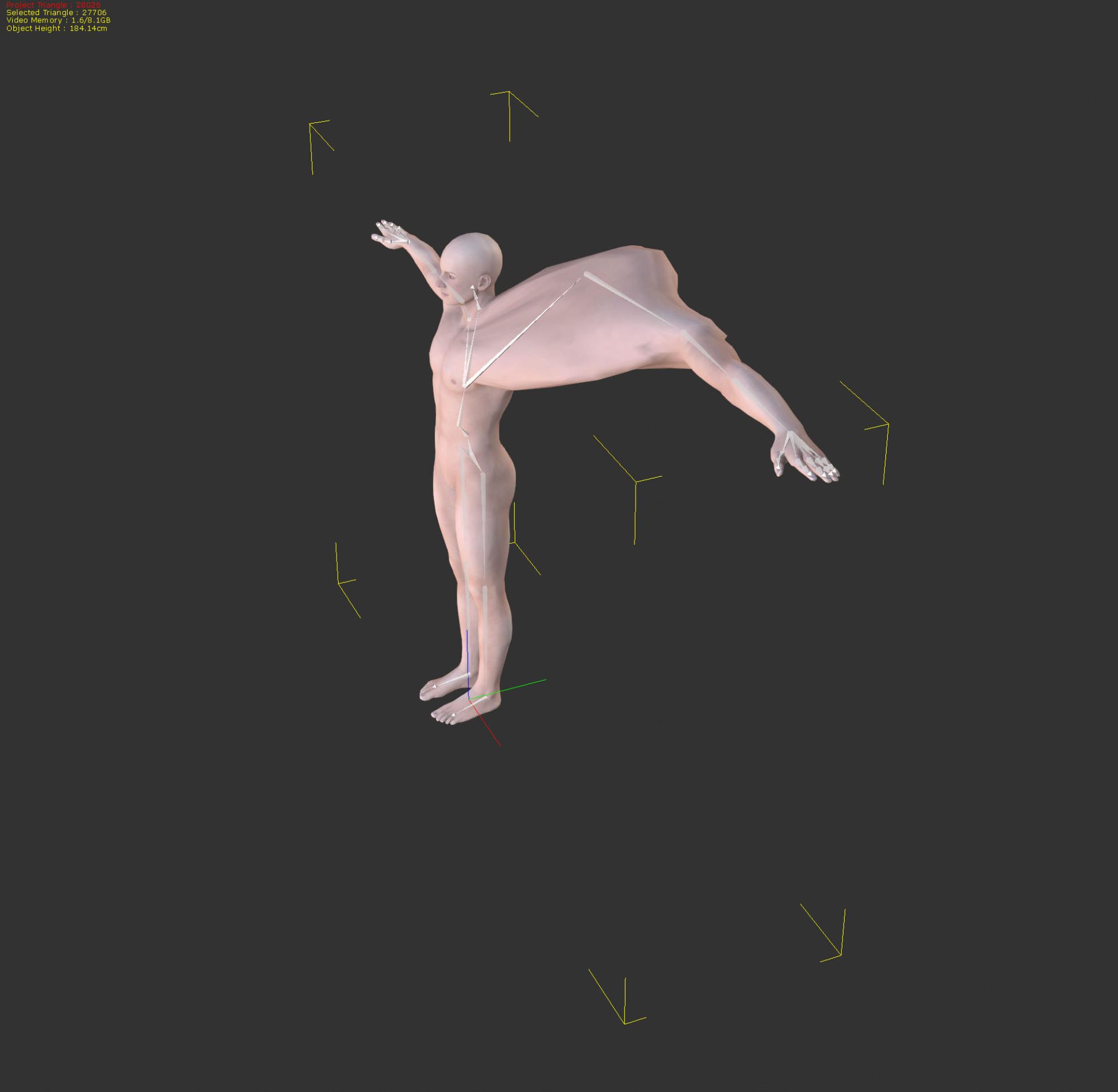 But I get this error message with CC3 exported character when I apply the deformation : " Modifier cannot be applied to a mesh with shape keys" 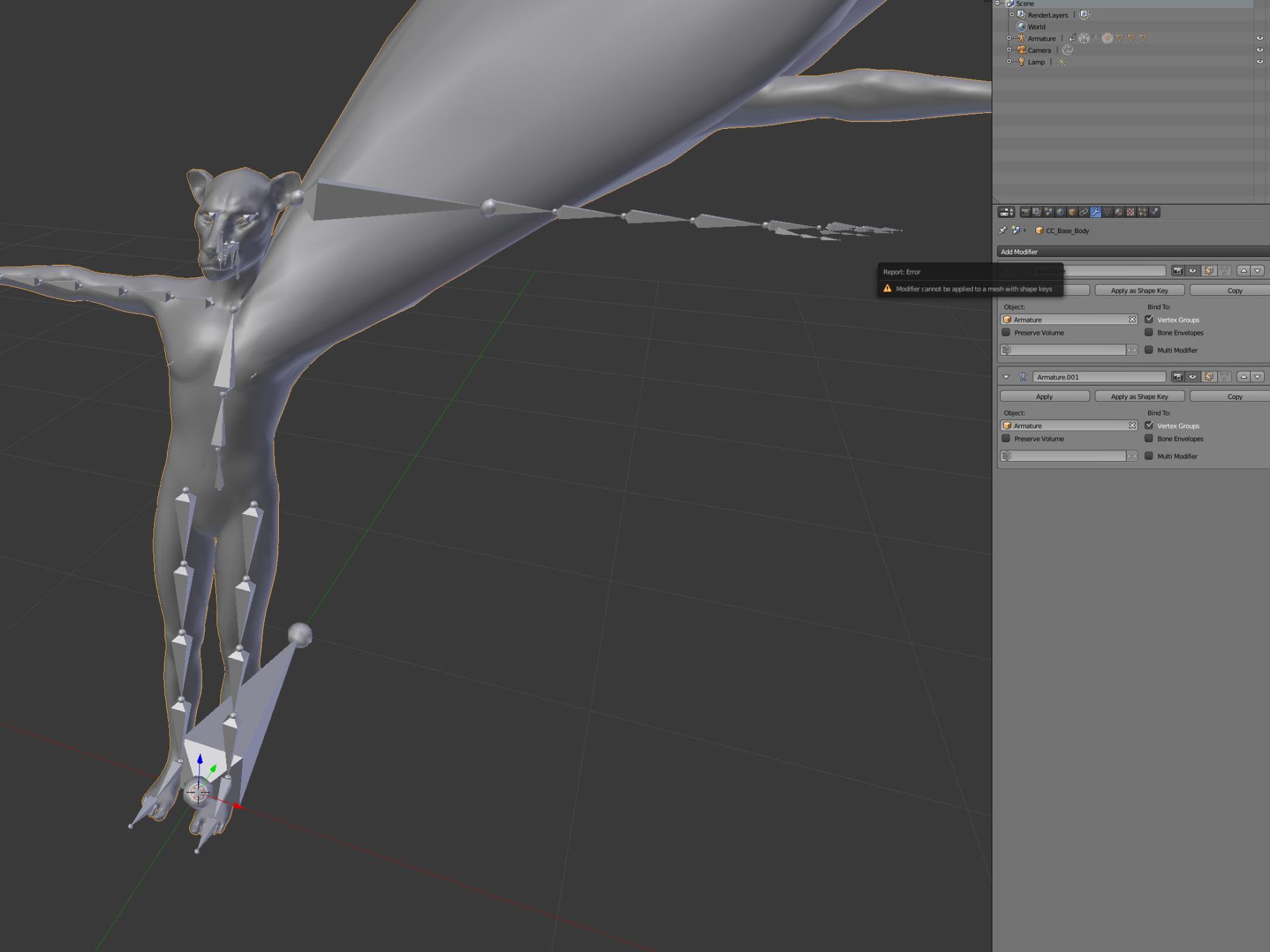 I have CC3 pipeline but Unfortunately the "move bones" is only for morph applied to fit the mesh when animating.
|
|
|
|
|
Rampa
|
|
|
Group: Forum Members
Last Active: 2 Months Ago
Posts: 8.2K,
Visits: 62.6K
|
There are now a couple of ways to do that. The way I discovered to do it with Blender is this:
But now in CC3P, there is an even easier way! :) http://manual.reallusion.com/Character_Creator_3/ENU/3/Content/Character_Creator_3/3/06_Body/Adjusting_Character_Bones.htm
|
|
|
|