|
Author
|
Message
|
|
nabakiafrika
|
nabakiafrika
Posted 6 Years Ago
|
|
Group: Forum Members
Last Active: 4 Years Ago
Posts: 6,
Visits: 70
|
Hi Geoffrey, I'm in the deep water of a major animation project, and have invested in iclone and cc to help me speed up and add some variety to the process. I use blender for my project but when finished plan to devote some time to iclone and its workflow. I'm finding exporting fbx with animation from iclone, importing to blender, hit or miss. I fiddle all the settings, and when I find the settings that work, in the next attempt they don't work. So weird, or I have to try multiple times and eventually the import works. That's my issue now, but I am really interested in discovering your animated works; I found you on Idmb but it doesn't yet have your animation work listed. congrats anyway, and please share links if you have them. here's a screenshot from a recent shot I was working on. thanks! Warren 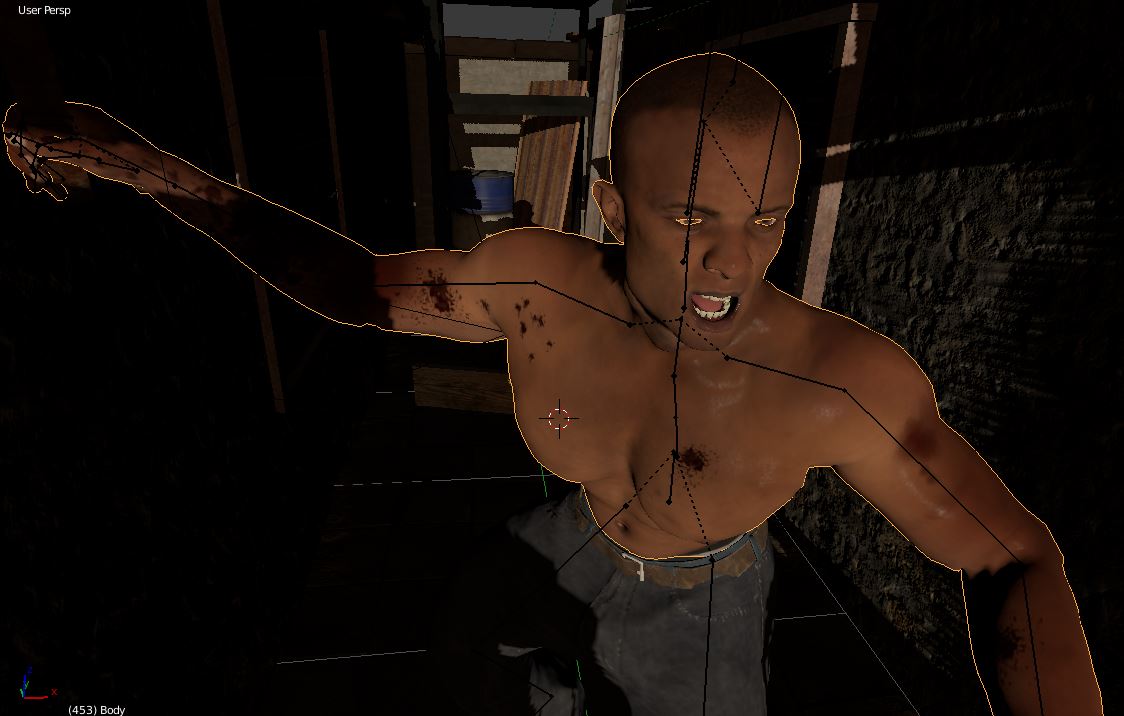
|
|
|
|
|
AutoDidact
|
AutoDidact
Posted 6 Years Ago
|
|
Group: Forum Members
Last Active: 2 Months Ago
Posts: 2.1K,
Visits: 13.6K
|
Two additional questions:
1. How easy and stable is it to import content from blender to iClone (rigging, file formats, other contents ...)
2. What does the price of iClone buy you? Is it a lifetime price or do you have to pay again for each new version? How many additional plugins you need for a real start? If you plan to import content from Blender you must have the Full pipeline version with 3Dxchange Check the main store page for detailed description of the various versions.
|
|
|
|
|
justaviking
|
justaviking
Posted 6 Years Ago
|
|
Group: Forum Members
Last Active: Last Year
Posts: 8.2K,
Visits: 26.5K
|
webmaster_916720 (1/24/2019)
2. What does the price of iClone buy you? Is it a lifetime price or do you have to pay again for each new version? How many additional plugins you need for a real start?You pay for each "Major" Release. 5.0.... 6.0.... 7.0.... You get "Patch" updates for free. 7.1.... 7.2.... 7.3.... Historically, at least one patch release has included significant new functionality, in addition to bug fixes and minor enhancements. That's not a guarantee. Each major release cycle seems to run for at least two years, even more. You OWN the software, so even if you don't upgrade to the next major release, the old version will continue to run, and run, and run...
iClone 7... Character Creator... Substance Designer/Painter... Blender... Audacity...
Desktop (homebuilt) - Windows 10, Ryzen 9 3900x CPU, GTX 1080 GPU (8GB), 32GB RAM, Asus X570 Pro motherboard, 2TB SSD, terabytes of disk space, dual monitors.
Laptop - Windows 10, MSI GS63VR STEALTH-252, 16GB RAM, GTX 1060 (6GB), 256GB SSD and 1TB HDD
|
|
|
|
billgucci2
|
billgucci2
Posted 6 Years Ago
|
|
Group: Banned Members
Last Active: 6 Years Ago
Posts: 27,
Visits: 207
|
webmaster_916720 (1/24/2019)
1. How easy and stable is it to import content from blender to iClone (rigging, file formats, other contents ...)
Reallusion has made importing characters, props and accessories from 3rd party software very easy. Daz for instance...There is "Special Duf Key" that simplify's the entire process. "It automatically recognizes Daz's bones, morphs and animations" Without this key.... you'd have to do it manually. Many, many steps involved.
|
|
|
|
|
webmaster_916720
|
webmaster_916720
Posted 6 Years Ago
|
|
Group: Forum Members
Last Active: 6 Years Ago
Posts: 3,
Visits: 24
|
Thank you for all these elaborate answers.
They helped me a lot.
Even I have not yet decided.
Of course using both tools would be the best solution ... but they are both not easy to control and unfortunatelly both totally different in their interfaces.
Two additional questions:
1. How easy and stable is it to import content from blender to iClone (rigging, file formats, other contents ...)
2. What does the price of iClone buy you? Is it a lifetime price or do you have to pay again for each new version? How many additional plugins you need for a real start?
Thank you
|
|
|
|
billgucci2
|
billgucci2
Posted 6 Years Ago
|
|
Group: Banned Members
Last Active: 6 Years Ago
Posts: 27,
Visits: 207
|
webmaster_916720 (1/21/2019)
What is the reason to spend money for iClone, when I can have blender for free.
What makes iClone remarkable is it's many, many "Scripted Tools" that takes the pain away from animation. Physics, Constraints, Camera enhancements, Curve Editor and much, much more. Such as, Lip Sync.... You add audio and text... the iclone speech engine animates "For you." Good audio produces very nice results with minimal clean up. If you advanced 3d animation skill and know how to "Script 3d Tools"... stick with Blender. Easier said than done. If you don't have required "Advanced Animation Skill"... Produces animated clips super fast with iClone, CC and 3dxchange. ...because Blender, Maya, Max, Houdini and many others "WILL" produce Fast and Accurate results. "IF"... you can script the tools to speed up the entire process... Like iClone does.
|
|
|
|
|
Dragonskunk
|
Dragonskunk
Posted 6 Years Ago
|
|
Group: Forum Members
Last Active: 2 Years Ago
Posts: 368,
Visits: 1.4K
|
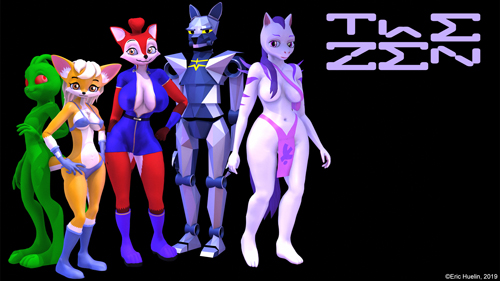
Why not both. I don't like Blender for all the add-ons you have to get and some have no support and Blender has no teachable manual and it's difficult to find good help online for some queries. But what I do like is using both, I make content in Blender and then use iClone to stage and animate characters.
|
|
|
|
|
Kelleytoons
|
Kelleytoons
Posted 6 Years Ago
|
|
Group: Forum Members
Last Active: Last Year
Posts: 9.2K,
Visits: 22.1K
|
gj_20140318100407764 (1/23/2019)
That being said, I sure would love to have motion-blur...+1. Sigh.
Alienware Aurora R16, Win 11, i9-149000KF, 3.20GHz CPU, 64GB RAM, RTX 4090 (24GB), Samsung 870 Pro 8TB, Gen3 MVNe M-2 SSD, 4TBx2, 39" Alienware Widescreen Monitor
Mike "ex-genius" Kelley
|
|
|
|
|
Geoffrey James
|
Geoffrey James
Posted 6 Years Ago
|
|
Group: Forum Members
Last Active: Yesterday
Posts: 90,
Visits: 356
|
The idea that iClone is more expensive than "free" software is ridiculous. If you go the blender route, you'll spend weeks trying to do something you can do in iClone in a day. Time is money. Iclone is a bargain because its GUI and pipeline saves you time. Enough time, in fact, that you can, with iClone, create your own studio. I recently had a discussion with one of the top real-time animators--a guy with experience with Unreal/Unity, Lumberyard, etc. He was fascinated by the iClone approach because he could see how it could save so much time. Using iClone, I've been able to enter and win multiple film festivals working in my spare time. As somebody who's been doing animation since 1965 and computer animation since the early 1980s, it's 100% clear to me that iClone is the most powerful single-person-studio animation tool ever developed. There's nothing like it anywhere.
That being said, I sure would love to have motion-blur...
Geoffrey James
Intel Core i9-9980XE 18 Cores @ 4.5GHz, 128GB @ 3000MHZ, 2 NVIDIA® TITAN RTX, 512GB SSD, 2TB SSD, 10TB HDD, 1200 Watt PS, Viewsonic 43" 4K.
|
|
|
|
|
Delerna
|
Delerna
Posted 6 Years Ago
|
|
Group: Forum Members
Last Active: 3 Years Ago
Posts: 1.5K,
Visits: 14.8K
|
Which is better iClone or Blender?????
I think its an impossible question to answer because I believe it is entirely dependant on individual people.
I have seen people make videos with Blender some hate it and some love it. I have seen people make videos with iClone some hate it and some love it
I have tried making video's with Blender and I hate it in comparison to making them with iClone. iClone almost totally suits how I do things.
iClone does enable us to make models but only to a limited degree, its not really a modelling software although it is improving its capabilities.
I use Blender for making models that don't come by default with iClone or I haven't bought from iClone store or marketplace. But anything to do with making video's I for one will most likely never be moving away from iClone.
Suggestion
Download the trial version of iclone and seriously check it out and also do some searching for video tutorials for Blender and try doing some there too.
Which you end up preferring will be your own workflow preference. I for one certainly see iClone is much easier to work with for making videos.
i7-3770 3.4GHz CPU 16 GB Ram
GeForce GTX1080 TI 11GB
Windows 10 Pro 64bit
|
|
|
|