|
Author
|
Message
|
|
Miranda (RL)
|
Miranda (RL)
Posted 6 Years Ago
|
|
Group: Administrators
Last Active: 3 Years Ago
Posts: 1.8K,
Visits: 11.2K
|
Hi everyone,
The tutorial of "Setting up LOD for CC3 Characters in Unreal with Auto-Setup Plugin" is available!
|
|
|
|
|
rogyru
|
rogyru
Posted 6 Years Ago
|
|
Group: Forum Members
Last Active: Last Year
Posts: 497,
Visits: 1.3K
|
Done a test inside of Unreal , used standard CC3 char and motion from iclone. Plugin works well and it looks good , just learning tweaks to improve it.
The three areas from improvment i notice are the Hair/ Scalp / Eyelash materials .The opacity settings look a bit off to me , other than that its great
|
|
|
|
|
TonyDPrime
|
TonyDPrime
Posted 6 Years Ago
|
|
Group: Forum Members
Last Active: Last Year
Posts: 3.4K,
Visits: 12.4K
|
Tried importing several different ways and bringing folder (tried the entire FBX, and just the FBM) into several different locations, I always get the error:
"Did not find texture folder"
But I am replicating just how the tutorial shows, with the FBX folder brought in to the character folder I made, which is like-named to the FBX imported avatar.
Which are you actually supposed to import...the FBM folder, or the entire folder....and does it matter where you put it?
EDIT:
I see, I am supposed to just bring the entire FBX folder into the content folder as the 1st step.
I was importing an FBX, and then placing a folder inside that...
It is working.
|
|
|
|
|
Miranda (RL)
|
Miranda (RL)
Posted 6 Years Ago
|
|
Group: Administrators
Last Active: 3 Years Ago
Posts: 1.8K,
Visits: 11.2K
|
Hi rogyru,
Looks nice! (expect for the missing eyelashes :P
We'd like to enhance this part by integrating with Unreal official shader in the next version.
Hi TonyDPrime,
Thanks for the update! Yes, the entire FBX folder should be put into the same folder.
|
|
|
|
|
rogyru
|
rogyru
Posted 6 Years Ago
|
|
Group: Forum Members
Last Active: Last Year
Posts: 497,
Visits: 1.3K
|
Miranda (RL) (1/22/2019)
Hi rogyru,
Looks nice! (expect for the missing eyelashes :P
We'd like to enhance this part by integrating with Unreal official shader in the next version.
Hi TonyDPrime,
Thanks for the update! Yes, the entire FBX folder should be put into the same folder.
Good stuff look forward to a update to help with the Hair etc
|
|
|
|
|
LookingGlassGraphics
|
LookingGlassGraphics
Posted 6 Years Ago
|
|
Group: Forum Members
Last Active: 4 Months Ago
Posts: 173,
Visits: 1.1K
|
Will something like the LOD script be available to use within Iclone in the near future? We could definitely use that to create animation with higher quality models in case there's scenes with many avatars. I know bringing in Low Poly characters would work but having a script like that within IC7 would be awesome.

J. Rosa
Marketplace Link:
Looking Glass Graphics
Primary
NVIDIA GeForce RTX 3060 Intel(R) Core(TM) i9-10900K CPU @ 3.70GHz, 32.0 GB RAM, 12 GB Dedicated Ram Secondary
NVIDIA GeForce GTX 1080 Intel(R) Core(TM) i7-7700K CPU @ 4.20GHz, 32.0 GB RAM, 4 Core(s), 8 GB Dedicated Ram
|
|
|
|
|
macsklad
|
macsklad
Posted 6 Years Ago
|
|
Group: Forum Members
Last Active: Last Month
Posts: 6,
Visits: 107
|
Hi! First of all - what a great idea! Second: would You be so kind and include versions for unreal 4.18 (4.18 is the most stable atm for examle concerning multiplayer, which 4.20 broke)? Please:)
|
|
|
|
|
schmigel.sign
|
schmigel.sign
Posted 6 Years Ago
|
|
Group: Forum Members
Last Active: 6 Years Ago
Posts: 1,
Visits: 9
|
Is there any special setup for the hair texture? Opacity and specular textures are already NO srgb Here´s the hair in CC:  And in Unreal: 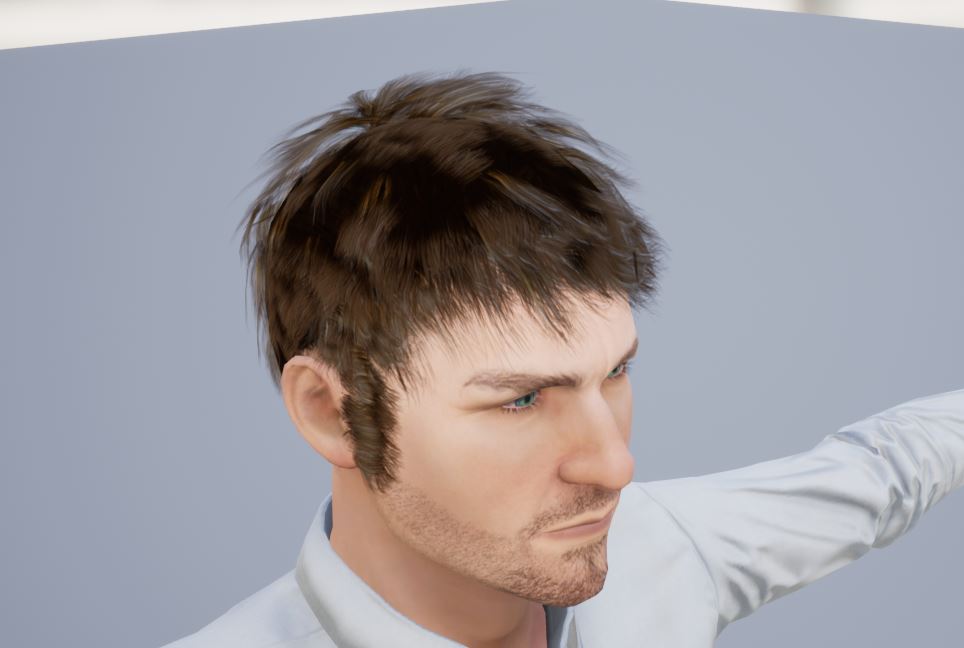 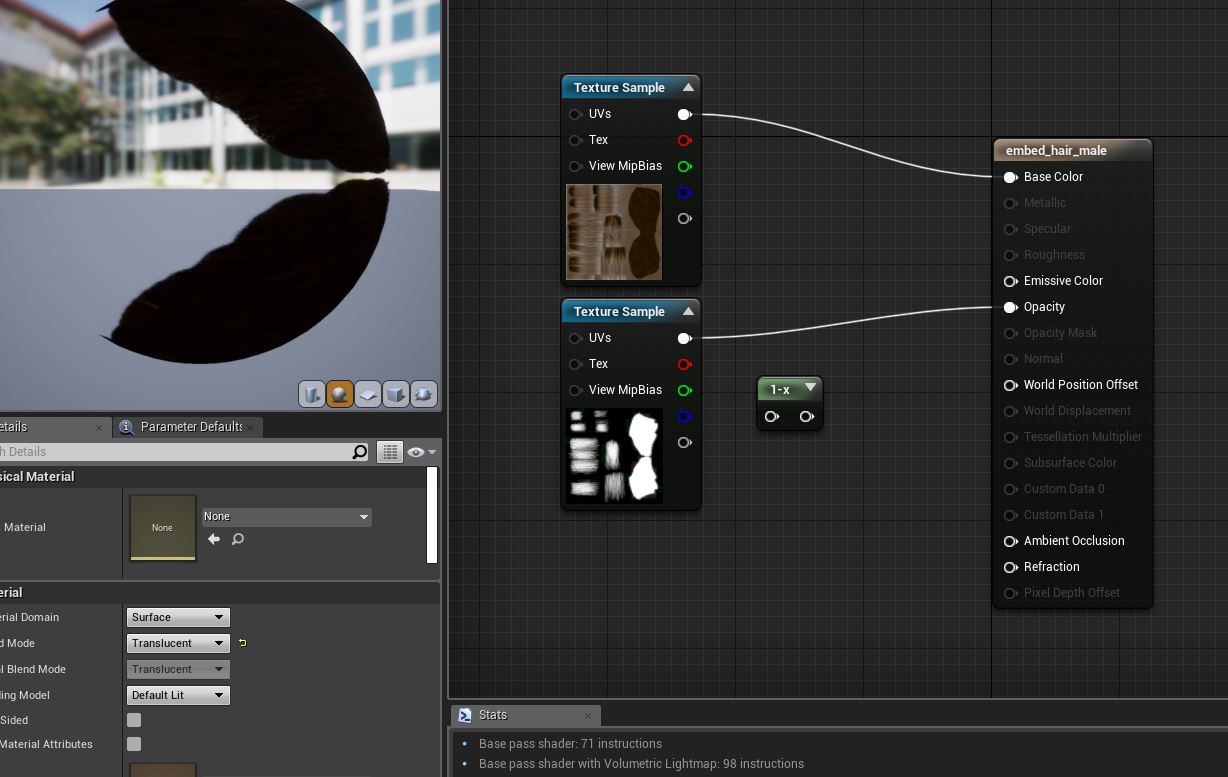
|
|
|
|
|
Ellessarr
|
Ellessarr
Posted 6 Years Ago
|
|
Group: Forum Members
Last Active: 5 Years Ago
Posts: 81,
Visits: 773
|
i've found a annoying bug, which could not be precise from the pluging but for sure is for CC3, is which the textures only worker proper if you use the default fle extension type(in this case jpeg) if you try to use things like TGA (targa) which is much better for unreal the texture get totally screwed, the textures only proper work if you use the default archive style, could be good take a look at this.
i tried today to export using the pluging and when i did it using targa format it bugged a lot the textures and only worked when using default texture type(jpg)
|
|
|
|
|
Miranda (RL)
|
Miranda (RL)
Posted 6 Years Ago
|
|
Group: Administrators
Last Active: 3 Years Ago
Posts: 1.8K,
Visits: 11.2K
|
LookingGlassGraphics (1/24/2019)
Will something like the LOD script be available to use within Iclone in the near future? We could definitely use that to create animation with higher quality models in case there's scenes with many avatars. I know bringing in Low Poly characters would work but having a script like that within IC7 would be awesome.Hi Jacob, I can't promise you anything at this moment, but this request has been addressed to Product Team before CC3 launched.
|
|
|
|