|
Author
|
Message
|
|
jdeep6
|
jdeep6
Posted 7 Years Ago
|
|
Group: Forum Members
Last Active: 6 Years Ago
Posts: 2,
Visits: 68
|
Is there a way to properly turn off auto-processing?
I need to change muscles settings (or T pose) and even if they are properly saved (apply -> done), auto-processing checks itself back again whenever I launch a preview.
My issue is that shoulders are way too high when using Female Movement Animset Pro or other FBX animation files.
Thanks for any tips
|
|
|
|
|
Miranda (RL)
|
Miranda (RL)
Posted 7 Years Ago
|
|
Group: Administrators
Last Active: 4 Years Ago
Posts: 1.8K,
Visits: 11.2K
|
Hello! To turn off the auto-processing script, go to the Top Menu > Window, and click on the Auto-processing for CC character. Untick the checkbox on the pop-up window. jdeep6 (11/28/2019)
Is there a way to properly turn off auto-processing?
I need to change muscles settings (or T pose) and even if they are properly saved (apply -> done), auto-processing checks itself back again whenever I launch a preview.
My issue is that shoulders are way too high when using Female Movement Animset Pro or other FBX animation files.
Thanks for any tips
|
|
|
|
|
jdeep6
|
jdeep6
Posted 7 Years Ago
|
|
Group: Forum Members
Last Active: 6 Years Ago
Posts: 2,
Visits: 68
|
Thank you but I'm aware of that. The issue is that it checks itself back again whenever I preview my scene.
|
|
|
|
|
Miranda (RL)
|
Miranda (RL)
Posted 7 Years Ago
|
|
Group: Administrators
Last Active: 4 Years Ago
Posts: 1.8K,
Visits: 11.2K
|
May you specify the Unity version you are using? Can you record a short clip of your operation? Please message me if you have concern in showing your work to the public. Thank you! jdeep6 (11/29/2019)
Thank you but I'm aware of that. The issue is that it checks itself back again whenever I preview my scene.
|
|
|
|
|
qbgroupapp
|
qbgroupapp
Posted 6 Years Ago
|
|
Group: Forum Members
Last Active: 2 Years Ago
Posts: 5,
Visits: 88
|
Hi, I'm trying to use the HDRP auto setup script, but the only way to use it is on macOS using unity 2019.2.20. Under windows, I tried with unity 2018.4 (LTS), 2019.1.14 and 2019.2.20 but I always get a bad result, I do not understand why. Here is a screenshot of what I get. 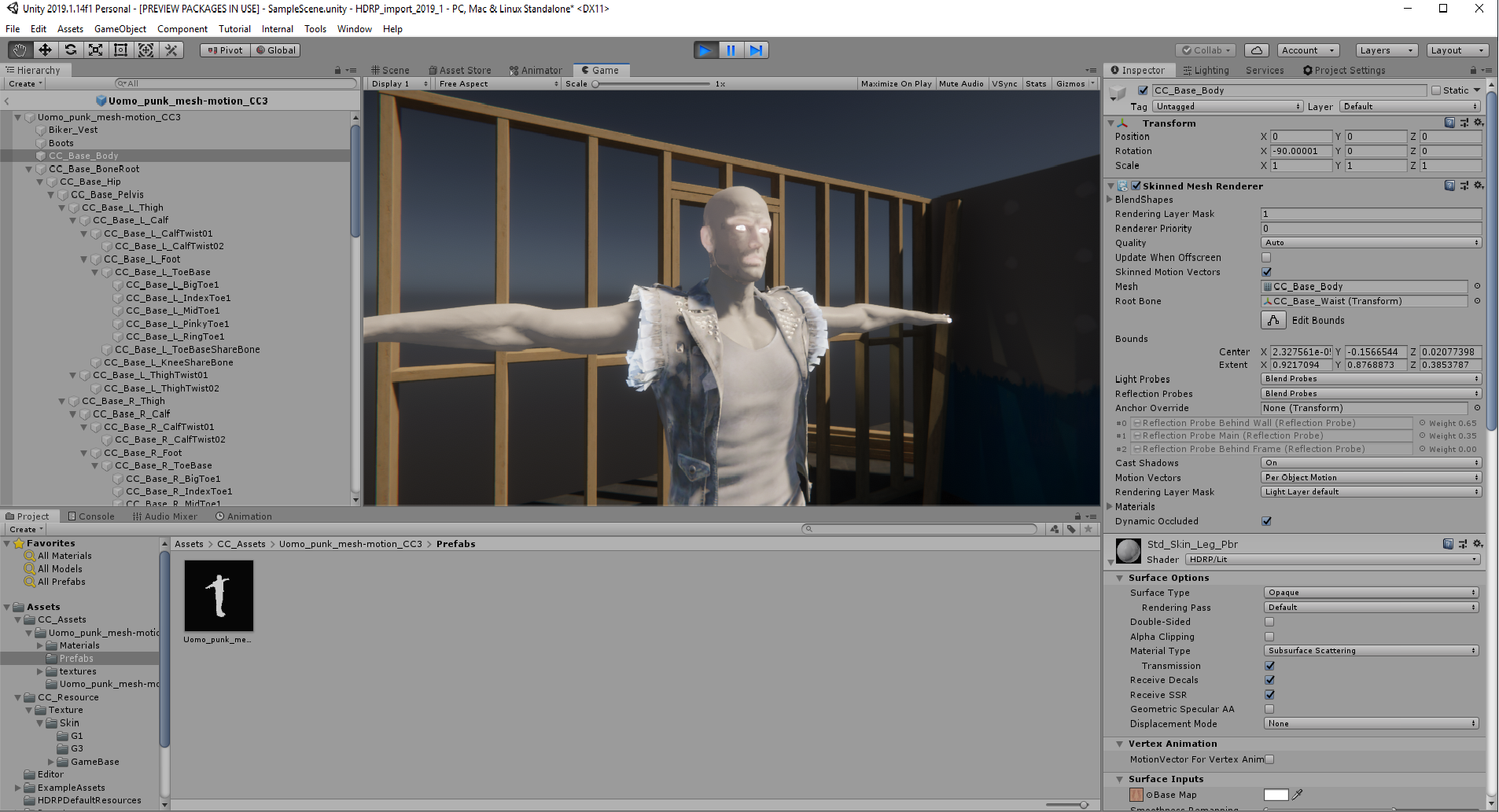 I need to export a unity package because I'm using unity 2019.3, it's fine if I need a longer pipeline of work, but at this moment I also need to change computer, switch on a mac, import then export and go back to the pc. This is not acceptable. What is the problem I'm facing? How can I solve it? I do not understand why looking at the properties of the materials seems to be all ok, but the final rendering (also in scene view) is something emitting light. Thank you for your help. marco
|
|
|
|
|
astgeorge
|
astgeorge
Posted 6 Years Ago
|
|
Group: Forum Members
Last Active: 6 Years Ago
Posts: 2,
Visits: 48
|
Along the lines of the question above. When is the Auto-Setup tool going to be updated for the latest version of Unity? There seem to be some shader issues going on when importing characters, and it's getting to be a bit of a hassle to make a project in one version and then scale it up to the latest.
|
|
|
|
|
Miranda (RL)
|
Miranda (RL)
Posted 6 Years Ago
|
|
Group: Administrators
Last Active: 4 Years Ago
Posts: 1.8K,
Visits: 11.2K
|
Hi Marco, Can you screenshot the Console page? 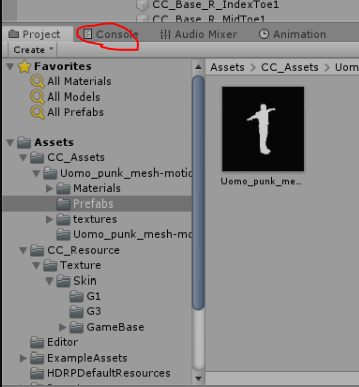 qbgroupapp (2/11/2020)
Hi,
I'm trying to use the HDRP auto setup script, but the only way to use it is on macOS using unity 2019.2.20.
Under windows, I tried with unity 2018.4 (LTS), 2019.1.14 and 2019.2.20 but I always get a bad result, I do not understand why.
Here is a screenshot of what I get.
I need to export a unity package because I'm using unity 2019.3, it's fine if I need a longer pipeline of work, but at this moment I also need to change computer, switch on a mac, import then export and go back to the pc. This is not acceptable.
What is the problem I'm facing? How can I solve it?
I do not understand why looking at the properties of the materials seems to be all ok, but the final rendering (also in scene view) is something emitting light.
Thank you for your help.
marco
|
|
|
|
|
Miranda (RL)
|
Miranda (RL)
Posted 6 Years Ago
|
|
Group: Administrators
Last Active: 4 Years Ago
Posts: 1.8K,
Visits: 11.2K
|
astgeorge (2/14/2020)
Along the lines of the question above. When is the Auto-Setup tool going to be updated for the latest version of Unity? There seem to be some shader issues going on when importing characters, and it's getting to be a bit of a hassle to make a project in one version and then scale it up to the latest.Hi astgeorge, I've been checking with Dev Team. The specific delivery date is not firmed yet, but it won't be earlier than April as far as I know.
|
|
|
|
|
qbgroupapp
|
qbgroupapp
Posted 6 Years Ago
|
|
Group: Forum Members
Last Active: 2 Years Ago
Posts: 5,
Visits: 88
|
Here it is, does not seem to be something critical in the console log. I'd really need to know how to solve the problem with the import of the models into an HDRP scene under windows. Thank you 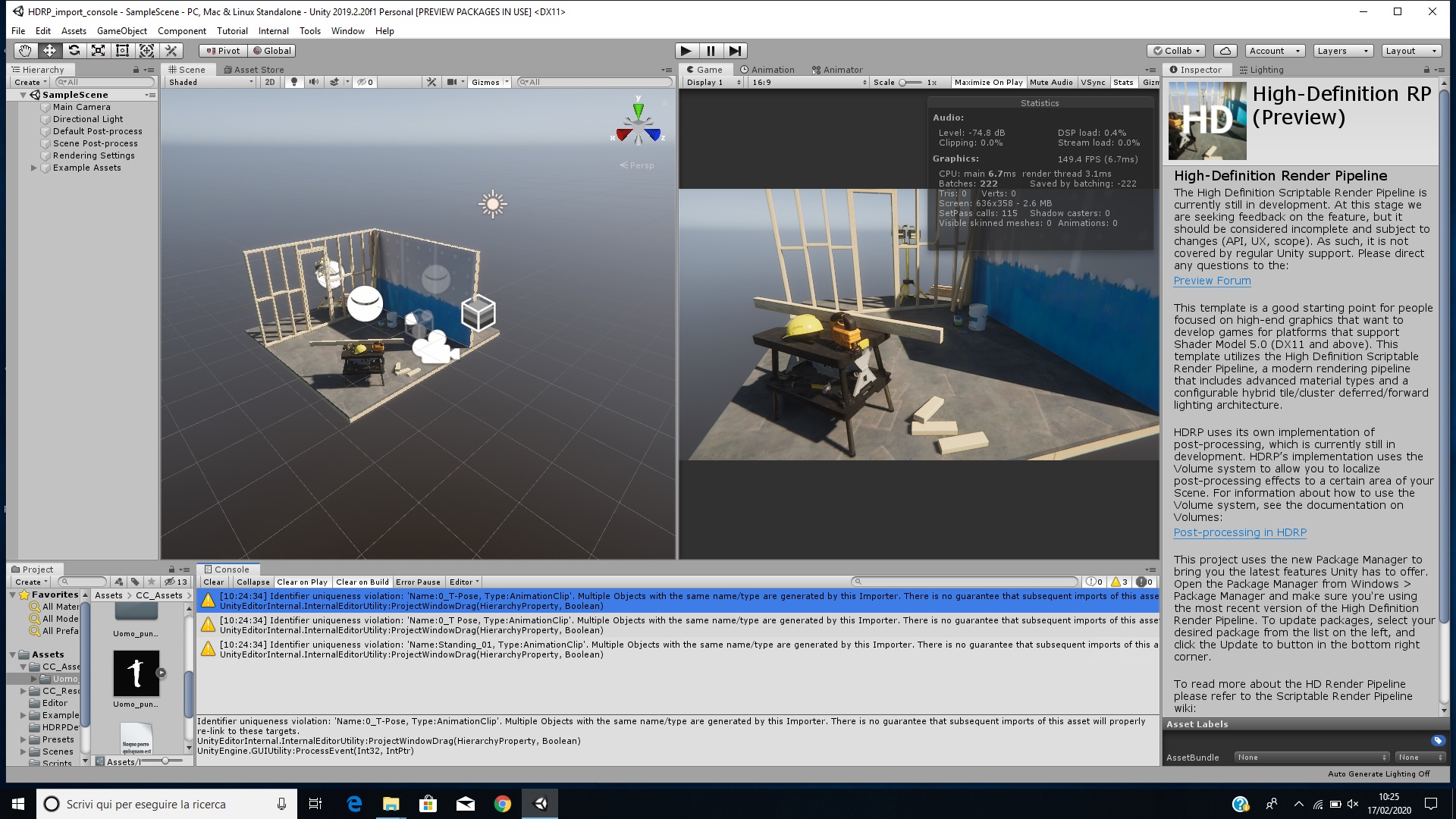 |
|
|
|
|
markrrand
|
markrrand
Posted 6 Years Ago
|
|
Group: Forum Members
Last Active: 2 Years Ago
Posts: 2,
Visits: 52
|
My CC3 characters exhibit severe joint deformations when playing animations designed for Unity's humanoid rig. The deformations occur at rotations that are well within the range of normal human movement (and standard video game fare), such as supporting the front of a rifle. The png below is typical. The animations I'm using work fine for any characters that use the standard Unity rig. The distortions also occur on the free sample character, Max, that Reallusion offers thru the Unity Asset store. (They're far less noticeable with Max because his proportions are cartoonish, If you look, though, it's clear that the degree of deformation is the same.) I've tried several work-arounds, but with no success. Do you have any suggestions? Thanks. 
|
|
|
|