Profile Picture

Strange eye problem when importing DAZ G2 character

Posted By 3dtester 7 Years Ago
Rated 1 star based on 1 vote.
Author
Message
3dtester
3dtester
Posted 7 Years Ago
View Quick Profile
Distinguished Member

Distinguished Member (5.1K reputation)Distinguished Member (5.1K reputation)Distinguished Member (5.1K reputation)Distinguished Member (5.1K reputation)Distinguished Member (5.1K reputation)Distinguished Member (5.1K reputation)Distinguished Member (5.1K reputation)Distinguished Member (5.1K reputation)Distinguished Member (5.1K reputation)

Group: Forum Members
Last Active: 6 Months Ago
Posts: 999, Visits: 2.2K
Hi,

i have a strange problem when importing my first DAZ G2 female into CC3.

First picture shows the character (after a little bit of adjusting, for example the skin was completely wrong).
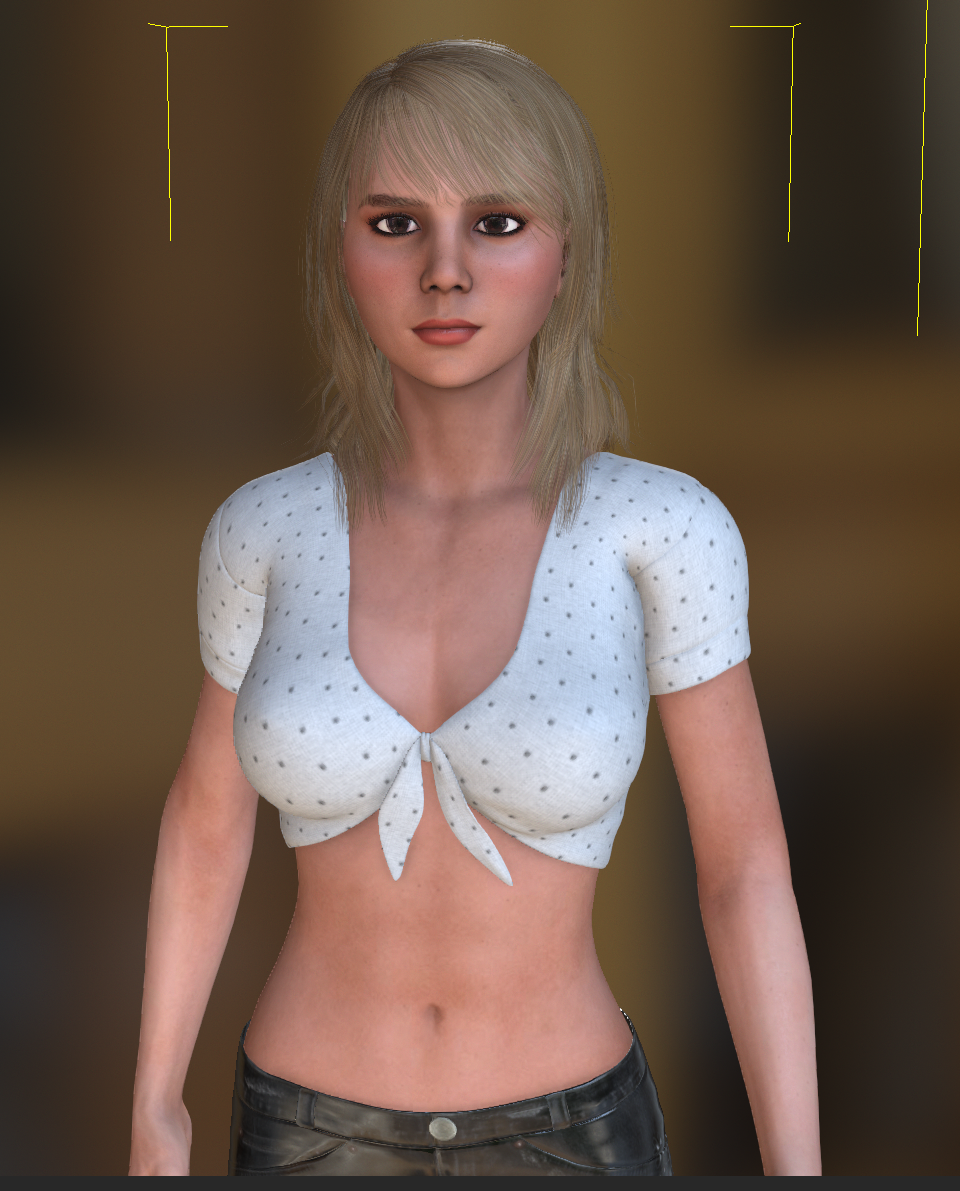
https://forum.reallusion.com/uploads/images/730354ab-7985-4199-8cd7-7848.png

Second picture shows the pose "look up". And there the awkward thing happens. The right eyeball springs out of the face.
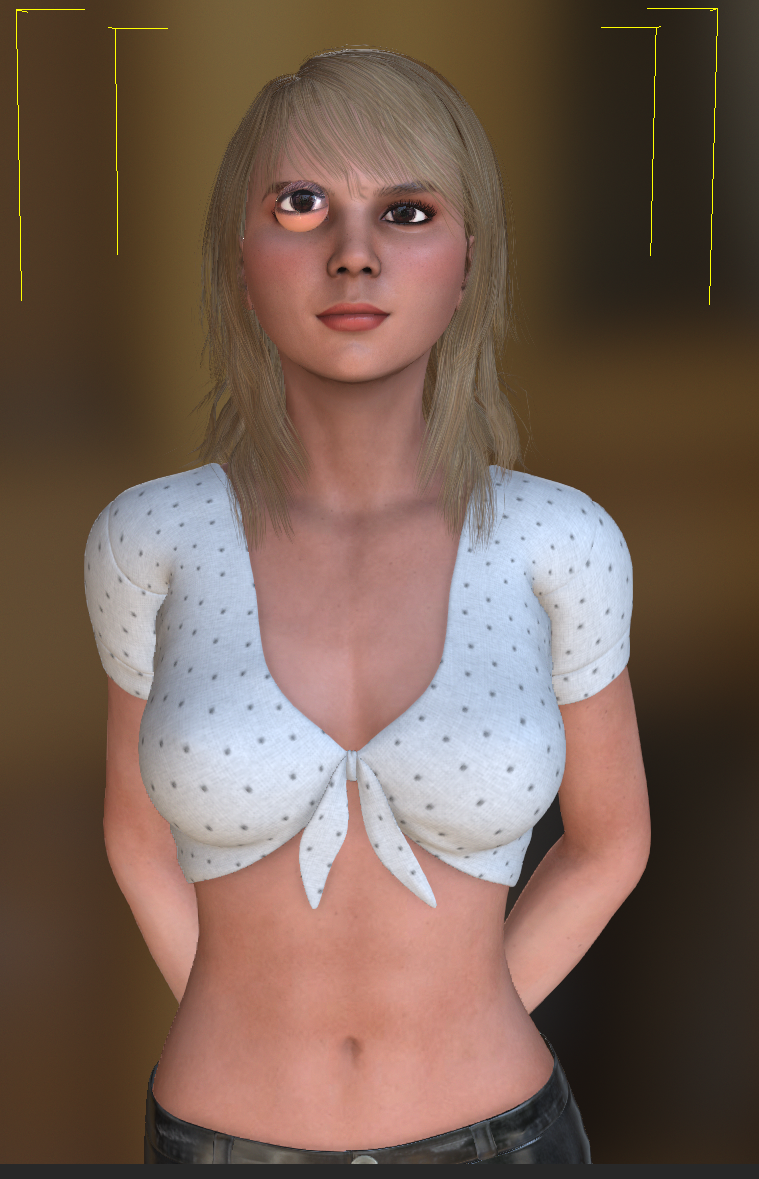
https://forum.reallusion.com/uploads/images/5500cd7b-c428-4585-9aaa-ee58.png

It seems just like the eyeball weren't bound to the face correctly.
I've double-checked my DAZ character and export settings and all seems fine.
What's the problem here?

Thanks in advance,
3dtester


3Dtest...
This post has been flagged as an answer
3Dtest...
Posted 7 Years Ago
View Quick Profile
Senior Member

Senior Member (494 reputation)Senior Member (494 reputation)Senior Member (494 reputation)Senior Member (494 reputation)Senior Member (494 reputation)Senior Member (494 reputation)Senior Member (494 reputation)Senior Member (494 reputation)Senior Member (494 reputation)

Group: Forum Members
Last Active: 3 Years Ago
Posts: 31, Visits: 98
Hi 3dtester, I could be wrong but from your screenshots it looks like the right eye bone position is incorrectly placed relative to the eye - which is exaggerating the error when the avatar's eye is turned. I don't know if this is a conversion error or if there is some anomaly with the model itself - but there is a way to fix bone issues in CC3 - if you go the Modify Panel and the Adjust Bones, then select Face you can first visually check where the bones are, and if needed select and move them. It's important to have the avatar in default T pose and without any expressions applied when you do this - also it helps if the camera is set to minimum angle of view (as close to orthographic as you can currently get in CC3) and if the avatar is a base resolution, in wireframe. Please see screenshot - and I hope this might help -

https://forum.reallusion.com/uploads/images/df469111-07db-447c-84f0-0ad3.jpg


Reading This Topic