|
By 3dtester - 8 Years Ago
|
Hi,
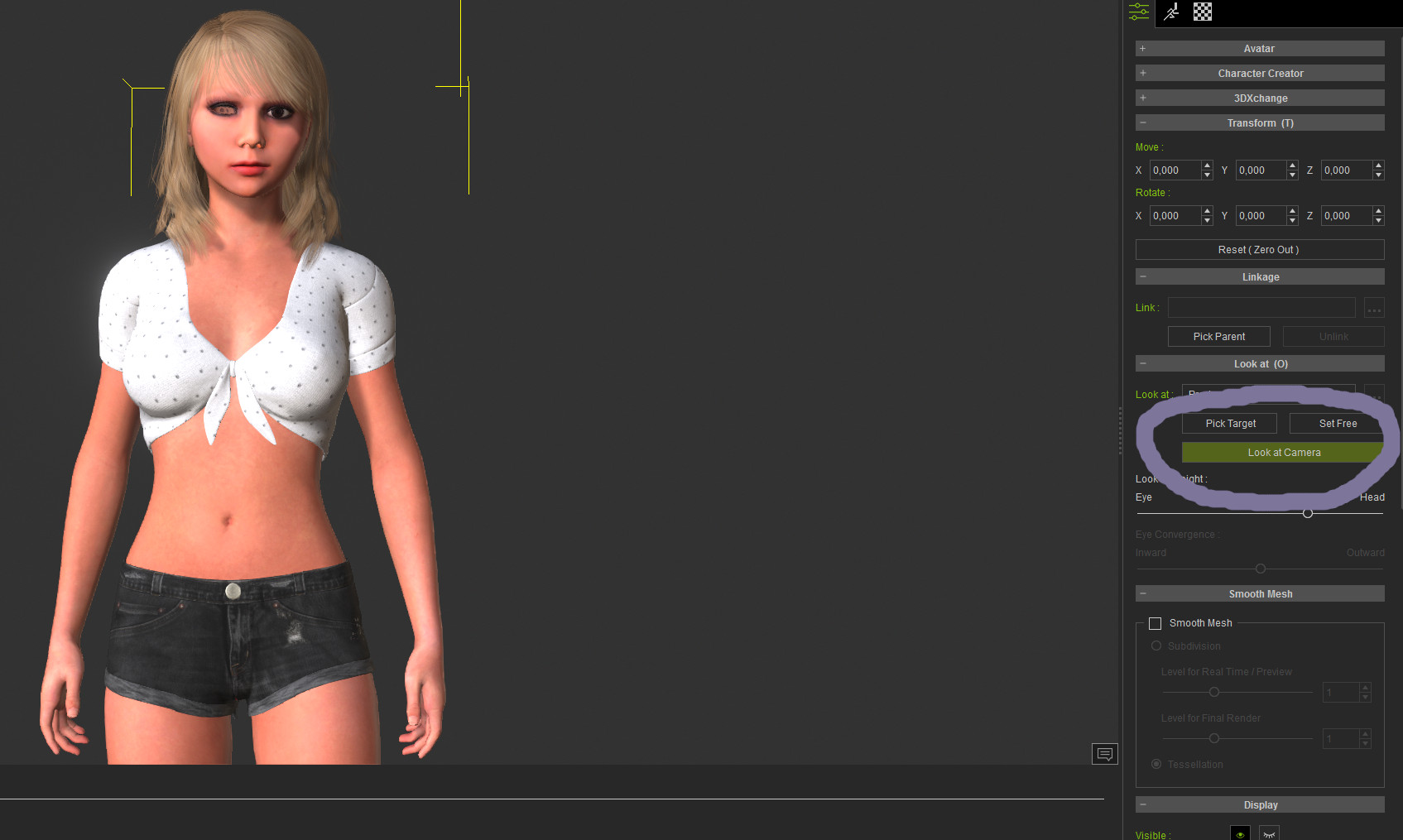
i have a strange problem when importing my first DAZ G2 female into CC3.
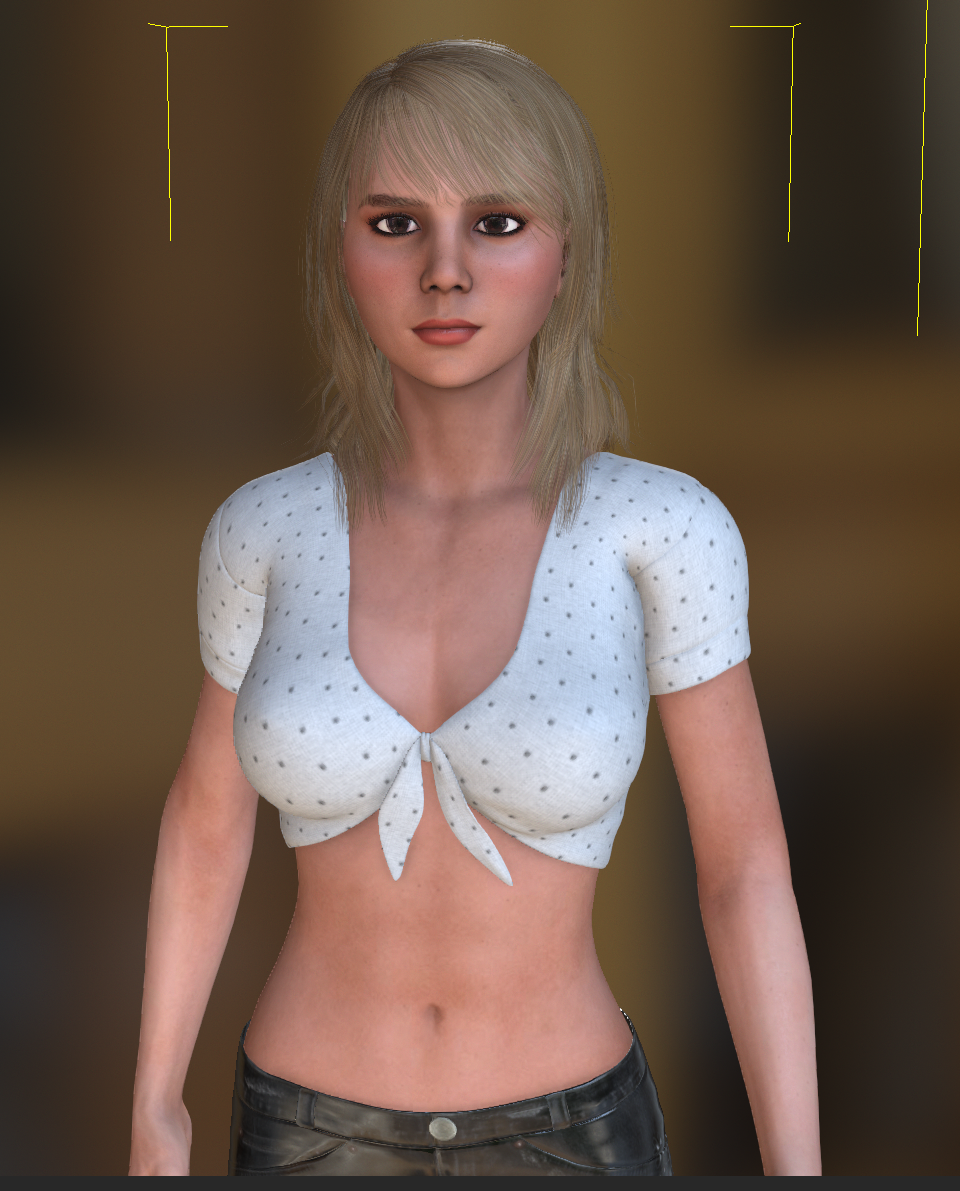
First picture shows the character (after a little bit of adjusting, for example the skin was completely wrong).
Second picture shows the pose "look up". And there the awkward thing happens. The right eyeball springs out of the face.
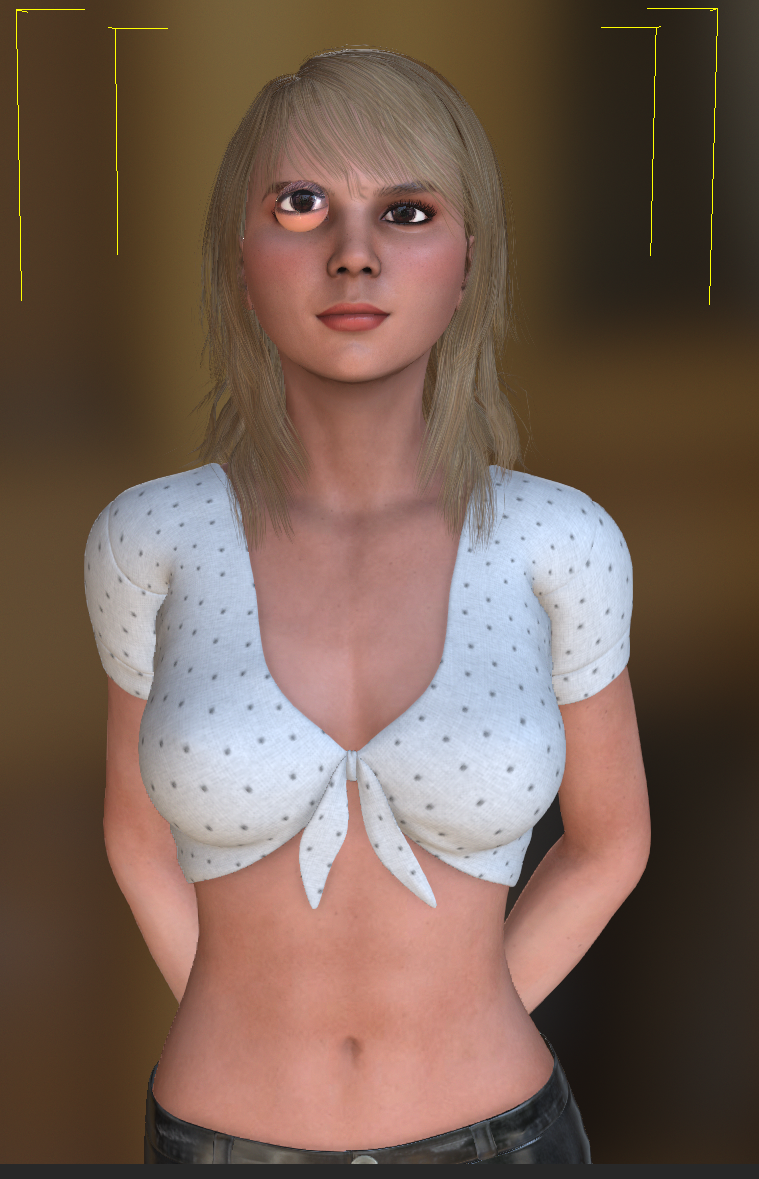
It seems just like the eyeball weren't bound to the face correctly.
I've double-checked my DAZ character and export settings and all seems fine.
What's the problem here?
Thanks in advance,
3dtester
|
|
By 3dtester - 8 Years Ago
|
I've managed to get the skin textures imported using the ini file method, but the eye issue persists.
RL - help please!!
If this wont get fixed, i actually can't use the software :(
Here are a few more pics for clarification of the issue:
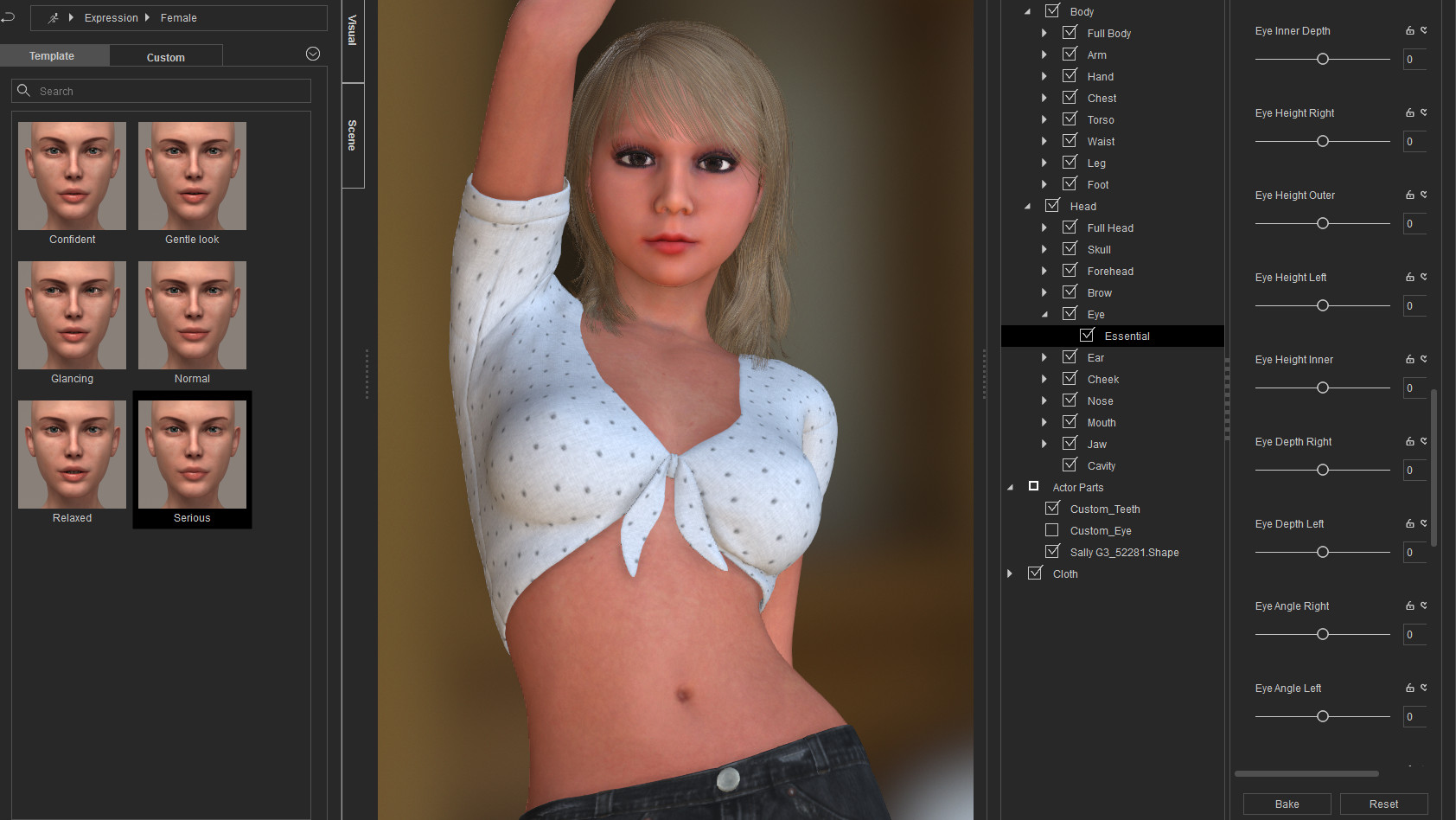
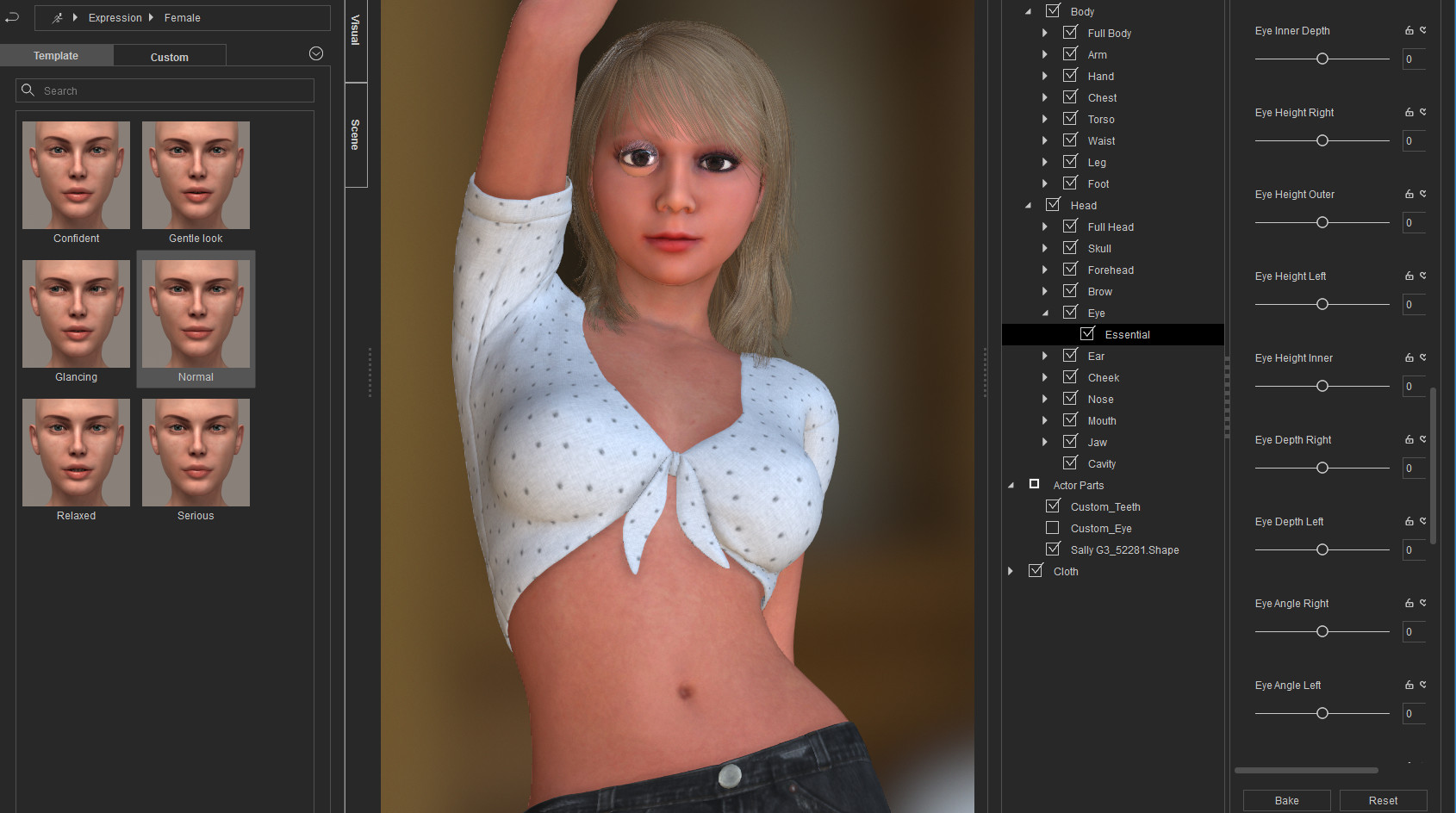
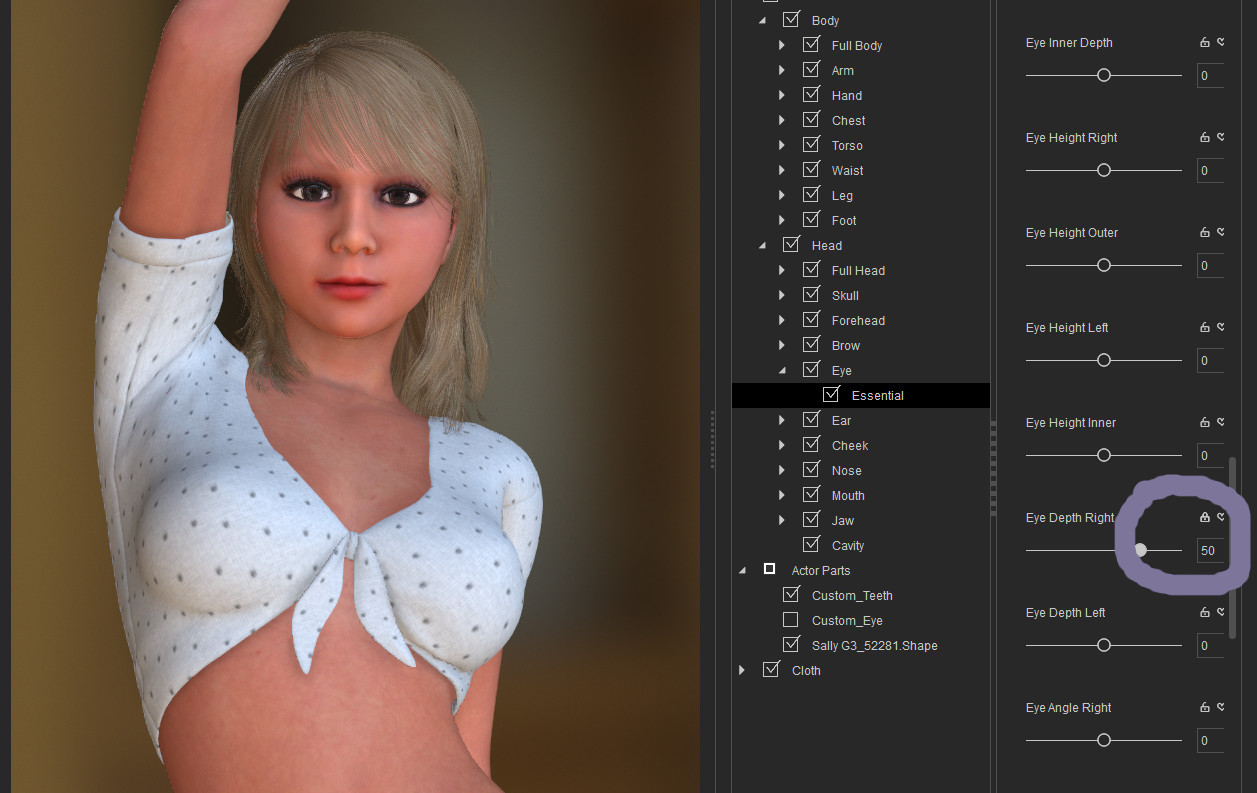
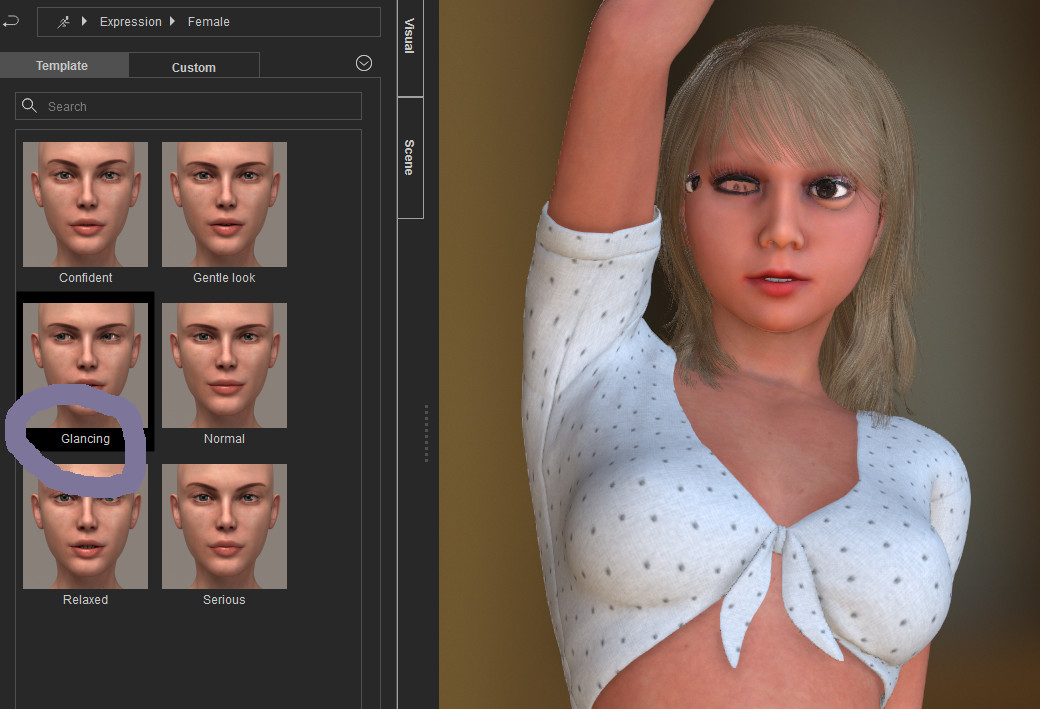
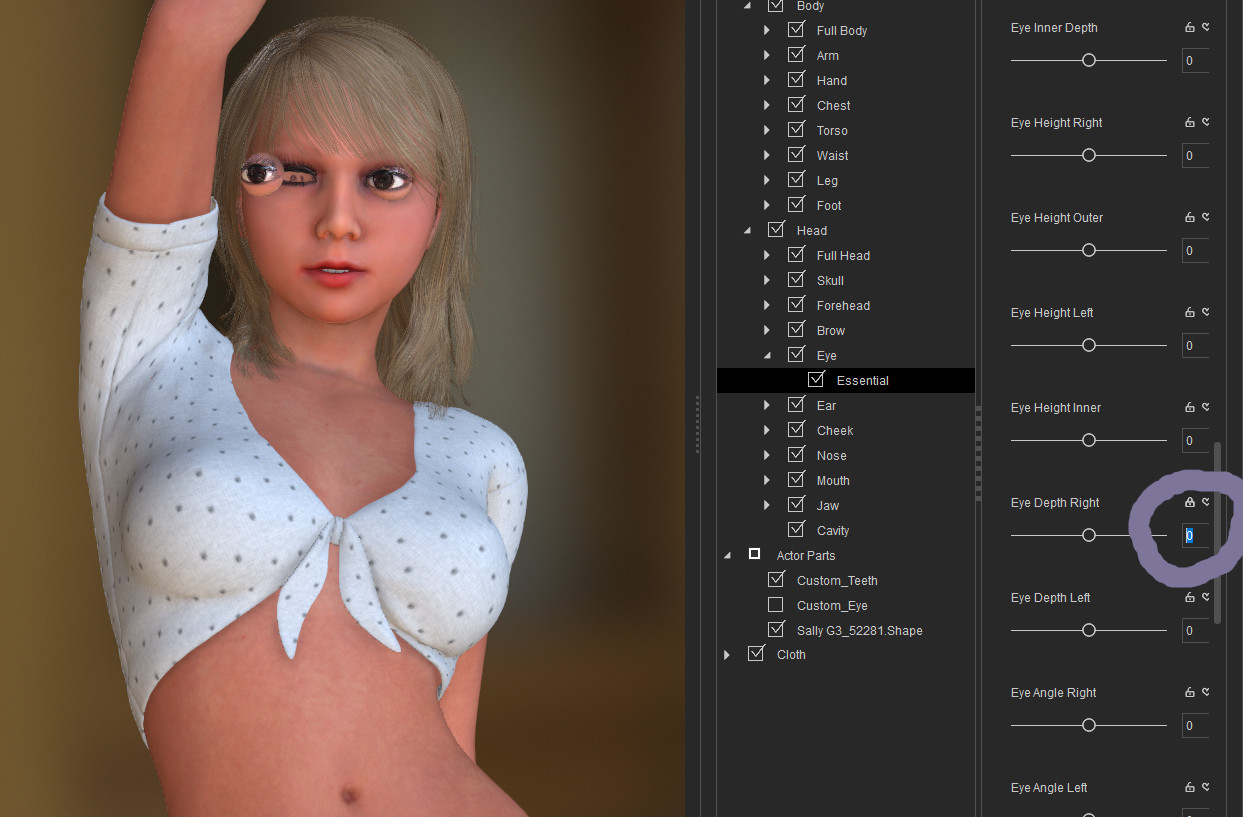
Similar things happen when sending the model to iClone:
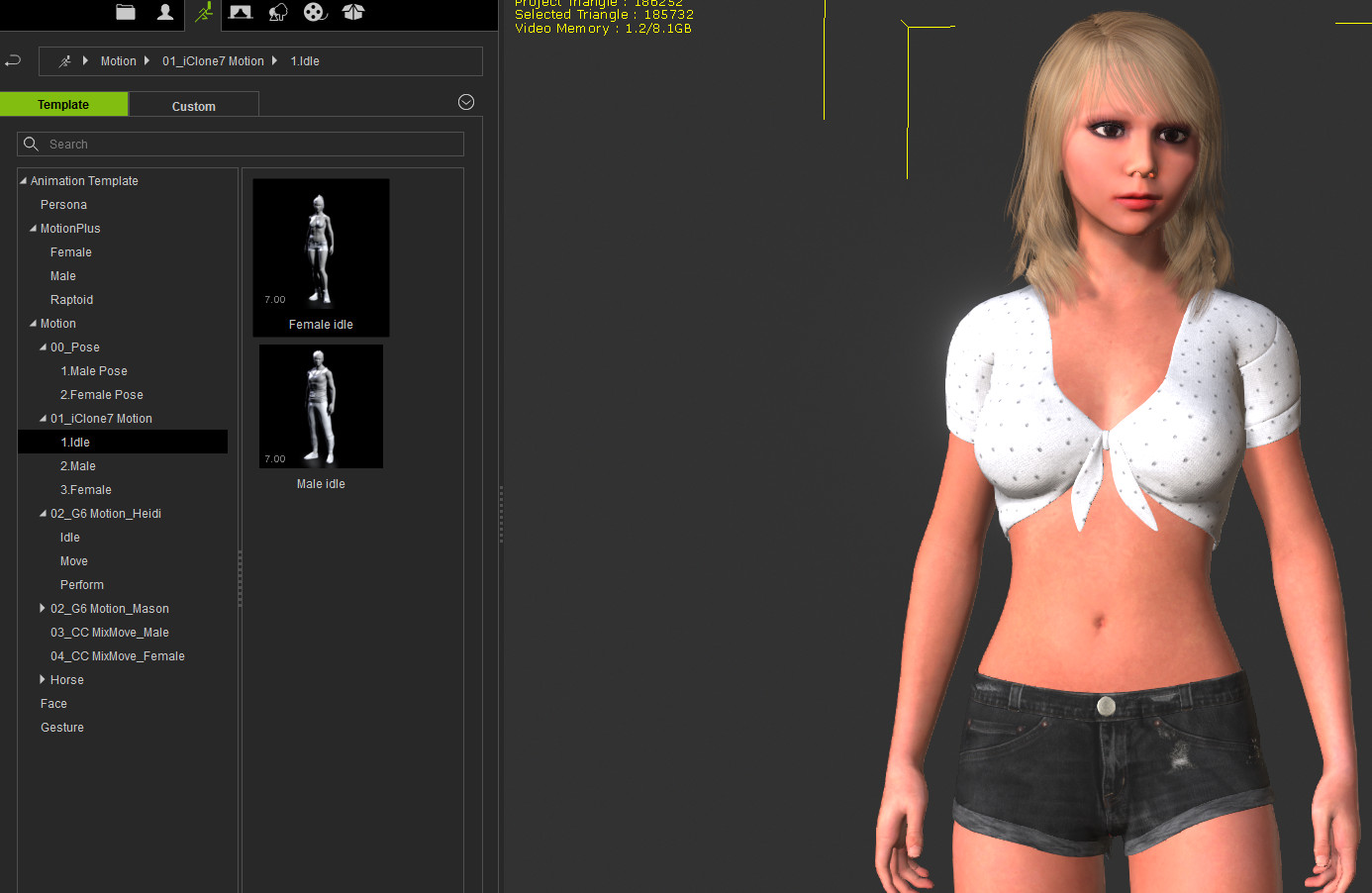
???
|
|
By 3Dtest... - 8 Years Ago
|
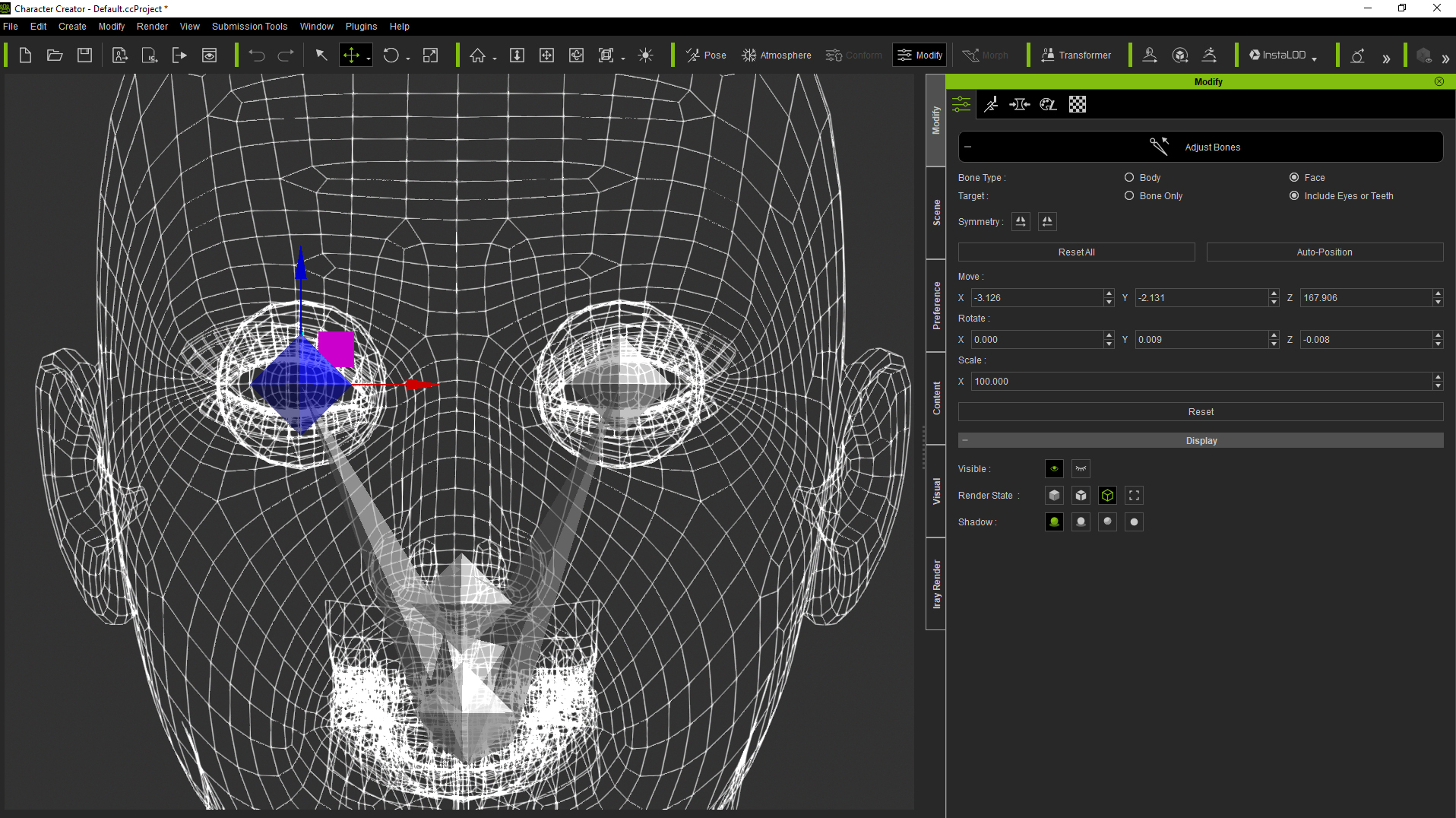
Hi 3dtester, I could be wrong but from your screenshots it looks like the right eye bone position is incorrectly placed relative to the eye - which is exaggerating the error when the avatar's eye is turned. I don't know if this is a conversion error or if there is some anomaly with the model itself - but there is a way to fix bone issues in CC3 - if you go the Modify Panel and the Adjust Bones, then select Face you can first visually check where the bones are, and if needed select and move them. It's important to have the avatar in default T pose and without any expressions applied when you do this - also it helps if the camera is set to minimum angle of view (as close to orthographic as you can currently get in CC3) and if the avatar is a base resolution, in wireframe. Please see screenshot - and I hope this might help -
|
|
By 3dtester - 8 Years Ago
|
Hi 3Dtest :)
Thanks for that hint. I've checked that out, and it looks pretty weired.
Seems the face bones are messed up somehow.
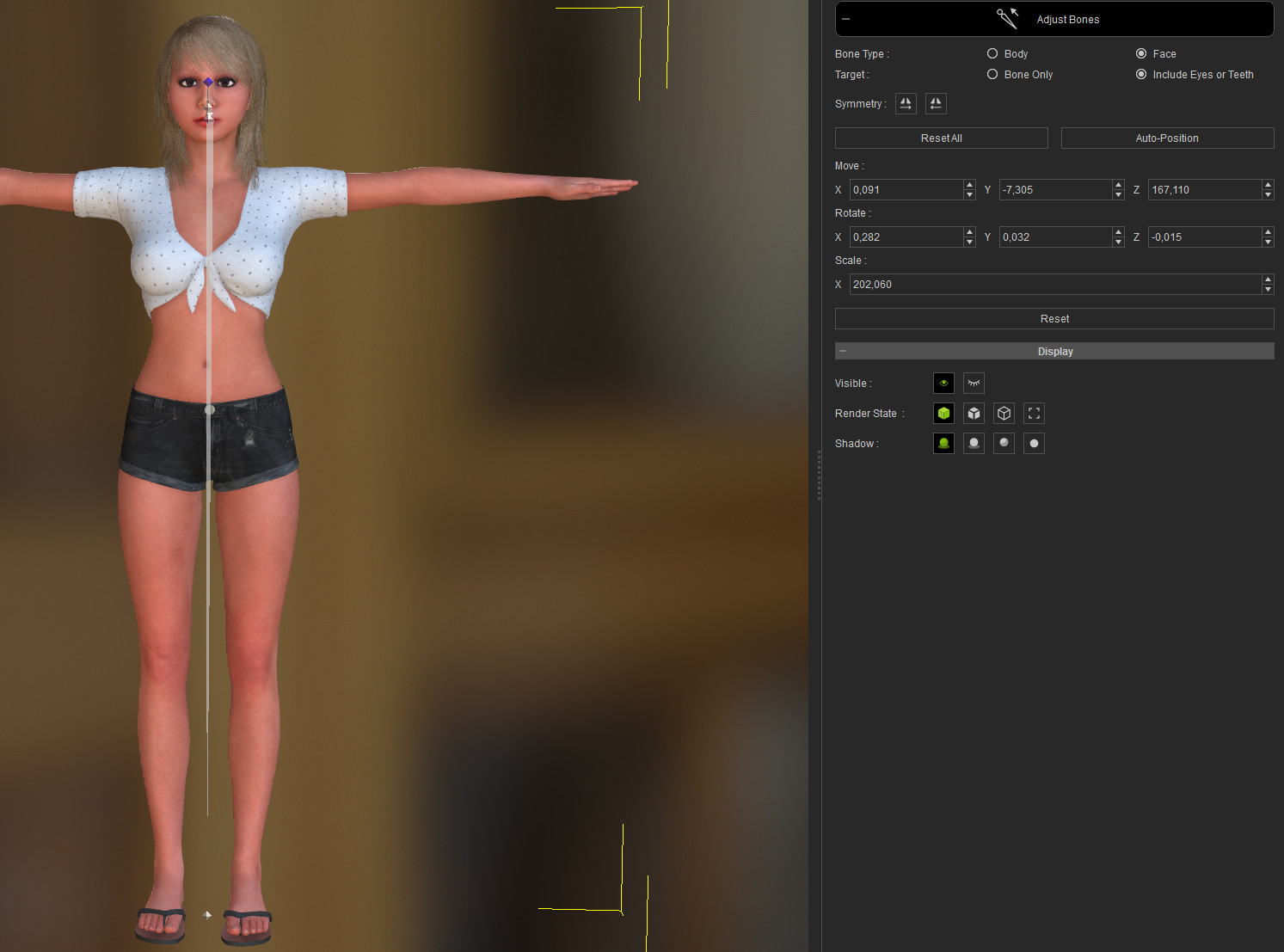
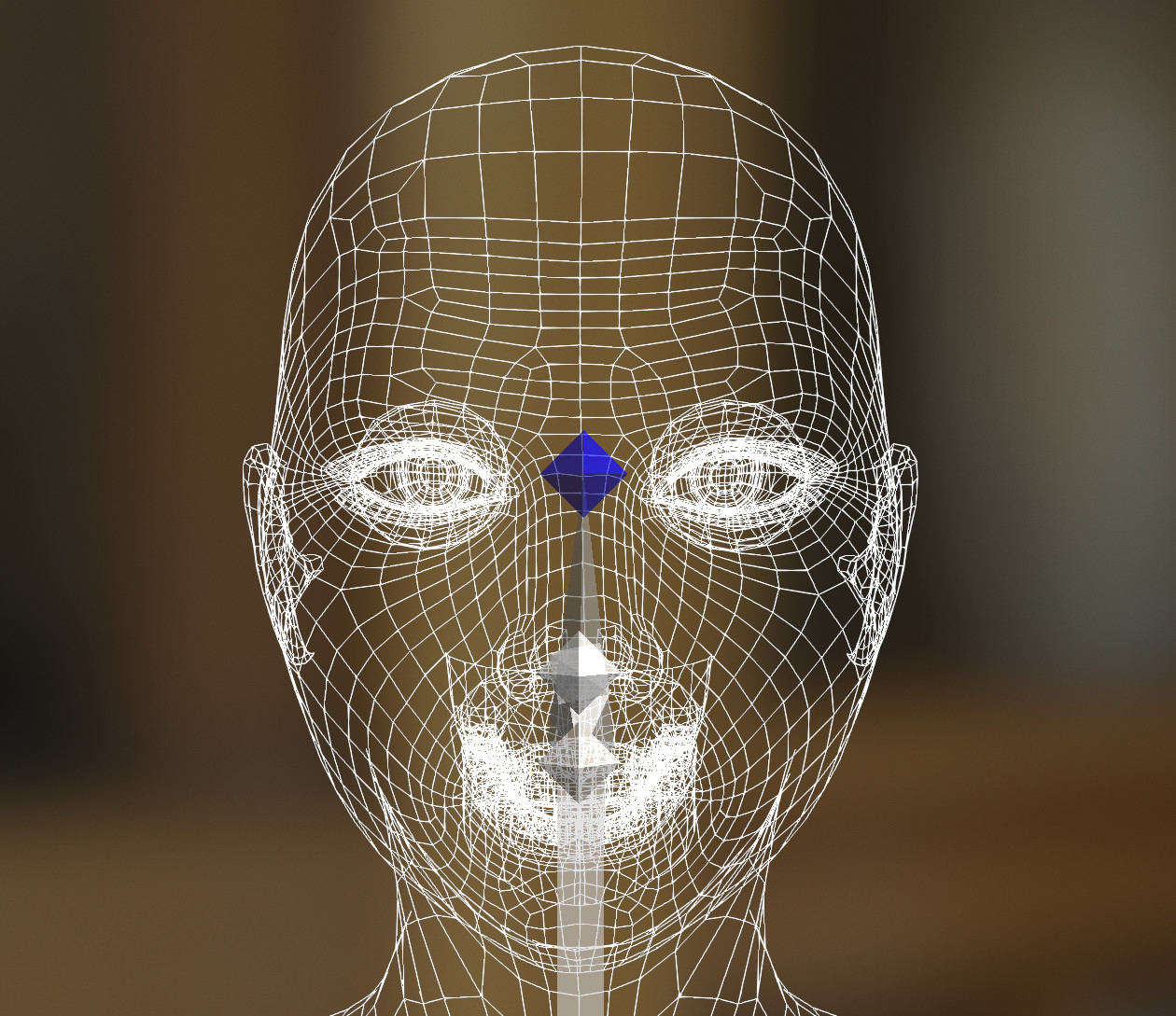
I'm currently not sure how i could fix that.
|
|
By 3Dtest... - 8 Years Ago
|
wow - that is odd...ok, suggestions as follows, not knowing exactly whether you have two eye bones there or not - or why the positioning is so fubar (!): you could try -
1) first, backup your project!
2) in Bone Edit Mode, select one of the uppermost bones and the use auto-position to see if that works (I've had variable results with this) - if it does, then try that on the other one
3) in Bone Edit Mode, try to do the same thing manually - select the uppermost bone and move it into position central to eyeball, then move the other bone into position in the same way
Beyond this (if the bones aren't actually there - which somehow I doubt) - you can also correct things by morphing back to default and then morphing back again using 'adjust morphs to fit bones' selected, but it's a bit more involved so let's see how it goes with the initial methods first
|
|
By 3dtester - 8 Years Ago
|
Okay...slowly i'm getting somewhere!
As you pointed out, i tried to fix those bones manually.
At first i figured out which one is which, and moved them to a more correct position.
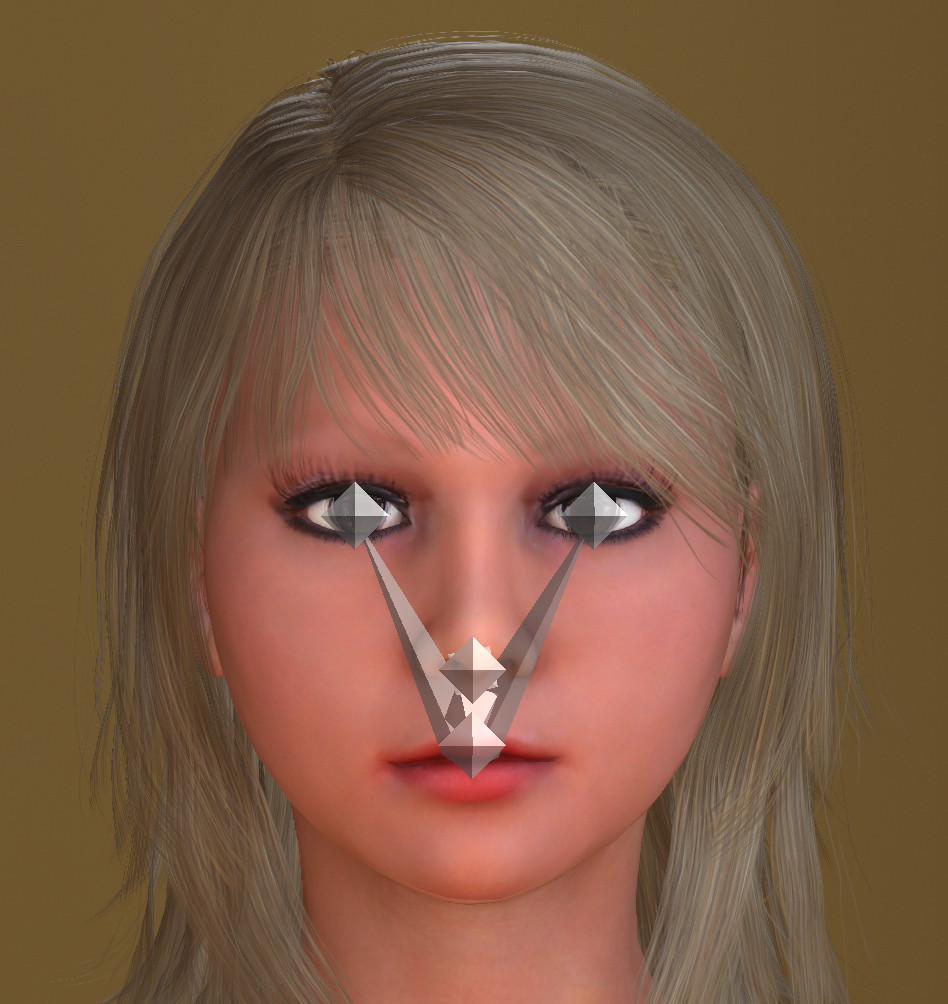
This was only possible to do without adjusting the eyes as well, of course.
The serious drift between the eye and bones is now solved.
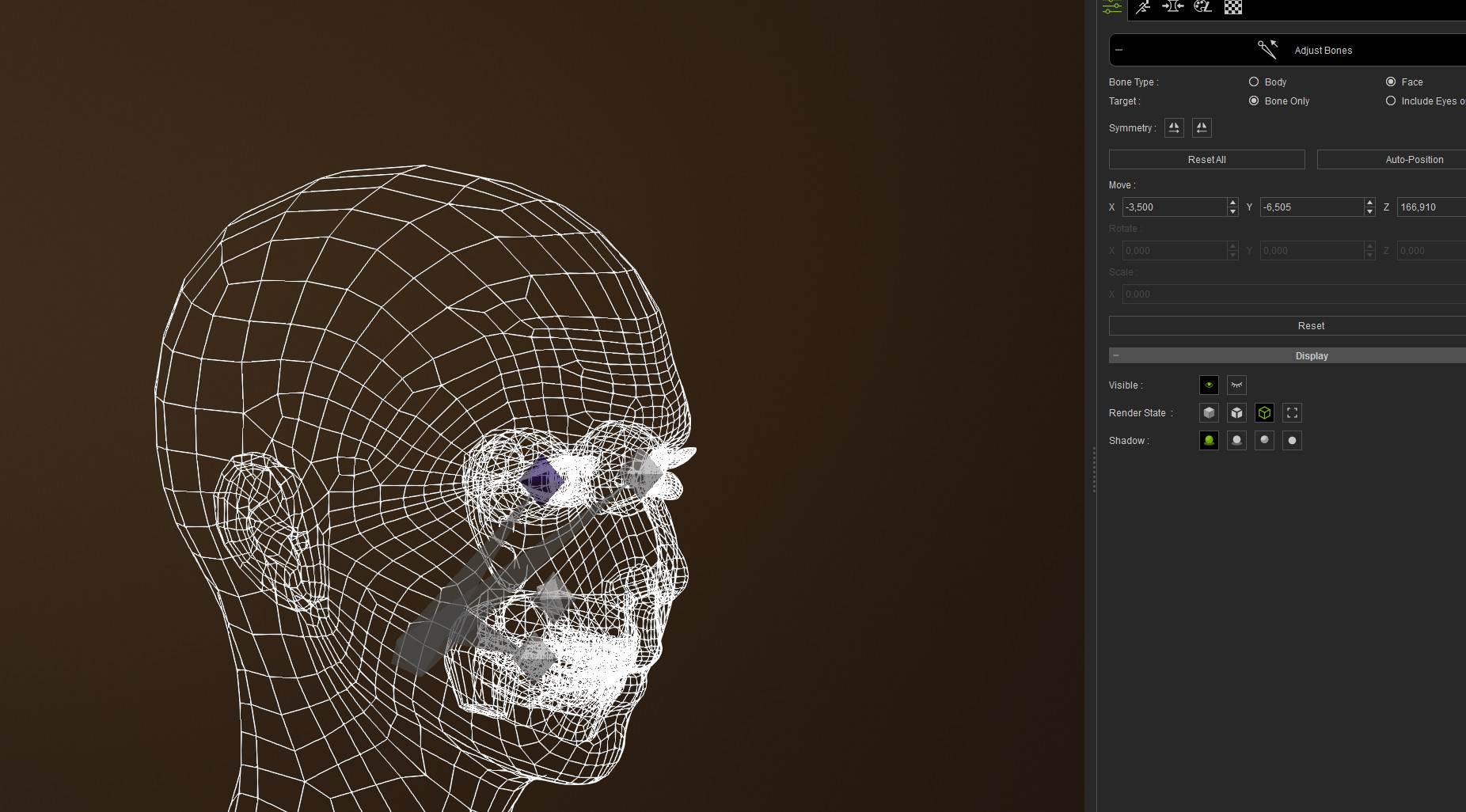
Some minor adjustments and i guess she's good to go. At leas i hope so :)
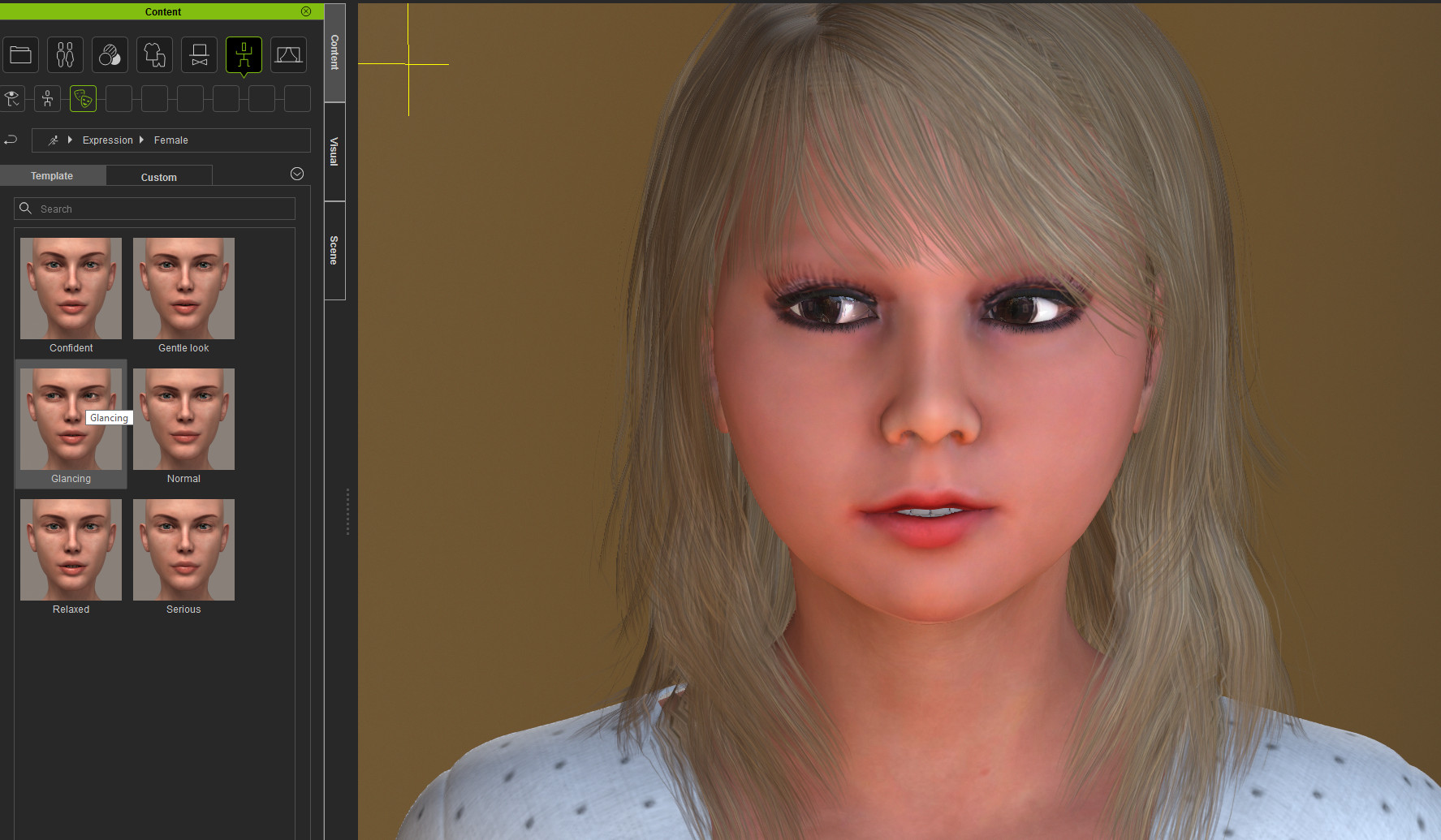
Thanks again!
|
|
By 3dtester - 8 Years Ago
|
First iray (preview-) render from CC3
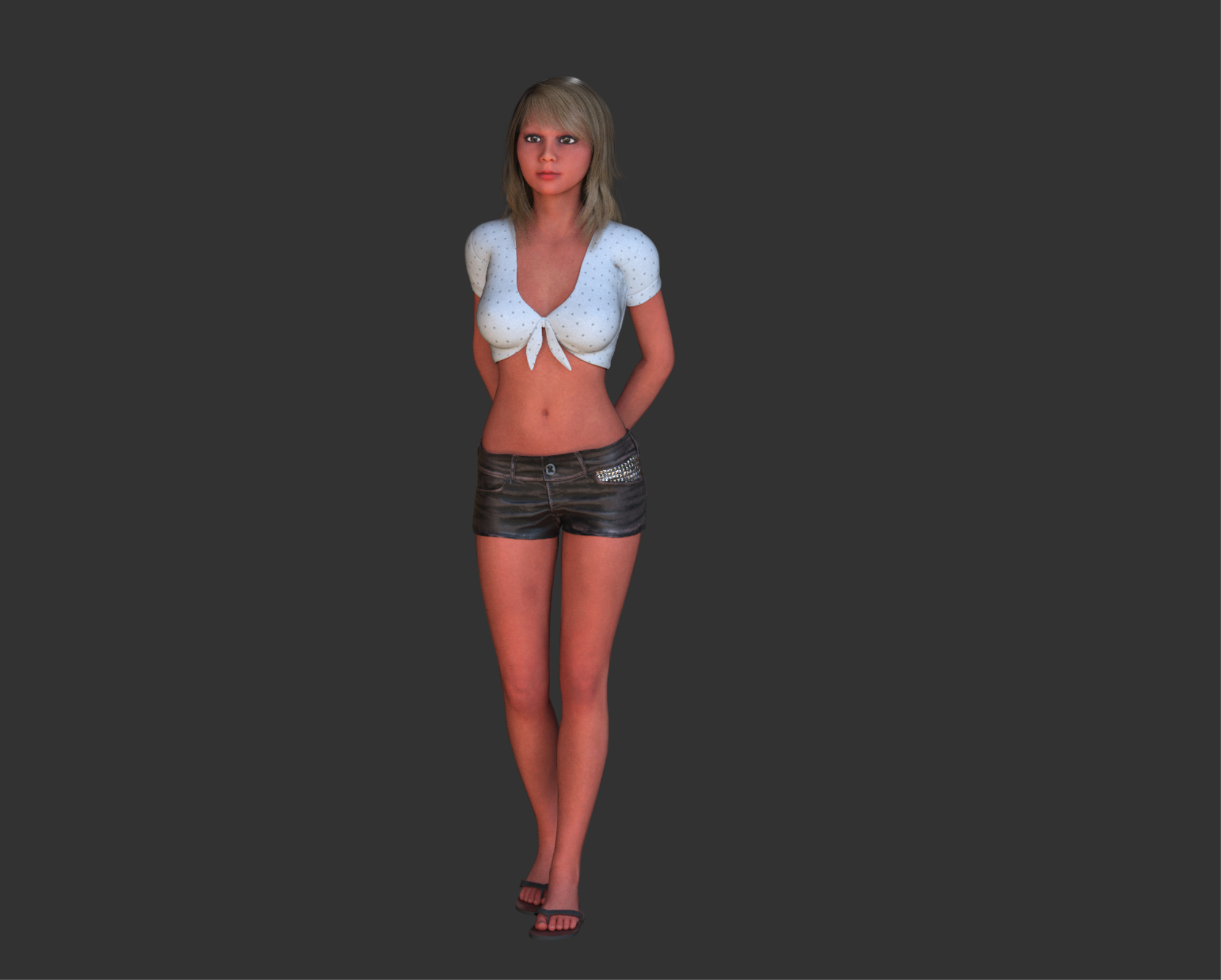
With de-noising activated:
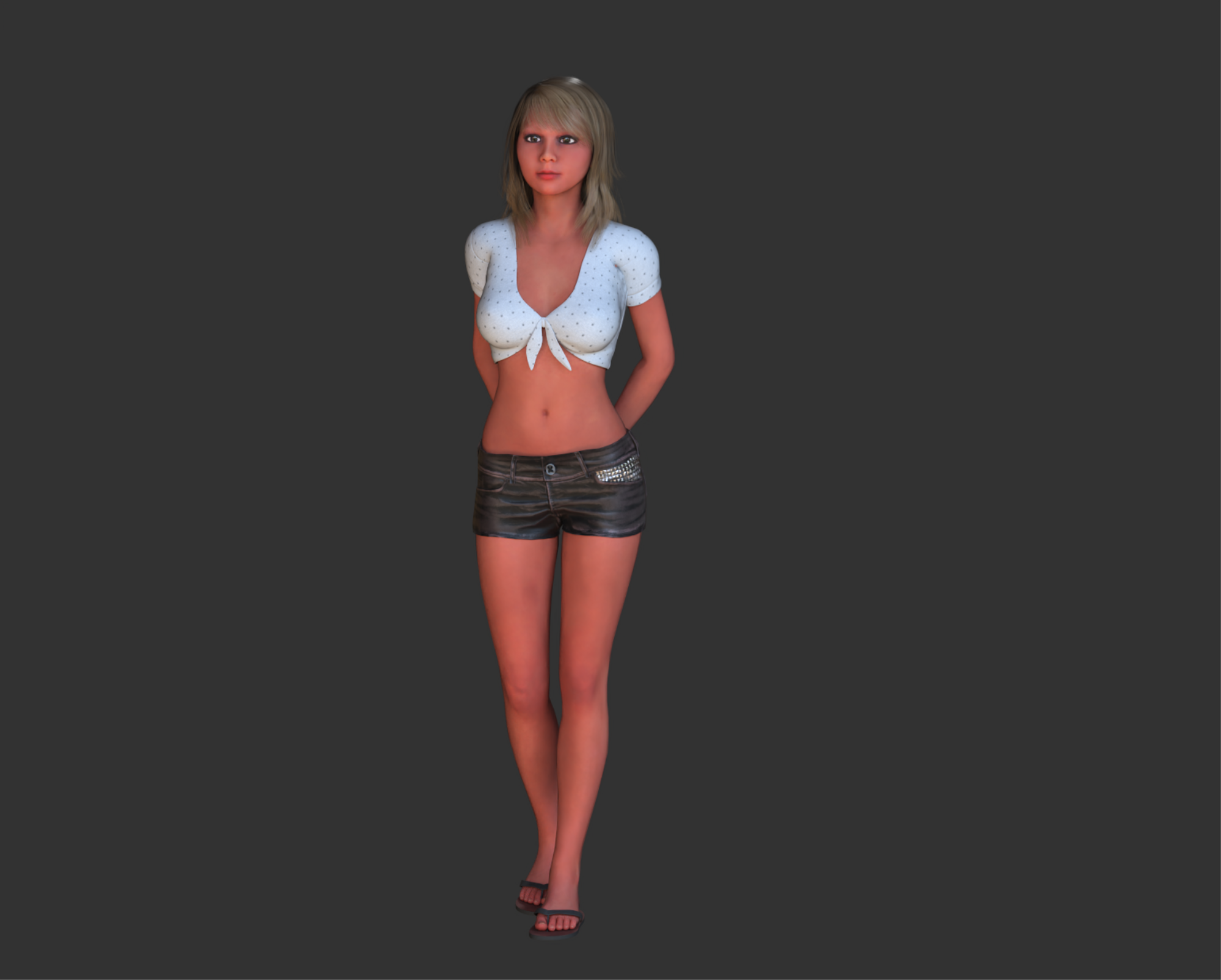
Well, i replaced her pants, because the one i imported from DAZ couldn't get skin-weighted correctly.
|
|
By Cary B - 8 Years Ago
|
|
I have the exact same problem with a G2 male avatar. But if I import this Daz avatar through 3dxchange, no problem with the eye. I think this is a CC import issue.
|
|
By 3dtester - 8 Years Ago
|
Hi Shadoesword,
thanks for confirming that bug.
I've filed an issue at the feedback tracker:
https://www.reallusion.com/FeedBackTracker/Issue/Eye-bones-displaced-when-transforming-G2-avatar
|
|
By Peter (RL) - 8 Years Ago
|
|
The issue with Genesis 2 eyes should be fixed in the CC 3.01 update that we have provisionally scheduled for next week. :)
|
|
By background - 8 Years Ago
|
Peter,
Thanks for the information, I am having the same problem with the Genesis 2 eyes.
Can you tell us what other changes are included in 3.01?
Best regards
Ian
|
|
By davidmalfeitor - 8 Years Ago
|
Had same problem, w g2 daz male eye popped out exported as FBX 2012 binary, and it works for me...
It may it will work for you? i don't really care...
This the way of the world, ship at the absolute last minute, fix bugs later.
Thanks RL how much money have i given you for things that sorta work.
|
|
By Peter (RL) - 8 Years Ago
|
|
background (10/8/2018)
Peter,
Thanks for the information, I am having the same problem with the Genesis 2 eyes.
Can you tell us what other changes are included in 3.01?
Best regards
Ian
Hi Ian
The fixes and changes coming in 3.01 are shown in the topic below.
https://forum.reallusion.com/385918/Character-Creator-301-Update-Coming-Soon
|
|
By background - 8 Years Ago
|
Thanks Peter, looking forward to the update.
Cheers
|