|
Rogue Anime
|
Rogue Anime
Posted 9 Years Ago
|
|
Group: Forum Members
Last Active: 3 Years Ago
Posts: 548,
Visits: 3.4K
|
Friends - for those out there who might have missed it (the obvious) along with myself, I finally found where to get the PopcornFX editor interface seen in the Reallusion demos for the product, but not included in the package. It is available to download through the 3rd party developer site located here: https://www.popcornfx.com/download/
You will also find sample projects within the editor to download & begin to edit, customize, & save to your folders. This LOOKS exceedingly complicated at first, there is a code editor as well in there. (looks to be missing assets?) Although it seems to work fine, I'm getting missing file errors within the code editor.
Here is a screen-shot of the first sample project loaded into the editor, ready for tweaking, & SOMEDAY, I may actually figure out how to use it! Here is a LOT of tutorials for the editor program: https://www.popcornfx.com/tutorial-full-page/
Good luck, & please share any tip, trick, or toots with us - don't be shy! (This means YOU, Warlord! lol) ~V~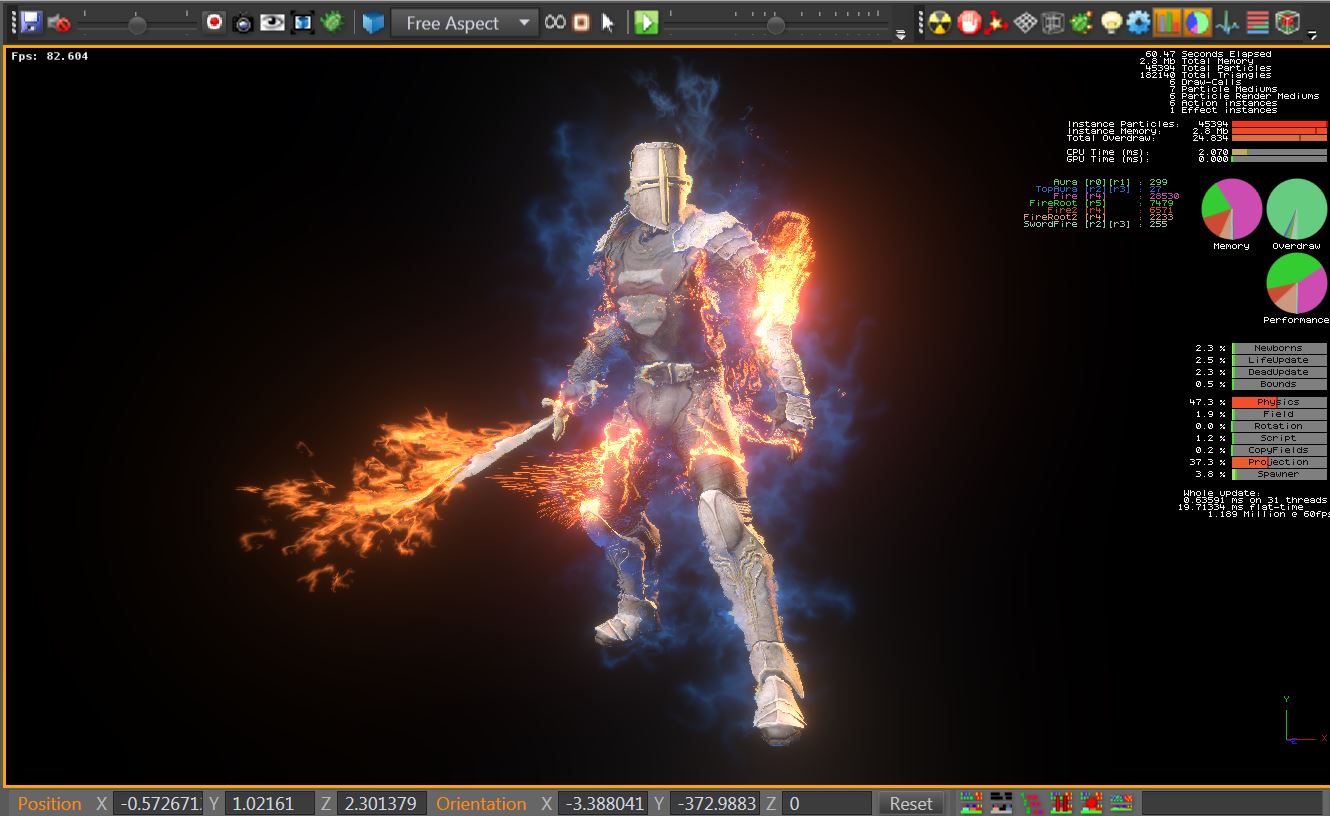
Val RogueAnanda
|