Hello Guys,
I am using Character Creator V 1.5.1913.1 on windows 8.1 with 4GB RAM, with 2 GB Graphics.
I am facing an issue these days.
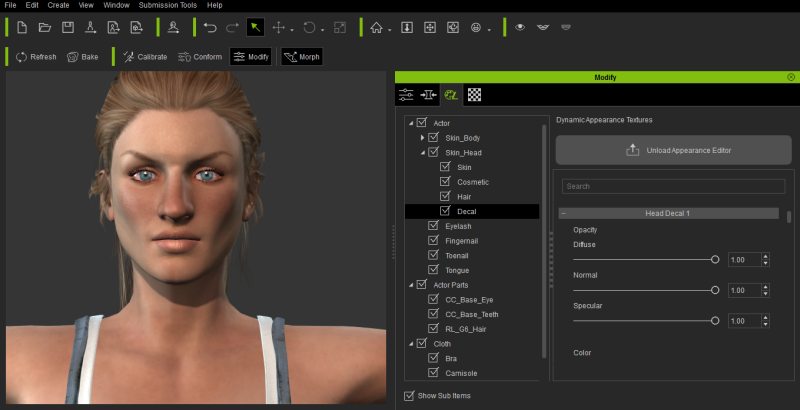
Issue :- I am creating a character which has some cuts on his faces for that we have a nice tutorial, I was following that Character Creator to Unreal Part 1- Character Creation tutorial, In that we used some maps in the Decals (Modify Panel → Appearance → actor → Skin_Head → Decal), In the tutorial we have some fields for Input Maps (Like Normal, Diffuse and other) and respective settings, But in my Case I only got settings there is filed for inputting maps.
Please let me know how to get it there. You see in the attached image.