Want to use your powerful graphics card to edit videos you made with iClone by editing it with Adobe Premiere?
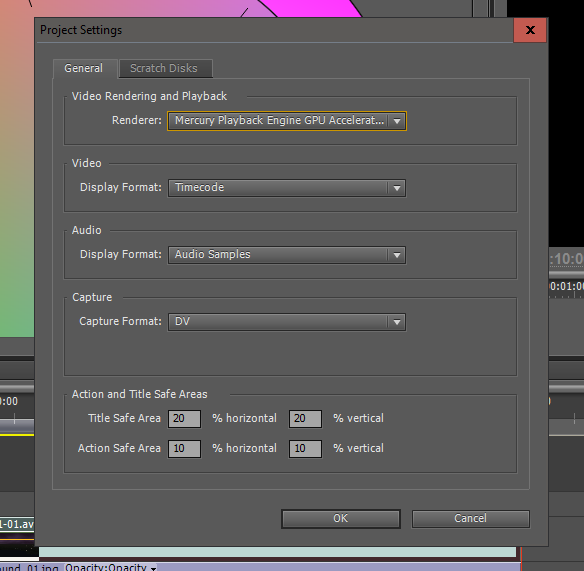
But when you go to Project>Project Settings>General the Renderer selection grayed out?
Then this article may be for you.
My GTX 780 Ti GPU is not allowed to be used for graphics accelerated editing.
But I was able to add it to the allowable list and use my GPU. Here is how anyone can do it.
1) In the Adobe Premiere folder where the .exe is do a search for
cuda_supported_cards.txt
2) Open it in notepad and add a line with the name of your card as written in your system information in your Nvidia control panel. Then save.
3) If you save and it says access denied download this:
TakeOwnership.zip Adding this will include on the right click list a Take Ownership option. Then you can right click on the folder that the cuda_supported_cards.txt is located and choose Take Ownership then you will not longer get an 'access denied' message for any folder you apply Take Ownership.
4) In your Nvidia control panel under "Manage 3D Settings" If Adobe Premiere is not added to the list of programs to customize then add it.
5) In the Specify setting find "multi-display/mixed-GPU acceleration" switch from "multiple display performance mode" to "compatibilty performance mode"
6) When you go to Project>Project Settings> Now you can use your graphics card.