Hi friends,
After all the fun over at the Polycount contest forum, I've been asked if I can provide my freebies and Pics with Tips over here as well, for my entries;
and
but fellow newbies (0 - 12 months experience in any animation software) can gain a more complete crash course in iClone from reading (the iclone training & resource page, of course, haha)... but also:
Crash Course in iClone via the tutorials in the 2015 Contest threads:
A) my 4-page thread which is mainly for newbies and explains the pics in this thread with more details (and may also help to explain how my "rank" here mysteriously shot up from junior member to "tutor" in about a month, even though I'm still learning a lot myself)
B) the most insightful tutorial-style threads by more experienced iCloners, who also happen to be the most generous and helpful mentors I can recommend, in approximately the same order that I found them myself:
* Mark at SmallWStudios for his motion tutorial thread and his props via sketchup
(and his whole darn youtube channel with step-by-steps, whichis a must-see for all newbies)
* Direx for Lighting and Set design
* Wolfzone Digital for lighting and scenery setup using 2D backgrounds and video planes
* Wungun for most stages from props and mocap to voiceovers (including insights into motionbuilder).
* Adolf for cool easy animations against a moving (film) background
* BigBoss for a masterclass in creatingyour own clothing for iC5 characters via 3DSMax and Marvelous Designer.
And for inspirational glimpses into various other aspects, (without tutorials) I also loved:
* Andre from PieskerFilms for skin textures& inspirational camera angles
* Colin at Capemedia for inspirationaldark night scenes
* JasonJ for snapshots fromhis mocap process
* Stefos for lighting textures& particles for a cool wetlook
Freebies & Pics:
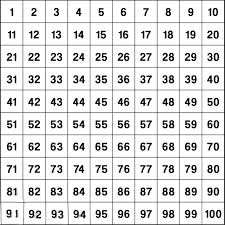
I'll start uploading my pics and freebies over the next few days as time permits, but in the meantime, here is the first freebie, which is the little "helper" I made to make it faster and easier for me to make more accurate adjustments to motions in iClone:
And here is the pic on how I use it...
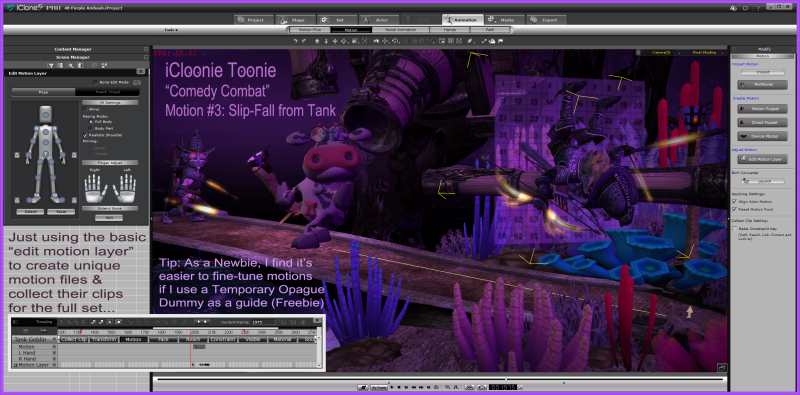
but for step-by-step instructions, please scroll down to post #30 in my thread:
Additional tip: I keep 2 versions of this prop, both saved with 40% opacity, but one is saved at position 0,0,0 with rotation as a wall prop, and the other rotated as a floor, so I don't need to adjust them every time I use them.
Motion Freebies coming soon:
Here is a list of my 1st set of 10 freebie "iCloonie Toonie Comedy Combat" motions that I'll be uploading to share from a store soon (Oh, how I wish we could just upload freebie props & fbx files directly into our posts here, haha):
1. Run screaming with head on fire
2. Slip-fall from tank
3. Frantic Waving
4. Archer Misfire
5. Retreat flee panic 1
6. Retreat Flee Panic 2
7. Hide-n-dont-seek
8. Sneak-Crawl away
9. Crouch-Panic-Leap
10. Abandon Ship
And/or can anybody recommend another way to share these files?
:)
Anita, aka "Bleetz" the Toon Wrangler @ Tarampa Studios
SYS: Win 8.1, 64-bit, i7-4770 CPU @3.4GHz,
32GB RAM, Intel(R)Graphics 4600 & nVIDIA GTX1060 TI