|
By Tarampa Studios - 10 Years Ago
|
|
Hi friends, After all the fun over at the Polycount contest forum, I've been asked if I can provide my freebies and Pics with Tips over here as well, for my entries;
and
but fellow newbies (0 - 12 months experience in any animation software) can gain a more complete crash course in iClone from reading (the iclone training & resource page, of course, haha)... but also:
Crash Course in iClone via the tutorials in the 2015 Contest threads: A) my 4-page thread which is mainly for newbies and explains the pics in this thread with more details (and may also help to explain how my "rank" here mysteriously shot up from junior member to "tutor" in about a month, even though I'm still learning a lot myself) B) the most insightful tutorial-style threads by more experienced iCloners, who also happen to be the most generous and helpful mentors I can recommend, in approximately the same order that I found them myself: * Mark at SmallWStudios for his motion tutorial thread and his props via sketchup (and his whole darn youtube channel with step-by-steps, whichis a must-see for all newbies) * Direx for Lighting and Set design * Wolfzone Digital for lighting and scenery setup using 2D backgrounds and video planes * Wungun for most stages from props and mocap to voiceovers (including insights into motionbuilder). * Adolf for cool easy animations against a moving (film) background
* BigBoss for a masterclass in creatingyour own clothing for iC5 characters via 3DSMax and Marvelous Designer.
And for inspirational glimpses into various other aspects, (without tutorials) I also loved: * Andre from PieskerFilms for skin textures& inspirational camera angles * Colin at Capemedia for inspirationaldark night scenes * JasonJ for snapshots fromhis mocap process * Stefos for lighting textures& particles for a cool wetlook
Freebies & Pics:
I'll start uploading my pics and freebies over the next few days as time permits, but in the meantime, here is the first freebie, which is the little "helper" I made to make it faster and easier for me to make more accurate adjustments to motions in iClone:
And here is the pic on how I use it...
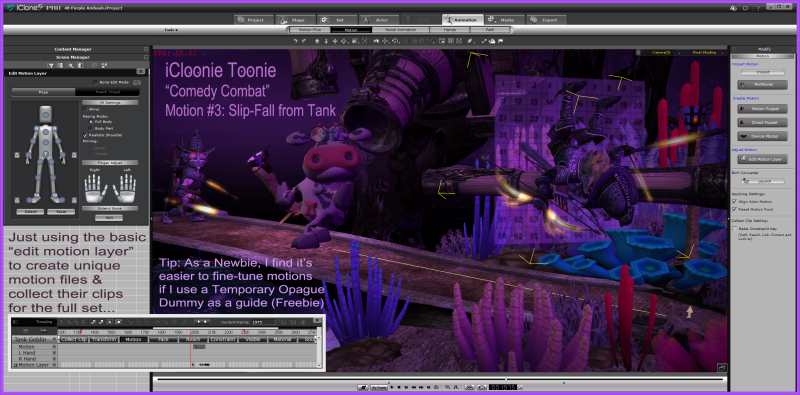
but for step-by-step instructions, please scroll down to post #30 in my thread:
Additional tip: I keep 2 versions of this prop, both saved with 40% opacity, but one is saved at position 0,0,0 with rotation as a wall prop, and the other rotated as a floor, so I don't need to adjust them every time I use them.
Motion Freebies coming soon:
Here is a list of my 1st set of 10 freebie "iCloonie Toonie Comedy Combat" motions that I'll be uploading to share from a store soon (Oh, how I wish we could just upload freebie props & fbx files directly into our posts here, haha):
1. Run screaming with head on fire
2. Slip-fall from tank
3. Frantic Waving
4. Archer Misfire
5. Retreat flee panic 1
6. Retreat Flee Panic 2
7. Hide-n-dont-seek
8. Sneak-Crawl away
9. Crouch-Panic-Leap
10. Abandon Ship
And/or can anybody recommend another way to share these files?
:)
|
|
By tripfreak - 10 Years Ago
|
Hi Bleetz,
thank you for this thread and all the links !
As far as I know, every account has a certain amount of storage for direct uploads available:
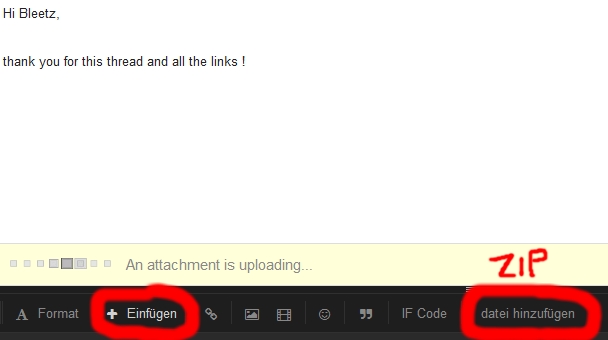
Sorry, I'm german (so probably "+Insert" and then "add file" ?
I just wanted to upload some farm props as a test:

but it gives an error showing that I have no space left (because I probably uploaded too much in the past, e.g. here: LINK )
Alternatively, and in case you have no homepage and no "Dropbox" you could also upload to other free hosters like e.g. "Sharesend".
|
|
By Tarampa Studios - 10 Years Ago
|
Okay, here are the larger images from my thread in the Polycount Forum.
Please note:
* These are just tips that worked for me and my specific projects, based on my limited experience at the time.
* Yes, there must surely be other ways to do things, so if you have any questions, you'd be wisest to ask them directly in the main forums where more experienced iCloners may be able to help.
Or for those friends who are far more experienced, please feel welcome to add any tips that may also help, or even just laugh along at my newbieness, as I hope I shall be able to do soon too.
* Please also keep in mind that I'm a professional mentor for various primary schools, so I have a small legion of students (ages 6 to 12) who'll also be reading this thread... which means there'll also be detention, extra homework and far more creative consequences for any trolls who dare to tread this way... hahaha
And in any case, these images will make the most sense, if you can open two windows, side by side - one to view this thread, and one to scan through the original Polycount thread post, in case it can help to minimise any confusion:
Page 1 images from that thread:
Post #1;
Note: "Pale Red Redemption" was only the draft title during that early stage.
It's now called "High Noon Toons"
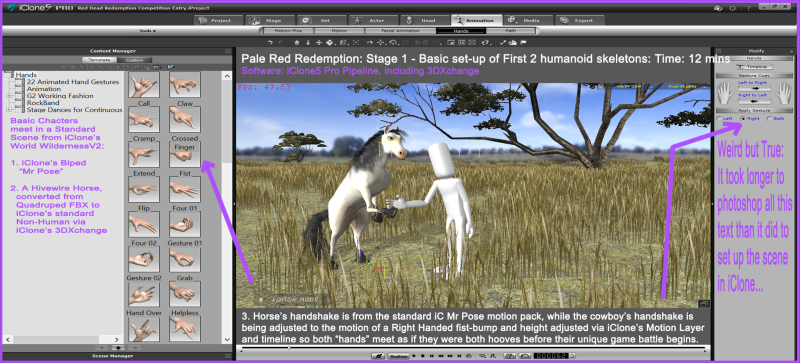
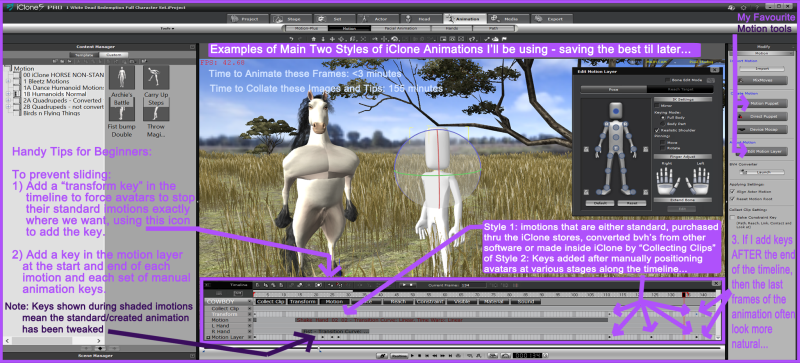
Post #2:
Don't forget to read each tip as if it starts with "For Bleetz, as a newbie, it happened like this... "
Post #3:
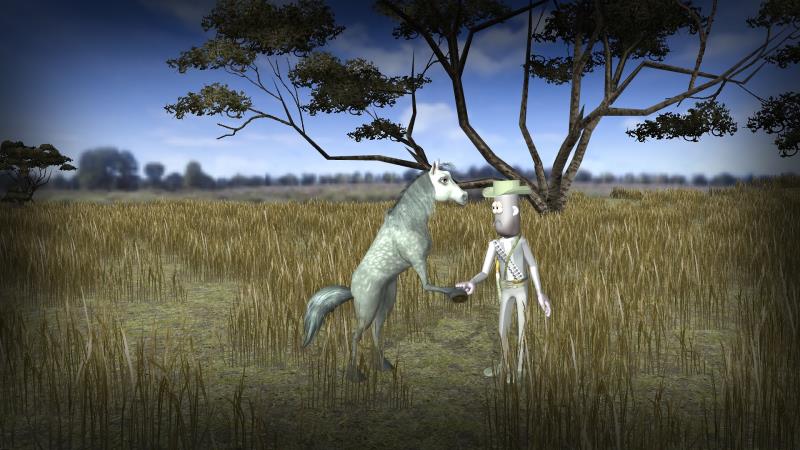
Just a sample pic to show how we don't need complex or complete avatars to help pre-visualize a scene:
Here I was just looking at approximate heights, colours etc to work out how they might be look better as a team - which was tricky because the horse stands much taller as a humanoid than he does as a quadruped.
Post #4 &5:

Note: by the final draft I was happier just using several standard iClone softcloth "tails" with the physics switched off... but only because I wanted to stick with clean toonish lines, rather than having realistic hair flopping about so beautifully, and yet so distracting-ly.
Post #6
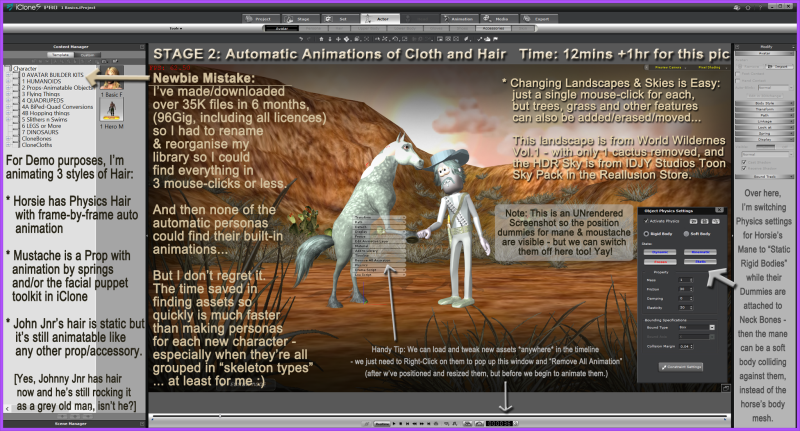
* I should also mention that I rarely use the motions from the standard personas anyway, so I worked for months without even noticing they were missing.
End of Page 1 (of 4)
... and I'll leave it there for now, until I can be sure that this size resolution is working better in this forum.
:)
|
|
By Tarampa Studios - 10 Years Ago
|
quote]tripfreak (7/13/2015)
Hi Bleetz,
thank you for this thread and all the links ! As far as I know, every account has a certain amount of storage for direct uploads available:..
Sorry, I'm german (so probably "+Insert" and then "add file" ? but it gives an error showing that I have no space left...
Ah yes, I tried that and it gave me a warning that I can't upload iprops or imotions just... gif - bmp - jpe - jpeg - pdf - doc - rtf - png - txt - zip - xls - jpg - ascx - css - aspx - rar.
... Bingo!!!... it accepts zips!... :blush: I didn't notice before because I've never used them.
Alternatively, and in case you have no homepage and no "Dropbox" you could also upload to other free hosters like e.g. "Sharesend".
While looking around tonight, I also found wetransfer.com which looks quite friendly with no pesky ads or viruses as far as I can see... I'll have another go tomorrow when my brain has had a chance to wake up. hahaha...
and THANK YOU!!!
:)
|
|
By Tarampa Studios - 10 Years Ago
|
Hi again!
Okay, here is the latest batch of Newbie-know-how tips from the Polycount thread:
From Post #7:
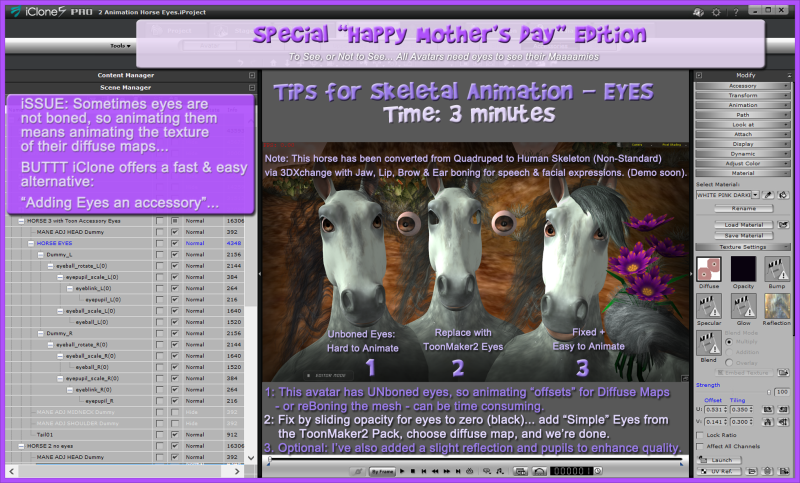
Post #8:
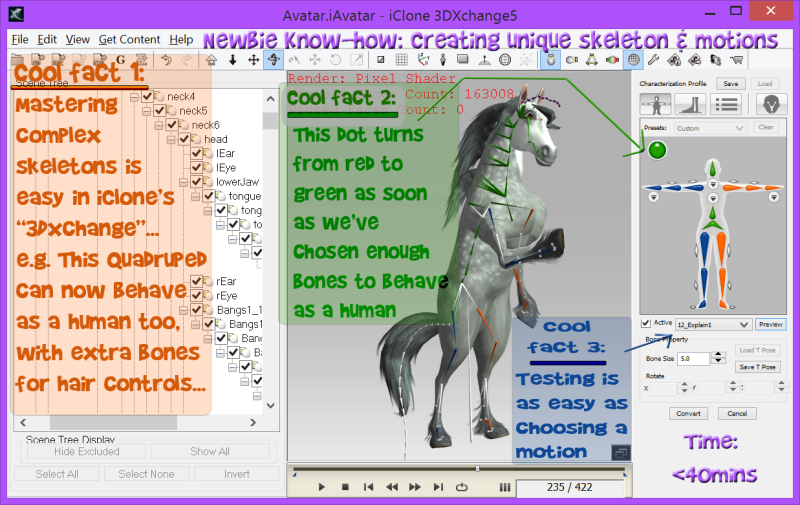
And here's the tutorial from Reallusion that helped me:
Post #9:
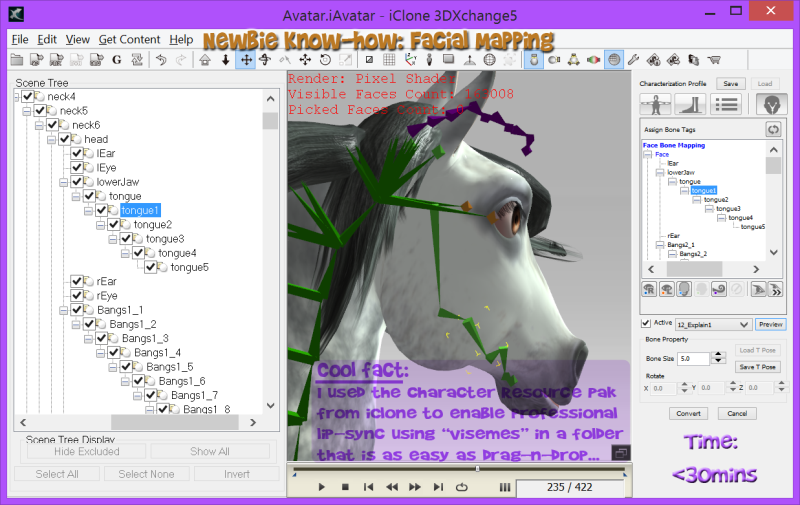
and the iClone tutorial that helped me:
Post #10:
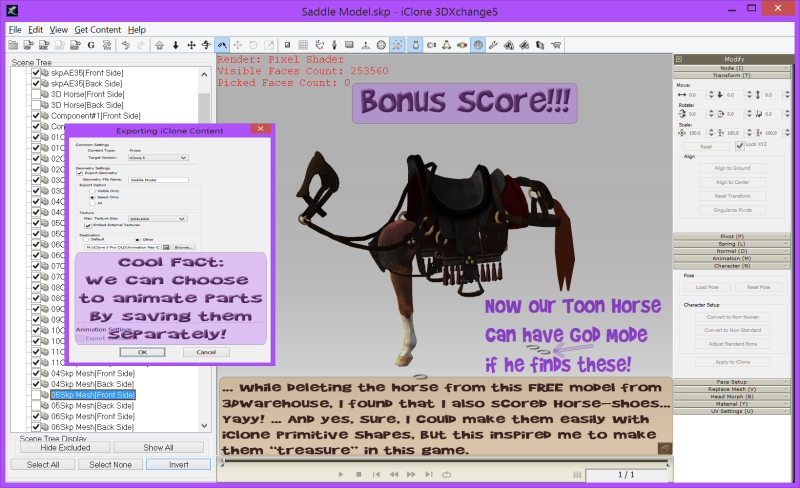
Then a little skit I made to practice animation using a "motion montage" helper from iClone as a product demo of my software suite,
(while all the motions for characters are keyframed manually):
Post #12:
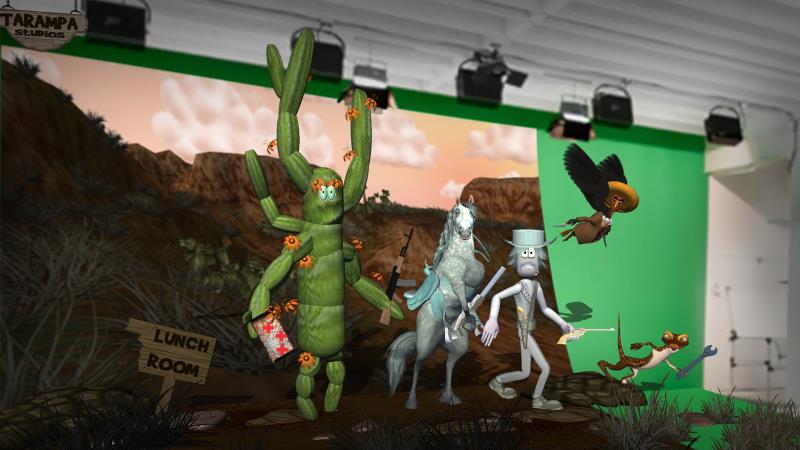
I just made a cactus character using clonebone to surprise the other two characters in "High Noon Toons":
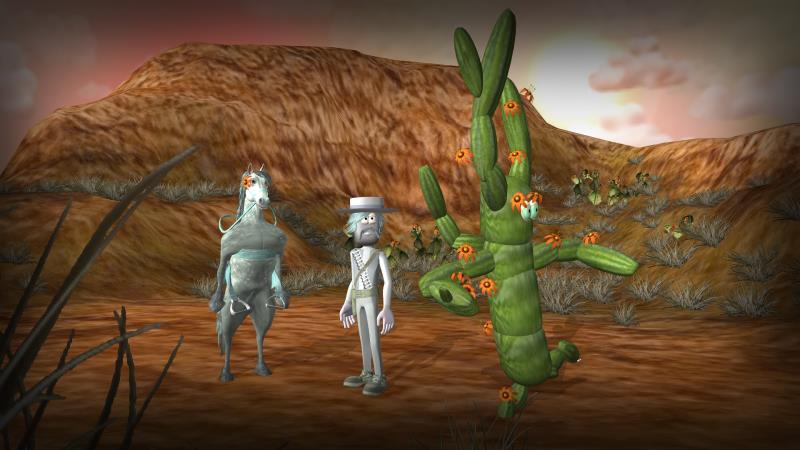
(Note this is not rendered. It's just a normal screenshot. The vignette is one that I made myself for the image layer using photoshop...
which I'm uploading here as a freebie:
HOW TO USE THIS FREE DIY VIGNETTE:
1) Download the image & save in your normal image library as a png. (Make sure the centre of the image is still clear when it arrives on your side of cyberspace, haha!)
2) Open any project in iClone & Load *any* vignette from STAGE/IMAGE LAYER.
3) Click on the MODIFY/SETTING DIFFUSE & replace the image with the png you just downloaded.
4) Save to your Custome Image Layer folder.
5) Adjust the opacity to lighten/darken the vignette, whcih also changes the thickness. This grey vignette works in most scenes, but I also made a frosty blue vignette for snow scenes and looking through glass windown/bubbles, and a red vignette for fire scenes, as shown in Last Cow in Space. And to make these, just use MODIFY/ADJUST COLOUR, or change colours in Photoshop by adjusting the hue, saturation etc.
(See file attachment below)
|
|
By Tarampa Studios - 10 Years Ago
|
Still on Page 2 of my PolyCount Thread, the large version of my images are:
Post #13:
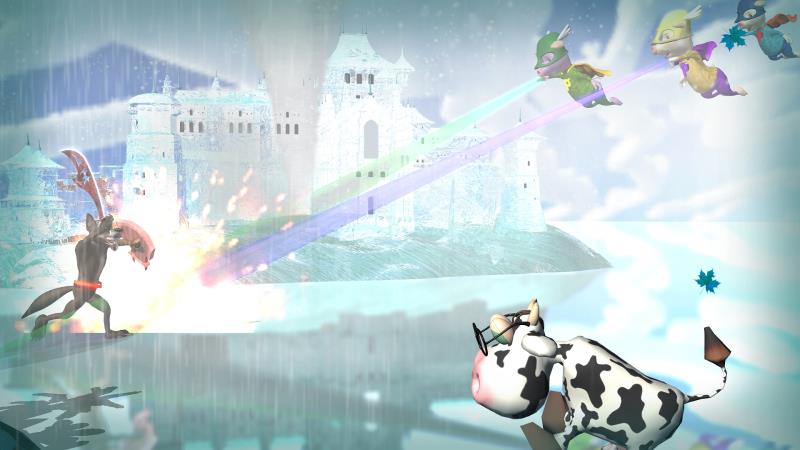
Time to add a metal handle to my wolf's shield, as soon as I realise he needs it during battle...
So in this post, I'm just pausing mid-war to fix it using iClone's built-in primitive shapes and textures
Post #14 - a busy long weekend! yay!
|
|
By Tarampa Studios - 10 Years Ago
|
Still on Page 2 of my PolyCount Thread, the large version of my images are:
Post #13:
Time to add a metal handle to my wolf's shield, as soon as I realise he needs it during battle...
So in this post, I'm just pausing mid-war to fix it using iClone's built-in primitive shapes and textures
Post #14 - a busy long weekend! yay!
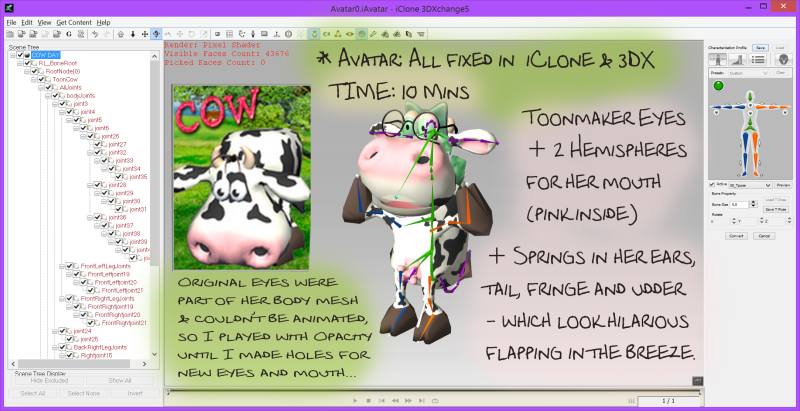
+ here is a FREEBIE OPACITY MAP for *this* cow to help erase a place for her mouth to fit, using 2 home made primitives, coloured white on the outside and pink on the inside.
(See Polycount forum for more details.)

+ Here is the Custom diffuse I made for night scenes:
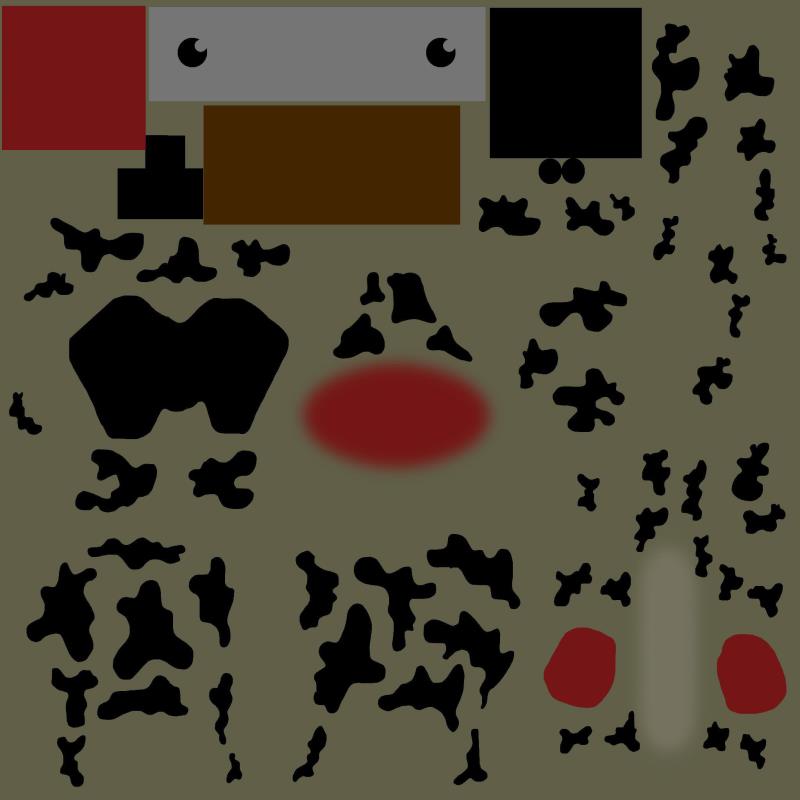
And here is the diffuse map for using two hemisperes as her top and bottom jaws:

You can get the cow here:
http://city.reallusion.com/ContentPreview.aspx?i=JIC929604f02dc2d96f4
+ I also added ribbons, glasses and eyes from the Toonmaker packs.
POST #15:
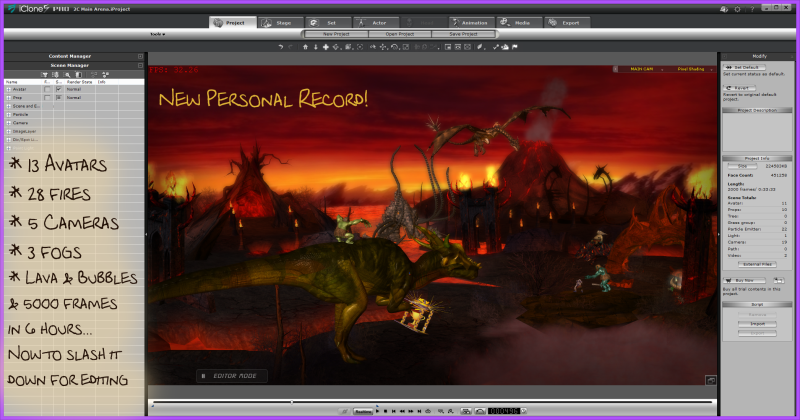
I often like to work on scenes out of order. I don't have a boss, so obviously I don't need to have lengthy meetings with myself to make sure I know what I'm doing before I let myself go away to play with animation. And I don't need to check back with myself to make sure I stay on track with regular progress meetings with myself. Often I end up arguing with myself, anyway, hahahaha.. But not during that weekend, when Time sucked me into another dimension where I worked ten times faster than usual:
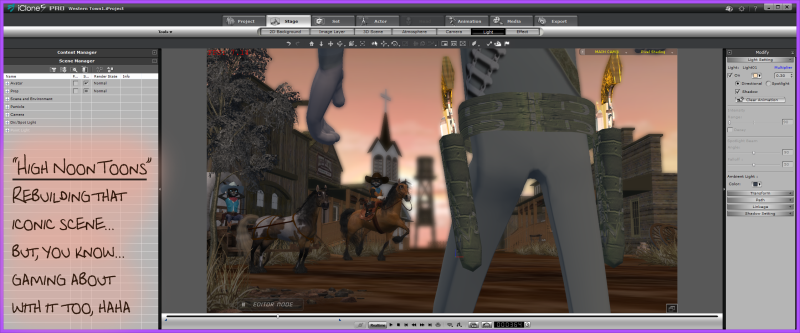 es o es o
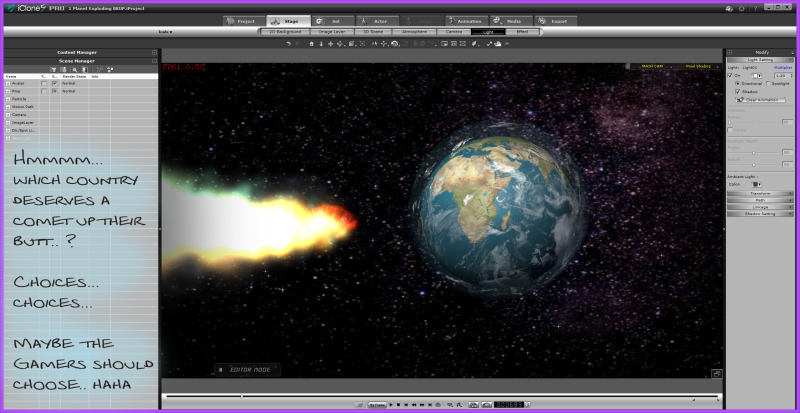
Post #16:
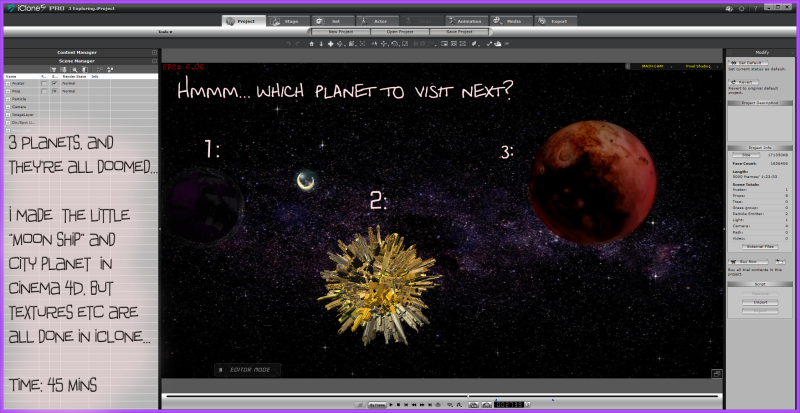
Post #17:
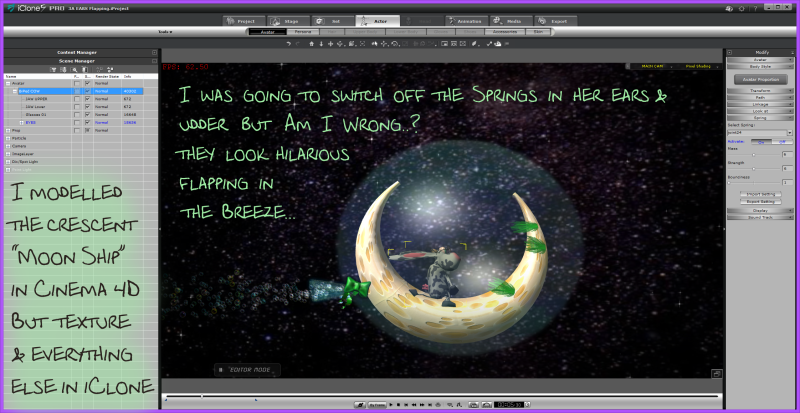
Post #18:
and
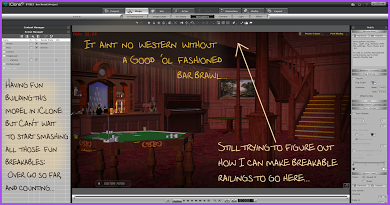
... anybody want a Free Piano? Just let me know.
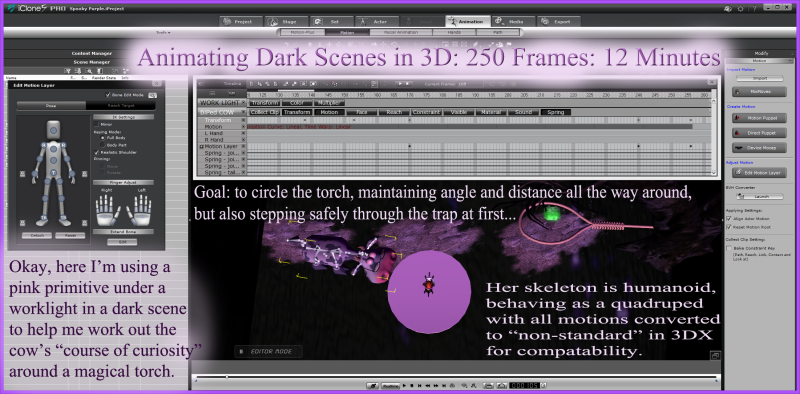
POST #19: More fun working on both projects on the same day:
and also...
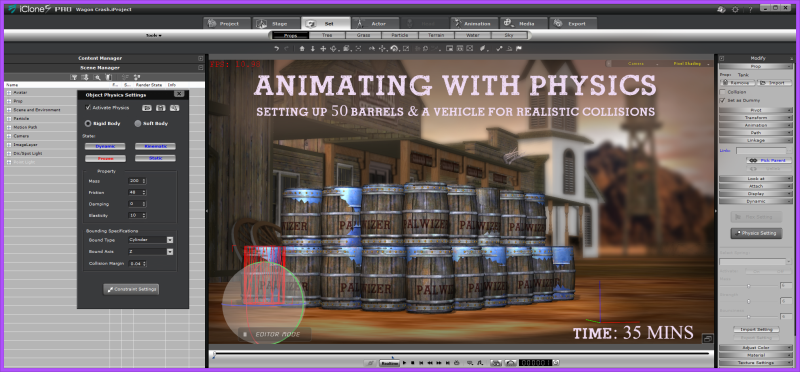
And here's what it looks like... I made this scene for the end credits, just for fun...
I love it when credits are just as enjoyable as the movie, so if you switch off my movies before they go black at the end, then you'll *always* miss something funny... hahaha
POST 24:
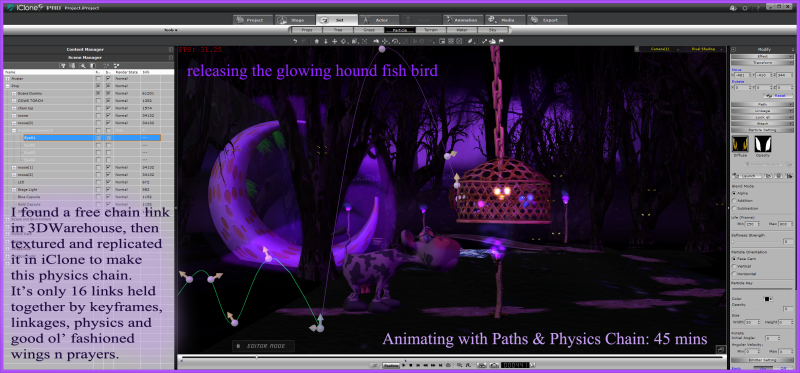
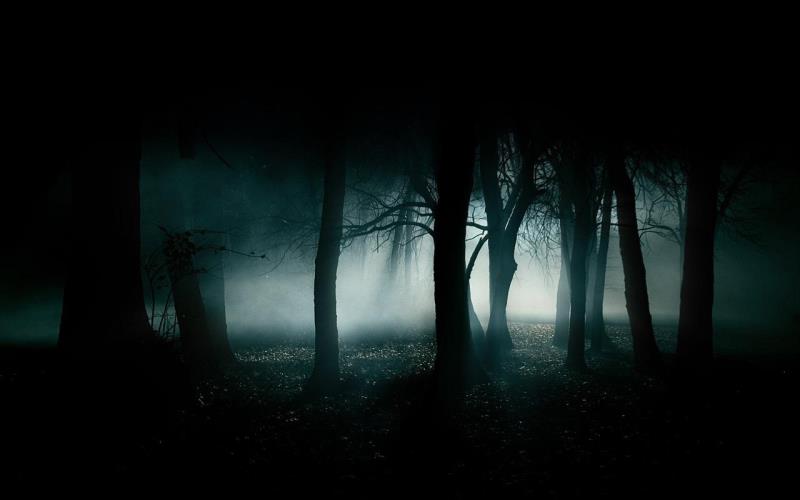
And here is the Freebie Background Image I made in Photoshop:
It looks pretty cool in other colours too:
and...
I started to puch the limits a bit too hard with that one, but you're welcome to use any of them for your own work, if you wish.
I choce the purple because it seems more like an alien planet for children, but the original free image is great for supernatural/spooky scenes too:
|
|
By Tarampa Studios - 10 Years Ago
|
Still on Page 2 of my "Know-How-For-Newbies" Thread at Polycount,
and I'm still trying to upload larger images of the info-pics here in higher resolution...
(and also slipping in a few little freebies regularly too):
We are up to Post #25: Animating with Emitters:
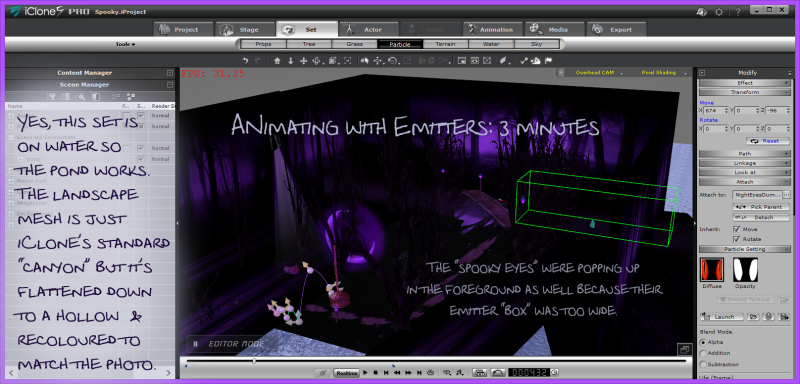
And as usual, I tried to work on both projects a little bit each day - which wasn't easy, because High Noon Toons is much shorter duration than Last Cow in Space, but I always love to work on 2 or 3 projects at the same time so I always have something new to work on - so I'm always able to come up with fresh crazy ideas every time I open each project.
Don't forget to read the main posts with these images too, because that's where most of the cool inside tips are:
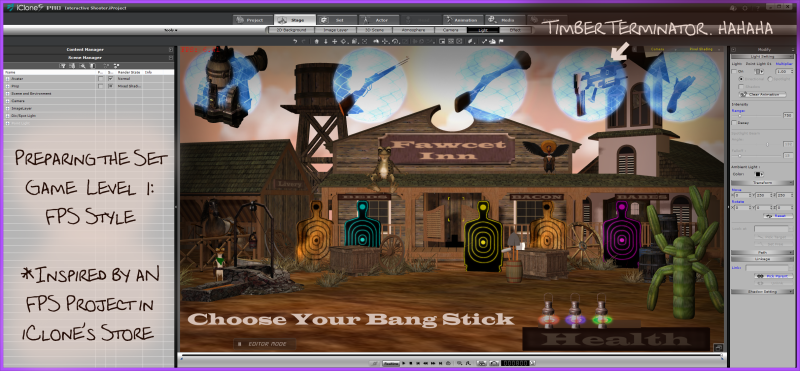
... and that's it for Page 2 of the thread, finally...
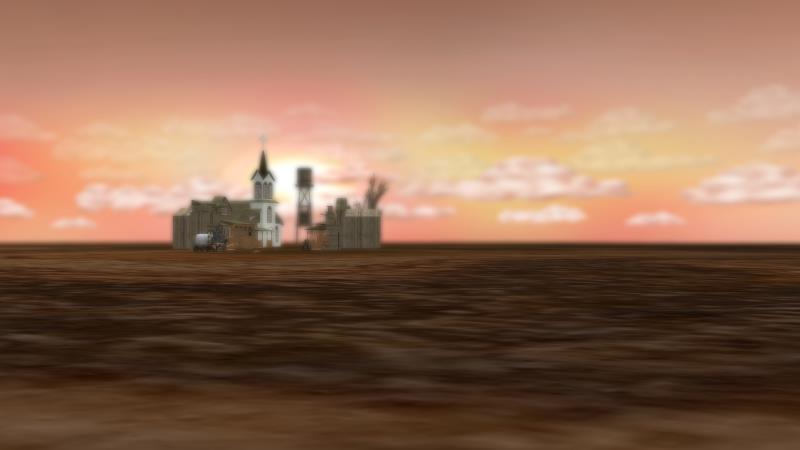
So here is a freebie background I made for HighNoonToons to help reduce the number of polys in one scene...
Freebie for this post:
And if anybody would like the free Bar model from the Bar scene, including mirror, just let me know... and I'll add it to the list of free models I'll be uploading soon.
:)
And thus we come to the end of page two! YAY!!!!
(It's tax time here in Australia, so time is very hard to find amongst all the audits, but I'll be back with some zips and free models, just as soon as I can! :)
|
|
By tripfreak - 10 Years Ago
|
Hi Bleetz,
thank you for the sequel ! :cool:
During the working week I'm rather lazy with replies, and this week was full with updates - be it Flash (btw, does anybody know a real alternative?), the new MUVIZU and also Unity 5.
They've got a really cute freebie kitten from leshiy3d over there:

From the missing comments here you see that the "Toon people" are a bit underrepresented,
and the majority is rather into:
A) Pseudo-Reality:

B) Hack 'n Slash:
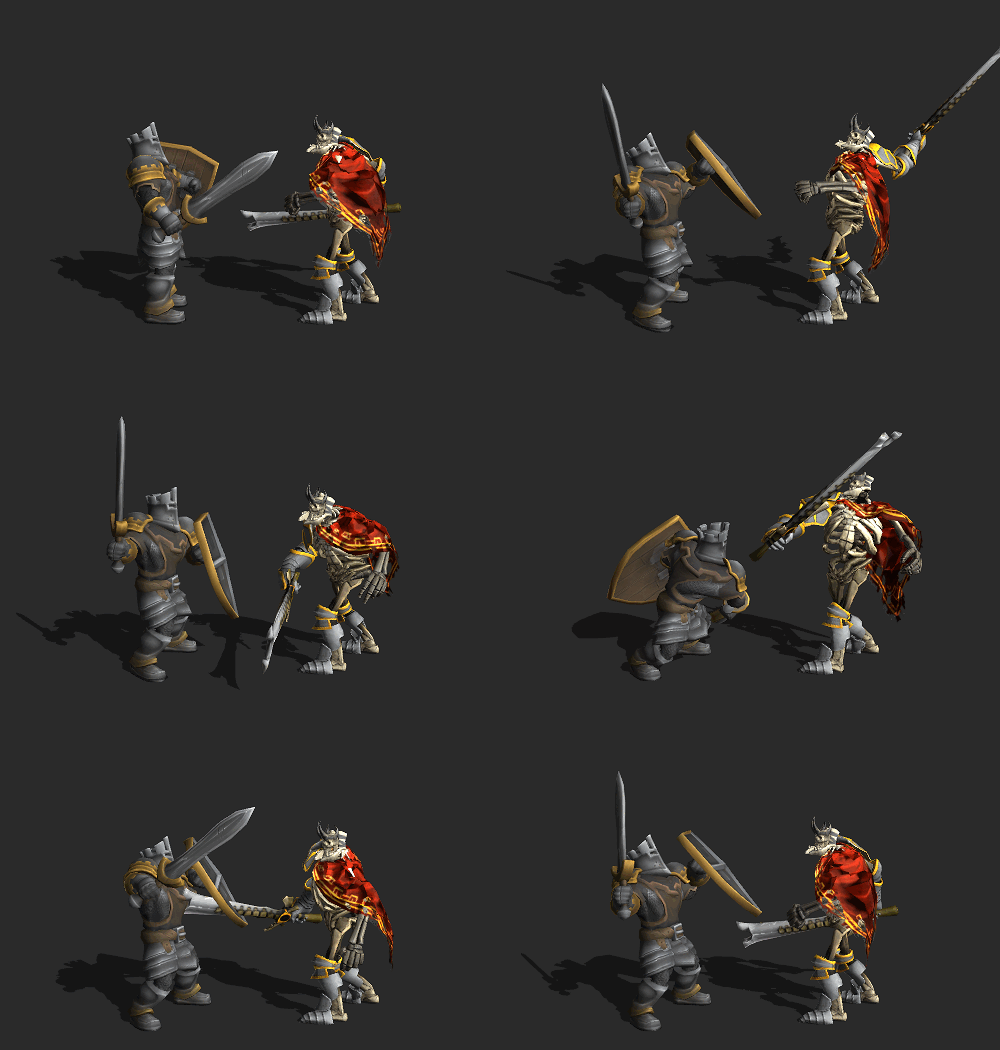
and
C) Peng and Bumm:

Oops, I forgot the blood !
But nonetheless, I'm happy that you post your ideas and freebies here ! :smooooth:
|
|
By Tarampa Studios - 10 Years Ago
|
Ahhh WONDERFUL!!!
Thank you!! Thank you!!!
I'm still arguing with my mainframe and virus software, trying to figure out why the uploader won't work for my new store with reallusion so I can share all my props and motions for free in one place. It's very frustrating. But I have some suggestions from the Reallusion Helpdesk team, so I'm determined to solve this soon.
hopefully!
:)
|
|
By tripfreak - 10 Years Ago
|
Good luck with your store ! :cool:
I will for sure be one of your customers !
|
|
By Tarampa Studios - 10 Years Ago
|
Thanks!
I just solved the problem with my uploader to the store:
(Problem & Solution: Avast Antivirus Software was blocking the uploader and saying I didn't have sufficient permission, even though I'm the administrator for my pc, so I had to run the uploader through a sandbox first, and *then* Avast would let me add an exclusion... normally Avast is very easy to use and just asks if I want an exclusion as soon as I try to open new software, but for some programs it is very strict... luckily this also solved my problem with Indigo, Maya and Pixar's Renderman) YAYYY!
So here is the link to my first big Freebie in my Store;
http://city.reallusion.com/ContentPreview.aspx?i=JICd9415ee2f00bce2f7&g=
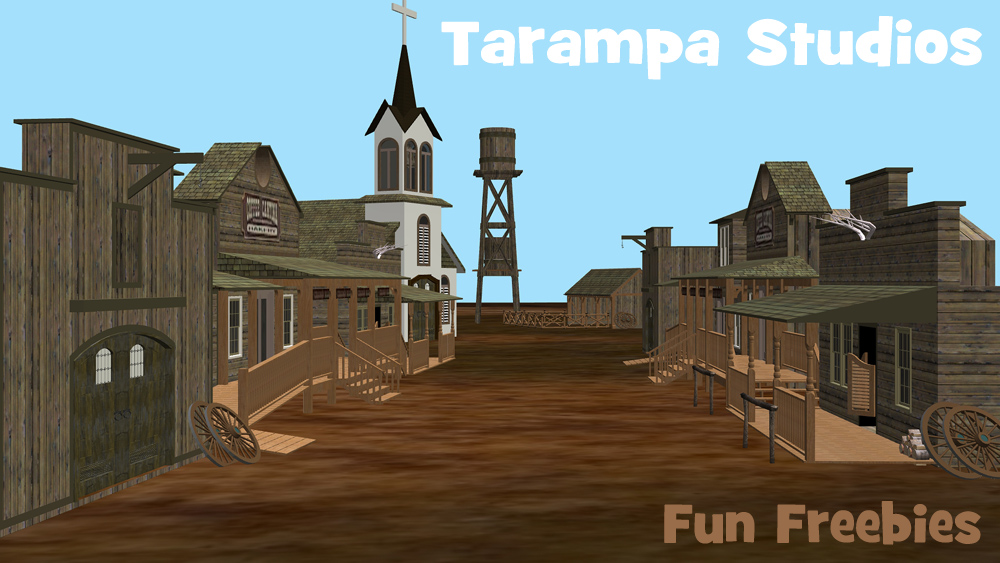
I'm not sure if I've uploaded it correctly, so if you are first to download and try it, can you please let me know if it works okay?
I've still got lots to upload and share as freebies, but time is so hard to find lately, it would be great if I could be more confident that I'm not wasting it.
|
|
By tripfreak - 10 Years Ago
|
Yup, it works fine !
Thank you ! :cool:
|
|
By VirtualMedia - 10 Years Ago
|
Nice post, love iclone and it's reasonably approachable interface. Tried Maya and got so caught up in leaning it I lost track of what I wanted to do with it. I've found IClone to be a happy medium.
I'm a little surprised most of these are posted on Polycount. I posted a video there and several members were hating on IClone so much I seldom go back. I bet swooop would love that forum.
|
|
By Tarampa Studios - 10 Years Ago
|
Hi Guys!
Thanks for your feedback! And wow, that's a great gif Tripfreak, thank you!!..
And yes, Virtual Media. I noticed that most Polycount forum members were leaving us alone, mostly... I think they were being polite while we stayed in the blog section for the competition, because I saw some harsh comments out in their archives too. And they never replied to any of my questions when I tried to speak to them in their other forums. I even tried private messaging some of them to try to buy some of their props but received no answer, so I'm not entirely sure they were ignoring us. Maybe it was just me having more problems with their forum and my slow glitchy rural internet.
RE The HD images in this blog:
I got a warning today to say that I've reached my limit in this forum, so I can't post any more large images here any more either.
So here is the link to my two google+ albums where you can find most of them.
If I have missed any, please just let me know and I'll fix it as soon as possible.
RE: FREE "iCloonie Toonie Comedy Combat Motions"
I am still getting error messages from the iClone store which are preventing me from uploading my iCloonie Toonie Comedy Combat Motions from the RGCA Competition to give away, and I can't upload them here as a zip, because that's how I got my warning about exceeding my limits already.
So are the freebie motions in a DropBox:
https://www.dropbox.com/s/6w3h9d8d9zql72d/Comedy%20Combat%20Vol.1.zip?dl=0
I've never used a dropbox in that direction before, so I hope it works.
And here is a sample video to show how the motions work with various skeleton styles, and different sizes of heads and limbs:
They were all made for my two entries in the RCGA competition, using a combination of every style of animation I could find: e.g, keyframing, puppeteering, spring motions, facial animations, expressions, visemes, hand motions, iclone mixmoves, and a few frames of "canned motions" that were tweaked to make them more unique and suitable for specific situations.
So they are all motionplus files, not motion files.
The video shows 10 motions, but there are also 3 bonus crouching-fear motions included in the set.
If you are first to try them, could you please let me know if they arrive safely at your end through the dropbox?
|
|
By tripfreak - 10 Years Ago
|
Hi Bleetz,
sorry for the delay, but it's a bit difficult when you live on the other side of the world.
I always read your next post only early in the morning at work (with limited internet access).
Now I just arrived at home and dl'd your motions. Thank you very much ! :cool:
Very funny motions and clip ! :D
I will for sure find use for them...
|
|
By toonarama - 10 Years Ago
|
|
A big thank you from me too. I live the style of your work so the freebies are not only very generous but will hopefully be very useful too!
|
|
By tripfreak - 10 Years Ago
|
Good and bad news,
I just tried your motions in iClone 5 and they are indeed very funny, but:
- only 2 of them are usable without the trial sign:

all others are not:

Can somebody confirm this, or is it just me ?
|
|
By Tarampa Studios - 10 Years Ago
|
Wow, that's weird...
Maybe it's because I used props in those scenes that were linked to the body?
But I didn't bake any of their constraints into the motionplus files... I didn't tick that box, anyway.
or maybe it's because I created most of the motions using a character that I purchased and used for the competition,
and then I copied the motion to all of the others for this sample video to my store?
That may also explain why the motion plus files are not uploading to the iClone store...
But gosh, that would really be bad if it's like that, because then I have to rebuild all of the motions from scratch using a generic iClone character just to share them.
So many thanks for your feedback. It's hard for me living on the upside-down side of the world too, hahaha... but I will try again as soon as I can.
I'm still fairly new at the process with sharing motions and props, so I will also ask Reallusion if they can take a look at tell me what the problem really is, rather than trying to guess by trial and error.
:)
|
|