|
Author
|
Message
|
|
martok2112
|
martok2112
Posted 14 Years Ago
|
|
Group: Forum Members
Last Active: Last Year
Posts: 1.6K,
Visits: 2.4K
|
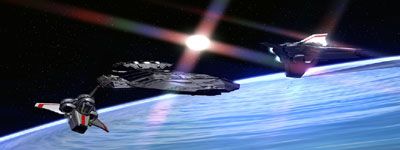
Hi, folks, This is your friendly neighborhood Martok2112 (Steve) with yet another hopefully useful tutorial. Today's tutorial will demonstrate how to utiilize multiple avatars (more than four) in a high-poly shoot situation. Again, for demonstrative purposes, I will utilize materials from my upcoming Battlestar Galactica projects. The bridge of the battlestar Galactica is a huge place, and should be rife with human activity as it takes quite a few people to run a ship that is over a mile long. I think my bridge is actually bigger than the bridge as seen in the original 1978 series. :) 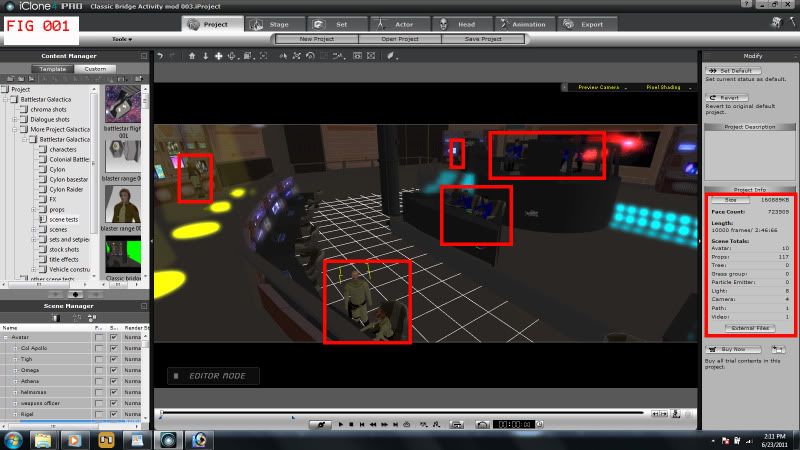 As you will notice in Fig 001, my project has called four 10 avatars (actually, 11, as in one shot, I did add another character, but it was a stand alone shot, for the purposes of this demonstration, we will only need the initial ten). It also shows four cameras being used. Almost all of them will have dynamics of some form or another. And CRIPES, look how many props there are!!!
"Incompetence will always prevail so long as evil men stand by and do nothing."
-Martok2112
|
|
|
|
|
martok2112
|
martok2112
Posted 14 Years Ago
|
|
Group: Forum Members
Last Active: Last Year
Posts: 1.6K,
Visits: 2.4K
|
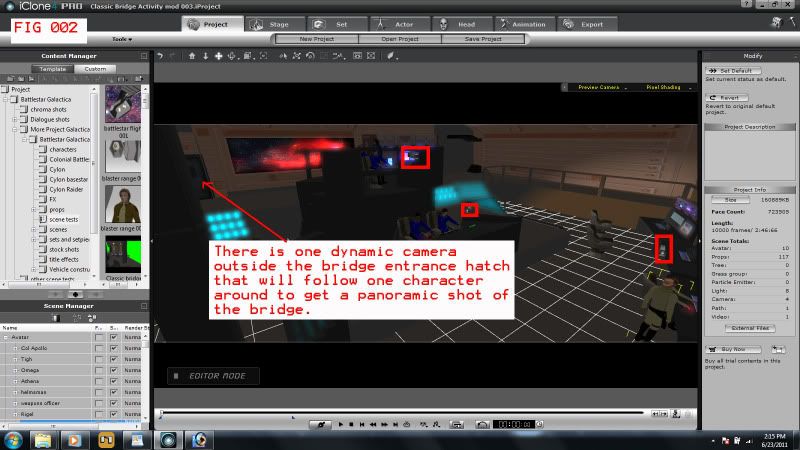 Nine of the ten characters are highlighted in Fig 001, and three of the four cameras are highlighted in Fig 002. Camera one, which is outside the bridge, is the camera that will follow Athena as she enters the area, and establish the panoramic shot of the bridge. Now, the problem is, there are too many characters at once for a single shot. Previous attempts to export this shot in 720p/24fps/High Quality Video have resulted in only a couple of seconds of footage being rendered, as opposed to the full length of the shot. How then, do we take care of this shot so that we don't have to cut corners? I mean, this is supposed to be a pretty impressive establishing shot. Well, first, after we have established our camera angles and paths, and where our avatars are supposed to be placed, accounting for any animations like operating bridge controls, or making small movements, we SAVE the project. This allows us to come back to our project fully restored, because what we are about to do calls for some deletions.
"Incompetence will always prevail so long as evil men stand by and do nothing."
-Martok2112
|
|
|
|
|
martok2112
|
martok2112
Posted 14 Years Ago
|
|
Group: Forum Members
Last Active: Last Year
Posts: 1.6K,
Visits: 2.4K
|
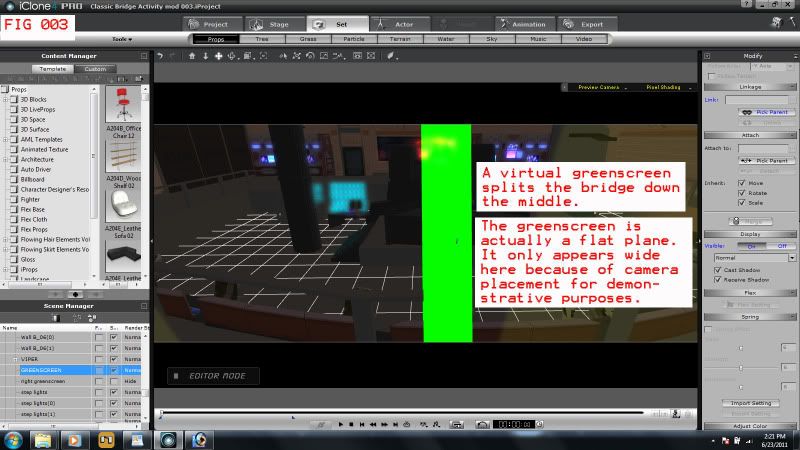 First, we're going to have to establish a virtual green screen....ideally, one that will split the bridge down the middle....and at least at a point where the establishing camera will not cross over the green screen. See Fig 003. Use a "plane" object, color it green, and place it down the middle of the bridge. Make sure that no avatars pierce through the green screen. 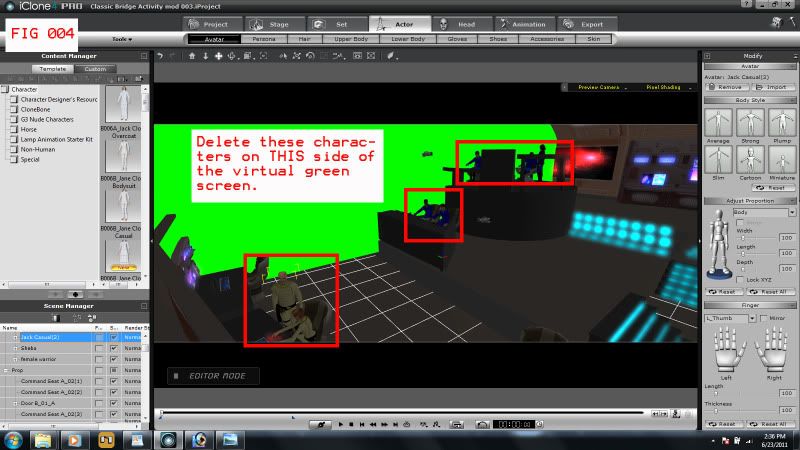 Fig 004 shows that the virtual green screen has been established, and now we need to delete the highlighted characters on THIS side of the green screen. The camera tracking Athena is on the other side of the green screen, and does not need to see these characters right now. Deleting the unnecessary characters frees up performance memory. DELETE, do not TURN OFF. Turning off the characters does nothing to help free up memory. The only characters remaining are the three that are on the opposite side of the green screen.. Athena, another female warrior, and Sheba.
"Incompetence will always prevail so long as evil men stand by and do nothing."
-Martok2112
|
|
|
|
|
martok2112
|
martok2112
Posted 14 Years Ago
|
|
Group: Forum Members
Last Active: Last Year
Posts: 1.6K,
Visits: 2.4K
|
|
|
|
|
|
martok2112
|
martok2112
Posted 14 Years Ago
|
|
Group: Forum Members
Last Active: Last Year
Posts: 1.6K,
Visits: 2.4K
|
Now, we check to make sure that playback took at the settings we've requested...and voilla. You now have the first half of your shot. Now, we reload the project (you did remember to save before you started deleting things, right? :) ) Now we do a second pass. This time, we turn off the virtual green screen, DELETE the previously rendered characters (Athena, Female Warrior, and Sheba.) We also don't really need to see Rigel or her subordinate for this shot, since they would only be seen for the briefest split second. So go ahead and DELETE them from this second pass. What you will see in this second pass is Commander Tigh, Col. Apollo, Omega, and the helm and nav officers. See Fig 006-006b. 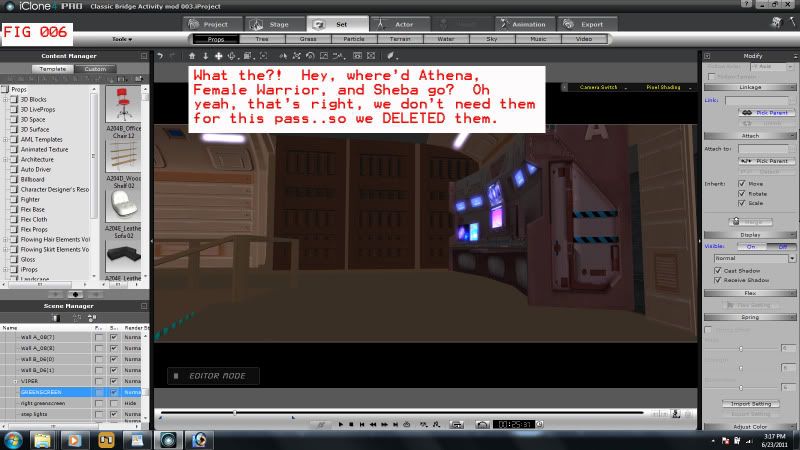 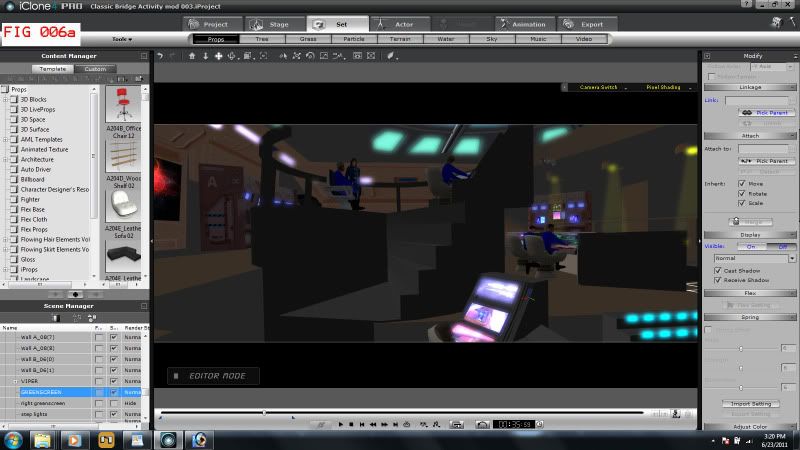 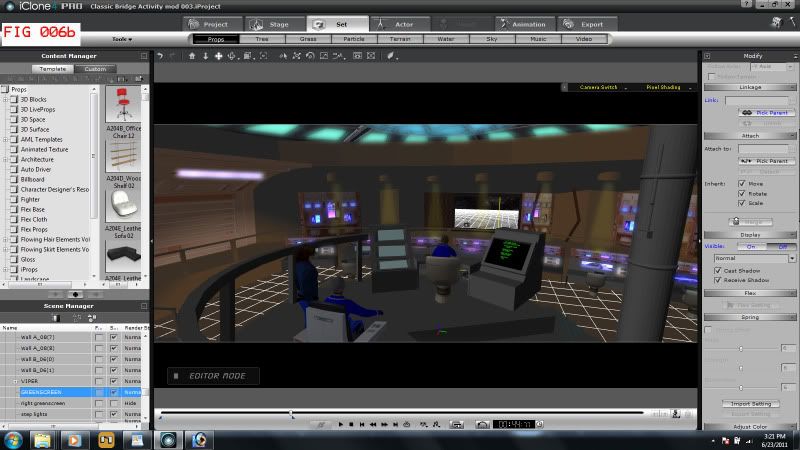 Export the shot. Now you have two passes, ready for compositing in an external movie editor...I use Magix Movie Edit Pro, since it allowed me to discover iClone.
"Incompetence will always prevail so long as evil men stand by and do nothing."
-Martok2112
|
|
|
|
|
martok2112
|
martok2112
Posted 14 Years Ago
|
|
Group: Forum Members
Last Active: Last Year
Posts: 1.6K,
Visits: 2.4K
|
Now I will show you the shot I came up with after making a few more shots with the other cameras. In each case, where characters did not appear in the framing of the shot, I would delete them from the shot. I always went back to reload my project, and then did the necessary deletions. 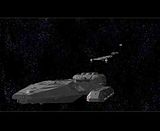 I hope this has been a helpful tutorial. :)
"Incompetence will always prevail so long as evil men stand by and do nothing."
-Martok2112
|
|
|
|
|
Darren01
|
Darren01
Posted 14 Years Ago
|
|
Group: Forum Members
Last Active: 4 Months Ago
Posts: 654,
Visits: 4.1K
|
that's excellent martok2112 thanks for sharing it with us. Whilst I haven't the need for multiple avatars in one scene as yet, I have a few ideas rattling around my head at the moment for a future project that will. I have been contemplating ways of how I was going to do it without locking up everything. I will have a play around with your tutorial once I get a bit of time. thanks again for sharing your knowledge & experience :)
_________________________________________________________
|
|
|
|
|
martok2112
|
martok2112
Posted 14 Years Ago
|
|
Group: Forum Members
Last Active: Last Year
Posts: 1.6K,
Visits: 2.4K
|
My pleasure, Darren. Thank you for the kind words. :) Allow me to link you to a couple of other users (one who used my tutorial, and another who also had the same thought of using chroma-keying/green screening like myself) who did excellent multi-avatar works (both shots even more epic than I've monkeyed with) to show you just how effective this technique can be. Go to this thread, and check out the videos that both users (Samulis and Christy0) have posted. : https://forum.reallusion.com/Topic86142-36-1.aspx
"Incompetence will always prevail so long as evil men stand by and do nothing."
-Martok2112
|
|
|
|