|
johnwarndt52
|
johnwarndt52
Posted 4 Years Ago
|
|
Group: Forum Members
Last Active: Last Year
Posts: 145,
Visits: 371
|
I set up a scene with a character, a terrain and some props, and had it animated before I realized the character wasn't casting any shadows, Upon going to Scene Manager I discovered that there were a bunch of spotlights and point lights, but the Key and Rim lights that I had assumed were parts of any new scene were missing. I created a new directional light, but that wouldn't cast shadows either. I turned the IBL and Global Illumination on and off, but nothing I did fixed the problem. Suspecting that perhaps there were no shadows because my character was already in the shadow of a part of the terrain, I deleted that, but to no avail. I brought in a simple box prop to use as a the ground and nothing cast a shadow on that, either. Parts of the props and the character cast shadows on themselves, but nowhere else. I am beyond baffled. Does anybody have any idea wtf I'm doing wrong, or how I can create the Key and Rim lights that were missing? 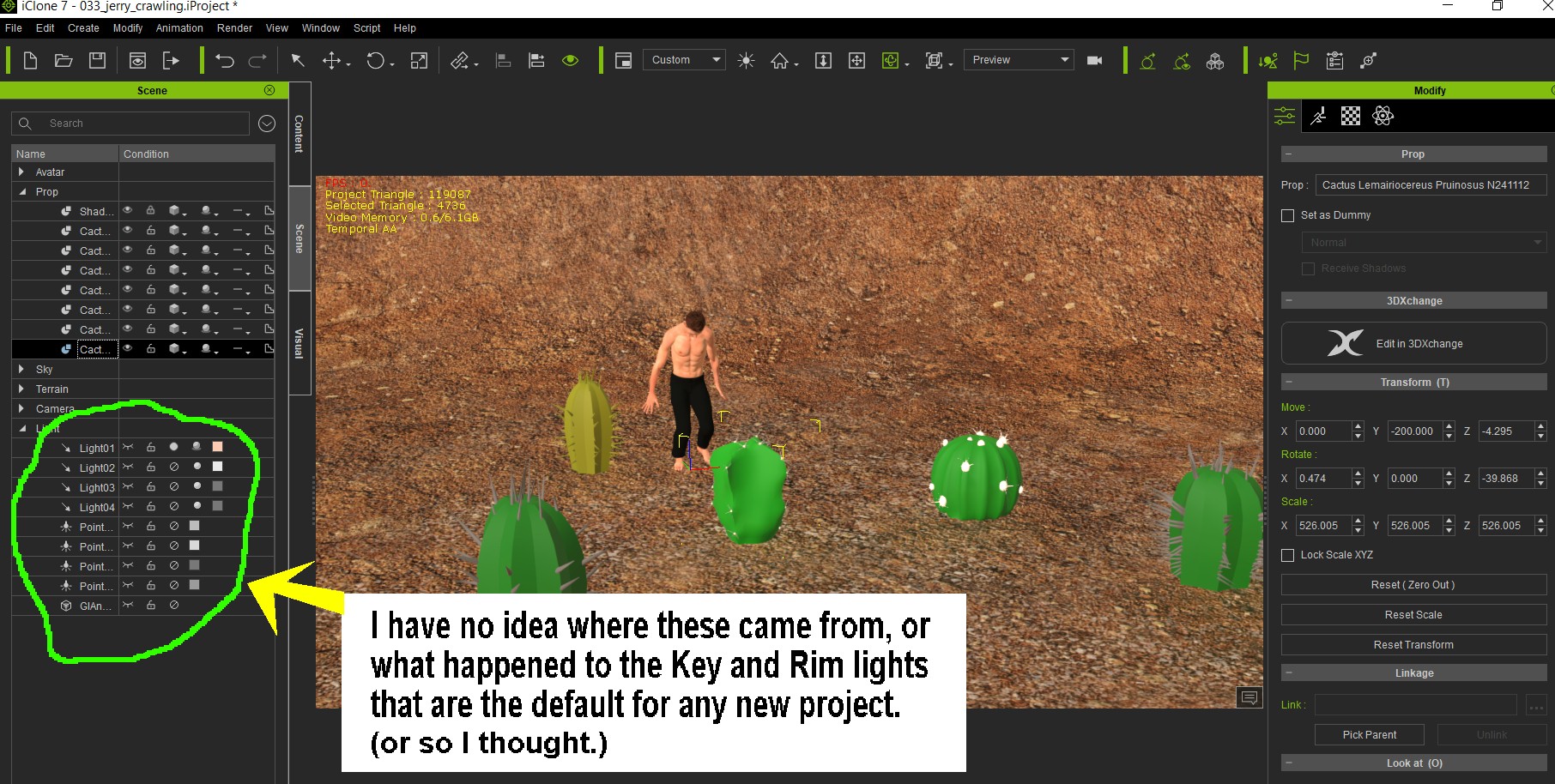
|