|
Fionn (RL)
|
Fionn (RL)
Posted 4 Years Ago
|
|
Group: Administrators
Last Active: 3 Years Ago
Posts: 87,
Visits: 614
|
Big changes in Unreal Engine 5 has introduced ray-traced Lumen rendering and Chaos physics which has led to some visual discrepancies between Character Creator and Reallusion’s UE4 AutoSetup. We have addressed these issues in the latest version of AutoSetup (version 1.24) which is essentially a patch of AutoSetup 1.23. However, users will need to take great care to refine the characters’ collision meshes in order to achieve proper cloth physics results. >> Free Download here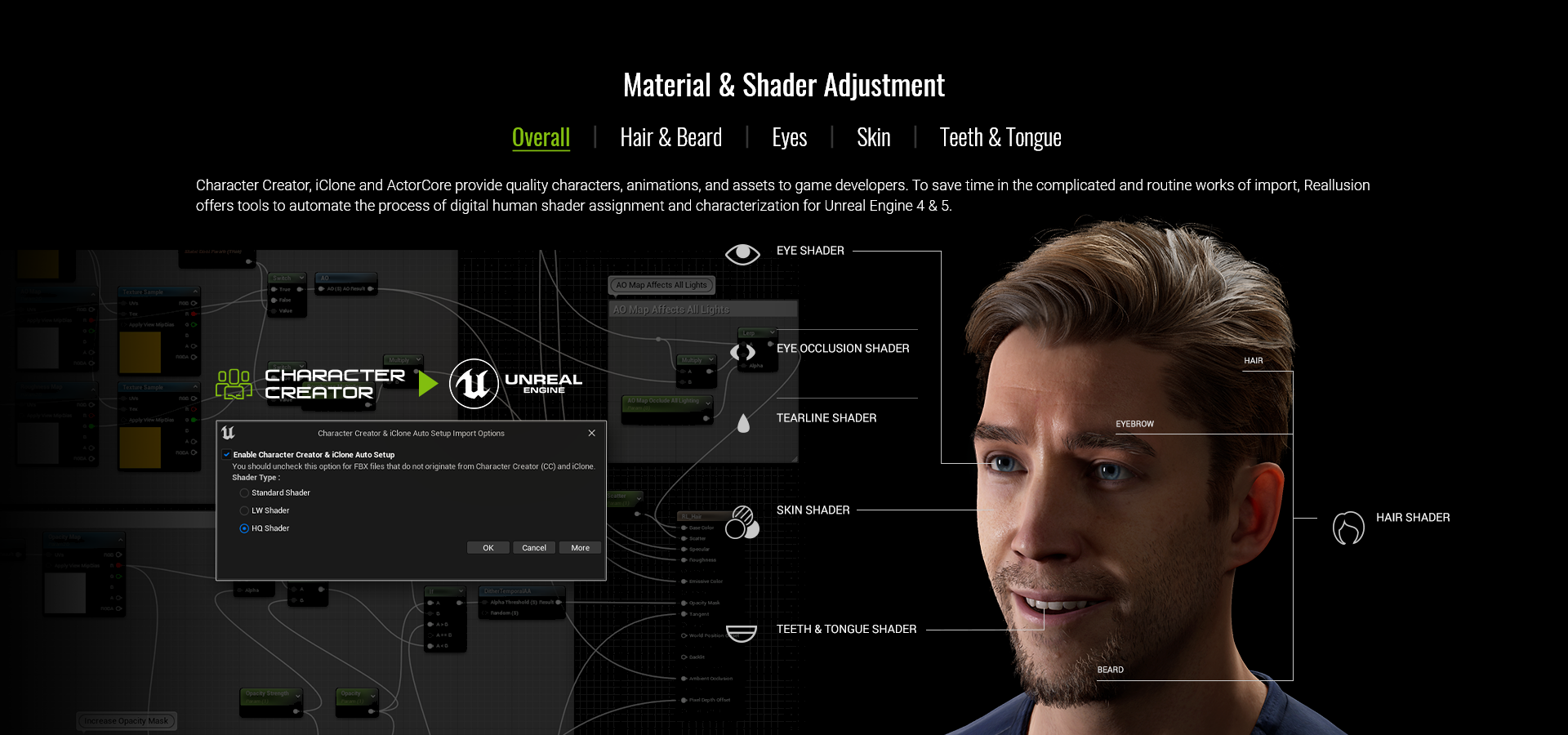 The shader updates include PBR opacity, Eyes, Hair and Beard, and Teeth:
Fixed- Objects with opacity maps and PBR material have strange black borders when rendered with Lumen, i.e., eyelashes and head.
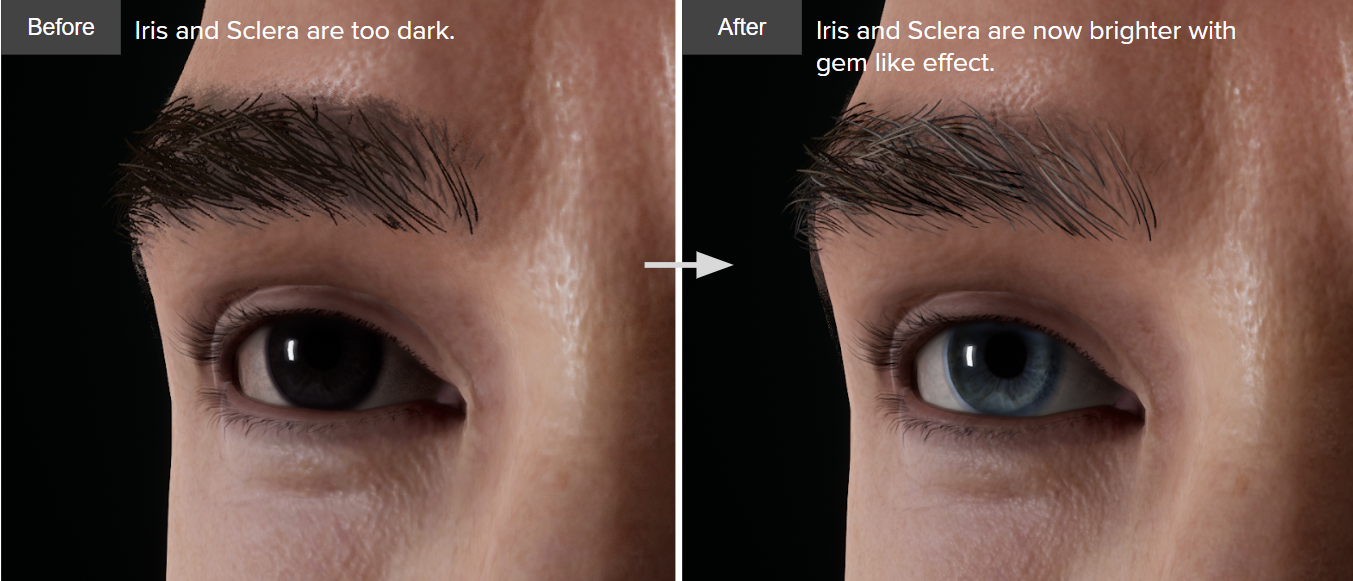
Enhanced- Enhanced the brightness of the iris to strengthen the visual effect.
- Adjusted the strength of the Eye Occlusion to brighten up the eyes and strengthen translucency.
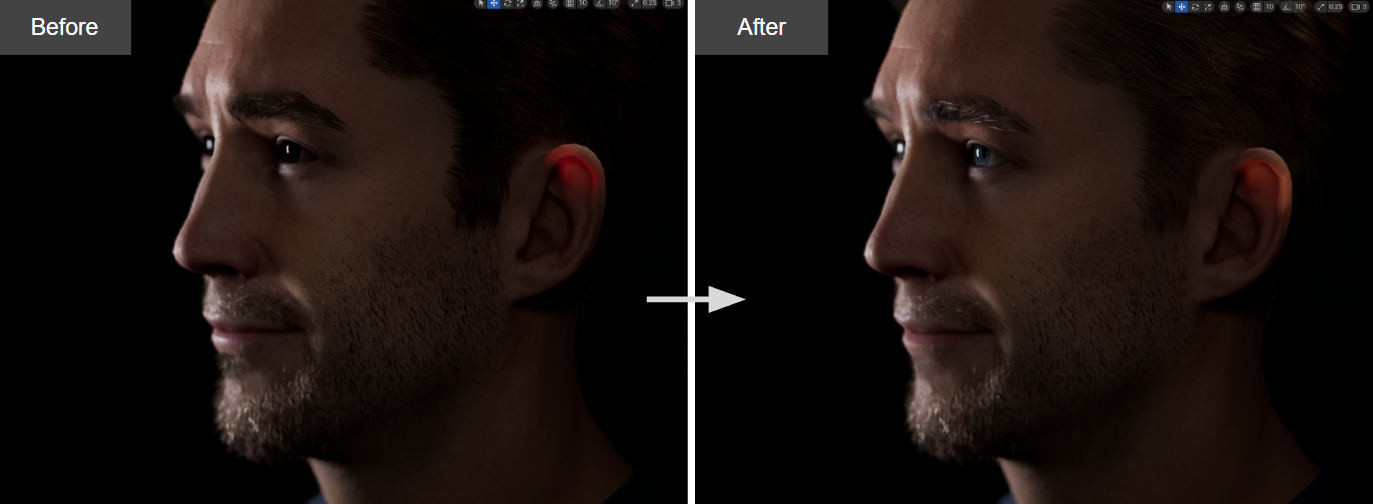
- Added Advanced Opacity parameter for the hair, eyebrows, and beard to improve the look of hair cards; also strengthened the Specularity of the hair to add more glossiness.
- Adjusted the default settings for the hair physics for more natural movement and reaction.
- Reduced the normal strength settings for the teeth to make them more realistic.
1. Eyes- Enhanced the brightness of the iris to strengthen the visual effect.
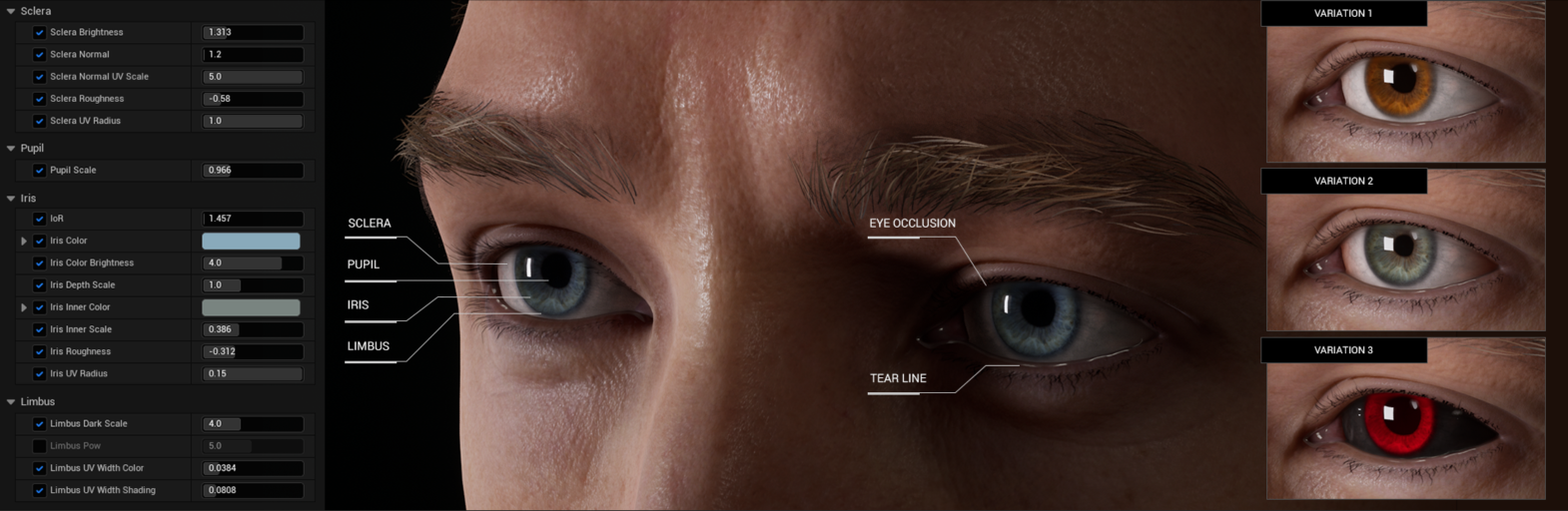
 Adjusted the strength of the Eye Occlusion to brighten up the eyes and strengthen translucency. Adjusted the strength of the Eye Occlusion to brighten up the eyes and strengthen translucency.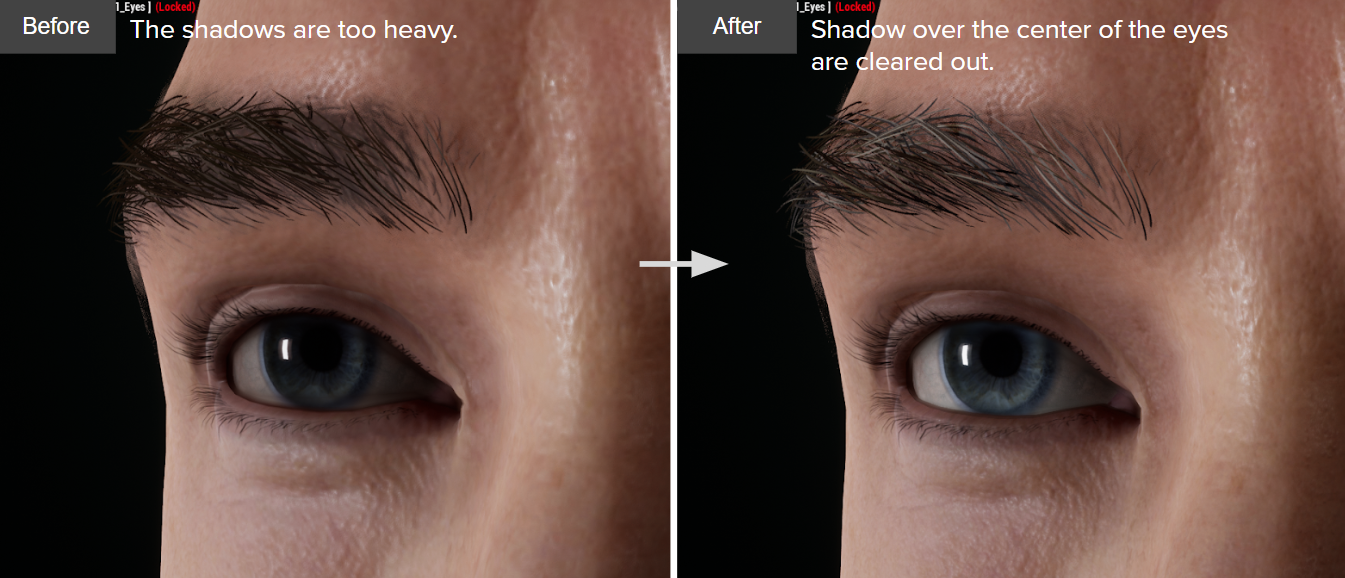 From Sclera to Limbus, each part of Eyes can be customised in CC4 before sending to UE5 and remaining the same visual quality. From Sclera to Limbus, each part of Eyes can be customised in CC4 before sending to UE5 and remaining the same visual quality.
2. Hair & Beard - Objects with opacity maps and PBR material have strange black borders when rendered with Lumen.
2-1. Hair scalp (Head)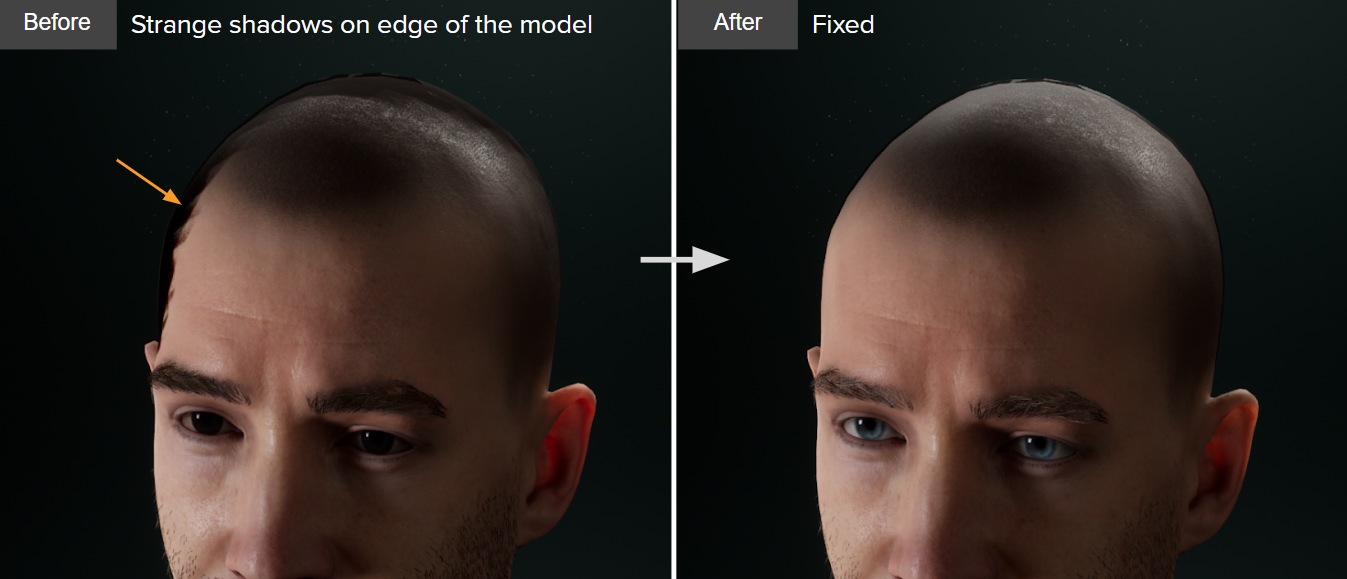
2-2. Eyelash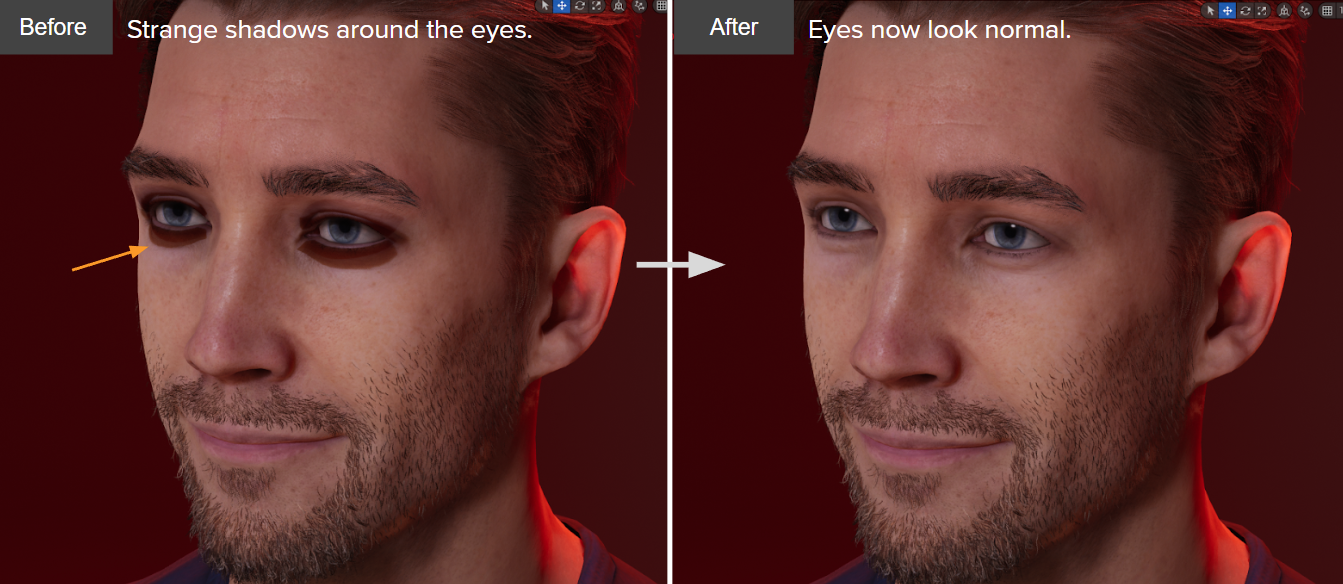 - Added Advanced Opacity parameter for the hair, eyebrows, and beard to improve the look of the hair cards; also strengthened the Specularity of the hair to add more glossiness.
2-3. Hair
  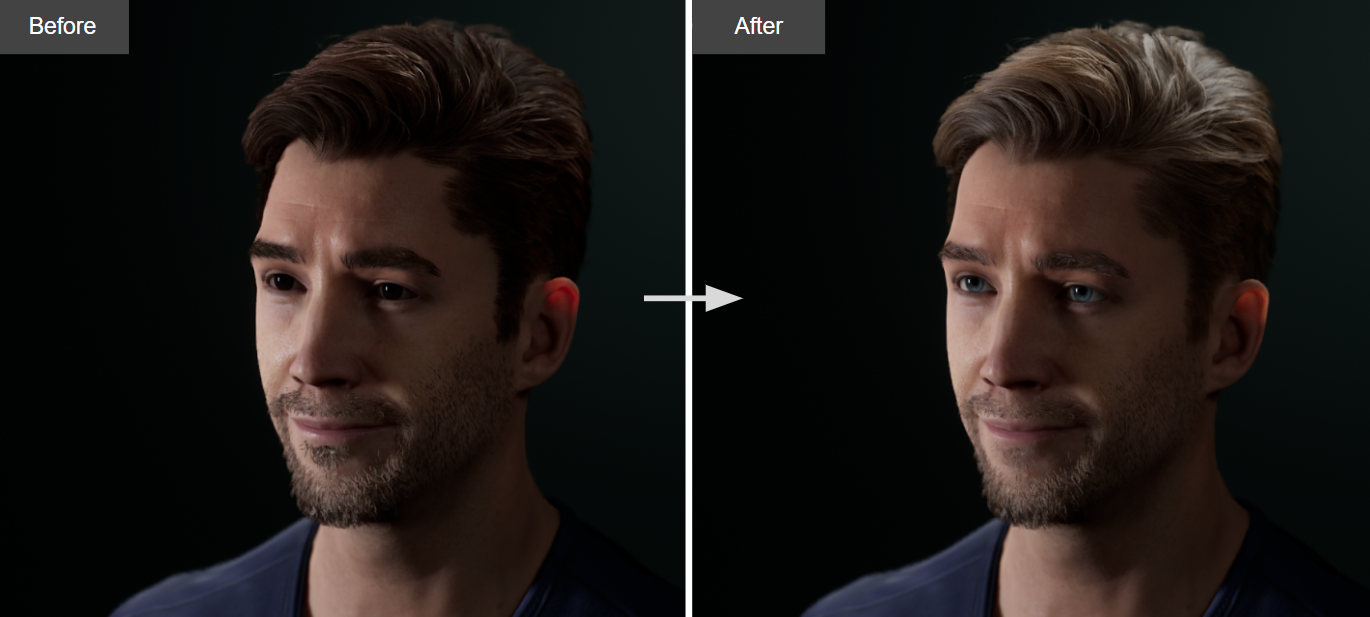 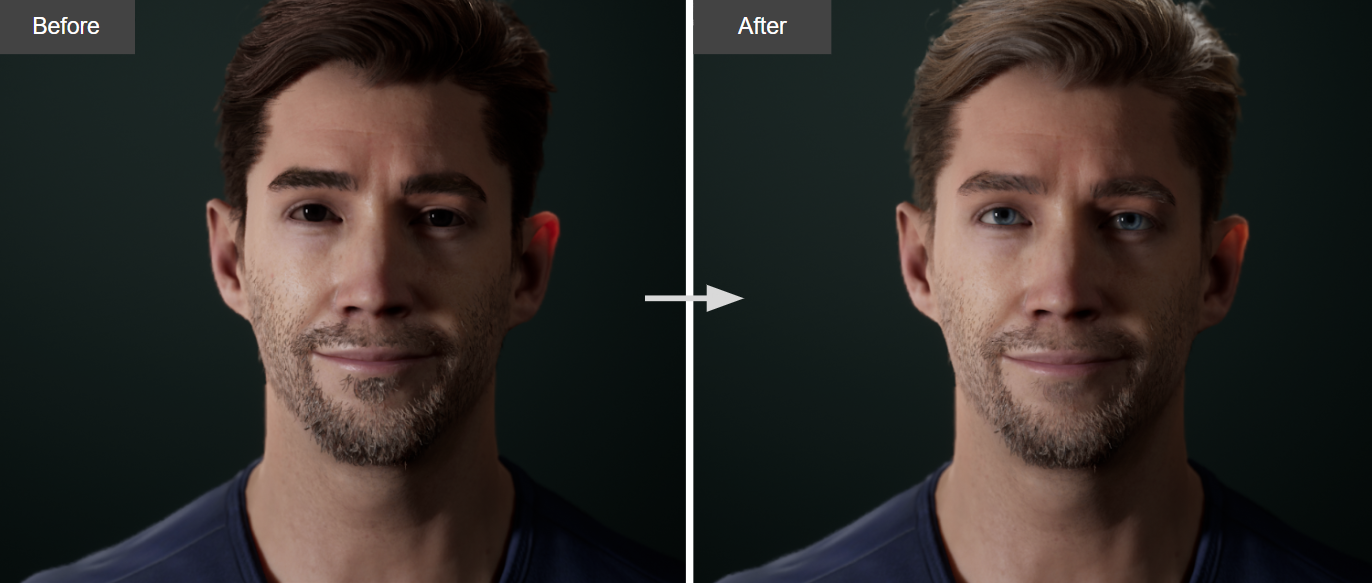 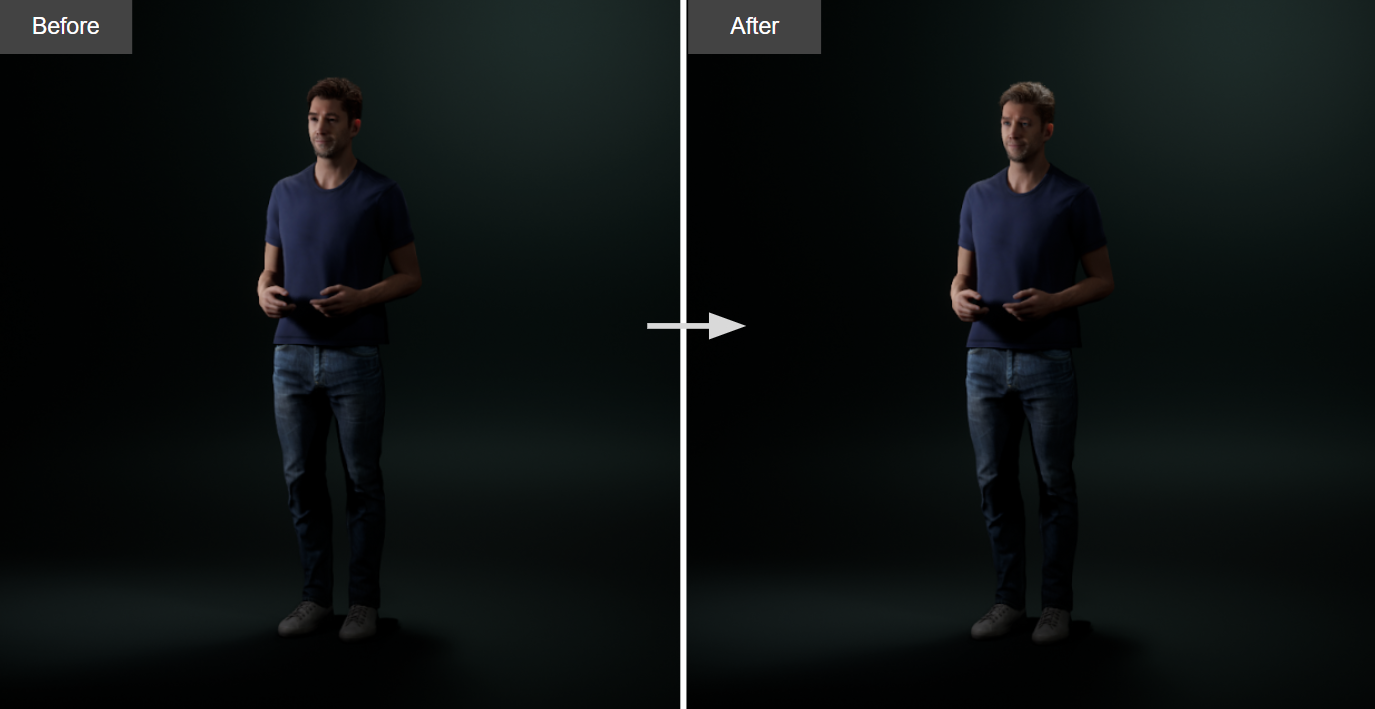
2-4. Eyebrows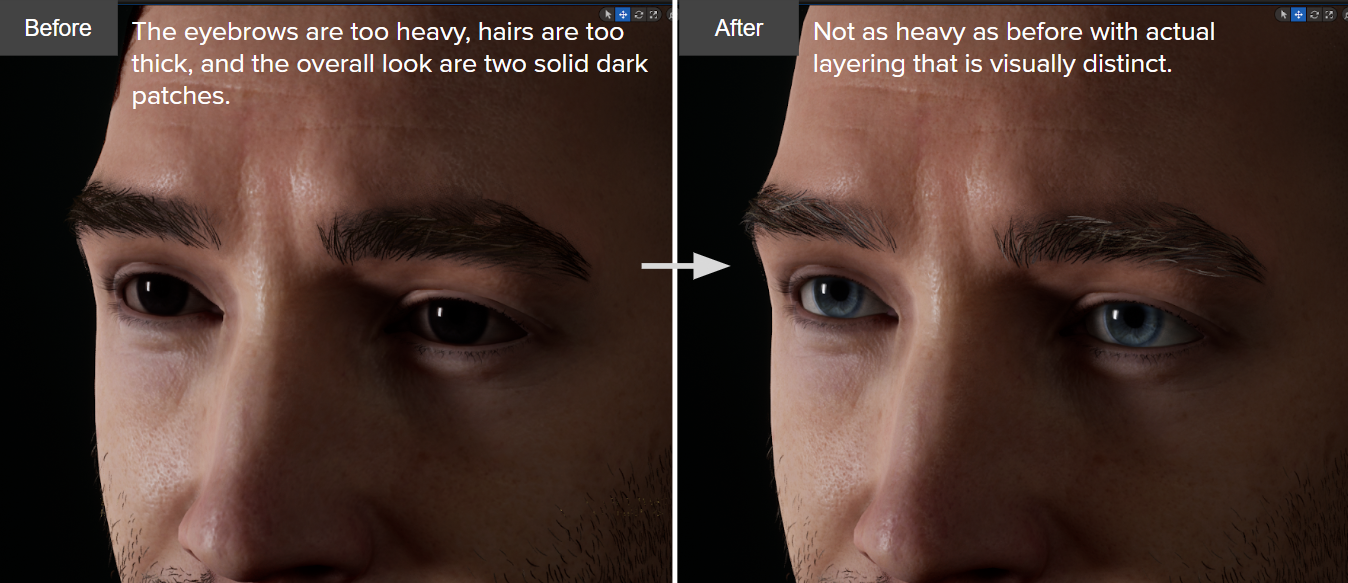
2-5. Beard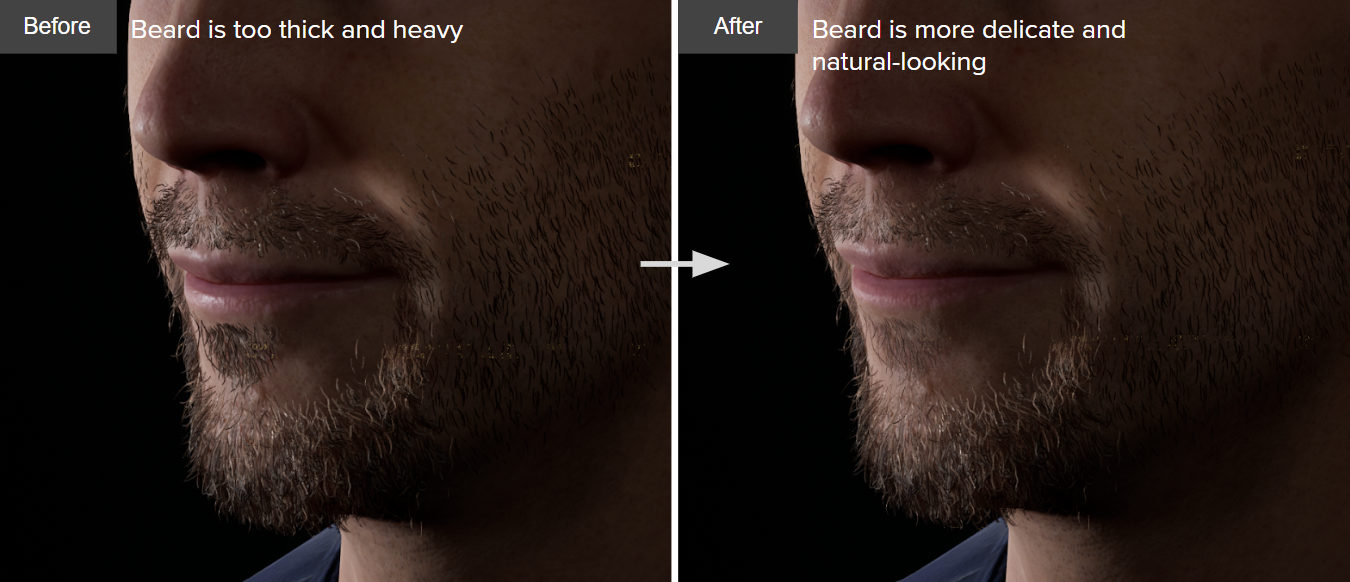
- Adjusted the default settings for the hair physics for more natural movement and reaction.
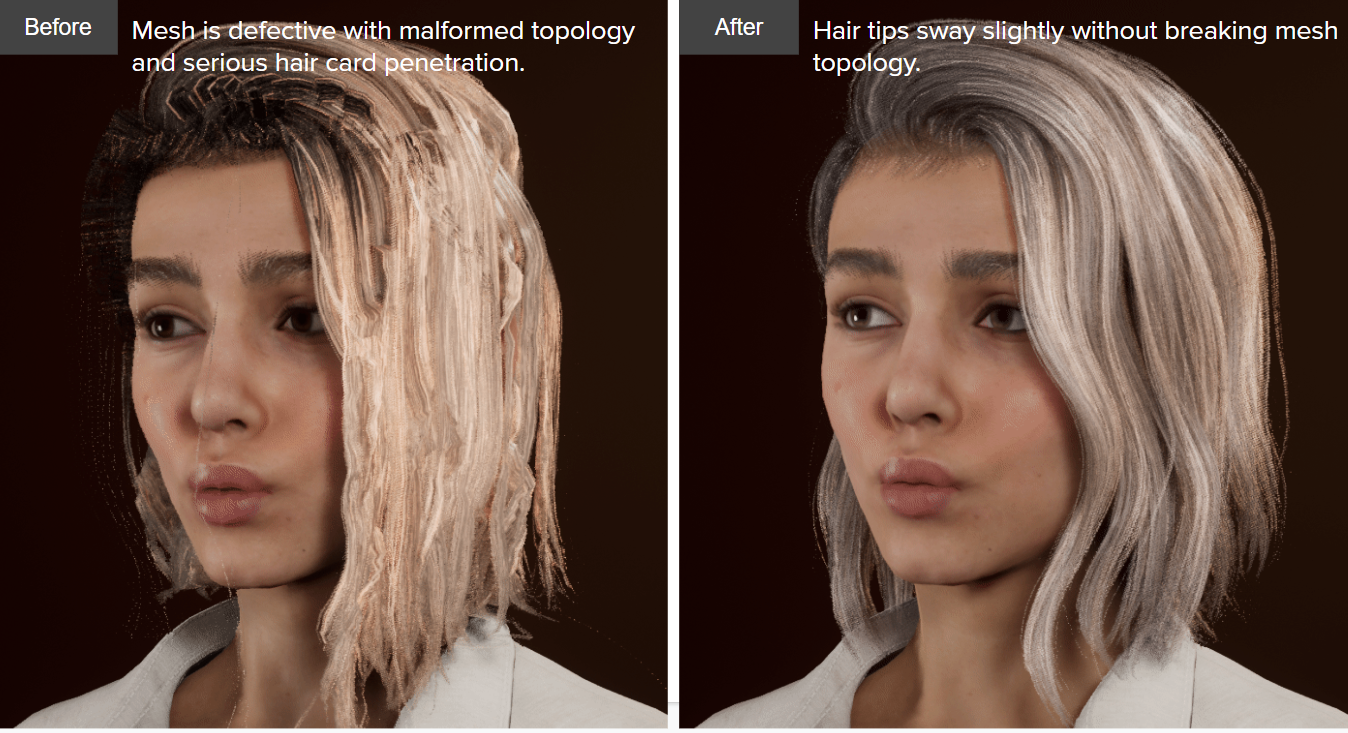
3. Cloth- Cloth physics : Manually adjustments for the collision meshes are required to make their sizes uniform.
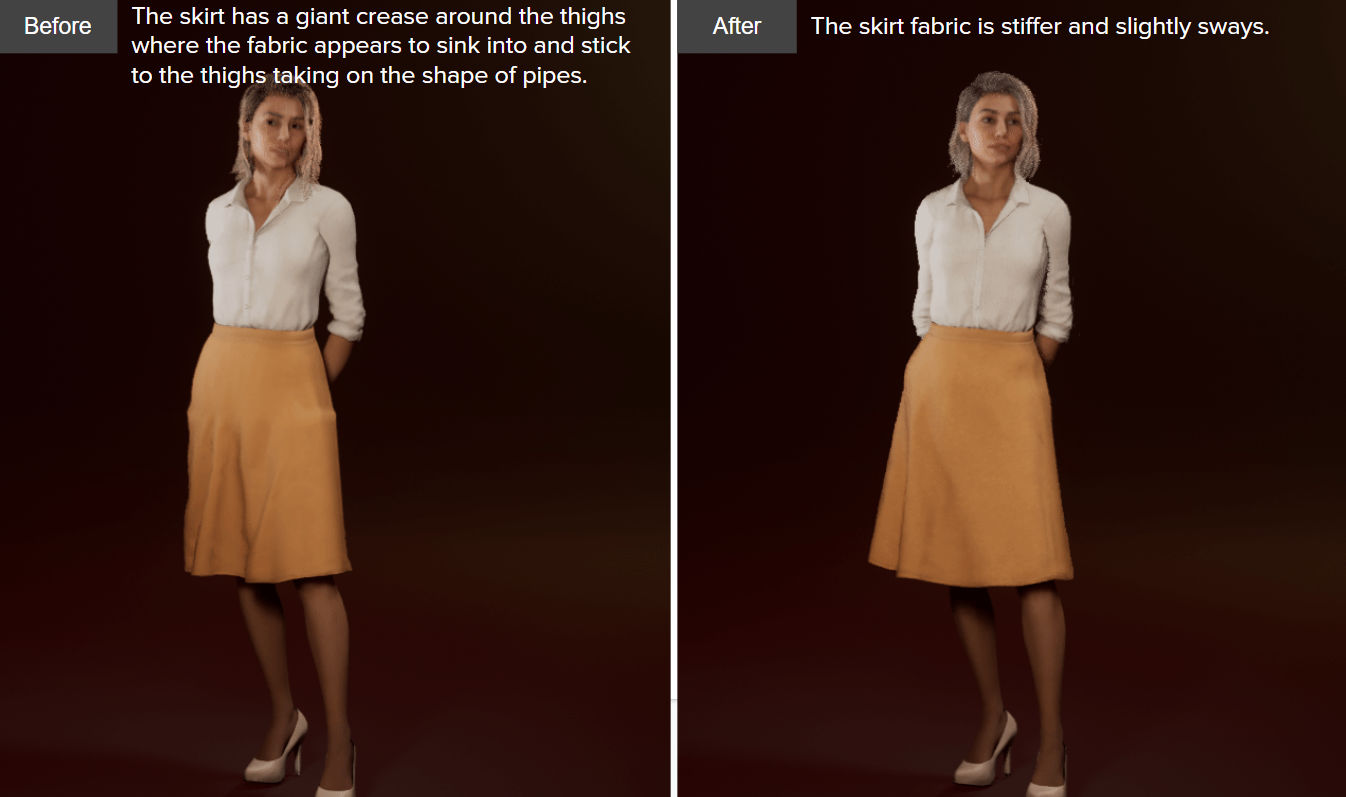
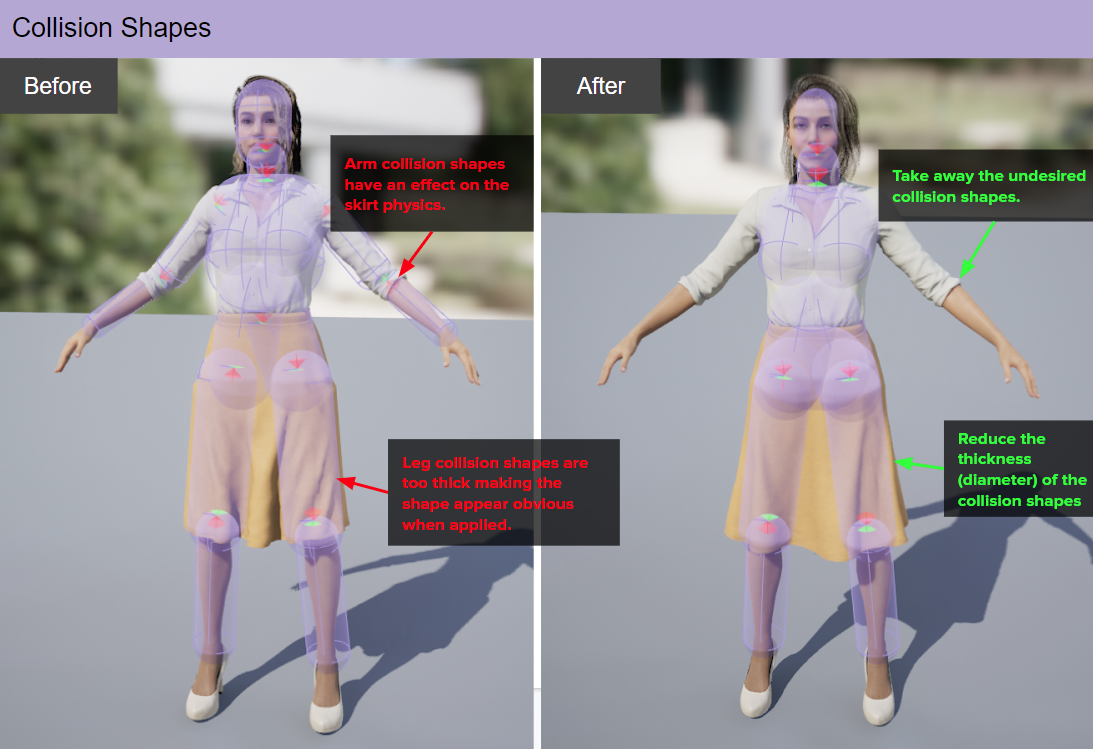
Before: - Arm collision shapes have an effect on the skirt physics.
- Leg collision shapes are too thick making an obtuse shape when applied.
After: - Arm: Take away the undesired collision shapes.
- Leg: Reduce the thickness (diameter) of the collision shapes.
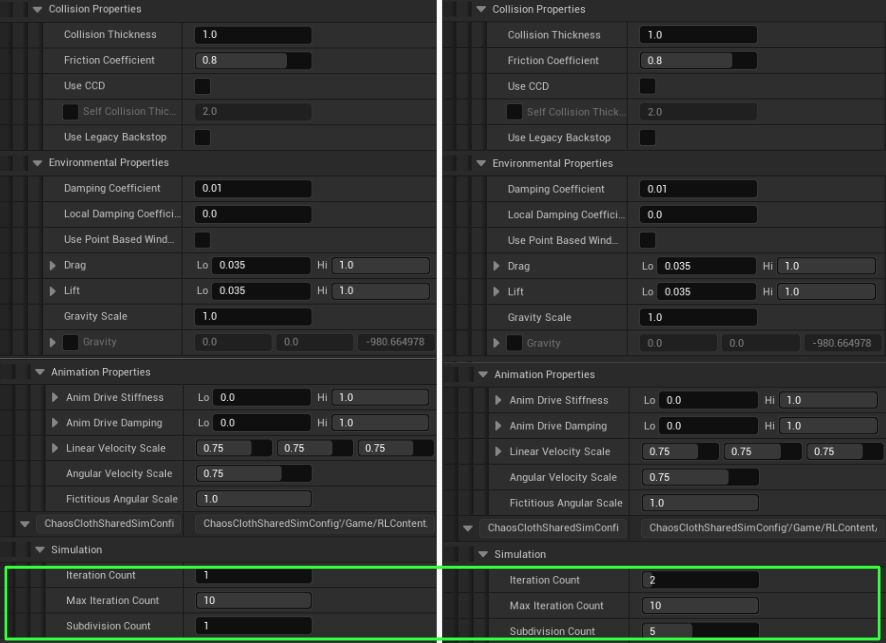
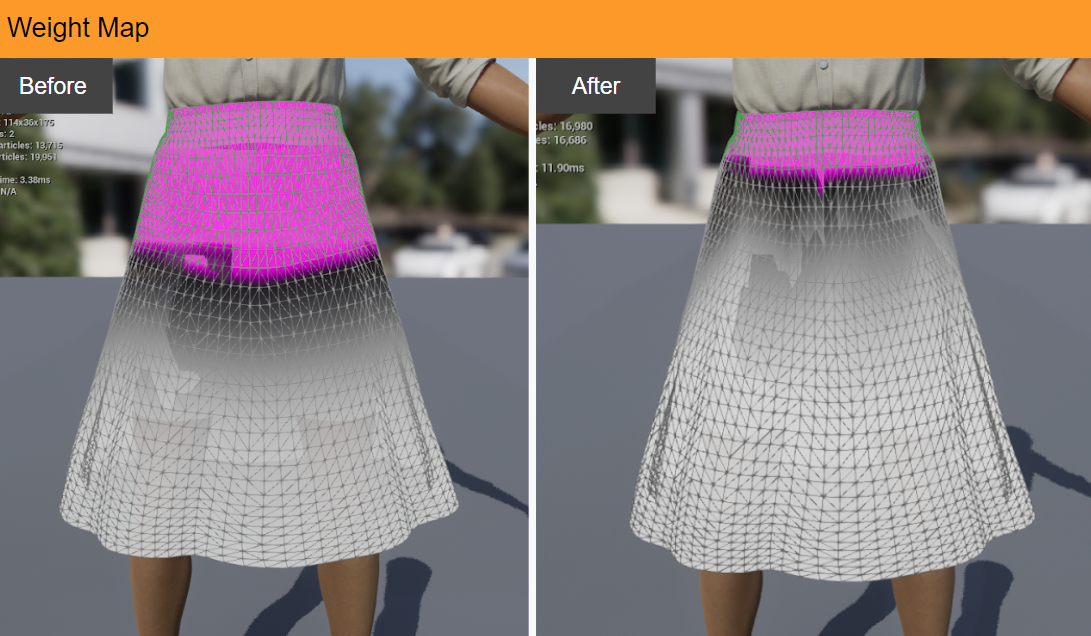 - ChaosClothSharedSimConfig > Simulation: In an effort to make the skirt appear more detailed (for reference only).
 |