Profile Picture

Iclone Motion Puppets

Posted By harryknow84 5 Years Ago
You don't have permission to rate!
Author
Message
harryknow84
harryknow84
Posted 5 Years Ago
View Quick Profile
Senior Member

Senior Member (489 reputation)Senior Member (489 reputation)Senior Member (489 reputation)Senior Member (489 reputation)Senior Member (489 reputation)Senior Member (489 reputation)Senior Member (489 reputation)Senior Member (489 reputation)Senior Member (489 reputation)

Group: Forum Members
Last Active: 4 Years Ago
Posts: 35, Visits: 331
https://forum.reallusion.com/uploads/images/921e459e-10f9-4f8e-bfd3-2a65.jpg

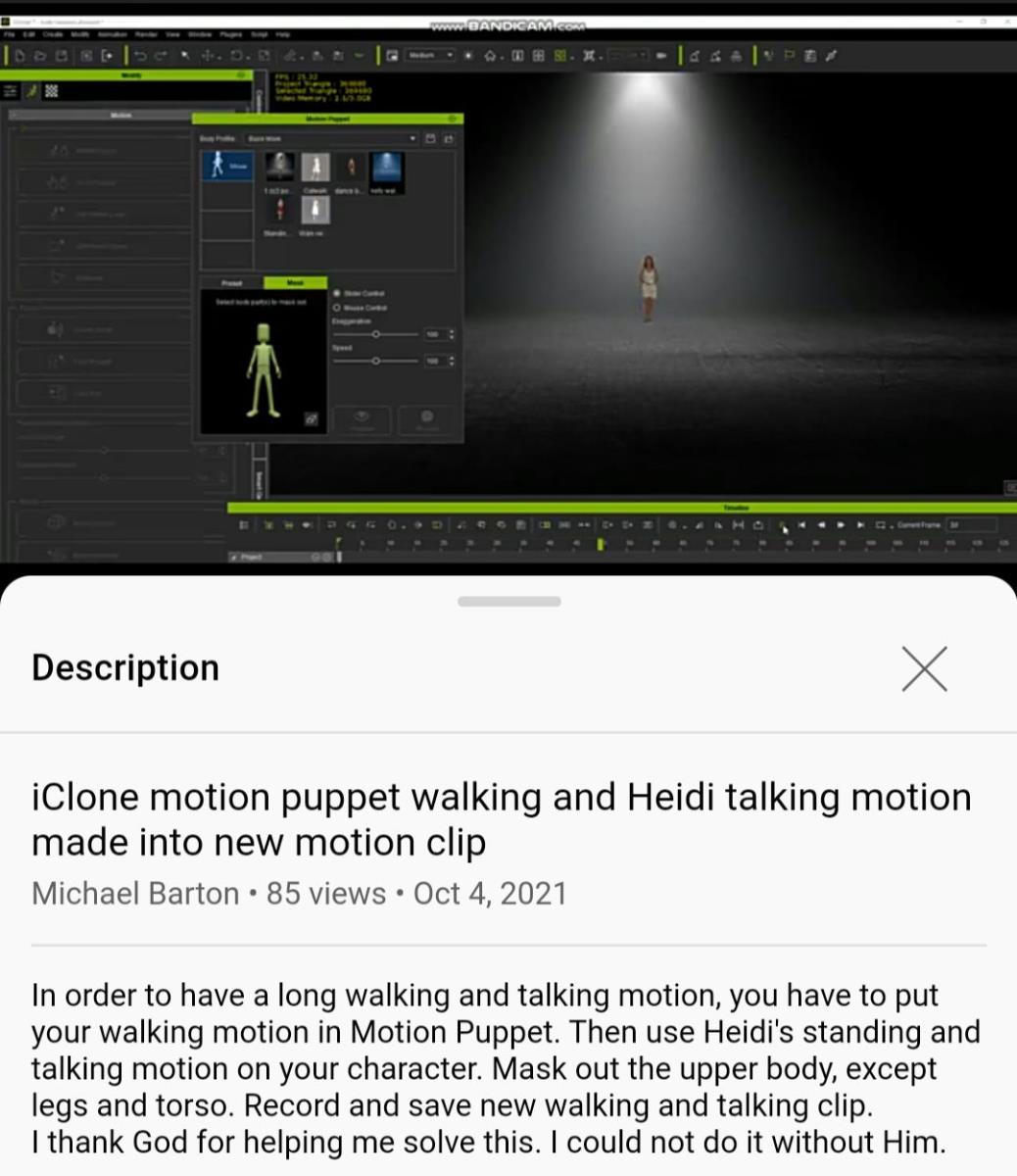
Good day everyone, I was watching one of MICHEAL BARTON VIDEO on YouTube today but I saw something interesting that I've even been waiting for since all this while. And what's that?
Is all about iclone motion puppet! 
The reason I like this tools in iclone is because of the mask out features, so I've been making research on how to add any other Motion into this tools but all to no avail... But watching Michael Barton video now, I saw that he make it done.
I've asked him but he hasn't reply yet. My question now is:
1. DID ANYONE KNOW HOW TO ADD ANY MOTION INTO ICLONE MOTION PUPPET SECTION?
2. DID ANYONE KNOW HOW TO LOCATE THE MOTION PUPPET FILE FOLDER?(I've searched but can't find)
Thanks very much!
animagic
animagic
Posted 5 Years Ago
View Quick Profile
Distinguished Member

Distinguished Member (33.4K reputation)Distinguished Member (33.4K reputation)Distinguished Member (33.4K reputation)Distinguished Member (33.4K reputation)Distinguished Member (33.4K reputation)Distinguished Member (33.4K reputation)Distinguished Member (33.4K reputation)Distinguished Member (33.4K reputation)Distinguished Member (33.4K reputation)

Group: Forum Members
Last Active: Last Week
Posts: 15.8K, Visits: 31.4K
A long time ago Roberto Colombo developed a tool that allowed you to add custom motions to the Motion Puppet: https://forum.reallusion.com/307862/My-XMas-gift-for-the-whole-RL-community.

However, reading through the thread it seems that his tool no longer works because of changes in iClone.

So I would also be interested to know how one would add motions to the Motion Puppet.


https://forum.reallusion.com/uploads/images/436b0ffd-1242-44d6-a876-d631.jpg

Clark
Clark
Posted 5 Years Ago
View Quick Profile
Veteran Member

Veteran Member (861 reputation)Veteran Member (861 reputation)Veteran Member (861 reputation)Veteran Member (861 reputation)Veteran Member (861 reputation)Veteran Member (861 reputation)Veteran Member (861 reputation)Veteran Member (861 reputation)Veteran Member (861 reputation)

Group: Forum Members
Last Active: Last Year
Posts: 71, Visits: 7.9K
I found the related file in:

Reallusion\Template\iClone 7 Template\iClone Template\Preset\Base Motion

but it appears that additional information is needed besides the motion file.

iMotion
ini
ipose
michaelrbarton
michaelrbarton
Posted 5 Years Ago
View Quick Profile
Distinguished Member

Distinguished Member (7.0K reputation)Distinguished Member (7.0K reputation)Distinguished Member (7.0K reputation)Distinguished Member (7.0K reputation)Distinguished Member (7.0K reputation)Distinguished Member (7.0K reputation)Distinguished Member (7.0K reputation)Distinguished Member (7.0K reputation)Distinguished Member (7.0K reputation)

Group: Forum Members
Last Active: 2 Years Ago
Posts: 974, Visits: 11.2K
Here is a link to a video that helped me.
You need to go to iClone Template and find the Preset Folder.https://forum.reallusion.com/uploads/images/9c91f015-3a65-4cfe-a12e-51be.jpghttps://forum.reallusion.com/uploads/images/9663cf53-b838-4a95-a1ed-3ae4.jpghttps://forum.reallusion.com/uploads/images/9baf5464-2dd6-400f-95c8-1725.jpghttps://forum.reallusion.com/uploads/images/4a84cc27-cab7-472f-8644-bcdc.jpghttps://forum.reallusion.com/uploads/images/1fe46fe4-8a3a-438d-9fe1-ebf9.jpghttps://forum.reallusion.com/uploads/images/ff138643-2784-40a0-8b6f-b8b8.jpg

The video explains how to create a new folder. Make sure to put the walking motion in the Motion Puppet folder.
Apply Heidi's standing and talking motion to your character. You take the 3 photos from the folder you want to use.
You have to name your folder Base (capital B) something (Motion Cap M). Then you have to make another folder inside the Base folder and
name it whatever you want (but it needs to start with a Capital letter. Make it a simple one word folder. Then inside that folder are the 3 photos from the move ,
the ini file you rename (you copy the ini file from one of the preset iclone folders Idle, Move, Mood Talk) (you want a walking motion, copy ini file from preset move folder and add to the 
new folder you have the motion in. Then you rename the ini file exactly as your .imotion.) 
Look at the photos below. You can name your folders the same as I have. 
Make sure to convert your motion to iMotion. After you are done adding the files and motion files, you have to restart iClone.
The last 3 folders are the ones I made. You can copy the folder names exactly how mine are. Once you get the hang of it,
you can name your own folders. The last photo is from the Motion Puppet with my character having Heidi's stand and talk motion, 
and my walking motion I purchased in the Marketplace.
You can clear the motion puppet and mask out the legs and torso (green) in the photo.
I hope I explained it good enough. The photos should make it easier.
I thank God for helping me.


https://forum.reallusion.com/uploads/images/4e0f146b-3c64-4aa9-9ff1-19f2.jpg


harryknow84
harryknow84
Posted 5 Years Ago
View Quick Profile
Senior Member

Senior Member (489 reputation)Senior Member (489 reputation)Senior Member (489 reputation)Senior Member (489 reputation)Senior Member (489 reputation)Senior Member (489 reputation)Senior Member (489 reputation)Senior Member (489 reputation)Senior Member (489 reputation)

Group: Forum Members
Last Active: 4 Years Ago
Posts: 35, Visits: 331
Thanks so much... Now done!
harryknow84
harryknow84
Posted 5 Years Ago
View Quick Profile
Senior Member

Senior Member (489 reputation)Senior Member (489 reputation)Senior Member (489 reputation)Senior Member (489 reputation)Senior Member (489 reputation)Senior Member (489 reputation)Senior Member (489 reputation)Senior Member (489 reputation)Senior Member (489 reputation)

Group: Forum Members
Last Active: 4 Years Ago
Posts: 35, Visits: 331
https://m.youtube.com/watch?v=boS4bzn7DhU&t=22s

Now, here comes my own version with little changes... Is still same but the only changes is that, the puppet tools only works with imotion not rlMotion... So, I talked about how to convert the rlMotion to imotion for people that doesn't know before.

FINALLY DONE! This tutorial has been once done on RAMPA TILING CHANNEL 5 years ago using iclone 6, but unfortunately... Seems I'm not using the right keywords when I'm doing my research. 
My special thanks to MANU PADILLA for putting me through. 
And now, is finally done, with motion puppet... You can mix motion together and mask out any character part.
You can't wait to check it out! Here we go for people that doesn't know this before: https://m.youtube.com/watch?v=boS4bzn7DhU&t=22s
Enjoy!


Reading This Topic