I've seen the Markom3D video you mentioned, and I'm not convinced it's right with regard to the specular and roughness, I don't think they should be inverted.
I have had some success with the following node setup for the skin shaders: I'll show each shader input independently for clarity.
(All textures should be non-colour except the diffuse texture which is sRGB)
Base Colour:
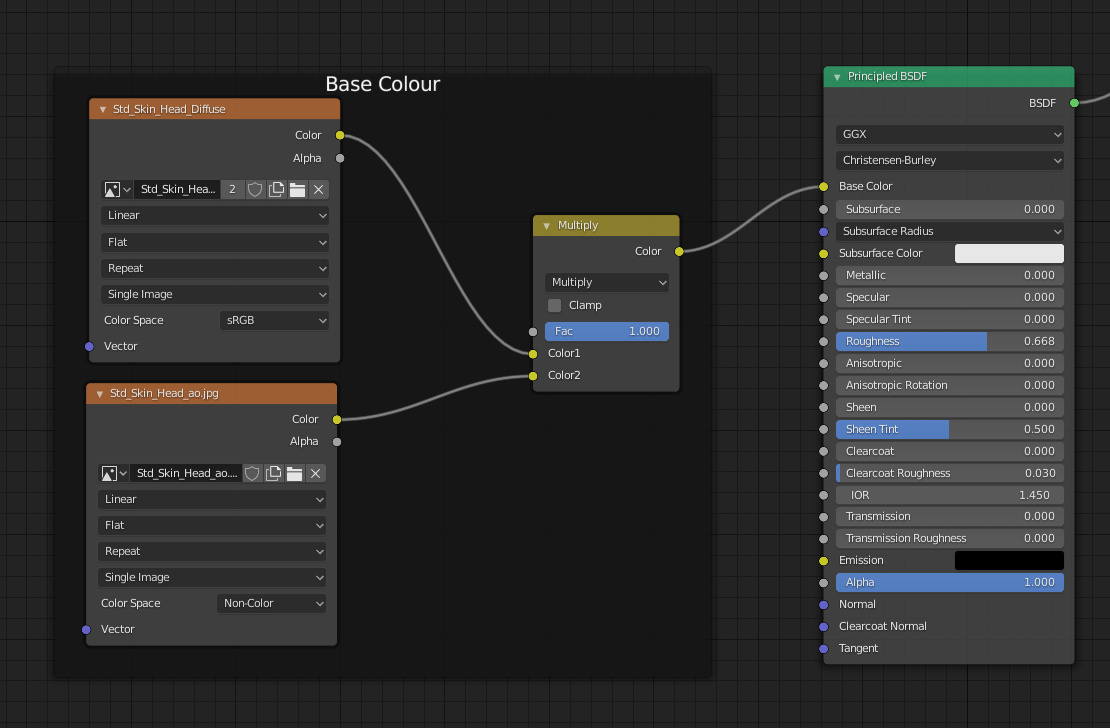
Multiply the diffuse texture by the Ambient Occlusion map in a MixRGB/Multiply node.
Subsurface:
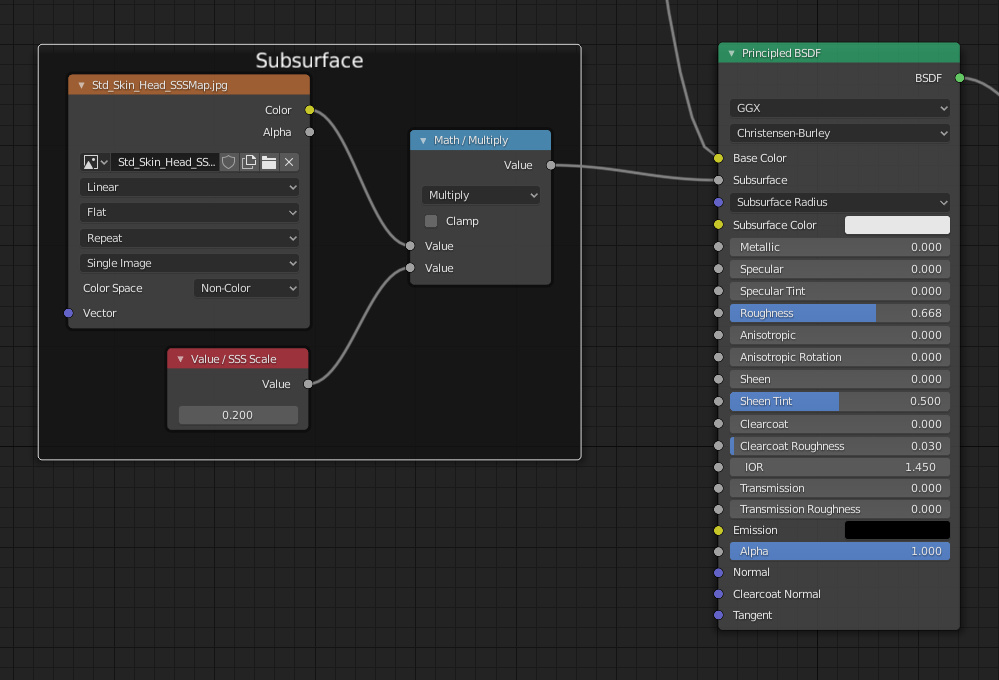
The subsurface map defines where light can scatter across the skin. Subsurface settings are really sensitive and work best with very low values. Multiply the Subsurface map by a scaling factor (good values are 0.1 to 0.2) with a Math/Multiply node.
Subsurface Radius:
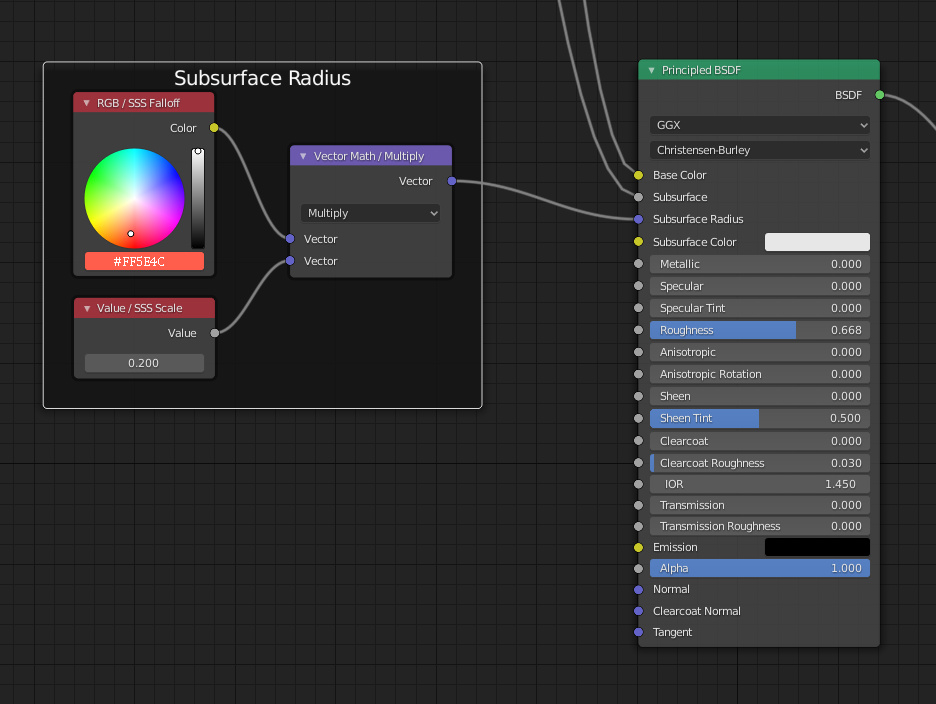
The subsurface radius is a vector that defines how the light from the subsurface colour scatters in the red, green and blue colours. The three radii seem to be in the same proportion as the subsurface falloff colour. To get the radii, multiply the subsurface falloff colour (#ff5e4c) by the scaling factor in a Vector Math/Multiply node. This turns the falloff colour into the scattering radii vector with the same scale as the subsurface input.
Blender seems to prefer these two inputs are of a similar scale, this also means you can increase or decrease the subsurface effect with just one parameter.
Subsurface Colour:
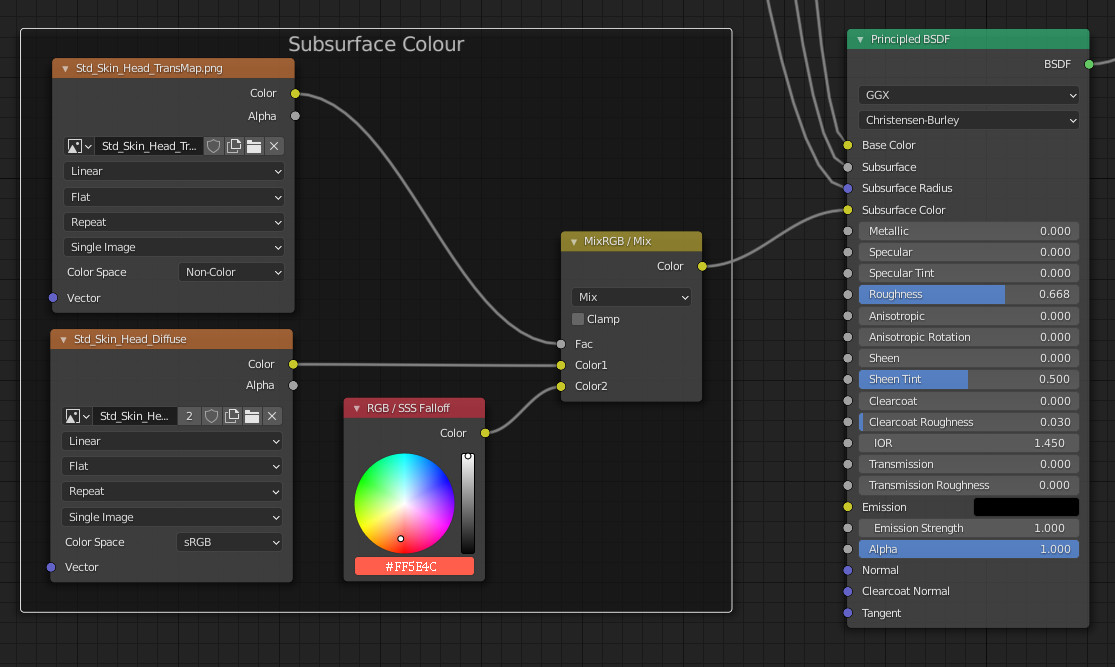
The transmission map defines where light can travel through the skin. as light travels through the skin, the scattering effect turns the colour from the base colour towards the falloff colour. To emulate this effect use the subsurface transmission map as a blend factor in a MixRGB/Mix node, to mix the diffuse base colour with the subsurface falloff colour where the skin is most transmissible/translucent to create the overall subsurface colour. To complete the transmission effect turn on the subsurface translucency in the materials settings, this is what creates the 'light through the ears' effect when strong lights are behind the head.
Metallic, Specular, Roughness:
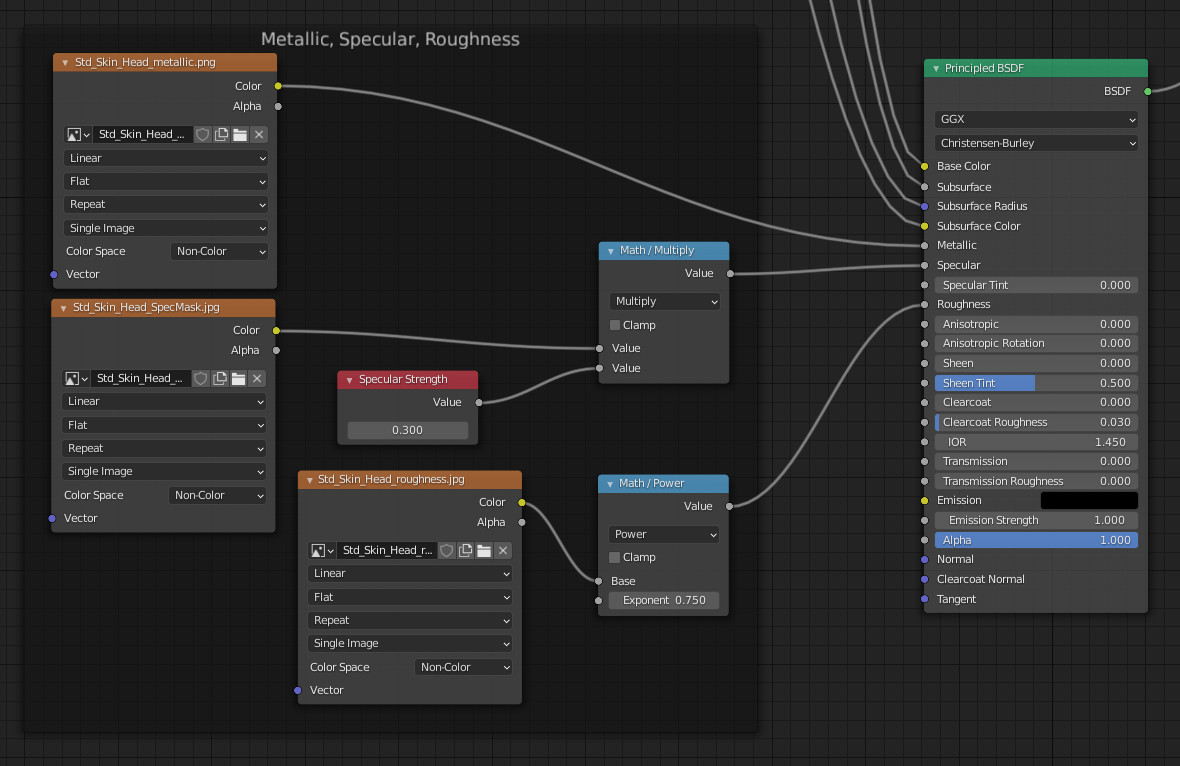
Plug the metallic map in directly (or set to zero if there isn't one).
The specular strength value should be roughly between 0.2 and 0.4. The specular mask map, if it exists, should directly multiply this specular strength in a Math/Multiply node, otherwise just plug in the specular strength value directly.
Blender tends to over exaggerate the roughness and smoothness compared to CC3 so reduce the power of the roughness map by passing it though a Math/Power node (good values are 0.75 - 0.9).
Normals:
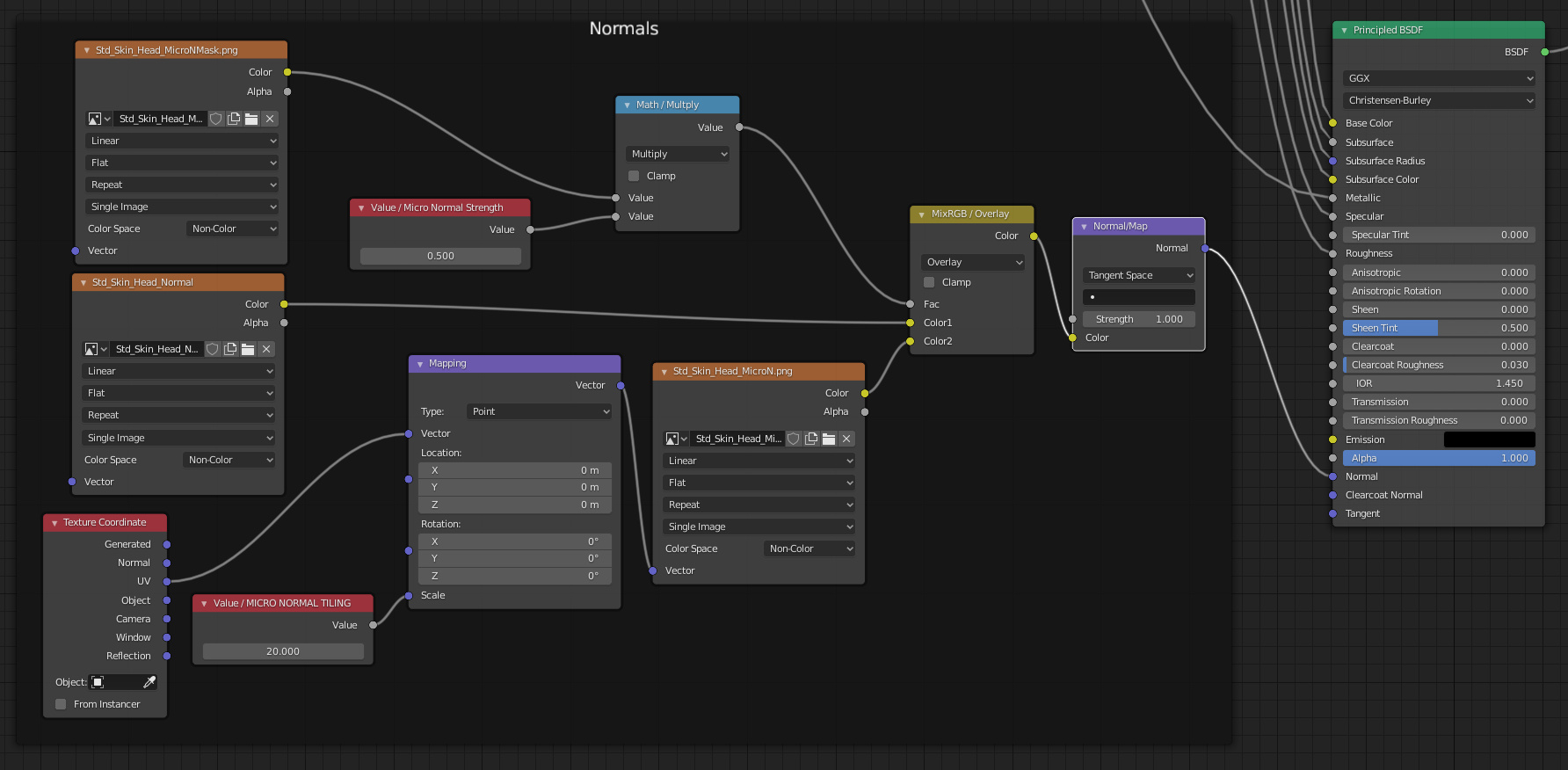
Mix the normal map with a micro normal map by using a MixRGB/Overlay node. The micro normal mask map can be used as a blend factor for the micro normal overlay by multiplying the micro normal mask by a micro normal strength value before plugging into the MixRGB blend factor. To tile the Micro Normal Map it needs a mapping node. Press Ctrl-T on the micro normal texture to automatically create the mapping nodes then set the mapping scale to 20-25.
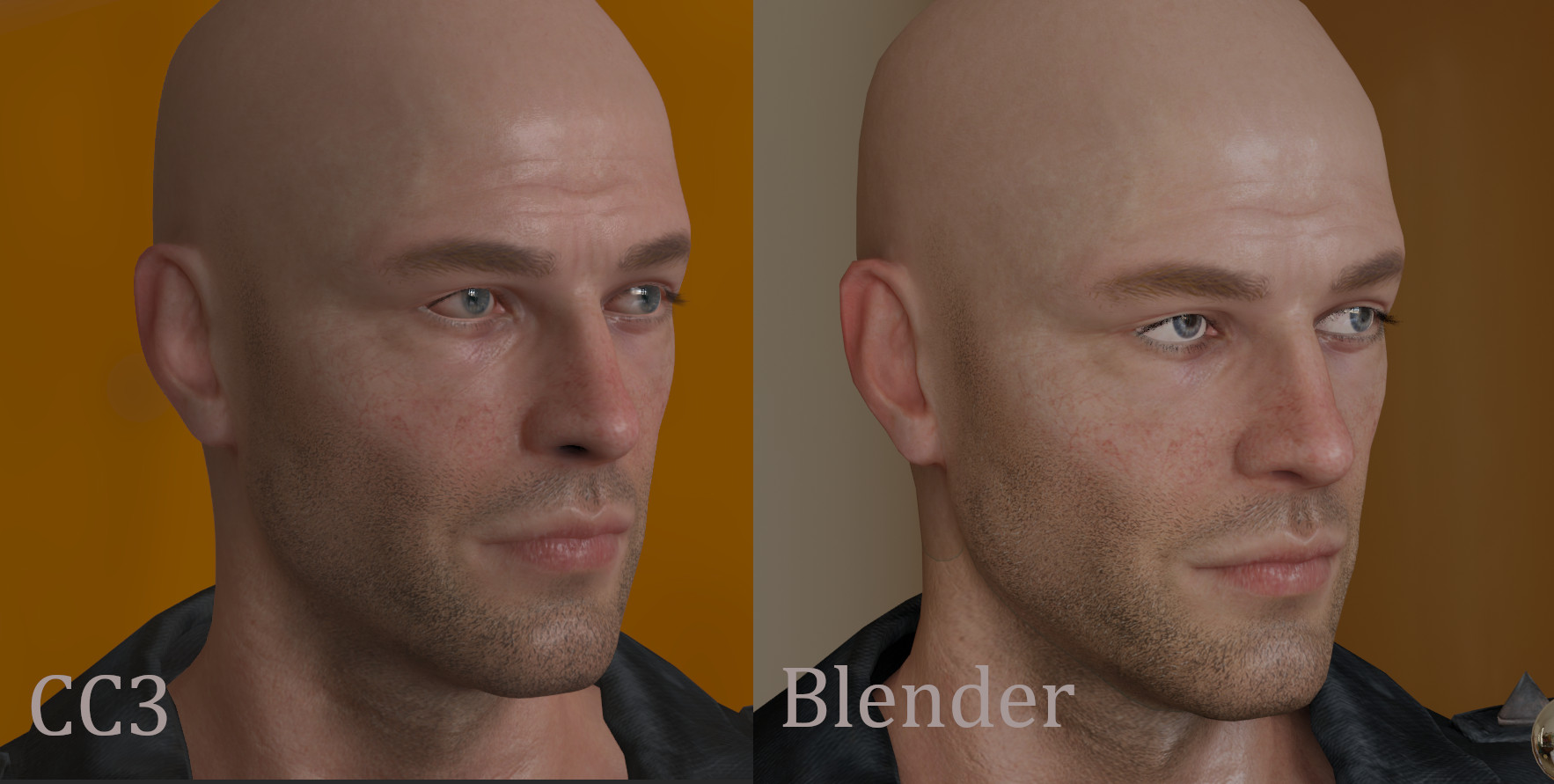
This is how I understand it, I could be wrong of course, there's no clear documentation so some of this is guess work, especially the subsurface inputs. It's not perfect, but it gets quite good results. This is a comparison between CC3 (default renderer) and
blender (Eevee) with this node setup. (here the subsurface scaling factor is 1.0 and the micro normal strength is 0.8 and the specular strength is 0.25)
(Edit: Spelling)