I have a transparent HUD template for After Effects.
I'm trying to render it as a transparent video (with alpha) and import it in iClone 7 as a Prop.
Just like
this Reallusion video by Leo Lucien-Bay.
There Leo seems to be importing a popVideo in iClone, but he says "iClone accepts a wide variety of video formats."
So I went ahead and rendered the template in AE as .MOV in ProRes 4444 (the only ProRes allowing alpha).
But when I right-click copied the MOV file onto iClone (as Leo suggested), I got this error message:
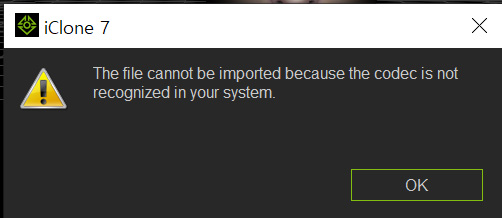
I think this is because Windows 10 doesn't have the ProRes 4444 codec.
I also tried the MOV animation codec, which I think allows alpha, but the same error message.
Since I can't seem to install these QuickTime codecs on Windows 10, I don't know how to get around this.
Is there any way you could import an AE template into iClone on Windows 10?