I'm using unity 2019.1.14f1. My project also has HDRP v 5.16.1.
Something isn't working out for me, is this a bug? Something I'm doing wrong or not yet doing?
To minimize variables I put the following steps together to show my problem with just using the basics and stock material.
Create a new unity HDRP project, use the sample scene, so all the HDRP is already setup correctly.
Add in the unity setup asset found here (
https://www.reallusion.com/character-creator/unity-auto-setup.html
Version 1.01 (Release Date: 2019-08-29)From that zip file in subfolder "AutoSetup 1.01 for Unity 2019.1" I'm importing the asset package "HDRP.unitypackage", and
only that one.
Now over to CC3. In Smart Gallery I open "CC Essential Morphs & Skin for CC3" pack, and load "Essential_Female.ccavatar"
Then I pop over to "Conforming Hair Vol. 2" and load on "Long Center Part.cchair".
And toss on some clothes too.
Then I choose: File->Export->FBX(Clothed Character)
With these settings:

And then I switch back over to Unity...
There I am turn on auto-processing checkbox, drag whole folder of fbx export contents (*.json, *.fbx, folder.fbm, textures) into /Assets/CC_Assets/
After import is complete, I turn off the auto-processing checkbox.
Then I go into prefabs subfolder and drop the character prefab into my scene to check it out.
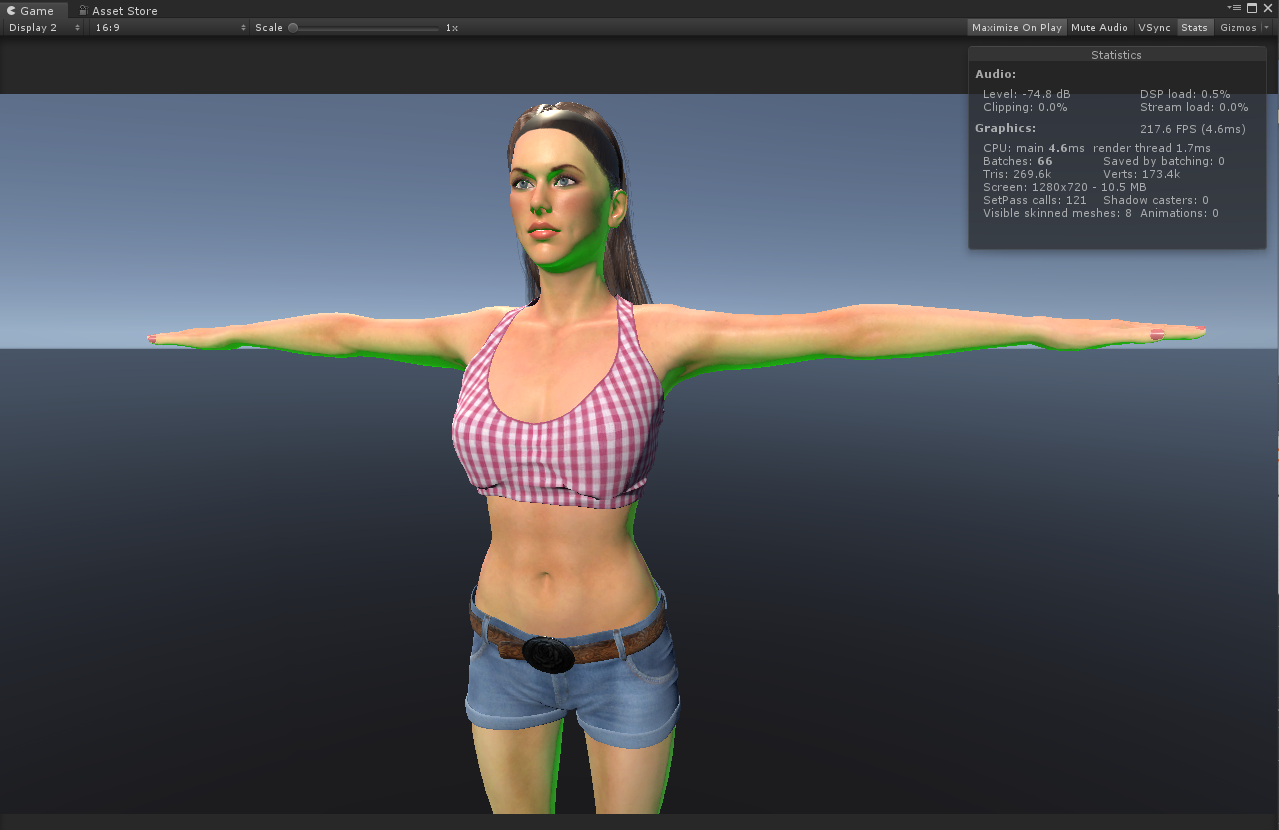
Houston we have a problem...
Here is what the mask map and shader settings look like:
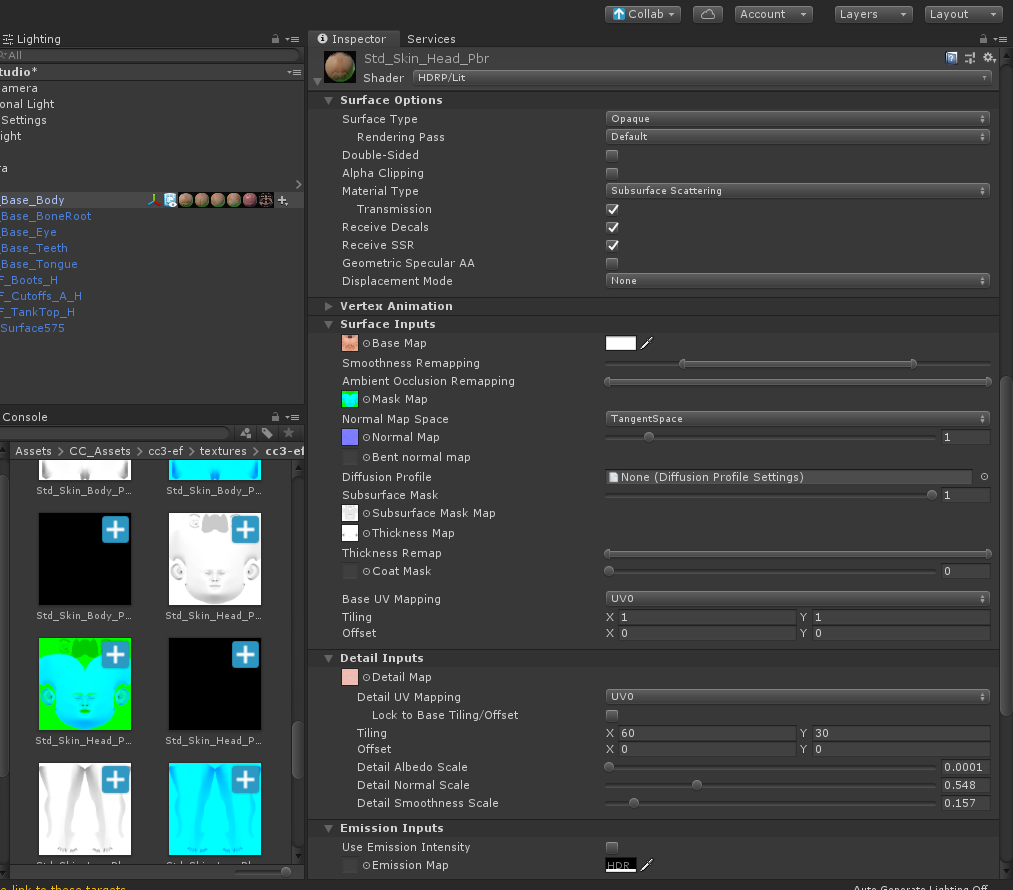
Is this a bug? Something I don't have setup right, or doing wrong or need to do?
In another post someone mentioned the fix is turn off transmission. But that does not solve it. It makes some improvement but does not fix.