Re: How to get the Voice on iClone 7 1. Please select the Character first.
2. Drag and Drop the WAV file to the Character.
3. Select Voice track on the Apply Audio panel.
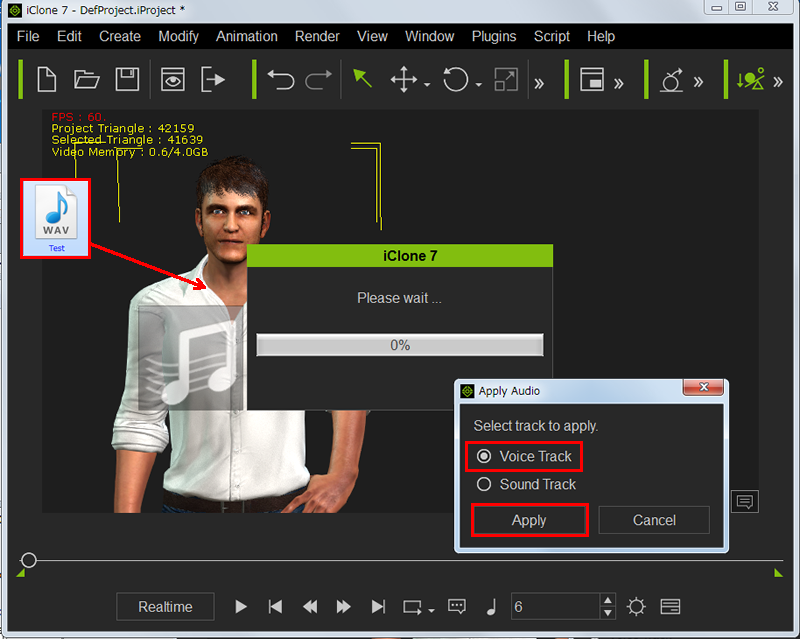
4. Expand the Character name and select
Viseme on the pull down table.
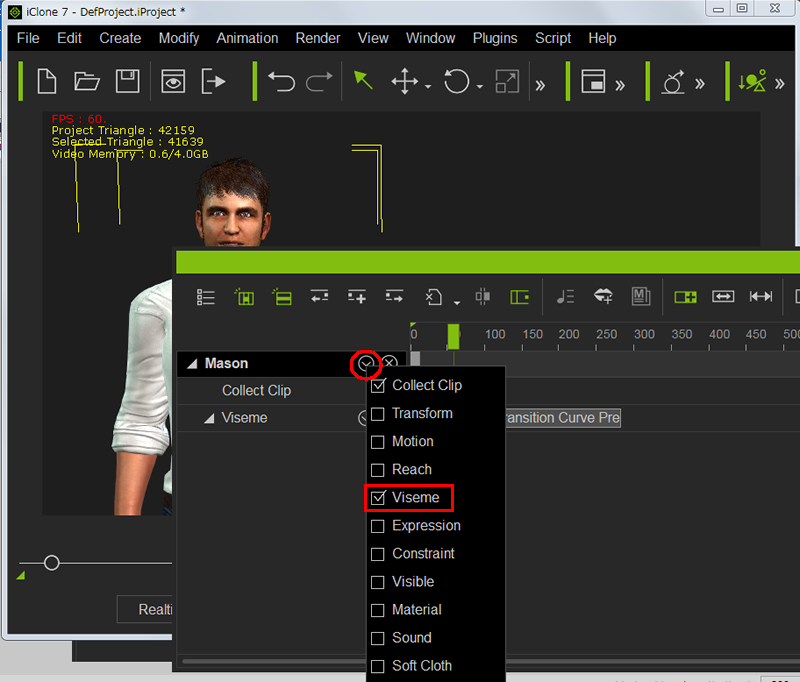
5. The Voice track shows up under the Viseme extension and you can hear your WAV voice.

Please check.
Thank you,
Hiro