|
Author
|
Message
|
|
rosuckmedia
|
rosuckmedia
Posted 4 Years Ago
|
|
Group: Forum Members
Last Active: 7 Months Ago
Posts: 3.2K,
Visits: 4.8K
|
You can change or rename the name to UE 
|
|
|
|
|
3dtester
|
3dtester
Posted 4 Years Ago
|
|
Group: Forum Members
Last Active: 6 Months Ago
Posts: 999,
Visits: 2.2K
|
Always avoid spaces in object names when you work with UE.
|
|
|
|
|
oberdoofus
|
oberdoofus
Posted 4 Years Ago
|
|
Group: Forum Members
Last Active: 2 Months Ago
Posts: 116,
Visits: 3.1K
|
So I saw the very excellent boob jiggle BP examples using Anim Dynamics posted a while back. Which I'm glad to report work splendidly! In the interests of science how would one best go about implementing that sort of thing for the butt? Would I have to add new bones to the CC3 mesh (r_buttcheek and l_buttcheek) - as there is no equivalent of the ribtwist and breast bones to create the chain? And is that something I can do in unreal? Or is there another way. If anyone can point me in the right direction I would be most appreciative! Please help me Jiggle Masters ... you are my only hope
|
|
|
|
|
Jeasy
|
|
|
Group: Forum Members
Last Active: Last Year
Posts: 178,
Visits: 2.4K
|
There is another issue with the LiveLink blueprint having compile errors: The characters transferred are in Unreal alright but the CC LiveLink Blueprint has the compile error. Is there a way to fix this? I think this is what might be stopping the link to being activated. The problem seems to be with the LiveLink Blueprint compile "Get Subject Data" node under RLLive Link Node. I am not very good with BluePrints and how to fix these issues. I have tried refreshing the node and compiling but doesn't work. Any clues on how to go about fixing this? 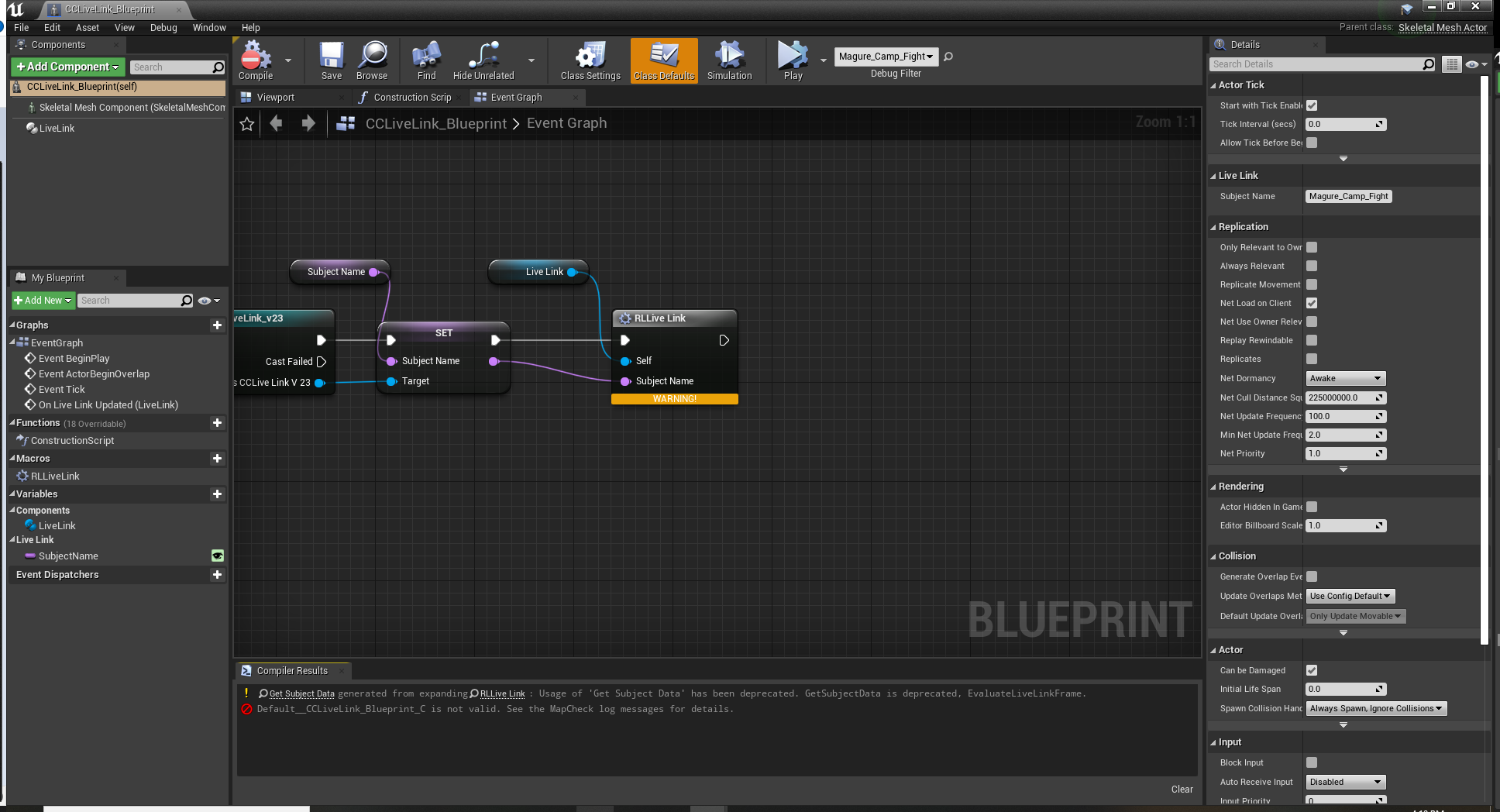 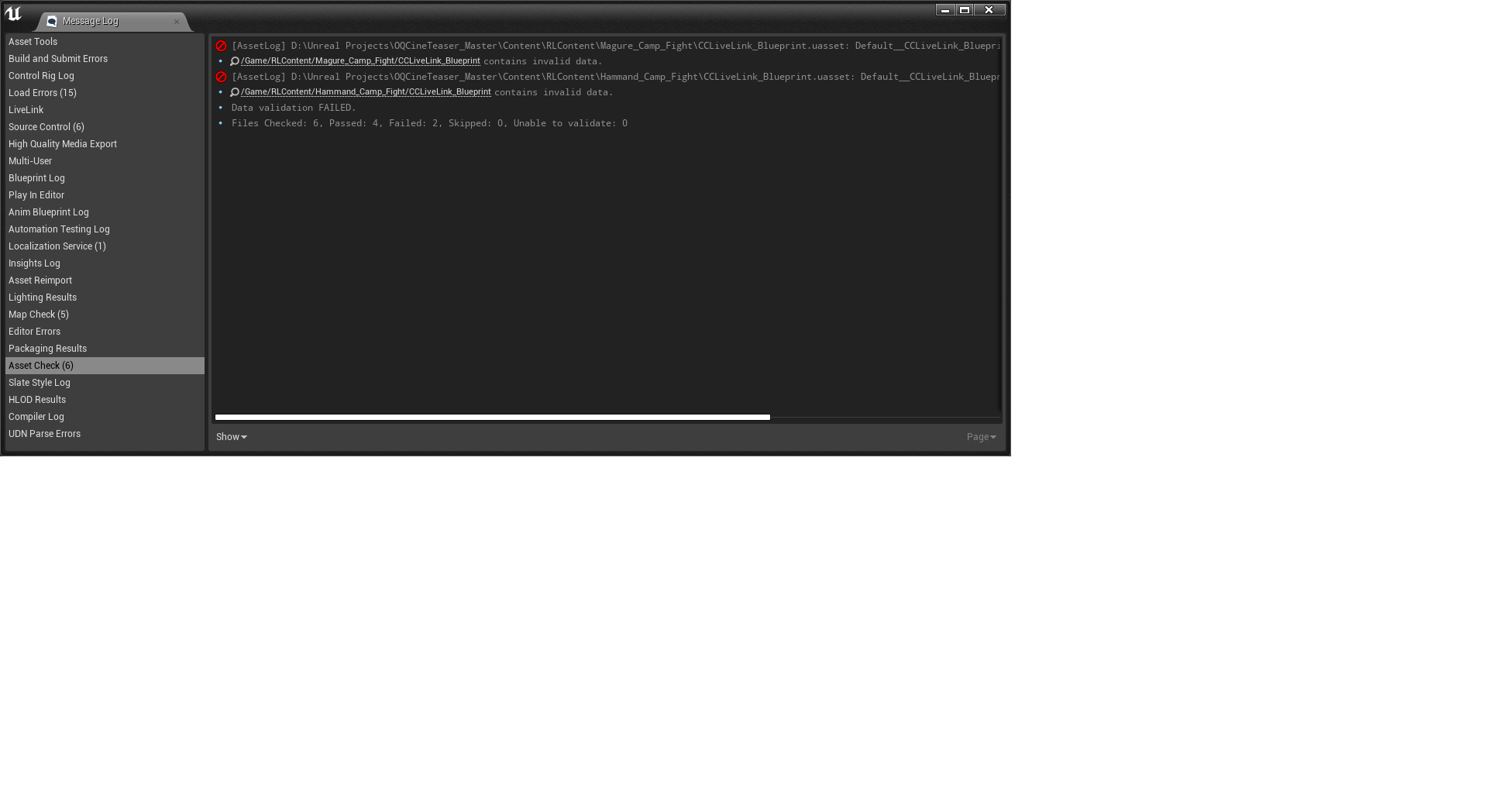
|
|
|
|
|
Garry_Seven_of_one
|
Garry_Seven_of_one
Posted 4 Years Ago
|
|
Group: Forum Members
Last Active: Last Year
Posts: 457,
Visits: 1.9K
|
Jeasy (9/19/2021)
Bassline303 (9/19/2021)
rosuckmedia (9/19/2021)
Hi Jeasy,
Have you installed the latest plugins. UE 4.26

When the warning window appears just close it It works fine for me.
Greetings Robert Correct ! Works fine here too. UE4 is opening a second UE4 instance when transferring , so if you get any errors , just close it ... the main UE4 project should still work fine with the transferred Character. Thanks Bassline303 and Robert, The characters transferred alright but when I activate the livelink in iclone the characters in UE4 are not connecting, LiveLink in UE4 is active and shows the characters but, playing the animation in iClone with the LiveLink active, doesn't transfer the animation over to Unreal Engine. Never had this problem before, Not sure what and why its doing this? I have a fight sequence to animate and its easier to do it via livelink and record with Take recorder to get the placements properly I thought as doing the animation in approximation and then transferring via FBX screws up the positioning in the environment for the actors. What I normally do is to do the previs with live link, and then position an iclone origin at the exact point of the start of the animation, then import as fbx, import to unreal, parent to the origin and zero out. Fbx is always better if you can.
Garry, Clearstream, Seven_of_one

My Pinterests
|
|
|
|
|
vadim+2
|
vadim+2
Posted 4 Years Ago
|
|
Group: Forum Members
Last Active: 2 Years Ago
Posts: 60,
Visits: 1.5K
|
oberdoofus (9/19/2021)
So I saw the very excellent boob jiggle BP examples using Anim Dynamics posted a while back. Which I'm glad to report work splendidly! In the interests of science how would one best go about implementing that sort of thing for the butt? Would I have to add new bones to the CC3 mesh (r_buttcheek and l_buttcheek) - as there is no equivalent of the ribtwist and breast bones to create the chain? And is that something I can do in unreal? Or is there another way. If anyone can point me in the right direction I would be most appreciative! Please help me Jiggle Masters ... you are my only hopeCould you please give a link to the original post you mentioned? I really would like to test it too.
______________________________________________________________
Vadim Karpenko, Unreal Engine 4 developer.
|
|
|
|
|
3dtester
|
3dtester
Posted 4 Years Ago
|
|
Group: Forum Members
Last Active: 6 Months Ago
Posts: 999,
Visits: 2.2K
|
Jeasy (9/19/2021)
There is another issue with the LiveLink blueprint having compile errors: The characters transferred are in Unreal alright but the CC LiveLink Blueprint has the compile error. Is there a way to fix this? I think this is what might be stopping the link to being activated. The problem seems to be with the LiveLink Blueprint compile "Get Subject Data" node under RLLive Link Node. I am not very good with BluePrints and how to fix these issues. I have tried refreshing the node and compiling but doesn't work. Any clues on how to go about fixing this? From that "depreciated" error it seems to me that the Live Link Plug-In version does not match the blueprint. Maybe start a new project and try again. PS: did you read the manual? It should work if you strictly follow the instructions. Installing_Unreal_Live_Link_to_iCloneInstalling_iClone_Live_Link_to_UnrealTransferring_Characters_to_Unreal_and_Animating_in_iCloneConnecting_iClone_and_Unreal_with_Live_Link_Plug_inThere is also a section where is described how to apply the character blueprint. Applying_Character_BlueprintBut I think this has only to be done if you don't transfer the character through Live Link, but manually importing via .FBX file.
|
|
|
|
|
3dtester
|
3dtester
Posted 4 Years Ago
|
|
Group: Forum Members
Last Active: 6 Months Ago
Posts: 999,
Visits: 2.2K
|
I have opened an older project, which i believe i have created in UE4.26, yet before the 4.26.2 update. Interestingly, i get the same error as Jeasy when the blueprint is compiled. Searching Google gives me this find: https://www.reallusion.com/FeedBackTracker/Issue/iClone-LiveLink-using-deprecated-UE4-function-won-t-compileIt looks like the Unreal function " GetSubjectData" is indeed deprecated.
Since it prevents compiling the blueprint, Live Link doesn't work. Strange.
|
|
|
|
|
StyleMarshal
|
StyleMarshal
Posted 4 Years Ago
|
|
Group: Forum Members
Last Active: Last Year
Posts: 5.8K,
Visits: 14.3K
|
You can always add a new LL BP after Transfer or FBX import it is an automated process :
|
|
|
|
|
3dtester
|
3dtester
Posted 4 Years Ago
|
|
Group: Forum Members
Last Active: 6 Months Ago
Posts: 999,
Visits: 2.2K
|
Yes, i just tried this. It works, even though the blueprint doesn't compile.
In UE 4.26.2
EDIT: to be exact, the blueprint does compile, but gives that error, which can be ignored ;)
|
|
|
|