|
davidmaximo
|
davidmaximo
Posted 8 Years Ago
|
|
Group: Forum Members
Last Active: Last Year
Posts: 85,
Visits: 605
|
I am trying out 3dxchange. I cannot figure out how to import mixamo animations into iclone. On the animation tab, the apply to iclone tab is greyed out. I can do "Apply to iclone" for the root node, but I can't get it to work with the animation panel. 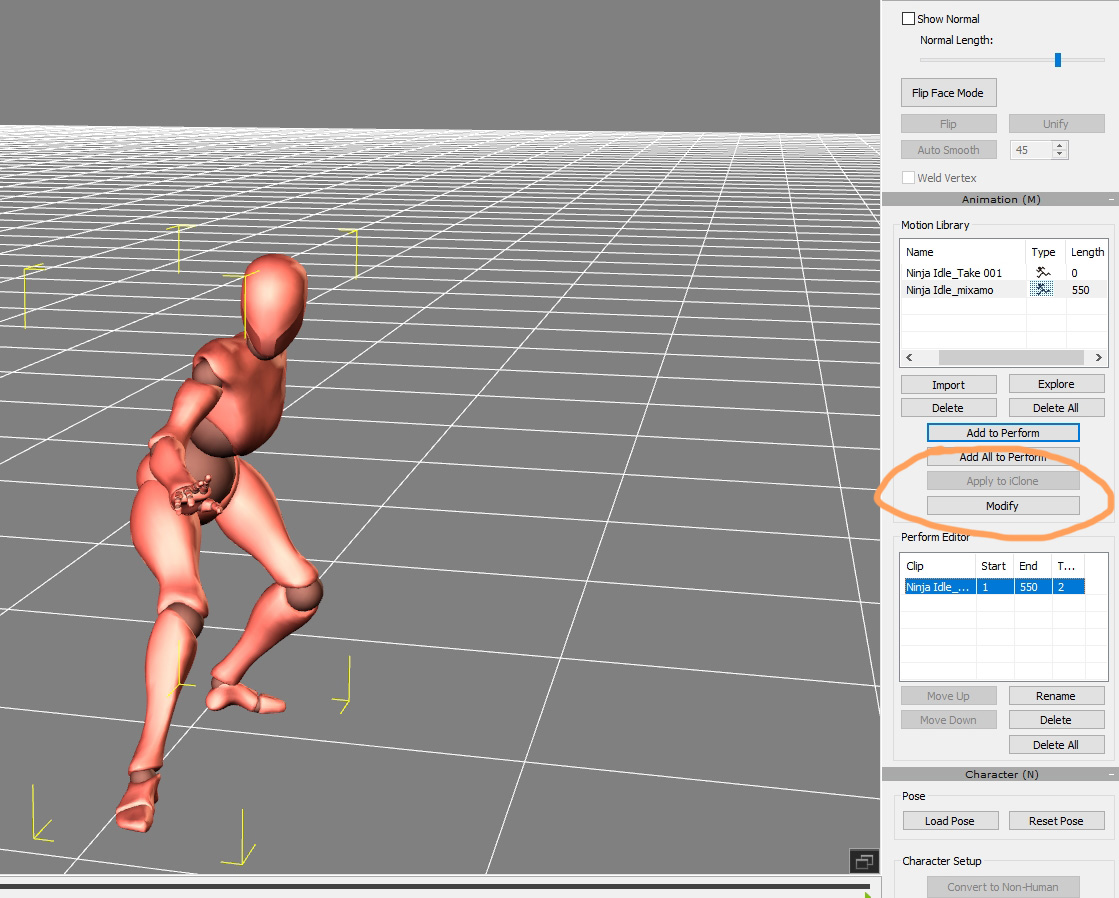
|
|
Kelleytoons
|
Kelleytoons
Posted 8 Years Ago
|
|
Group: Forum Members
Last Active: 2 Years Ago
Posts: 9.2K,
Visits: 22.1K
|
You have to convert to non-standard first. There should be a tutorial (I think specifically on Mixamo) out there you can find.
Alienware Aurora R16, Win 11, i9-149000KF, 3.20GHz CPU, 64GB RAM, RTX 4090 (24GB), Samsung 870 Pro 8TB, Gen3 MVNe M-2 SSD, 4TBx2, 39" Alienware Widescreen Monitor
Mike "ex-genius" Kelley
|
|
davidmaximo
|
davidmaximo
Posted 8 Years Ago
|
|
Group: Forum Members
Last Active: Last Year
Posts: 85,
Visits: 605
|
I did indeed convert to a non-standard character, and the T-pose looks correct and everything, but it's still grey for some reason 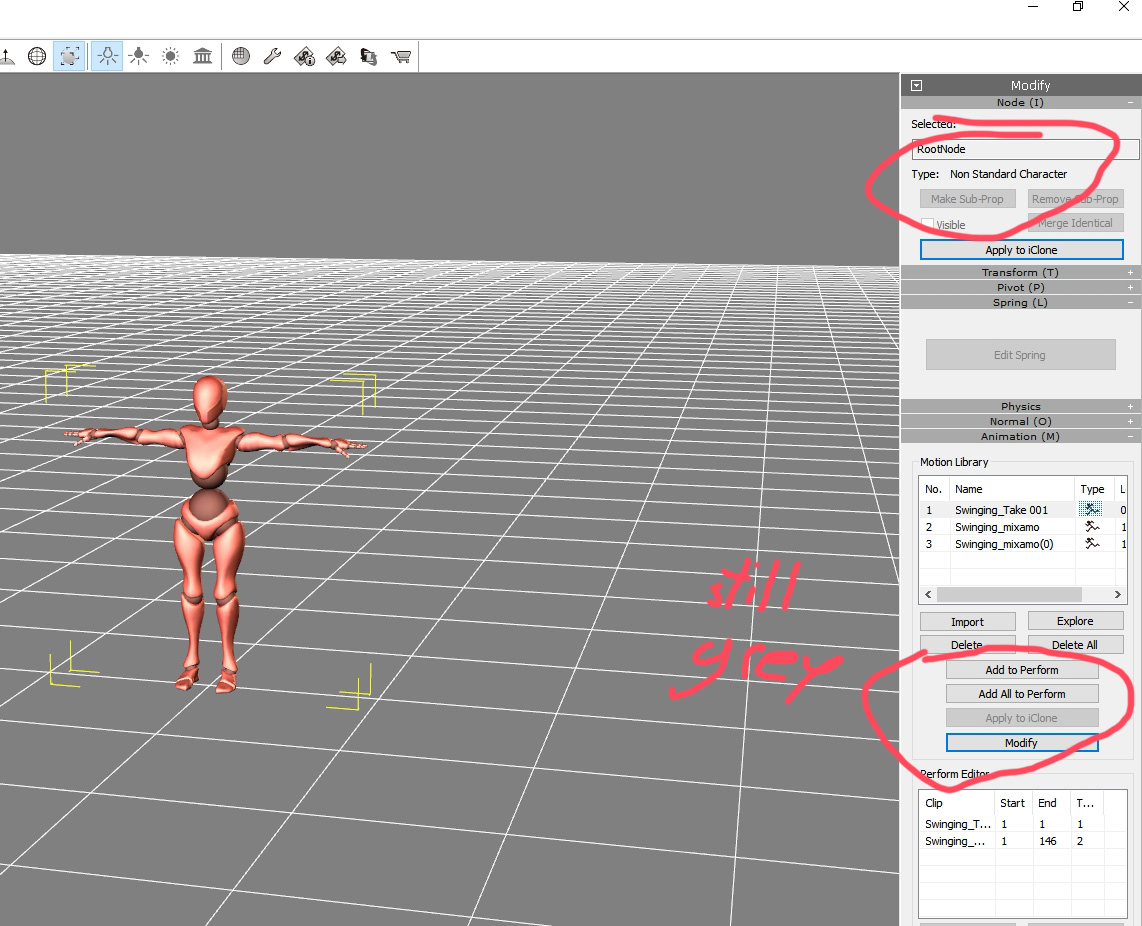
|
|
Peter (RL)
|
Peter (RL)
Posted 8 Years Ago
|
|
Group: Administrators
Last Active: 2 Years Ago
Posts: 23.1K,
Visits: 36.6K
|
Hi David If the animation is coming from Mixamo you shouldn't need to do any manual conversion to non-standard as the x-bot character should be automatically recognised. Do you see the message below when opening your Mixamo FBX?  If you do and still have the same problem, try exporting the animation directly to iClone 7. Just go to File > Export and choose the settings as below.  Does this successfully export to iClone? You will find the motion under the Animation > Motion tab where you can apply it to any character.
Peter
Forum Administrator www.reallusion.com
|
|
hirospot
|
hirospot
Posted 8 Years Ago
|
|
Group: Forum Members
Last Active: 5 Years Ago
Posts: 241,
Visits: 5.9K
|
@ davidmaximo
I confirmed the mixamo model with a sample animation as follows and could not identify your issue.
Fig1: Confirmed the Tpose Characterization.
Fig2: Confirmed the Apply to iClone button is working.
Fig3: Confirmed the Animation on the iClone7.
Fig1)

Fig2)
 Fig3)  Thank you, Hiro
|