Profile Picture

Decals not working

Posted By edithmcneill 8 Years Ago
You don't have permission to rate!
Author
Message
edithmcneill
edithmcneill
Posted 8 Years Ago
View Quick Profile
Veteran Member

Veteran Member (738 reputation)Veteran Member (738 reputation)Veteran Member (738 reputation)Veteran Member (738 reputation)Veteran Member (738 reputation)Veteran Member (738 reputation)Veteran Member (738 reputation)Veteran Member (738 reputation)Veteran Member (738 reputation)

Group: Forum Members
Last Active: 2 Years Ago
Posts: 18, Visits: 334
Hello,
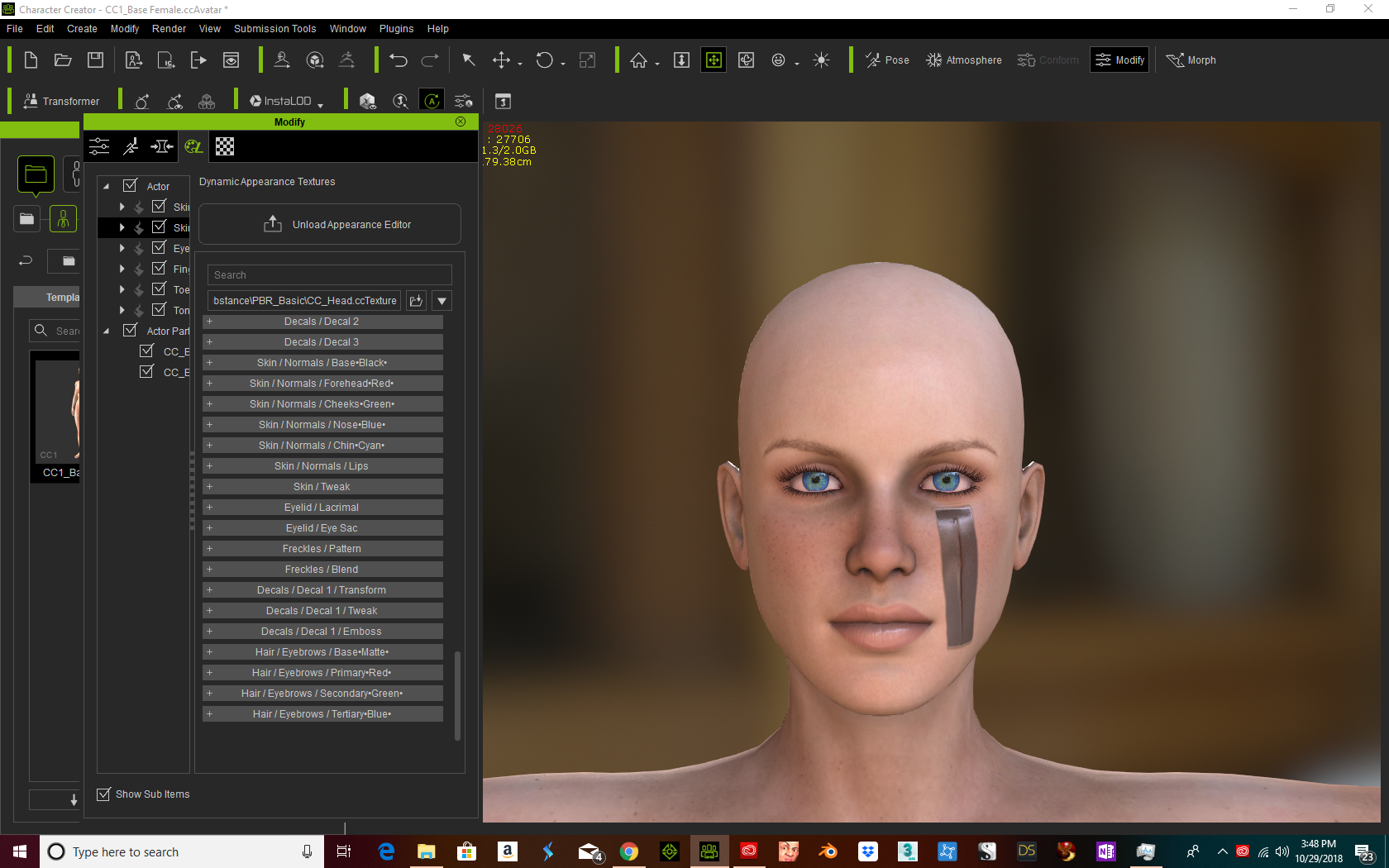
I watched the RL video on how to apply scars and tattoos. Using a CC1 avatar, I opened the appearance map. There is no diffuse map. The map names are different and the scar showed a large gray mask beneath it that I could not get rid of. I was unsure where to place the specular map since that option is no longer available. Any assistance on how to add scars and tattoos would be greatly appreciated. Thank you.
Peter (RL)
This post has been flagged as an answer
Peter (RL)
Posted 8 Years Ago
View Quick Profile
Distinguished Member

Distinguished Member (124.4K reputation)Distinguished Member (124.4K reputation)Distinguished Member (124.4K reputation)Distinguished Member (124.4K reputation)Distinguished Member (124.4K reputation)Distinguished Member (124.4K reputation)Distinguished Member (124.4K reputation)Distinguished Member (124.4K reputation)Distinguished Member (124.4K reputation)

Group: Administrators
Last Active: 2 Years Ago
Posts: 23.1K, Visits: 36.6K
edithmcneill (10/29/2018)
https://forum.reallusion.com/uploads/images/a975b37c-a99d-4dc4-83ff-9ef3.png


Hi Edith

If you are using PBR then you won't see options for Diffuse, Normal, Specular. 

To use decals with PBR you add the Diffuse texture to the Base Color channel, optionally add the Normal to the Bump channel, but importantly you will also require to manually add a Mask (Opacity) to remove the grey area surrounding the scar. Sadly Mask textures are not included with the CC Essentials Learning Resource so you will need to add this manually.

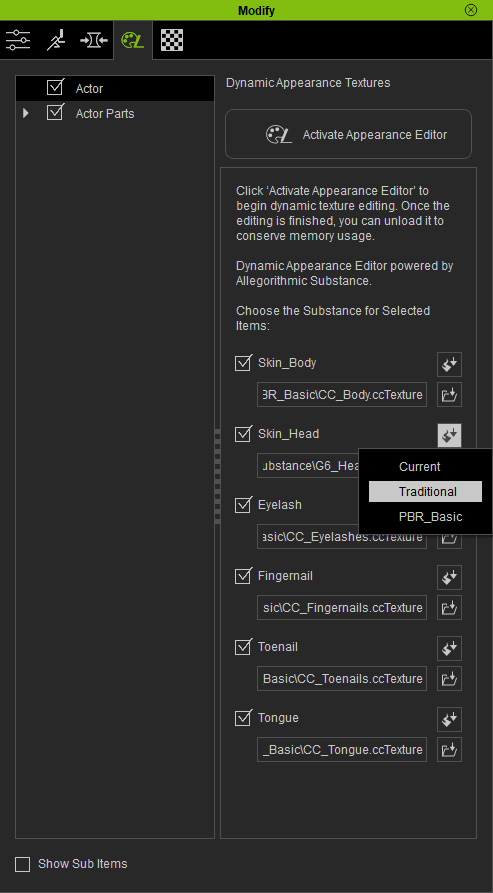
If you are not familiar with creating Mask or Opacity textures, you can change your characters skin from PBR to Traditional (see below). If you do this you will have access to the Diffuse, Normal and Specular channels which match the tutorial and should make it easier to follow along.
https://forum.reallusion.com/uploads/images/6c183ecf-b62d-415c-82b1-bbd6.png


Peter
Forum Administrator

www.reallusion.com


Reading This Topic