Okay, so color me dumb, but I've never noticed this before (and if it's changed recently then I don't feel so dumb... but I kind of doubt it).
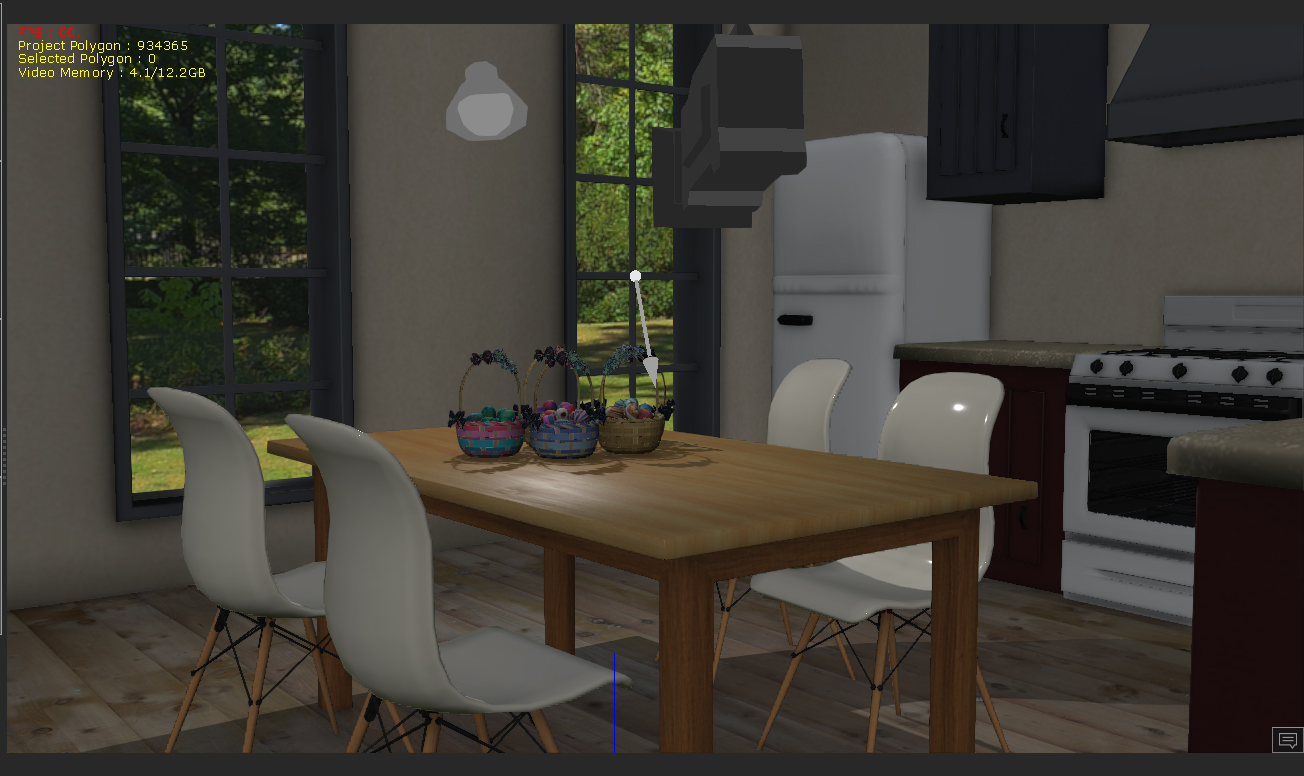
Today I brought up 7.21 or whatever the heck the latest version is, and noticed the viewport showed a MUCH darker image than the final render. I thought perhaps there was something set differently in my render, so I just did a quick preview... same thing. Here are the images:
Viewport
Preview or Final render (doesn't matter which):

Now, all my Real-time render options are set on except for TAA. I have Max Texture size at 4096x2 in the viewport (but I thought this didn't matter except how it previews -- if I'm wrong someone let me know), LoD up to highest quality, both DoF field options checkmarked and all Advanced settings checkmarked. For the life of me I don't remember a render being so different than the viewport but, as I said, I might have just been dumb and never noticed before.
Any ideas here, folks? If I can't fix it this is VERY disturbing (really hard to judge if the viewport is going to be so very different than a render).
Edit: Nevermind, I AM an idiot (I had GI turned off in the view, but since I've never done that I'm not sure how it got turned off. At least I know what to look for if this happens again).
Alienware Aurora R16, Win 11, i9-149000KF, 3.20GHz CPU, 64GB RAM, RTX 4090 (24GB), Samsung 870 Pro 8TB, Gen3 MVNe M-2 SSD, 4TBx2, 39" Alienware Widescreen Monitor
Mike "ex-genius" Kelley