|
Author
|
Message
|
|
Miranda (RL)
|
Miranda (RL)
Posted 9 Years Ago
|
|
Group: Administrators
Last Active: 4 Years Ago
Posts: 1.8K,
Visits: 11.2K
|
UN Task Force - Uniforms, Modular Battle Dress for Modern Soldiers Updated: The DRM issue was fixed around June 28 03:00 AM (PST), please re-download the pack to correct the problem. Thank you!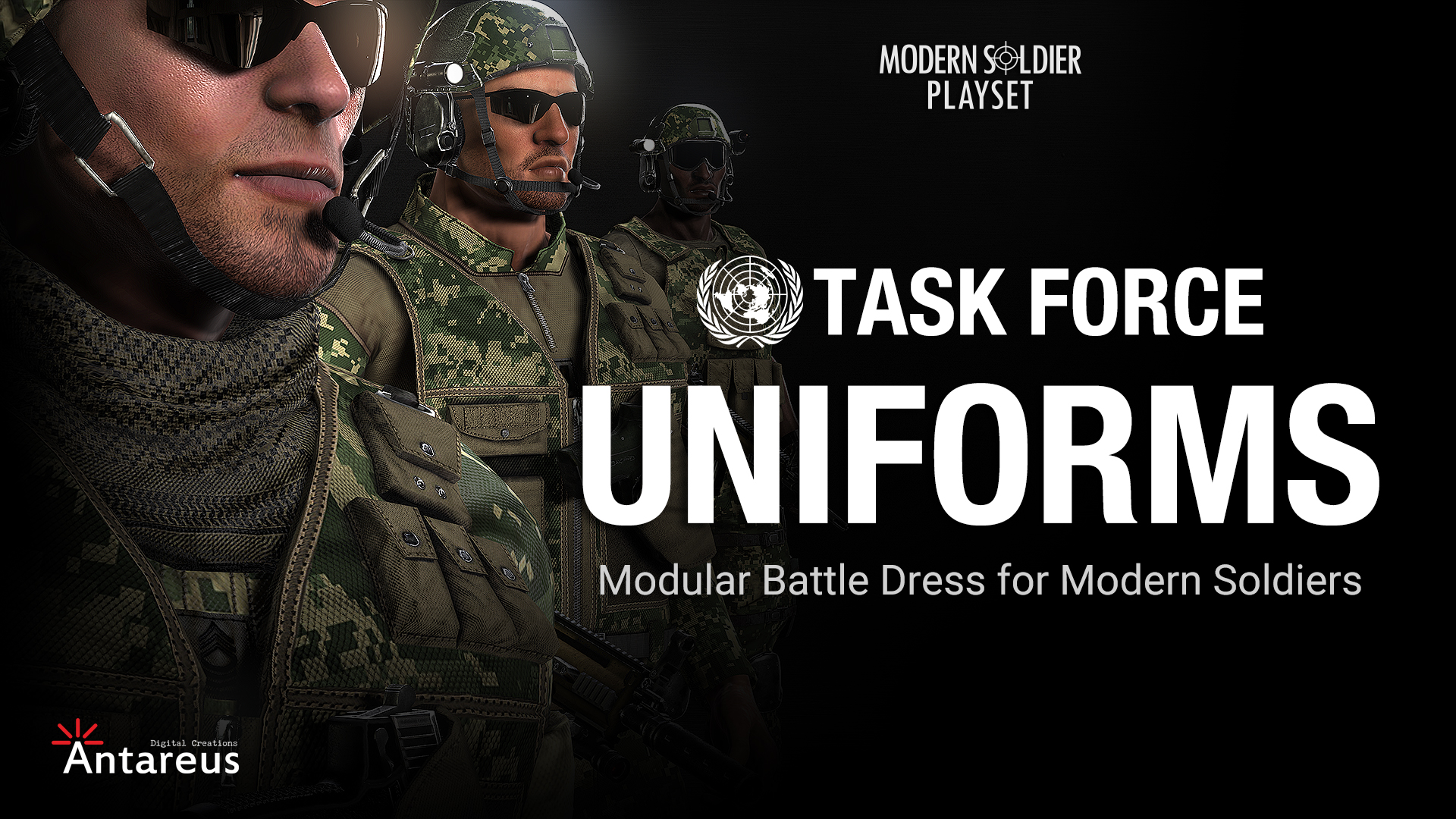 Product: U. N. Task Force - Uniforms Product: U. N. Task Force - Uniforms
This pack delivers six high-quality soldier characters, with a large amount of modern soldier clothing and equipment that can be combined to create a large amount of practical combinations. Each garment comes in four different kinds of digital camouflage currently used in the US military. These assets will allow you to create a formidable task force that is ready to act in any theater of war including; deserts, jungles, forests, and urban landscapes.
The use of PBR materials and optimized high-definition texture maps, provide you with highly realistic models. The pack also provides you with white bases that allow you to define your own personalized textures by using the Substance-enabled Appearance Editor in Character Creator 2.0. - Pack includes:
- Bases + Presets
- CC Cloth Bases x 29
- CC Cloth x 118
- CC Accessory x 9
- Character + Bonus
- Characters (CC Project) x 6
- Characters (iAvatar) x 6
- Texture (Cloth x 20 + Metal x 20) x 40
- File Size: 1.6 G
- Compatible with:
- Character Creator 2.0
- iClone 7
|
|
|
|
|
Miranda (RL)
|
Miranda (RL)
Posted 9 Years Ago
|
|
Group: Administrators
Last Active: 4 Years Ago
Posts: 1.8K,
Visits: 11.2K
|
Here are some TIPS to best utilize this pack: - Rank System
- Two Ways to Apply Helmets
- Apply Helmet in ccCloth format
- Apply Helmet in ccAccessory format
The tips are shared by the author Antareus Digital, free to ask them if there is any questions. :)
|
|
|
|
|
Kelleytoons
|
Kelleytoons
Posted 9 Years Ago
|
|
Group: Forum Members
Last Active: 2 Years Ago
Posts: 9.2K,
Visits: 22.1K
|
Ask them exactly where? It seems like a stupid question, but because these are CC compatible I assume that means I can apply the uniforms to my own characters in CC, right? (If you don't know, Miranda, perhaps you can point me to how I can ask the author).
Alienware Aurora R16, Win 11, i9-149000KF, 3.20GHz CPU, 64GB RAM, RTX 4090 (24GB), Samsung 870 Pro 8TB, Gen3 MVNe M-2 SSD, 4TBx2, 39" Alienware Widescreen Monitor
Mike "ex-genius" Kelley
|
|
|
|
|
rogyru
|
rogyru
Posted 9 Years Ago
|
|
Group: Forum Members
Last Active: 2 Years Ago
Posts: 497,
Visits: 1.3K
|
Kelleytoons (6/22/2017)
Ask them exactly where?
It seems like a stupid question, but because these are CC compatible I assume that means I can apply the uniforms to my own characters in CC, right? (If you don't know, Miranda, perhaps you can point me to how I can ask the author).Yes you can them to characters you make in CC. Roll on pay day :)
|
|
|
|
|
Kelleytoons
|
Kelleytoons
Posted 9 Years Ago
|
|
Group: Forum Members
Last Active: 2 Years Ago
Posts: 9.2K,
Visits: 22.1K
|
Thanks, I did assume so but you're saying so because... you haven't bought them yet but you just assume, as I do, that it can be done? Or do you know the author or someone else who has done this? I guess I can just wait until someone has actually done it, but I hate to spend this amount of money without being sure (then again, like you, I want to wait until pay day, which for me is next week :>).
Alienware Aurora R16, Win 11, i9-149000KF, 3.20GHz CPU, 64GB RAM, RTX 4090 (24GB), Samsung 870 Pro 8TB, Gen3 MVNe M-2 SSD, 4TBx2, 39" Alienware Widescreen Monitor
Mike "ex-genius" Kelley
|
|
|
|
|
Miranda (RL)
|
Miranda (RL)
Posted 9 Years Ago
|
|
Group: Administrators
Last Active: 4 Years Ago
Posts: 1.8K,
Visits: 11.2K
|
Hi Mike, if there is any questions about usage, you can leave message just right here. The author Adolf will soon prepare for the detailed tutorials for users. It's mostly about using Humvee and Weapons in iClone, you can check it first before the purchase. :) For other users' reference: I've answered the compatibility question here: https://forum.reallusion.com/FindPost331092.aspx
|
|
|
|
|
rampart
|
rampart
Posted 9 Years Ago
|
|
Group: Forum Members
Last Active: 8 Years Ago
Posts: 1.4K,
Visits: 5.1K
|
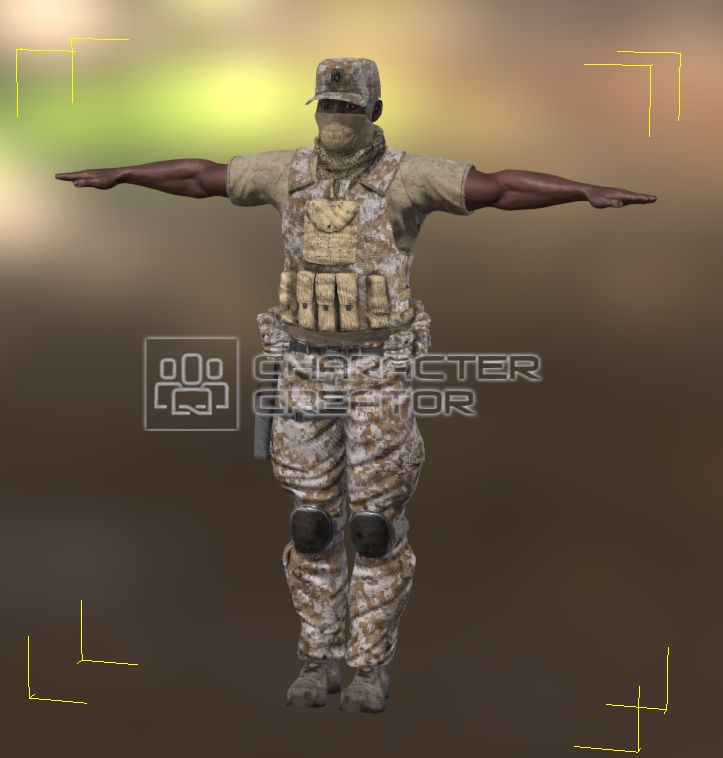 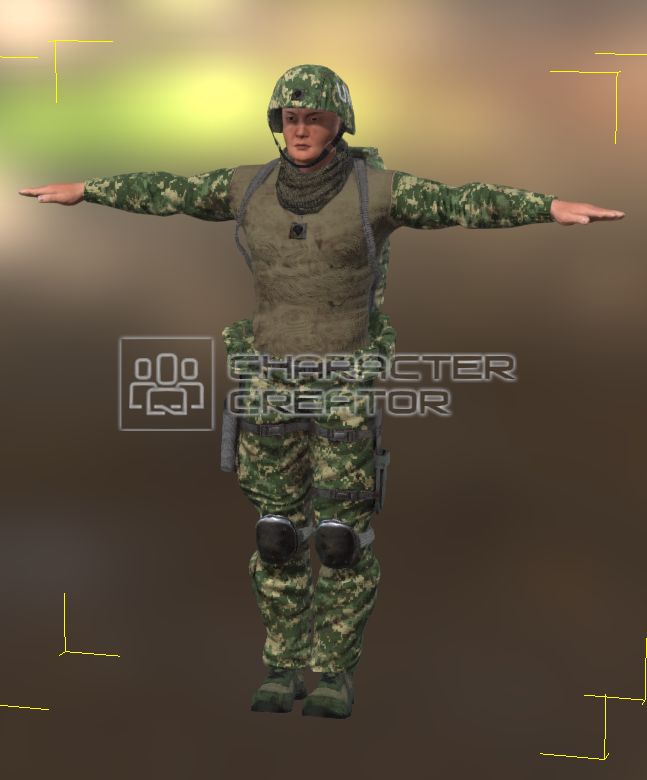 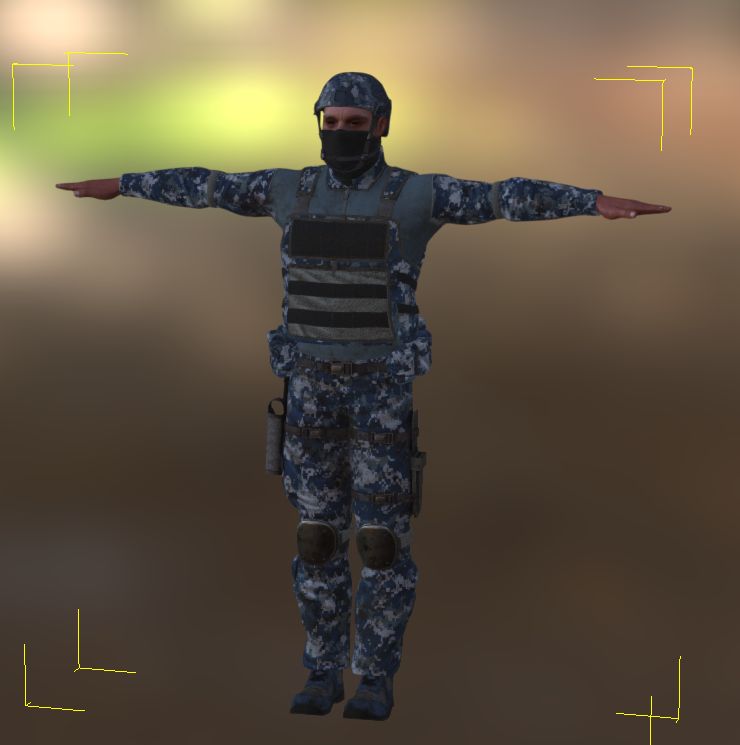
These are screen captures from CC. I keep getting the DRM junk and it pops up in strange places sometimes on the UN Task characters and sometimes in the project.
I relinstalled the entire 3 bundle package several times and still the same.
I think a mouse got in the cheese...
|
|
|
|
|
Kelleytoons
|
Kelleytoons
Posted 9 Years Ago
|
|
Group: Forum Members
Last Active: 2 Years Ago
Posts: 9.2K,
Visits: 22.1K
|
Crap -- well, THAT'S a reason not to buy. I wish the DRM crap wasn't so hard on us honest folks (the only folks it ever seems to hurt). Have you complained to the developer?
Alienware Aurora R16, Win 11, i9-149000KF, 3.20GHz CPU, 64GB RAM, RTX 4090 (24GB), Samsung 870 Pro 8TB, Gen3 MVNe M-2 SSD, 4TBx2, 39" Alienware Widescreen Monitor
Mike "ex-genius" Kelley
|
|
|
|
|
rampart
|
rampart
Posted 9 Years Ago
|
|
Group: Forum Members
Last Active: 8 Years Ago
Posts: 1.4K,
Visits: 5.1K
|
No...it takes 2 days. Maybe Miranda will peak in and have an answer.
I've got too much to do messeing with all my pre-7.0 content to worry with it now anyway.
|
|
|
|
|
rampart
|
rampart
Posted 9 Years Ago
|
|
Group: Forum Members
Last Active: 8 Years Ago
Posts: 1.4K,
Visits: 5.1K
|
Oops
|
|
|
|