Hey there,
This is a simple tutorial. I'm sure others have made a similar tutorial, and probably better quality, so I apologize if I'm redundant.
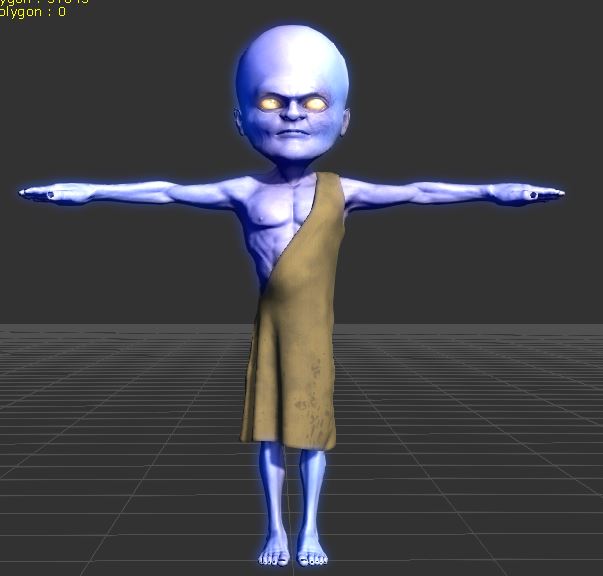
Here's robe I created, nothing special.
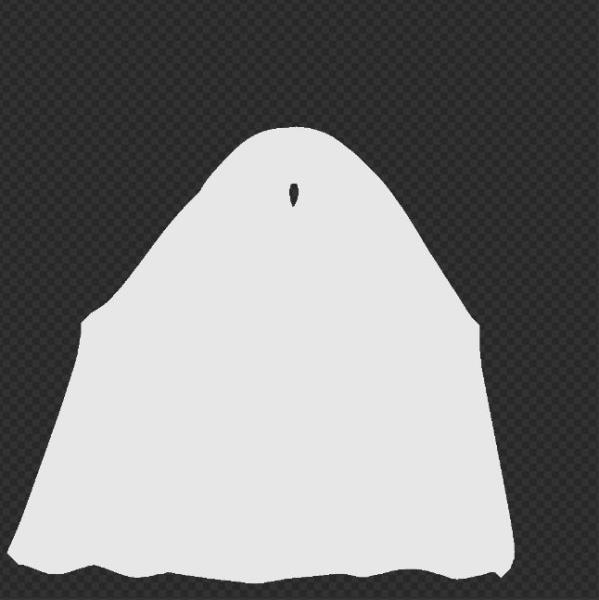
Here's the UV for the robe mesh.

First, bake a white map onto the UV. You will end up with something like this:
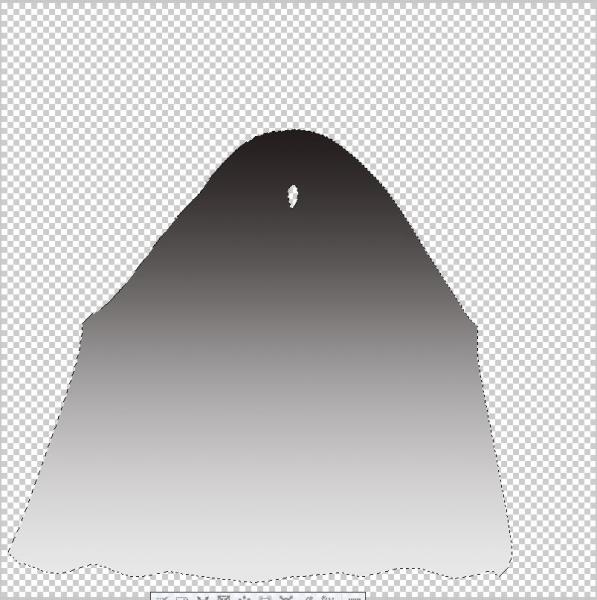
Open up the image in a texture editor, such as Photoshop. I'm using Clip Studio, but anything will do. Ideally, you want something that can fill layers with a gradient effect. You want to select the white with a 'magic wand' (whatever the tool is called that allows you to click on a color and select only that color. With the color selected, create a new layer on top of the base texture. Then, apply a gradient effect -- from black to white. The black must be at the top of the mesh, the white must be at the bottom. The black will mask the physics, and anchor the item. The white will allow the physics to effect the item. Save the texture as a PNG or JPG, under a name like 'Robe_WeightMap.png'.
 Okay, back in iClone, activate the physics, and select a cloth preset, since we are dealing with a cloth item. I chose leather, because I picture the robe as being rather stiff. Now edit the weight map. Find the gradient texture you created and assign it to the weight map slot.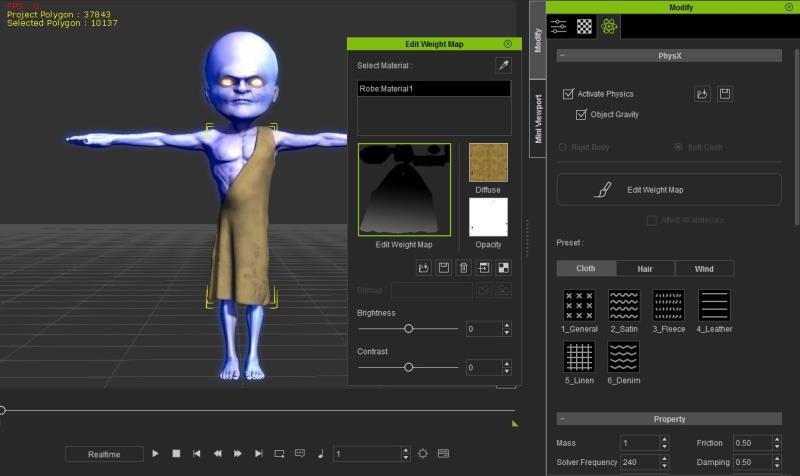
Now, if you play the scene, the robe will drape over the character according to the physics settings. It will not fall to the floor, since some of the physics are 'masked' through the black color. You can adjust the Brightness and Contrast of the weight map to increase or decrease the physics masking.
Hope that helps someone.