Profile Picture

Characters looking at each other on a conversation.

Posted By francisexpress 11 Years Ago
You don't have permission to rate!
Author
Message
francisexpress
francisexpress
Posted 11 Years Ago
View Quick Profile
Junior Member

Junior Member (216 reputation)Junior Member (216 reputation)Junior Member (216 reputation)Junior Member (216 reputation)Junior Member (216 reputation)Junior Member (216 reputation)Junior Member (216 reputation)Junior Member (216 reputation)Junior Member (216 reputation)

Group: Forum Members
Last Active: 11 Years Ago
Posts: 3, Visits: 7
Hi,

Is it possible to make an animation with two characters (Rosenberg and Sally, for example), talking at each other?

Normally these character heads and faces are front faced. However, to simulate a normal conversation the characters heads should be sort of 3/4 side viewed, and looking at each other...

Is this achievable with CrazyTalk Animator 2? If so, is there any tutorial (either written or in youtube?)

Thanks in advance,

Francis
prabhatM
prabhatM
Posted 11 Years Ago
View Quick Profile
Distinguished Member

Distinguished Member (6.6K reputation)Distinguished Member (6.6K reputation)Distinguished Member (6.6K reputation)Distinguished Member (6.6K reputation)Distinguished Member (6.6K reputation)Distinguished Member (6.6K reputation)Distinguished Member (6.6K reputation)Distinguished Member (6.6K reputation)Distinguished Member (6.6K reputation)

Group: Forum Members
Last Active: 6 Years Ago
Posts: 1.8K, Visits: 8.1K
In CTA2, usually you get different angles. So it's possible if your characters are G2.
francisexpress
francisexpress
Posted 11 Years Ago
View Quick Profile
Junior Member

Junior Member (216 reputation)Junior Member (216 reputation)Junior Member (216 reputation)Junior Member (216 reputation)Junior Member (216 reputation)Junior Member (216 reputation)Junior Member (216 reputation)Junior Member (216 reputation)Junior Member (216 reputation)

Group: Forum Members
Last Active: 11 Years Ago
Posts: 3, Visits: 7
Hi again.

Thanks a lot. Is there any tutorial about how to turn the head to the side?

Best regards

Francis
jlittle
jlittle
Posted 11 Years Ago
View Quick Profile
Distinguished Member

Distinguished Member (7.0K reputation)Distinguished Member (7.0K reputation)Distinguished Member (7.0K reputation)Distinguished Member (7.0K reputation)Distinguished Member (7.0K reputation)Distinguished Member (7.0K reputation)Distinguished Member (7.0K reputation)Distinguished Member (7.0K reputation)Distinguished Member (7.0K reputation)

Group: Forum Members
Last Active: 2 Years Ago
Posts: 1.9K, Visits: 17.3K
The characters Rosenberg and Sally are morph based heads and are G1 characters.
* G1 characters only have the one base angle and can not turn.
* Morph based heads only have a single front facing angle.

To have characters facing each other you have to use G2 characters which preclude using a morph based head and using a sprite based head and facial features.

Jeff


Get my Plugin Manager and TaskNotes plugins for iClone.
Check out EZColors and Other products for CTA/CA. EZColors: the easy way to change Render Styled (RS) colors!
See my CTA Tutorials on the YouTube channel CTAStepByStep

francisexpress
francisexpress
Posted 11 Years Ago
View Quick Profile
Junior Member

Junior Member (216 reputation)Junior Member (216 reputation)Junior Member (216 reputation)Junior Member (216 reputation)Junior Member (216 reputation)Junior Member (216 reputation)Junior Member (216 reputation)Junior Member (216 reputation)Junior Member (216 reputation)

Group: Forum Members
Last Active: 11 Years Ago
Posts: 3, Visits: 7
Ok. I undertand now.

Many thanks!

Regards
AverageJoe
AverageJoe
Posted 11 Years Ago
View Quick Profile
Distinguished Member

Distinguished Member (11.4K reputation)Distinguished Member (11.4K reputation)Distinguished Member (11.4K reputation)Distinguished Member (11.4K reputation)Distinguished Member (11.4K reputation)Distinguished Member (11.4K reputation)Distinguished Member (11.4K reputation)Distinguished Member (11.4K reputation)Distinguished Member (11.4K reputation)

Group: Forum Members
Last Active: Last Year
Posts: 2.4K, Visits: 10.1K
Many cartoons and 2D animations do not feature full 360 degree angles, and many still use just forward facing characters.  To me, it's one of the endearing qualities of 2D.  You'll notice many cartoons use just a 3/4 angle view, and seem to get by just fine.  Do don't let your ideas go to waste just because a 2D character is only front facing.  Animate their eyes and head movements, and you can make it look like they're in a discussion together.  2D animation is about creativity and work arounds.
Ibis Fernandez
Ibis Fernandez
Posted 11 Years Ago
View Quick Profile
Distinguished Member

Distinguished Member (16.6K reputation)Distinguished Member (16.6K reputation)Distinguished Member (16.6K reputation)Distinguished Member (16.6K reputation)Distinguished Member (16.6K reputation)Distinguished Member (16.6K reputation)Distinguished Member (16.6K reputation)Distinguished Member (16.6K reputation)Distinguished Member (16.6K reputation)

Group: Forum Members
Last Active: Last Year
Posts: 1.2K, Visits: 4.3K
Even with single angle characters, its fairly easy to create the these characters talking to each other. Just gotta get creative either with the editing or the layout or both. Here's a couple of ideas...

One way is to draw your background in a way that you can pan the camera left and right and have it look like 180 camera turn. This is done by drawing the background warped in the middle.
Another is you can simulate over the shoulder shots with the front character either being in silhouette, or off camera enough  so as not to reveal that you're actually seeing the front but rather give the illusion of the other characters back.

I don't have any of those character except for Rosenberg so ill post a couple gifs using him ...

https://forum.reallusion.com/uploads/images/018984c6-c1ce-4604-97e6-eee3.png
Enough of the character is off camera that we cant actually tell its the front...i looks like the back.

https://forum.reallusion.com/uploads/images/bab1a084-8b09-45ee-b564-cf42.png

Using a silhouette allows us to show more of the character outline but we need to darken so as not to reveal the actual angle. (i duid this one by exporting the chracter to photoshop, adding black overlay, and 10% Gaussian blurr. Re-imported the png back into CTA to use as a stand in.

https://forum.reallusion.com/uploads/images/078759b2-ed93-4c95-adc5-08ac.gif

Panning left to right, or just cutting from left to right will also give you the illusion in editing. If you warp the background so it conforms itself to the 2d camera movement it gives it better effect.


https://forum.reallusion.com/uploads/images/33194b24-1f7a-41c6-941d-ece1.gif

combine with silhouette for even bigger impact...


There so many ways you can pull it off, just be creative.
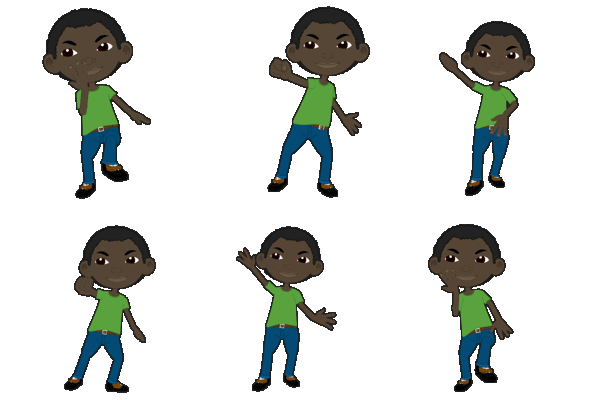


https://forum.reallusion.com/uploads/images/ad51c90b-00a8-459d-8ca4-2136.gif
Ibis Fernandez   |   (available for hire)
----------------------------------------------------------------------------------------
Professional Animator, Filmmaker | Creator of the highest quality (modular) G2 rigs for cartoon animator and developer of Toon Titan and Puppet Producer 
Author of Flash Animation and Cartooning: A Creative Guide
>>> be sure to check out http://toontitan.com for professional grade assets, templates, and custom tools for Cartoon Animator and more.
tonk
tonk
Posted 11 Years Ago
View Quick Profile
Distinguished Member

Distinguished Member (3.9K reputation)Distinguished Member (3.9K reputation)Distinguished Member (3.9K reputation)Distinguished Member (3.9K reputation)Distinguished Member (3.9K reputation)Distinguished Member (3.9K reputation)Distinguished Member (3.9K reputation)Distinguished Member (3.9K reputation)Distinguished Member (3.9K reputation)

Group: Forum Members
Last Active: 8 Years Ago
Posts: 168, Visits: 718
I am still in the starter phase.
Is it possible to turn just the face of 2G-character without moving the torso?
Ibis Fernandez
Ibis Fernandez
Posted 11 Years Ago
View Quick Profile
Distinguished Member

Distinguished Member (16.6K reputation)Distinguished Member (16.6K reputation)Distinguished Member (16.6K reputation)Distinguished Member (16.6K reputation)Distinguished Member (16.6K reputation)Distinguished Member (16.6K reputation)Distinguished Member (16.6K reputation)Distinguished Member (16.6K reputation)Distinguished Member (16.6K reputation)

Group: Forum Members
Last Active: Last Year
Posts: 1.2K, Visits: 4.3K
Of a g2 character, yes. Just use the 3d editor. Select the head, and turn.

https://forum.reallusion.com/uploads/images/ad51c90b-00a8-459d-8ca4-2136.gif
Ibis Fernandez   |   (available for hire)
----------------------------------------------------------------------------------------
Professional Animator, Filmmaker | Creator of the highest quality (modular) G2 rigs for cartoon animator and developer of Toon Titan and Puppet Producer 
Author of Flash Animation and Cartooning: A Creative Guide
>>> be sure to check out http://toontitan.com for professional grade assets, templates, and custom tools for Cartoon Animator and more.


Reading This Topic