maxae (12/27/2013)
i am well aware why you want it:D
you say the speech track has a waveform? i cant find that anywhere in the timeline.
i see just a box like the motions have.
if it is indeed there. (dont have time to look or test)
wouldn't dropping your sounds into a speech track/dummy avatar while advancing the timeline be a quick solution?
Of course it's there...:)
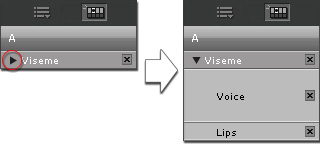
There is a little triangle next to the Viseme track. Click that and it will open the track and show both the waveform and the visemes. From the help:
Press down on the triangle next to the Viseme track. You will then see the Voice and Lips sub tracks.
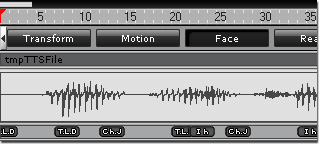
The wave line may be used as a reference for adding lip-synching keys.
Using a dummy character as a signal carrier is a good idea; in fact, I suggested that myself a while ago. :w00t:
Still, still seeing the waveform directly would be more convenient.