|
strosfan47
|
strosfan47
Posted 12 Years Ago
|
|
Group: Forum Members
Last Active: 12 Years Ago
Posts: 33,
Visits: 281
|
One thing I learned the roundabout way was employing the rounded joints, with same (flesh) color overlap. That smooths out your animations quite a bit.
Also, be prepared to spend a lot of frustrating time with the placement of your left foot. When we use an existing character as our template, there's a problem inherent with its use. For example, if you decide to use Eddie as your template, and you go into Composer mode and use the sprite editor to replace Eddie's left foot with your own, make double-darn sure that you are replacing the FRONT Eddie's foot with your own, if your character has a front pose, and vice versa for side Eddie.
THEN, when you update your character to the stage, don't expect it to look right when you save it off (the interplay with composer mode and stage mode is buggy, it does not render correctly.)
The only solution is to fiddle with it via trial and error, and ignore what you see when you update to the stage.
I hope this helps you save aggravation and time that others have experienced.
|
|
Group: Forum Members
Last Active: Last Month
Posts: 10.8K,
Visits: 40.2K
|
I think that could help , to understand how you to prepare and cut the pieces
http://www.mjmedia.de/cutout/cutout.htmlSetup 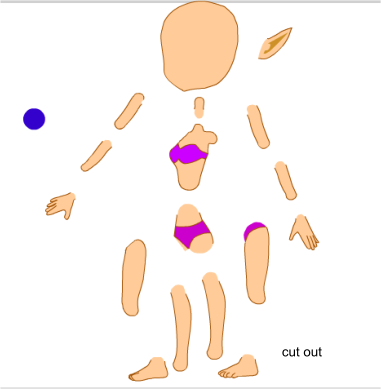 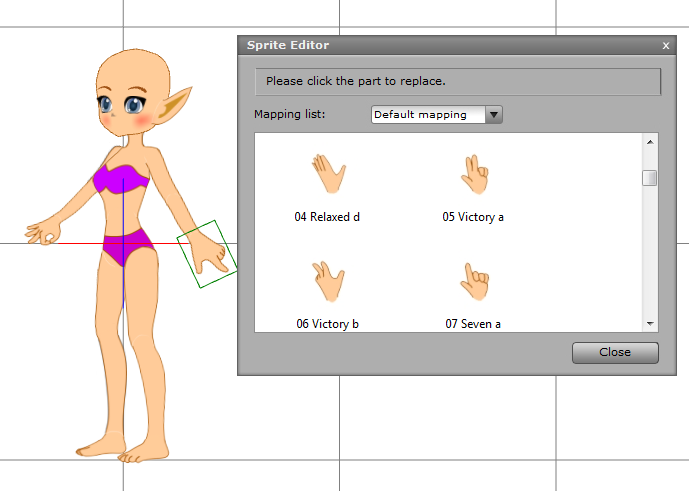 Result
-------------------------------------------------------------------
liebe Grüße vidi
|
|
DavidL
|
DavidL
Posted 12 Years Ago
|
|
Group: Forum Members
Last Active: 2 Years Ago
Posts: 14,
Visits: 54
|
Hi, I'm looking for suggestions, hints, and any information people may have about creating the joints (like elbows and knees, etc.) for characters. Specifically in regard to getting them to look good when they bend so that its not so obvious that the upper arm and forearm are not two seperate parts. The cartoon characters that the program comes with this really do a believable job of this so I know it's possible. Thanks, David
|