|
Author
|
Message
|
|
wires
|
wires
Posted 14 Years Ago
|
|
Group: Forum Members
Last Active: Last Month
Posts: 5.7K,
Visits: 26.5K
|
. animagic (11/18/2012)
wires, judging from sw00000p's instructions, it seems to involve exporting the avatar to 3DS Max, doing the things he mentions (welding the mesh, setting material IDs) and then reimporting into 3DXchange. You could probably use other external 3D applications, but you would need to export as FBX and that is restricted due to DRM. For Max you have the plugin and you don't have these restrictions as far as I know. Mind you, I don't have Max, so this is just my interpretation... I suspected that he had once again forgotten that this is the iClone forum and not the 3DS Max one. He has a habit of getting his forums mixed up when answering questions regarding Reallusion products.:w00t:
Gerry
System: Win 10 Pro (21H2), Asus X99-E WS, CPU i7-5930K -3,5 GHz, 32 GB DDR4 2666-16 RAM, NVidia GTX 1080 Ti GPU - 11 GB VRAM(Driver Studio-536.99), Samsung 850 Pro 512 GB SSD, 6 TB HD storage.
|
|
|
|
|
animagic
|
animagic
Posted 14 Years Ago
|
|
Group: Forum Members
Last Active: Last Month
Posts: 15.8K,
Visits: 31.4K
|
wires, judging from sw00000p's instructions, it seems to involve exporting the avatar to 3DS Max, doing the things he mentions (welding the mesh, setting material IDs) and then reimporting into 3DXchange. You could probably use other external 3D applications, but you would need to export as FBX and that is restricted due to DRM. For Max you have the plugin and you don't have these restrictions as far as I know. Mind you, I don't have Max, so this is just my interpretation...
|
|
|
|
|
wires
|
wires
Posted 14 Years Ago
|
|
Group: Forum Members
Last Active: Last Month
Posts: 5.7K,
Visits: 26.5K
|
. sw00000p (11/15/2012)
Just a suggestion: What I do for "Multiple" quick fades...
1. Get the Animation Just Right...
2. Convert the G5/4/3 character to a "Non-Standard" character
3. Weld entire "Mesh" together!
4. Set Material ID to (1)!
Fade Entire Character with.... "One Map!" Give the "Body" Mat ID 1 and the "Head" Mat ID 2...
Fade-Out Just the Head or Body alone! :) Remeber: Non-Standard chars CAN use the Standard motions too! ;) I use this technique often and it works very well!
Plus... Combing Meshes SAVES RESOURCE POWER!
_____________________________________________________
Tip:
When you get your "Level Design" and "Animation" Just Right...
~ Switch ALL chars to Non-Standard ~
Now Physics and Particles perform... FASTER! :w00t:
Just a suggestion:
Any chance that you could explain how to convert an avatar to a non-standard char. - in a way that everyone can understand. 3dXChange doesn't offer the option. 
Gerry
System: Win 10 Pro (21H2), Asus X99-E WS, CPU i7-5930K -3,5 GHz, 32 GB DDR4 2666-16 RAM, NVidia GTX 1080 Ti GPU - 11 GB VRAM(Driver Studio-536.99), Samsung 850 Pro 512 GB SSD, 6 TB HD storage.
|
|
|
|
|
dkelso6372
|
dkelso6372
Posted 14 Years Ago
|
|
Group: Forum Members
Last Active: 5 Years Ago
Posts: 5,
Visits: 265
|
Ocasionally I render two identical scenes one with the character or prop and one without. I overlay the former over the later and fade them out on the timeline. You'll need some video maker software for this of course but it gives you more control and allows for redos without rendering new do-over scene on Iclone.
|
|
|
|
|
tparrington
|
tparrington
Posted 14 Years Ago
|
|
Group: Forum Members
Last Active: 11 Years Ago
Posts: 523,
Visits: 1.3K
|
Ooooh, I have to check that out. Thanks
Tami
Visit My Marketplace Store
My Website


|
|
|
|
|
animagic
|
animagic
Posted 14 Years Ago
|
|
Group: Forum Members
Last Active: Last Month
Posts: 15.8K,
Visits: 31.4K
|
tparrington (11/15/2012)
Some lettering doesn't work with opacity either like the gel letters. :( But it works well on props.If Specularity is not zero, there may be remnants showing of the object even if the Opacity is set to zero. That may be the case for the gel letters.
|
|
|
|
|
wires
|
wires
Posted 14 Years Ago
|
|
Group: Forum Members
Last Active: Last Month
Posts: 5.7K,
Visits: 26.5K
|
tparrington (11/15/2012)
Yeah, you can't fade avatars either. That would be on my wish list for the future too. Some lettering doesn't work with opacity either like the gel letters. :( But it works well on props.Avatars can be faded, but it's a lot of work. You have to select every material, one piece at a time and change the opacity. For your average avatar you have upper, lower, hair, skin upper, skin lower, hands, etc.:w00t: Something to save for a cold, boring, sleepless night.:D
Gerry
System: Win 10 Pro (21H2), Asus X99-E WS, CPU i7-5930K -3,5 GHz, 32 GB DDR4 2666-16 RAM, NVidia GTX 1080 Ti GPU - 11 GB VRAM(Driver Studio-536.99), Samsung 850 Pro 512 GB SSD, 6 TB HD storage.
|
|
|
|
|
tparrington
|
tparrington
Posted 14 Years Ago
|
|
Group: Forum Members
Last Active: 11 Years Ago
Posts: 523,
Visits: 1.3K
|
Yeah, you can't fade avatars either. That would be on my wish list for the future too. Some lettering doesn't work with opacity either like the gel letters. :( But it works well on props.
Tami
Visit My Marketplace Store
My Website
|
|
|
|
|
3DStory
|
3DStory
Posted 14 Years Ago
|
|
Group: Forum Members
Last Active: Last Year
Posts: 272,
Visits: 5.7K
|
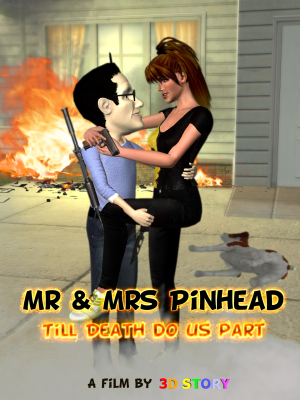
Looks like the case of the disappearing horse... It's a shame you can't key-frame avatar scale, that would have been useful to me in my Pinhead film!
|
|
|
|
|
tparrington
|
tparrington
Posted 14 Years Ago
|
|
Group: Forum Members
Last Active: 11 Years Ago
Posts: 523,
Visits: 1.3K
|
Here is a really quick example of a fade out to make a prop (the horse) invisible over a period of time during a clip. Just make sure to set your keyframe at the point where you want the fade out to begin or it will start right at the beginning and fade out too quickly (depending on your desire, you may want that). I set the keyframe at the mid-point of the clip to start the fade with the 100% fade out at the very end.
Tami
Visit My Marketplace Store
My Website
|
|
|
|