|
By Amper Sand - 4 Years Ago
|
Just found this:
Bandai Namco Research, the R&D division of game publisher and developer Bandai Namco, has released a massive library of free motion-capture data for research and personal use. The data, recorded at Bandai Namco’s own mocap studio, comprises over 3,000 individual moves.
http://www.cgchannel.com/2022/05/download-3000-free-mocap-moves-from-bandai-namco-research/
EDIT: duplicate topic, already posted here:
https://forum.reallusion.com/513867/new-BVH-motion-files
|
|
By yepkoo - 4 Years Ago
|
If I remember correctly, it was distributed under the CC 4.0 license (Author attribution required).
When I look at it now, it says both CC 4.0 license and for personal use.
If you are not going to use it for hobby purposes, it does not seem useful.
|
|
By animagic - 4 Years Ago
|
|
Still a helpful reminder because I missed that initial thread.
|
|
By AutoDidact - 4 Years Ago
|
|
I actually downloaded that archive a few months ago they are pretty awful as I remember.
|
|
By argus1000 - 4 Years Ago
|
I downloaded the whole group of 3000 files today. I had some hiccups with database set 2. I had a not enough memory error when I tried to transfer it all at the same time. I had to separate the folder in 3 parts. But I had some experience doing that kind of thing with 3DXchange. All went well. Now I only have to transfer them to iClone 8.
Those files might seem repetitious at times, but the movements seem very smooth as far as I can tell. Thanks for posting them and thanks to 4u2ges for the profile.
|
|
By 4u2ges - 4 Years Ago
|
|
Thanks for posting them and thanks to 4u2ges for the profile.
No problem. The only thing to add, is that RL fixed the issue with CC4 profiles in 4.02.
So that profile would fine in CC4 batch motions import.
It might be faster since it's 64 bit.
Spoke too soon. Motions are converted fine in CC4, but the root is kind of messed up. Slippery feet above the ground....
Maybe I need to tweak profile for CC4....
|
|
By Amper Sand - 4 Years Ago
|
|
argus1000 (8/21/2022)
I had some experience doing that kind of thing with 3DXchange. All went well. Now I only have to transfer them to iClone 8
Me I used an "modern" IC8-approach:
In IC8 I created a new project and placed there the standard dummy character. In windows explorer I selected all the bvh files (I renamed them conveninetly before) and I dragged them over the dummy. IC8 prompted me to specify the character profile so I chose the one kindly provided by @4u2ges (thanks!), I specified a custom folder where to be dumped all generated .rlmotion files, I unchecked "add to perform", wait for about five mins for conversion and tadaam.
|
|
By animagic - 4 Years Ago
|
|
For those, like me, who have a hard time finding the actual ZIP file, here is the link: https://github.com/BandaiNamcoResearchInc/Bandai-Namco-Research-Motiondataset/archive/refs/heads/master.zip
|
|
By 4u2ges - 4 Years Ago
|
|
I actually downloaded that archive a few months ago they are pretty awful as I remember.
I disagree. You just need to filter them through.
Characterized walk motions are great and fairly easy loop-able.
|
|
By Zeronimo - 4 Years Ago
|
@animagic thanks a lot for the direct link, I too searched in vain without finding anything.
|
|
By jlittle - 4 Years Ago
|
I clicked on the link, scrolled down and clicked on:

Then clicked the "Code" button and seleced "Download ZIP".

Jeff
|
|
By argus1000 - 4 Years Ago
|
Amper Sand (8/21/2022)
argus1000 (8/21/2022)
I had some experience doing that kind of thing with 3DXchange. All went well. Now I only have to transfer them to iClone 8Me I used an "modern" IC8-approach: In IC8 I created a new project and placed there the standard dummy character. In windows explorer I selected all the bvh files (I renamed them conveninetly before) and I dragged them over the dummy. IC8 prompted me to specify the character profile so I chose the one kindly provided by @4u2ges (thanks!), I specified a custom folder where to be dumped all generated .rlmotion files, I unchecked "add to perform", wait for about five mins for conversion and tadaam.
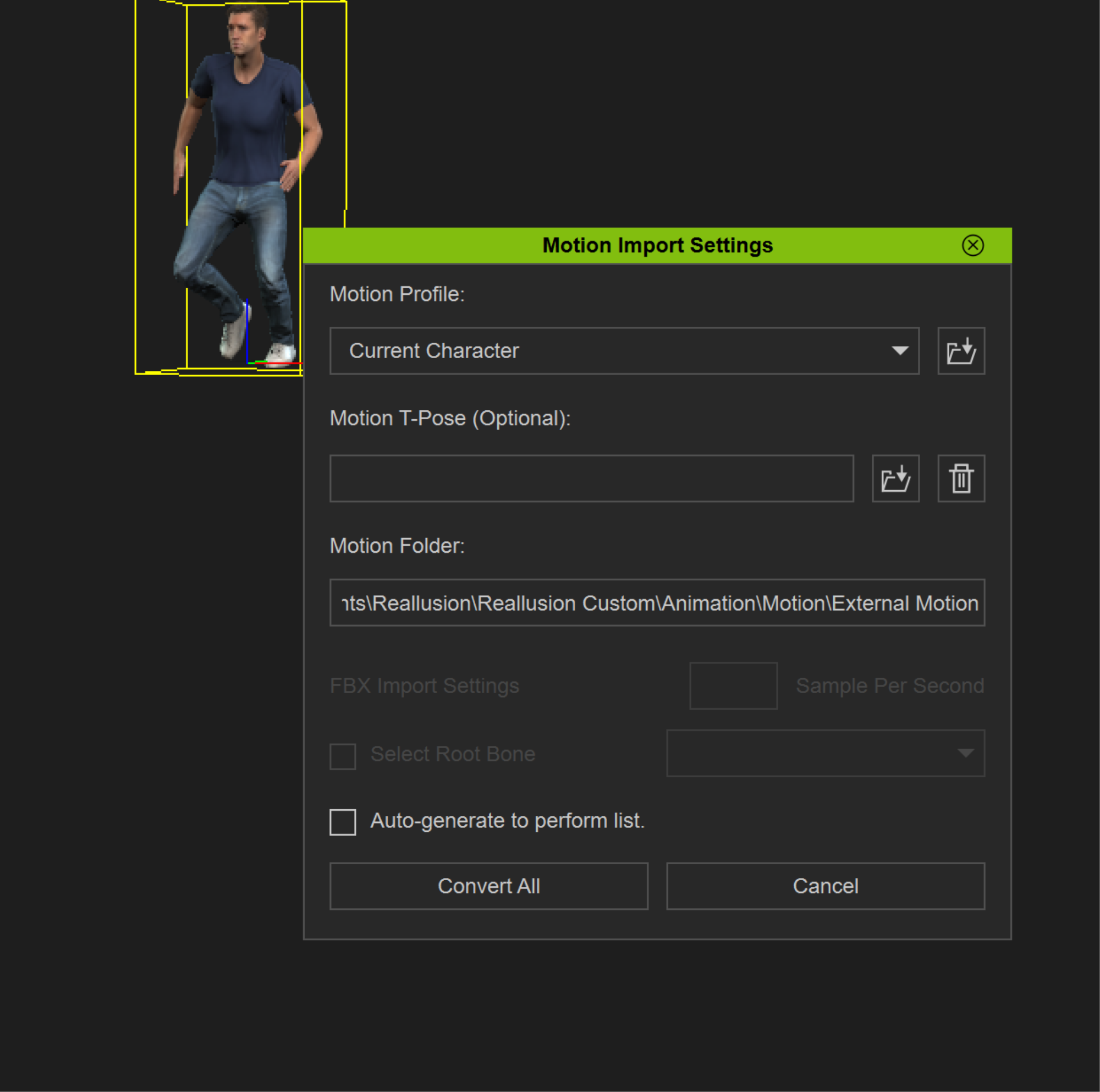
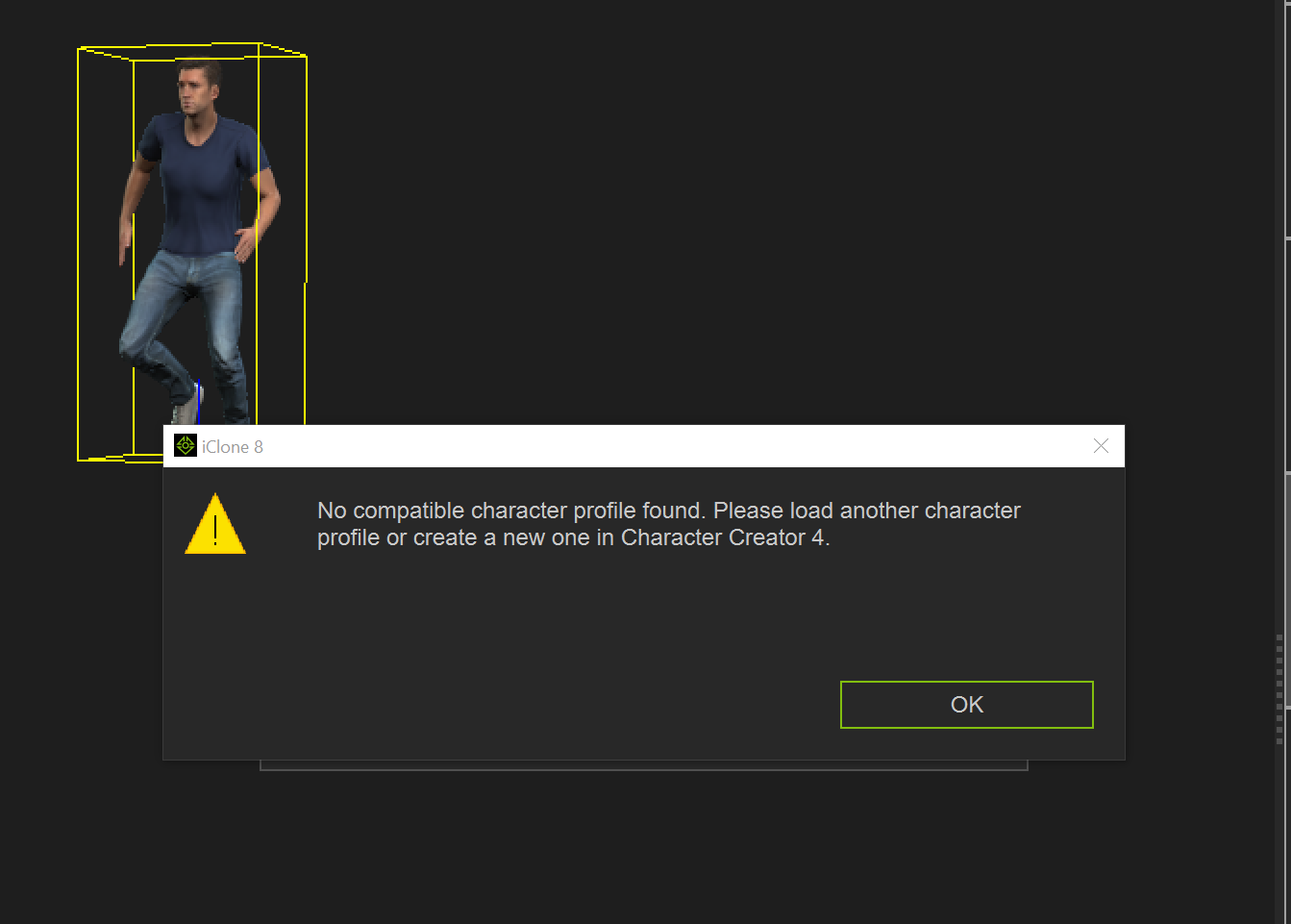
I could transfer my 3000 files to iClone 8, no problem, but I'm curious about your direct "modern" method. I tried to drag a file onto a standard dummy character in iClone 8, like you, and nothing happened except those two windows.
|
|
By 4u2ges - 4 Years Ago
|
@argus1000 You just browse to the Dataset.3dxProfile from that "Motion Profile" drop-down and click Convert All
However, as I have tested more, I would not recommend that method just yet.
Looks like CC4/IC8 are not ready for prime time motion conversion. Stick to 3DX for now.
The root motion is totally messed up.
Kevin in yellow shirt is moving with 3DX converted motion
Kevin in blue shirt has IC8 converted motion.
The problem with IC8 converted motion is pretty much clear...

|
|
By 4u2ges - 4 Years Ago
|
You can vote for 2 major issues with BVH motion conversion in CC4/IC8:
1. It is currently impossible to import BVH motion into CC4 for profile creation
2. Even if you already have a profile or import as FBX and created a profile, the motions are still converted improperly (root bone issue in particular).
FT Issue 8821: https://www.reallusion.com/FeedBackTracker/Issue/BVH-import-is-still-not-up-to-3DX-flawless-standard-just-yet
|
|
By argus1000 - 4 Years Ago
|
4u2ges,
You’re right. With your advice, as a test, I was able to transfer files directly to iClone 8 with the new method, but at a cost. The feet are noticeably sliding. Urg!
|
|
By Amper Sand - 4 Years Ago
|
Zeronimo (8/22/2022)
@animagic thanks a lot for the direct link, I too searched in vain without finding anything.
@Zeronimo, @animagic Why you didn't ask? When I edited the topic to include/mention the original one, I saw there people already tried it, so I thought it's easy to find it. Sorry for inconvenience :(
So, the recommended aproach is the "old-fashion" using 3DXChange for better results (ie, not sliding)? Honestly, my first attempt, for one motion, it was using the 3DXChange, but because was "static" (the bow one) it looked good, so I said to follow the modern trend, via IC8 :P There I observed the feet sliding, but I assumed is "embedded" in the .bvh, therefore will occur no matter if is imported using 3DXChange or directly IC8.
EDIT: upvoted @4u2ges' issue report
|
|
By 4u2ges - 4 Years Ago
|
|
Honestly, my first attempt, for one motion, it was using the 3DXChange, but because was "static" (the bow one) it looked good
lol, that is exactly what I did when I first reported CC4 is OK converting motions...
|
|
By animagic - 4 Years Ago
|
|
Amper Sand (8/22/2022)
@Zeronimo, @animagic Why you didn't ask? When I edited the topic to include/mention the original one, I saw there people already tried it, so I thought it's easy to find it. Sorry for inconvenience :(
No need to apologize! I went to the original thread and did get to the GitHub page, but I found it confusing, although the link was there somewhere...:unsure:
GitHub seems to be aimed at true geeks and I don't find it always that clear.
|
|
By Zeronimo - 4 Years Ago
|
+1 voted :)
|
|
By Zeronimo - 4 Years Ago
|
|
Amper Sand (8/22/2022)
@Zeronimo, @animagic Why you didn't ask? When I edited the topic to include/mention the original one, I saw there people already tried it, so I thought it's easy to find it. Sorry for inconvenience :(
So, the recommended aproach is the "old-fashion" using 3DXChange for better results
It's a bit my fault, I didn't look too long and I didn't insist when I saw that the GitHub site is not very clear. Can you tell me which 3DXProfile you used for the conversion.
|
|
By argus1000 - 4 Years Ago
|
Zeronimo (8/22/2022)
+1 voted :)
I voted too.
|
|
By Amper Sand - 4 Years Ago
|
Zeronimo (8/22/2022)
Can you tell me which 3DXProfile you used for the conversion.
Sure, the one provided by @4u2ges, see the zip attachment in his post:
https://forum.reallusion.com/513867/RE-new-BVH-motion-files#bm514288
|
|
By Zeronimo - 4 Years Ago
|
Thanks a lot for this quick answer, and thanks to 4u2ges for the profile
|
|
By mark - 4 Years Ago
|
This is a very useful collection. And thanks to 4u2ges and tripfreak it was a pretty painless process to get 'em installed! :D
|
|
By argus1000 - 4 Years Ago
|
I found 2000 new motions files for iClone on Youtube. They're very smooth and quite accurate. No conversion necessary.
https://mega.nz/file/2oFxDSLY#vlnK3KrPSOUVKkRhI8Q6A3uJ2R6kgddQgPTr6HyzBEo
|
|
By Zeronimo - 4 Years Ago
|
|
you are right, there are very good quality motions, and very fluid. Here is an example
|
|
By yepkoo - 4 Years Ago
|
The moves are very good.
I found the video and I also read a message from the video's publisher that it is allowed for commercial use.
There seems to be no way to confirm this.
However, if there was a problem, I think the channel or video would have been closed due to copyright by now.
|
|
By Goatcheese - 4 Years Ago
|
@yepkoo It's actually under a Creative Commons Attribution Non-Commercial No Derivatives licence. So it can be used for personal use, but not for commercial use unfortunately.
https://github.com/BandaiNamcoResearchInc/Bandai-Namco-Research-Motiondataset/blob/master/dataset/Bandai-Namco-Research-Motiondataset-1/LICENSE
|
|
By yepkoo - 4 Years Ago
|
Sorry, I meant the link @argus1000 shared.
However, I wrote a post without quoting because I forgot that the topic title is different.
2-3 posts above, he shared 2000 very good ready mocap links.
|
|
By AutoDidact - 4 Years Ago
|
@argus1000
Great find they retarget perfectly to my Auto rig pro rigs in Blender.. Thanks!
|
|
By yepkoo - 4 Years Ago
|
I started working on a short movie for my channel using UE + iClone for tutorial purposes.
I needed some animations and the animations I want are not even available in the RL store.
The interesting thing is that this package (animations shared by @argus1000) has all the animations I needed and it was a great luck :)
Now I can work comfortably.
|