|
By kreuzertravis - 5 Years Ago
|
Hi all. I am having problems getting the pose mode with CC3 characters exported from Iclone to work as I would expect it to. The thing I am trying to accomplish is to simply parent some armor/clothes to a character. By default, the armor/cloth pack that I have does not perfectly align with the character. The what should be simple solution to doing this would be do pose the character to where it fits the clothes/armor (easy) then assign the clothes/armor vertex groups to the bone.. But of course, it's not that easy. The clothes/armor parents correctly to the bone, however, they parent to the bones REST position. An easy fix SHOULD be to use the "apply pose as rest pose" option. However, when I do this, the armatures pose position will correctly become the default, but the characters mesh skin, cloths/accessories do not. They will stay in the default A position, when the armature is now in the correct position. I have tried to apply the modifiers on the skin which does get it to work correctly, however, you have to delete the shape keys to make it work.. which is the whole point in me exporting from Iclone in the first place.
Something odd and possibly related (?) that I have noticed; I have tried to export the character from CC3 in both A and T pose positions. Even on the T pose exported character, the default rest position is an A pose. Whats the point of being able to export in T pose if its rest pose is A? Honestly, the Reallusion/Blender workflow is a nightmare and I'm very frustrated. I spent a fortune for this to work correctly! It should be easier.
Anyways, some help would be much appreciated :)
|
|
By Rampa - 5 Years Ago
|
You might want to rig the armor to the character in CC3 Pipeline. See here.
https://manual.reallusion.com/Character_Creator_3/ENU/3/Content/Character_Creator_3/3/08_Cloth/Creating_Custom_Clothes_OBJ.htm
|
|
By kreuzertravis - 5 Years Ago
|
I've certainly tried, but honestly it's a huge pain in the ass and SHOULD be 10x easier in blender. I would rather try to figure out what's going wrong in Blender than to put up with a plan B workaround lol.
|
|
By 4u2ges - 5 Years Ago
|
Welcome to the club :)
Character shape keys are recoverable when you bring it back to CC (do not think cloth morphs, if you have any, are).
Check this post: https://forum.reallusion.com/FindPost480346.aspx and the post following after that.
They might give you ideas for your particular case of changing rest pose.
|
|
By kreuzertravis - 5 Years Ago
|
|
Looks like great information. Thank you!
|
|
By e1_scheer - 5 Years Ago
|
The whole TPose/APose/RestPose is a maze, not like amazing but something you easlily get lost in :)
Plus with each new character generation (likecc3+) backwards compatibility with other assets gets trickier.
And don't get me started on the blender pipeline, that's just a nightmare.
Although someone on the forums wrote an excellent plugin for exporting/importing to and
from blender which makes it a lot more predictable.
Here's the link for it :
https://forum.reallusion.com/475005/Blender-Auto-Setup
|
|
By kreuzertravis - 5 Years Ago
|
|
Great! Thank you
|
|
By michaelrbarton - 5 Years Ago
|
I don't know what your armor looks like. Did you try looking at the Marketplace for armor.
Reallusion is having a deal where you buy 3 items from 3 different sellers, and rate each one 5 stars.
Then June 4th, Reallusion will give you 1000 DA points just for doing that. You can use the DA points to buy items in the Content Store
or Marketplace. Here is some armor in the Marketplace almost half off. And you can download a trial version of this by clicking on arrow
and then download to use. It will be watermarked until you pay. But at least you can test it out before you buy anything.
It won't cost you anything just to download any trial version clothing. I have downloaded over 40. Some I have purchased.
And some I have not. You should give the trial a try.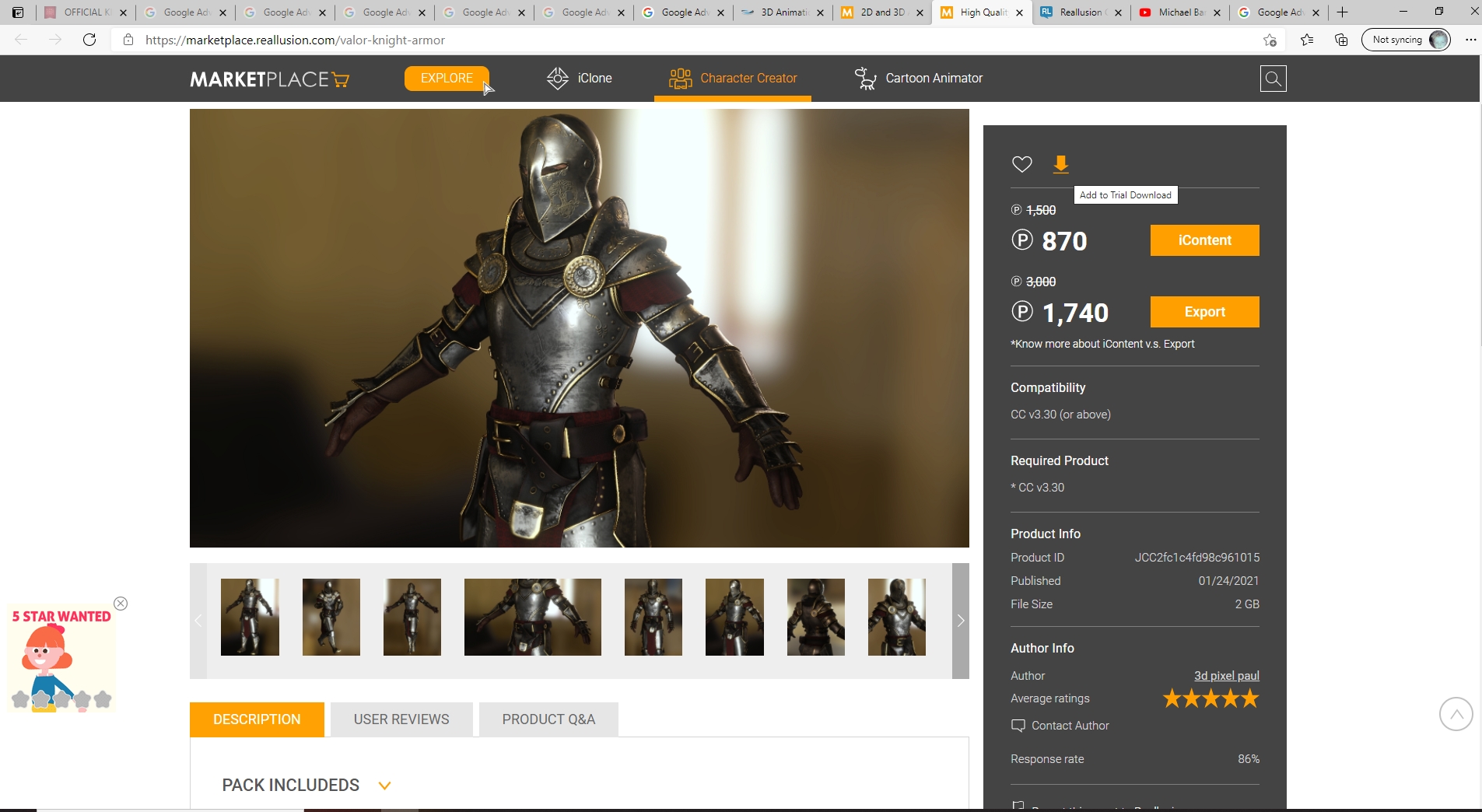
|