|
By lucasfarleigh - 8 Years Ago
|
Hi,
I have been trying to edit my character's skin, and in the tutorials it demonstrates where you click on the actor in the appearance tab in modify, and press the load appearance editor, however, in my case, it is greyed out so I cannot click it.
Why is this? An update?
I have not imported or exported the character.
Thanks in advance
|
|
By Dudicus - 8 Years Ago
|
|
I am having the same problem. The appearance editor is one of the greatest things about CC2.
|
|
By wires - 8 Years Ago
|
|
Reallusion have said that the CC3 skin can not be adjusted at the moment using the Appearance Editor. Older character skin can still be adjusted.
|
|
By argus1000 - 8 Years Ago
|
It's also my only and biggest deception about CC3. Now there is a work around. You have to use a CC1 character first, work on it with the appearance editor. and then convert it to CC3. But it'
s only a very slow work around. I don't believe the Daz characters you import are compatible with appearance editor. I don't understand Reallusion on this. What a let down!
|
|
By lucasfarleigh - 8 Years Ago
|
Yes,
When do you think we could be able to?
|
|
By Irrgeist - 8 Years Ago
|
As of now I think you can change the diffuse color of the skin material (Select all body parts, not the eyes, like in my screenshot xD):
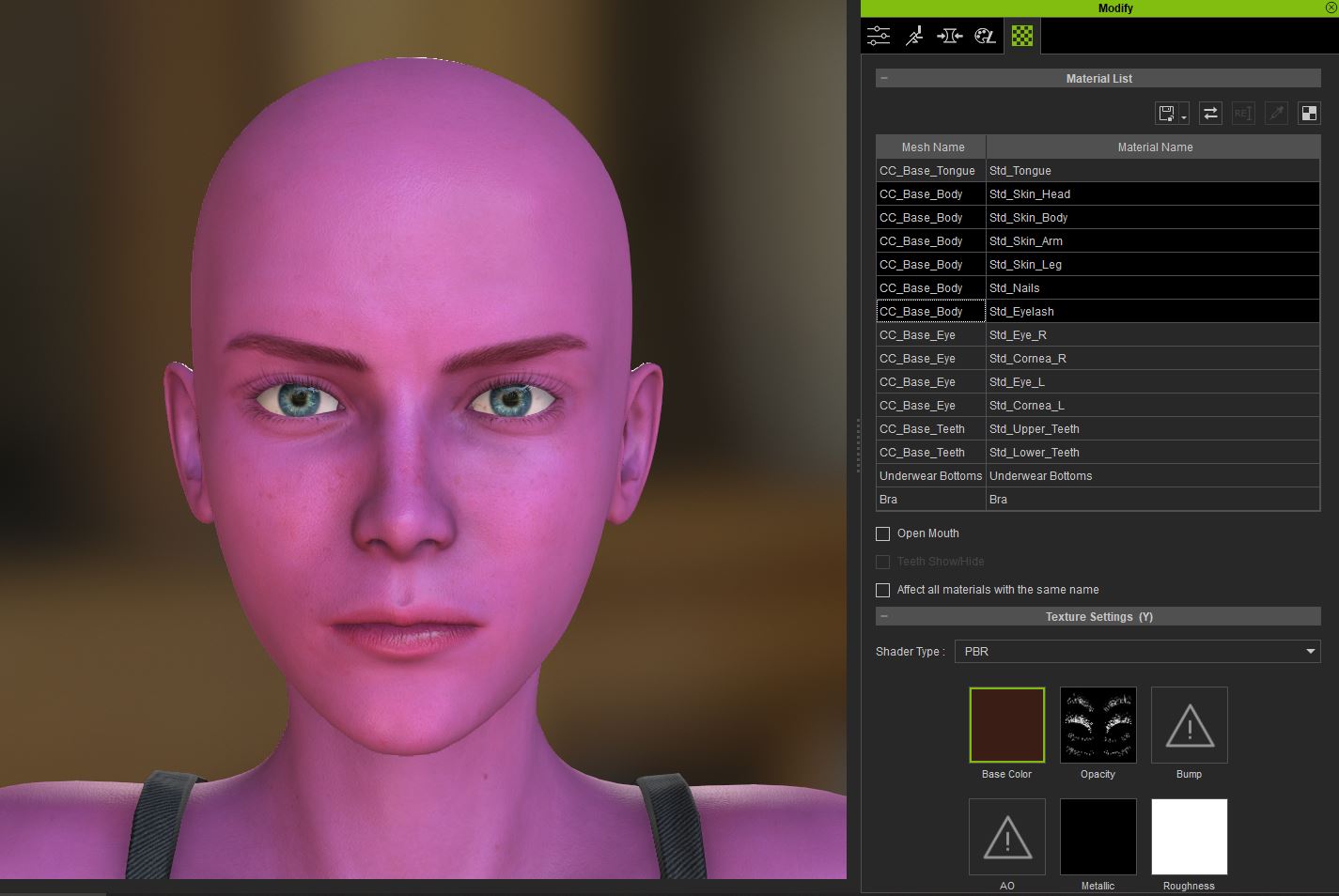
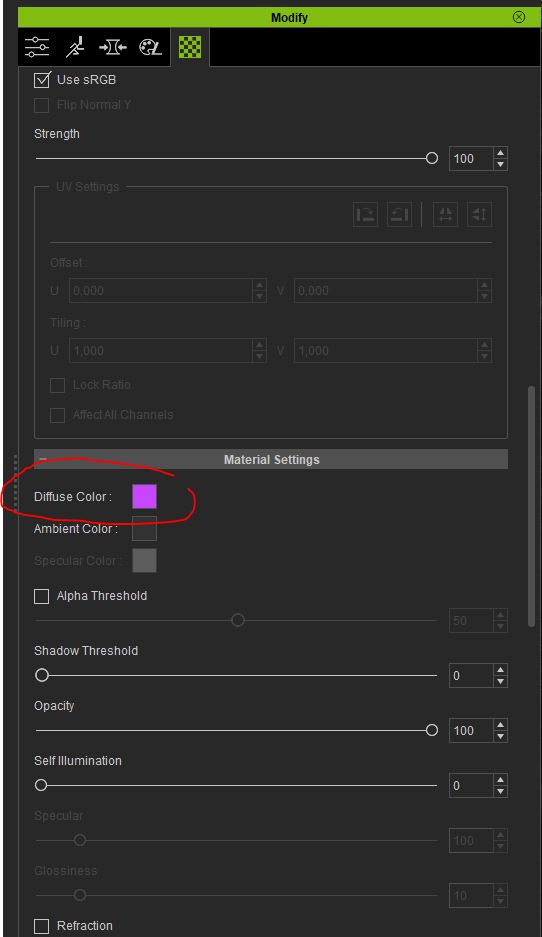
Changing the Eye color is not possible too I guess? Do I really need substance painter? And if so, is there any tutorial. The eyes seem to consist of 4 substances?!
Edit: okay I can export the diffuse and edit it in Affinity Photo
Edit 2:
Change Skin texture (New eyebrows and moles) and also two different eye colors:
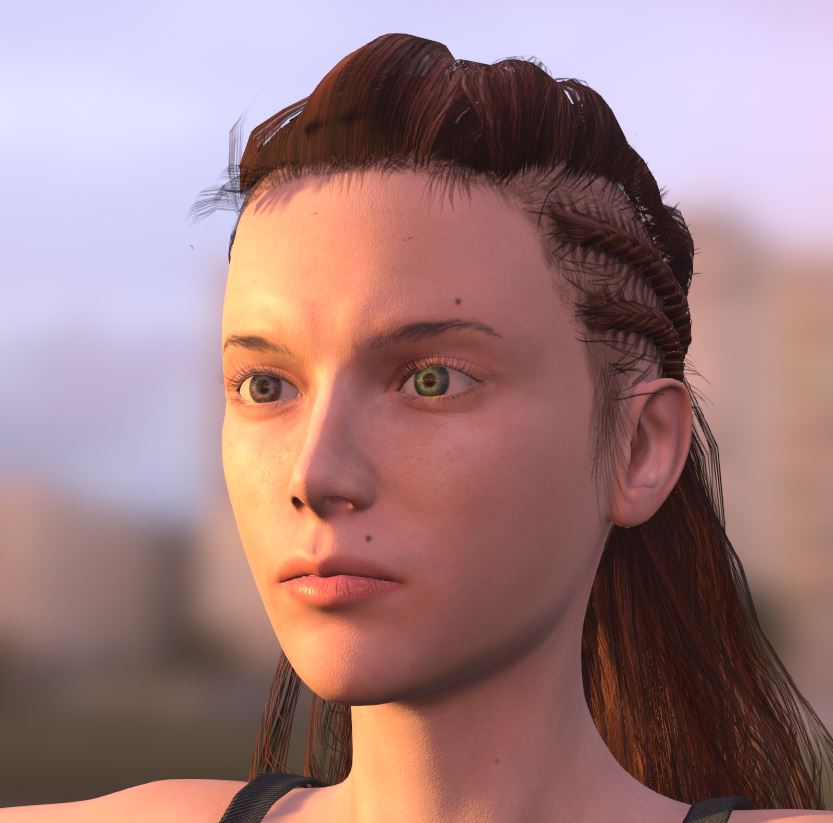
Here is an iRay render (the eye color seems to be the same in this one):

|
|
By lucasfarleigh - 8 Years Ago
|
|
How do I get cc1 as I only have cc2 & 3? And why can't I do this with cc2? Either way will it still have the same promised quality, or have the cc1 quality.
|
|
By VirtualMedia - 8 Years Ago
|
A Character Creator without the ability to effectively modify skin? This has to be do to a rush to get it launched early which I'm okay with. But they really need to post some tutorials for editing skin with ZBrush, 3DCoat and Substance Painter posted.
|
|
By lucasfarleigh - 8 Years Ago
|
|
So it will be released? What time will it come out?
|
|
By FrankGarrett316 - 8 Years Ago
|
argus1000 (9/29/2018)
It's also my only and biggest deception about CC3. Now there is a work around. You have to use a CC1 character first, work on it with the appearance editor. and then convert it to CC3. But it'
s only a very slow work around. I don't believe the Daz characters you import are compatible with appearance editor. I don't understand Reallusion on this. What a let down!
This is good to know. However, the only issue with doing it this way is that by clicking the button to convert CC1 to CC3, you don't get to use the 4K skin that a CC3 character could use (incompatible).
But I guess it's only a temporary workaround for now, so that's good.
|
|
By animagic - 8 Years Ago
|
|
lucasfarleigh (9/30/2018)
How do I get cc1 as I only have cc2 & 3? And why can't I do this with cc2? Either way will it still have the same promised quality, or have the cc1 quality.
cc2 character is mostly the same as cc1, that is cc2 is compatible with cc1. I agree that it is a bit confusing.
|
|
By Peter (RL) - 8 Years Ago
|
Thank for the feedback about this issue.
Please be assured we are working on making the CC3 Base compatible with the Appearance Editor. This will come via a free update.
|
|
By danielswright2311_182877 - 8 Years Ago
|
|
Also, it would be nice to be able to decide if there is a beard or not on the face, wrinkles and other stuff as well.
|
|
By Kareeem - 8 Years Ago
|
One thing i came across is that you can also double-right-click on any texture channel to open a window with more adjustments. Its not what your looking for here but sometimes it can help.
|
|
By herriottrobertg - 8 Years Ago
|
|
I can't wait until this gets fixed! I was wondering why I couldn't find some of the settings I remembered from CC2...now I remember they are in the appearance editor.
|
|
By Joevolve - 8 Years Ago
|
|
the workaround sucks, whats the point of having high quality mesh if the textures, are of low standard
|
|
By Kevin.S - 8 Years Ago
|
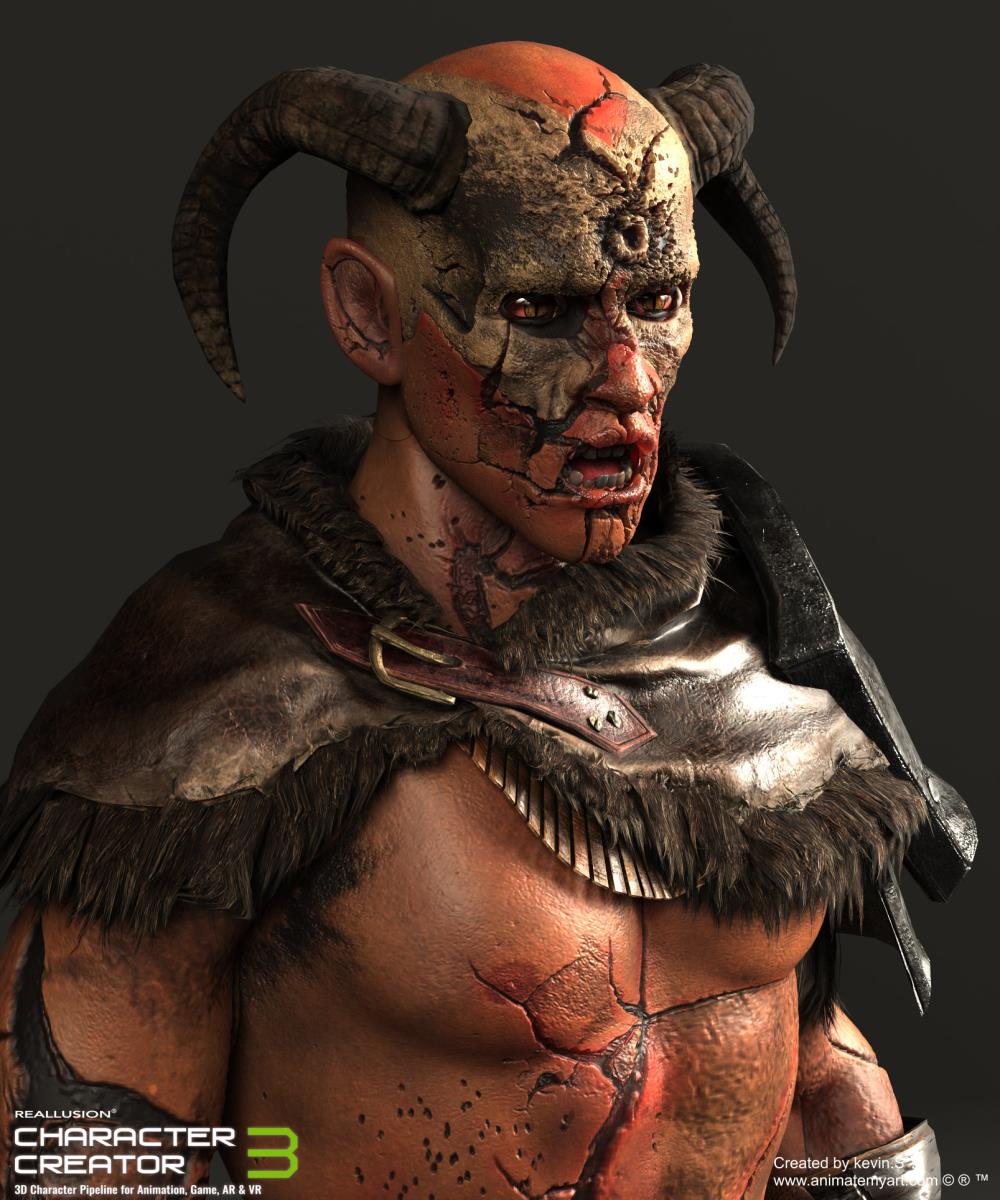
Make your own texture maps, bump maps blends etc etc... it takes a little time but you can create anything you want till things are all fixed up :-)
|
|
By mr_vidius - 8 Years Ago
|
|
Peter (RL) (10/10/2018)
Thank for the feedback about this issue.
Please be assured we are working on making the CC3 Base compatible with the Appearance Editor. This will come via a free update.
gee wiz Peter.. when you word things like that. you leave an open space for the voices in my head to comment.. LMAO.. and what they are
saying is that you imply that we are going to get charged for updates? LOL..
vidius
|
|
By animagic - 8 Years Ago
|
|
I would check the voices in your head...:P
|
|
By jkwenstad - 8 Years Ago
|
What is the timeline for the texture update? I have a client that needs the model to be aged and right now there is no easy way of completing the task. Is this something that will take a while to push to an update, or is it something that we will see soon. I would like to inform them a timeline till this feature is available.
Thanks... btw... great product, loving the new changes in CC3
|
|
By Jbowdoin - 7 Years Ago
|
Kevin.S (10/23/2018)
Make your own texture maps, bump maps blends etc etc... it takes a little time but you can create anything you want till things are all fixed up :-)
so how do you make bump maps that one is one I have not learnd
for my self yet
|
|
By omegablast2002 - 7 Years Ago
|
|
Just dropping by to say that a year later and we still dont seem to have a c3 model that can use the appearance editor...infact there is currently only 2 total models that can use it at all and theyre in essentials base....Disappointing.
|
|
By FrankGarrett316 - 7 Years Ago
|
|
omegablast2002 (12/28/2019)
Just dropping by to say that a year later and we still dont seem to have a c3 model that can use the appearance editor...infact there is currently only 2 total models that can use it at all and theyre in essentials base....Disappointing.
I totally agree, I would love to have this option available right now. Someone did give an estimated date that Reallusion apparently gave, but I don't know where this information is since this forum's search feature is broken.
|
|
By animagic - 7 Years Ago
|
dante1st (12/28/2019)
omegablast2002 (12/28/2019)
Just dropping by to say that a year later and we still dont seem to have a c3 model that can use the appearance editor...infact there is currently only 2 total models that can use it at all and theyre in essentials base....Disappointing.I totally agree, I would love to have this option available right now. Someone did give an estimated date that Reallusion apparently gave, but I don't know where this information is since this forum's search feature is broken.
If I recall correctly, it's Q1 2020.
They have been working on the Digital Human Shader, which had to be completed first before the Appearance Editor (AE) could be updated for CC3.
EDIT: I found Peter's post mentioning Q1 2020: https://forum.reallusion.com/FindPost427622.aspx.
|