|
By Peter (RL) - 10 Years Ago
|
Hi Everyone 
We have another new iClone update and need your continued assistance to help us track down any remaining bugs, glitches or other annoying issues.
iClone 6.5 adds several exciting new features and also comes a number of important fixes and enhancements.
Important: If you do find any bugs, issues or glitches in the 6.5 update, please can you first report them in the Feedback Tracker. Then feel free to discuss the issues in this thread. However do make use of the Feedback Tracker first to log the issue.
As always, do feel free to post general feedback about iClone in your own threads, but it will help us greatly if we can keep all outstanding issue discussion in the one place. This will help the development team keep track of any problems.
Please do try to provide your full system specifications and a detailed description of the problem when reporting issues. If you can provide steps so we can try and reproduce the problem this will be even better.
Many Thanks.
|
|
By brand468 - 10 Years Ago
|
Hi Peter,
Great iClone update, but i have some problems.
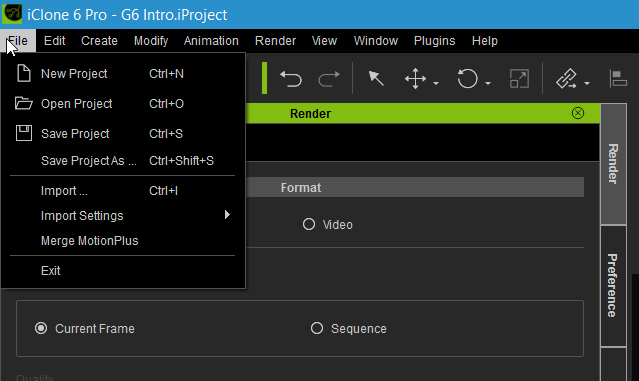
The File >> Exportbutton is missing in iClone, so i cant export to Alembic and 3Dxchange.
I have selected different characters and objects but i cant find any export options.
I tried to uninstall iClone and reinstall but same problem. In about iclonewindow i have iClone 6 pro version 6.5.3111.1 installed.
Also updated to latest GeForce driver 368.81 today.
Intel i7-3930 3.2Hhz16Gb memory Windows 10 and GeForce GTX 1080 +GeForce GTX 980 Ti
PROBLEM SOLVED:
Solved the problem by uninstalling 3DXchange and then reinstall it again.
|
|
By justaviking - 10 Years Ago
|
|
Peter (RL) (7/14/2016)
If you do find any bugs, issues or glitches in the 6.5 update, please can you post them here.
As always, do feel free to post general feedback in your own threads, but it will help us greatly if we can keep all outstanding issues in one place. This will help the development team track and eradicate any nagging problems.
What's the relationship between this thread and Feedback Tracker?
|
|
By woody173 - 10 Years Ago
|
HI not sure if this is the right place to ask this but i recently watched a youtube video about rotation in perform
(https://www.youtube.com/watch?v=EzGfotQf-do)
it shows that the transform gizmo rotates with the motion of the character which helps with the transitions in the motions. I was hoping that the addition would be added to the update but cant see it anywhere. If this is not in the update is their a tutorial to change the persona file has the author of the tutorial video has done as i think this would really help in the animation process. Thanks for your help
|
|
By mark - 10 Years Ago
|
Still can't navigate around the screen while creating a Path. We used to be able to use the ALT+RIGHT mouse combo to scroll around while creating a path. Can't seem to do that still in the new iC6. If you are trying to create a Path on a large set it's almost impossible.
Shadow Bias adjustment is still not very accurate ( I understand it will never be as good as Ray-Trace) with shadows but it's still not as accurate as iC5 was, as far as I can tell.
|
|
By Rampa - 10 Years Ago
|
woody173 (7/14/2016)
HI not sure if this is the right place to ask this but i recently watched a youtube video about rotation in perform ( https://www.youtube.com/watch?v=EzGfotQf-do)it shows that the transform gizmo rotates with the motion of the character which helps with the transitions in the motions. I was hoping that the addition would be added to the update but cant see it anywhere. If this is not in the update is their a tutorial to change the persona file has the author of the tutorial video has done as i think this would really help in the animation process. Thanks for your help
There is no UI for it in iClone, but it can be turned on in an AML (Persona) file. It does make alignment of motions pretty much fool-proof, but only works from the R-Click menu. When active, it will disrupt the align to body-part feature that is available for motion clips in the timeline. I still find it more useful than not, and believe most users would as well. :)
To use it, unzip and put the folder called "Locomotion" into your template/motion folder. You can put the Persona anywhere, but I put mine in either the template/Persona or Custom/Persona. Or just load it, or drag-&-drop.https://drive.google.com/open?id=0B3nsNVGroEz6cFp2ODQxX1hnUkE
|
|
By Gentlegiant783 - 10 Years Ago
|
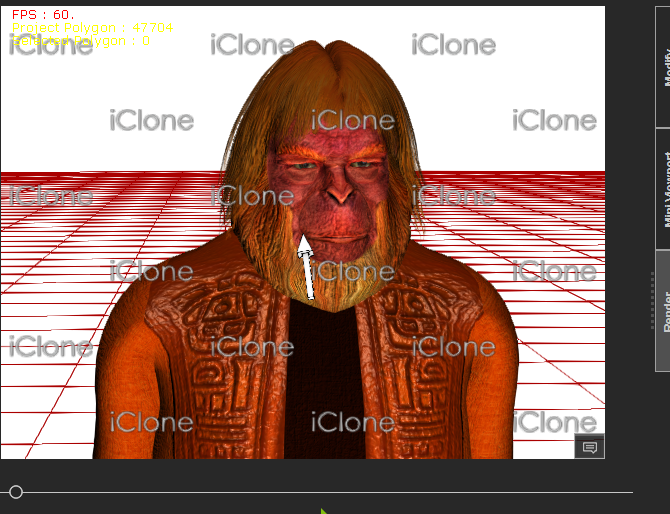
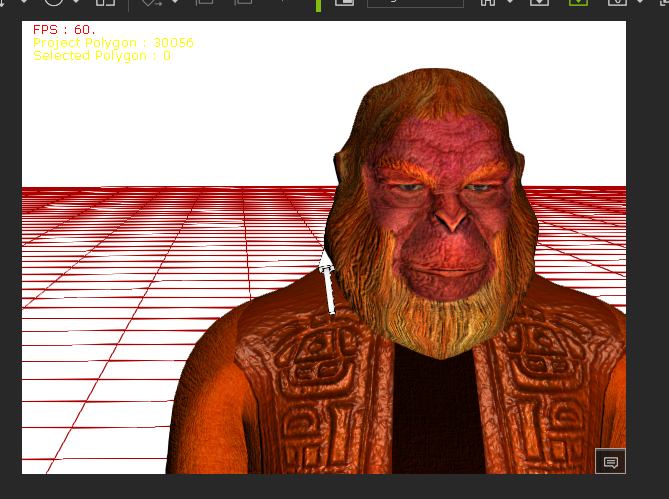
Now this is embarrassing
'
|
|
By Alan_M - 10 Years Ago
|
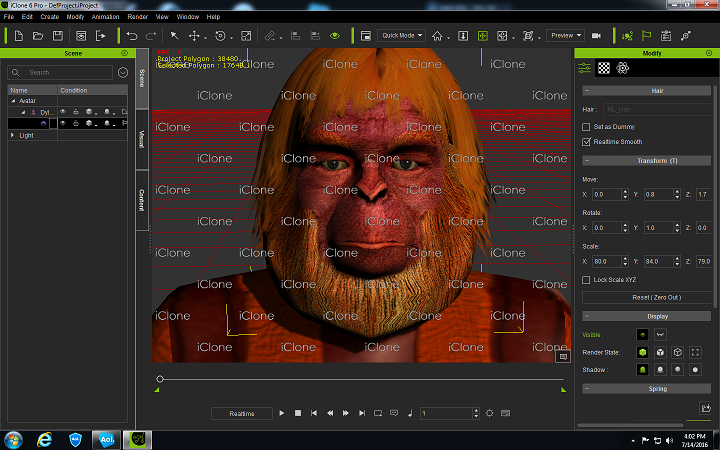
Is it my imagination? Shadows no longer seem to appear at all in the latest iClone 6.5 release!!!
|
|
By Alan_M - 10 Years Ago
|
OK seems to work now. Got spiked while working with a tessellation prop
|
|
By Gentlegiant783 - 10 Years Ago
|
 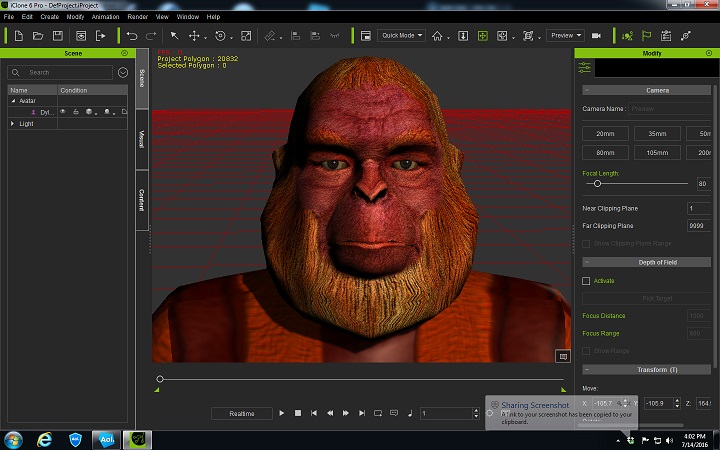
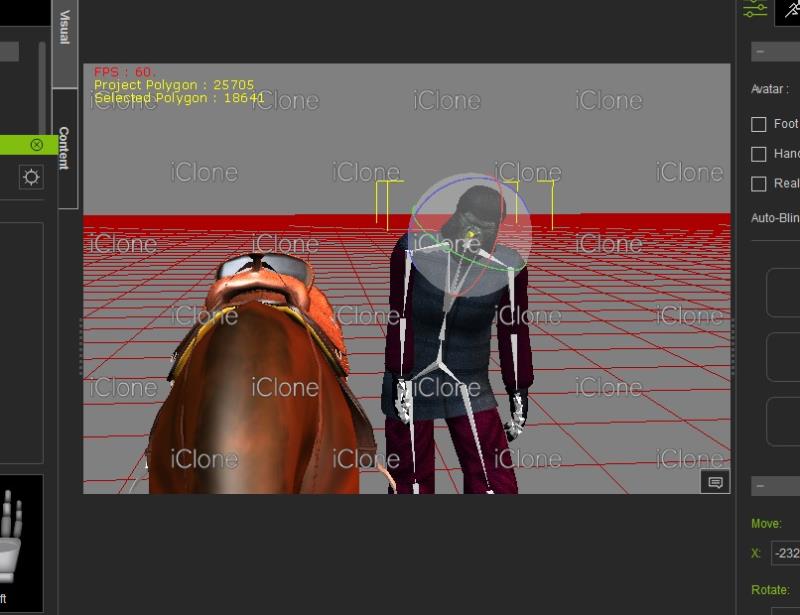
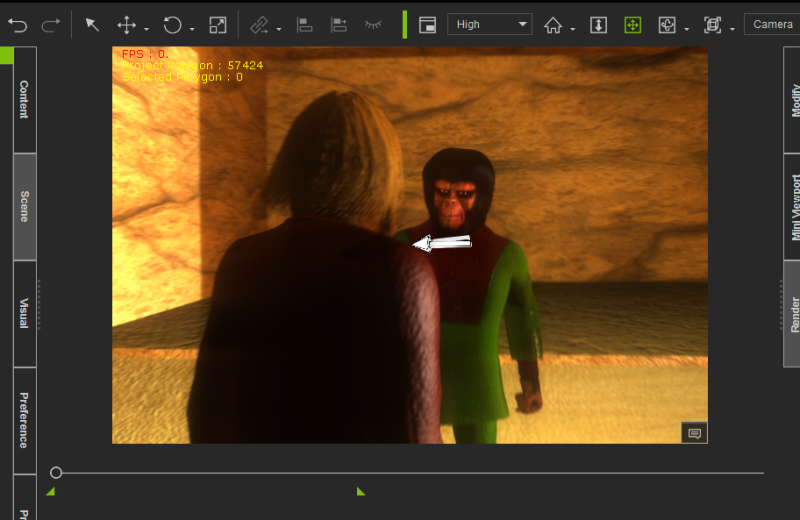
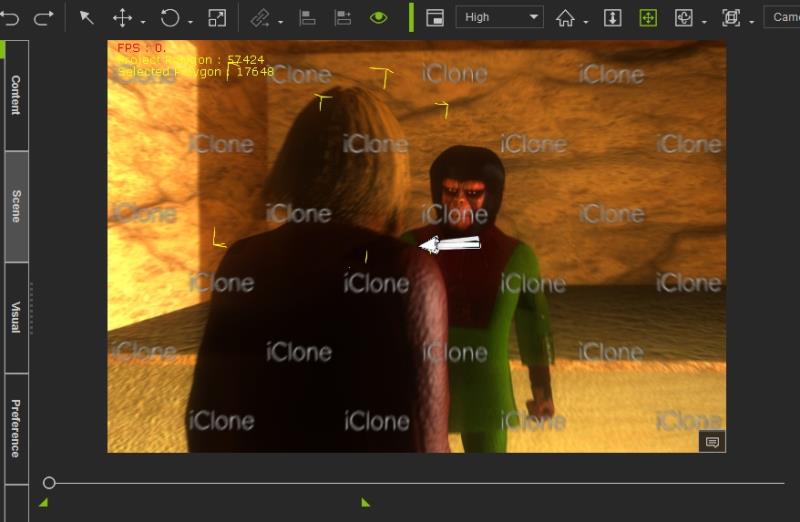
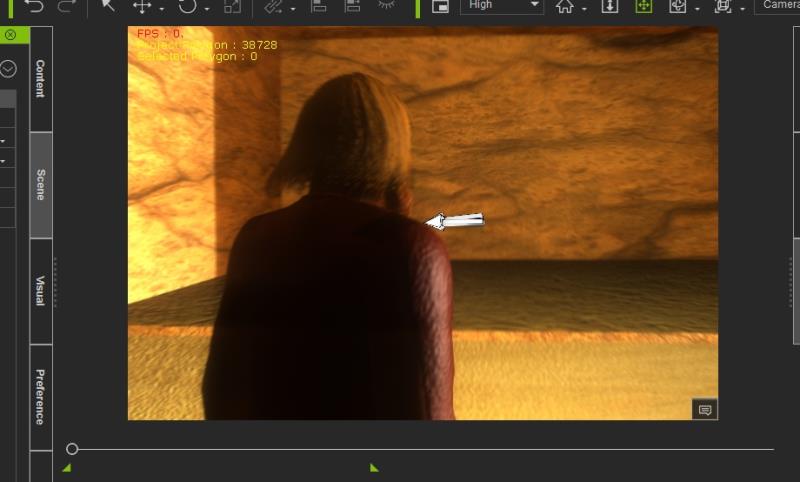
|
|
By BiggsTrek - 10 Years Ago
|
Not sure what the trigger is, but when working on a project and deleting a prop and then undoing it (I think this is the trigger) my screen gets filled with the iClone Watermark, even though everything is purchased.
I'll investigate further (different project, etc) and see if I can find a pattern, but wanted to give the Devs a heads up.
|
|
By BiggsTrek - 10 Years Ago
|
|
BiggsTrek (7/15/2016)
Not sure what the trigger is, but when working on a project and deleting a prop and then undoing it (I think this is the trigger) my screen gets filled with the iClone Watermark, even though everything is purchased.
I'll investigate further (different project, etc) and see if I can find a pattern, but wanted to give the Devs a heads up.
A quick update on this: I loaded several of my current projects and almost all of them do the same thing. I delete a prop/avatar/accessory (pretty much anything), then UNDO the delete and the watermark appears.
I then went to the Help menu and selected "Buy all trial contents" to see what it was complaining about, and in each of the projects it came up with this one, common accessory I had in each of them (a little shoulder loop I got with a costume I bought a year or two ago - http://city.reallusion.com/ContentPreview.aspx?i=JIC69a78e1d61d0827f1)
I actually use two in the project and if I then delete ONE of them (doesn't matter which), the watermark vanishes even though one remains. (That's not a solution, just a phenomenon I discovered.)
Very peculiar, and quite annoying bug you've got there. Hope to see a fix soon (let me know if you need specific details beyond the above.)
|
|
By Gentlegiant783 - 10 Years Ago
|
a majority of projects I've opend, and even knew ones started just to see what happens, has this issue, just about everything I've manipulated, customized in some way is doing this, but it can't seem to make up it's mind on what it's considering Trial Content, it' goes back and forth about it, I change a shirt, remove hair, Watermark disappears.
lol, I certainly have no intention of Re-purchasing anything, especially since I've had alot of this stuff for years without incident
|
|
By BiggsTrek - 10 Years Ago
|
|
Gentlegiant783 (7/15/2016)
a majority of projects I've opend, and even knew ones started just to see what happens, has this issue, just about everything I've manipulated, customized in some way is doing this, but it can't seem to make up it's mind on what it's considering Trial Content, it' goes back and forth about it, I change a shirt, remove hair, Watermark disappears.
lol, I certainly have no intention of Re-purchasing anything, especially since I've had alot of this stuff for years without incident
That's not good, but good to know I'm not the only one suffering from this.
For me it's a deal breaker. I cannot continue working on my movie with this bug.
REALLUSION, please advise us on what steps you are taking to rectify the issue! Even a roll back to the previous version would be better than what we have now.
Thank you.
|
|
By wires - 10 Years Ago
|
I'm getting the same watermarked scene when using delete/undo.
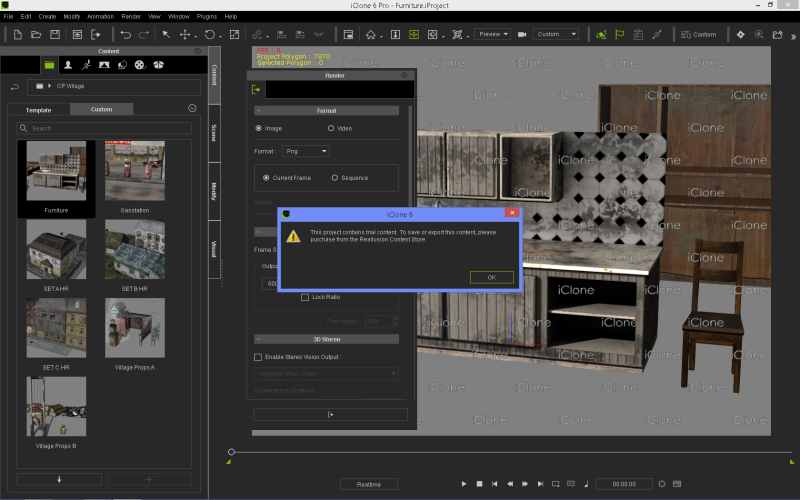
|
|
By wires - 10 Years Ago
|
|
I've added this watermark problem to the Feedback Tracker here. It would help if others suffering from this problem would at least post a comment to reinforce it.
|
|
By Postfrosch - 10 Years Ago
|
I habe the same error when i delete/undo = Watermarket
Greets from Germany
Postfrosch
|
|
By BiggsTrek - 10 Years Ago
|
wires (7/15/2016)
I've added this watermark problem to the Feedback Tracker here. It would help if others suffering from this problem would at least post a comment to reinforce it.
Have done so, thanks!
|
|
By STENDL - 10 Years Ago
|
Hello
I would like to say i too am having problem with the alembic exporter not appearing after installing the 6.5 update.
Kind Regards
Dominic C
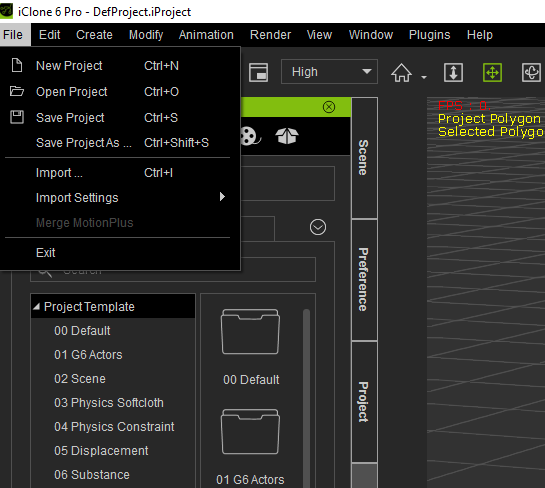
|
|
By brand468 - 10 Years Ago
|
Hi, STENDL,
I had the same problem you after the update.
Solved the problem by uninstalling 3DXchange and then reinstall it again.
|
|
By STENDL - 10 Years Ago
|
I have tried that and it didn't work for me what version of 3DXchange is required, is there a patch for that also?
|
|
By animagic - 10 Years Ago
|
|
There is a 3DXchange 6.5 patch. You will find it on your member page.
|
|
By animagic - 10 Years Ago
|
|
I've encountered the watermark issue (although not as excessively as reported now) and reinstalling the offending content resolved it. So the problem is real, and it wouldn't do to have to reinstall all content.
|
|
By BiggsTrek - 10 Years Ago
|
|
animagic (7/15/2016)
I've encountered the watermark issue (although not as excessively as reported now) and reinstalling the offending content resolved it. So the problem is real, and it wouldn't do to have to reinstall all content.
Glad that worked for you! :) Unfortunately I tried it to no avail. :(
|
|
By brand468 - 10 Years Ago
|
|
STENDL (7/15/2016)
I have tried that and it didn't work for me what version of 3DXchange is required, is there a patch for that also?
I have 3DXchange pro pipeline, and first time i used the 1.5 patch.
Then i uninstalled all and make a full install.
|
|
By borgman - 10 Years Ago
|
Hi ,
I've noticed that the Perception Neuron Motion Capture beta plug-in is not working with the latest iClone build.
I'm using the same settings as before,it's always worked perfectly fine previously.
The Neuron Console panel Server Settings allows you to connect and disconnect ,
but the Preview and Record buttons on Neuron Console panel are frozen.
So no motion is picked up from Axis Neuron.
|
|
By gregsin - 10 Years Ago
|
Water marks all over the screen. It seems to have to do with the undo function. My first experience with this was this morning, I hit control z to undo the previous task and watermarks appeared all across the screen. It showed I had trial content in the scene. The supposed trial content was Appartions Christmas Carolers (which I had purchased with DA points) and a dried mud prop from the movies 4 pack (I had purchased from the content store. I couldn't find the two products and wanting to continue I repurchased them (hoping to get my points refunded) and the water marks went away. As the scene progressed I added a couple of custom Gen 5 Characters (custom chucks) to the scene and with the next use of control z the water marks reappeared showing the two chucks as trial content. It's getting frustrating. I would suggest holding off on the update until this is fixed.
Greg
|
|
By mariusjensen01 - 10 Years Ago
|
After upgrading 3DXchange 6.4 PRO to 3DXchange 6.5. PRO program will not start at all. There comes up message that says: System error. It is claimed that a system file mfc120u.dll is missing. Why is that? - And what do I do?
WIN 10 – Intel Core i7 - 8GB Ram- GeForceGTX 745

|
|
By Tapani - 10 Years Ago
|
Hi mariusjensen01, found some instructions - hope it will help
http://kb.reallusion.com/General/50343/How-to-fix-The-program-cant-start-because-mfc120udll-is-missing-from-your-computer
|
|
By rgreenidge - 10 Years Ago
|
|
I was working on a scene in a limo I purchased on iClone. I had to go check to see if I actually bought it. I wanted to place some avatars sitting in the limo, when I accidently changed the maximum clipping settings, instead of the minimum so I could see the avatars in the back of the limo through the backs of the front seat. When I put the maximum setting back to it's default 9999 value, the watermark filled the screen. No click to buy or any option could be found to remove or acknowledge it. I had to delete the limo, and the watermark disappeared. I put the same limo back in the scene and so far no watermarks.
|
|
By mariusjensen01 - 10 Years Ago
|
|
Thanks for the help. Has followed the instructions. And it helped. Now I can start the program again.
|
|
By sbaerman - 10 Years Ago
|
|
Iclone crashes when exporting scenes to Indigo. E.g. if you export the abandoned house scene from Iclone.
|
|
By Gentlegiant783 - 10 Years Ago
|
|
I've uninstalled iClone 6, and reinstalled with the 6.4 patch until the bugs in 6.5 get fixed
|
|
By Alien Maniac - 10 Years Ago
|
Water marks all over the screen. It is to do with the undo function.
YUP it is a real bad BUG!
Now we can not do much in IC6. Save and reload the scene.....over and over and over again....Doh!
Someone call BUGBUSTERS! What a pain trying to work like this.
|
|
By wires - 10 Years Ago
|
The File menu is missing the Export option. I have uninstalled/reinstalled 3DXchange without it making any difference.
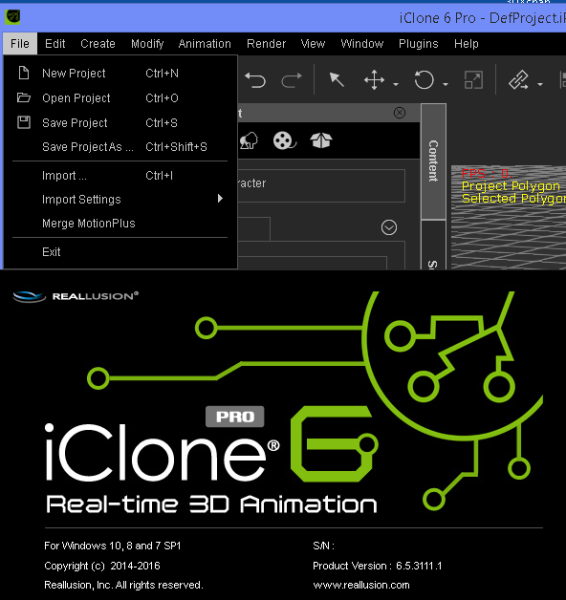
This update does not make animating a pleasure.
|
|
By mr_vidius - 10 Years Ago
|
|
Gee.. with all the bug fun taking place.. I'm looking forward to iclone 7!!! let the infestations begin!! :laugh:
|
|
By Peter (RL) - 10 Years Ago
|
|
justaviking (7/14/2016)
What's the relationship between this thread and Feedback Tracker?
Good question.
Initially we thought a separate discussion thread on issues would be a good way to gather more feedback on any problems you are having. However we now see this is causing some confusion. Because of this I have updated the original post to make it clearer. Please see the change below.
Important: If you do find any bugs, issues or glitches in the 6.5 update, please can you first report them in the Feedback Tracker. Then feel free to discuss the issues in this thread. However do make use of the Feedback Tracker first to log the issue.
Apologies for the confusion caused.
|
|
By justaviking - 10 Years Ago
|
Thanks for the clarification, Peter (RL).
I like that. Formally report them there, discuss them here.
Sounds like several people are having issues with watermarks and a missing Export menu. Hopefully those can be addressed in an emergency 6.5.1 patch in just a couple of days.
|
|
By digitath - 10 Years Ago
|
|
same problem of watermarks to me.
|
|
By wildstar - 10 Years Ago
|
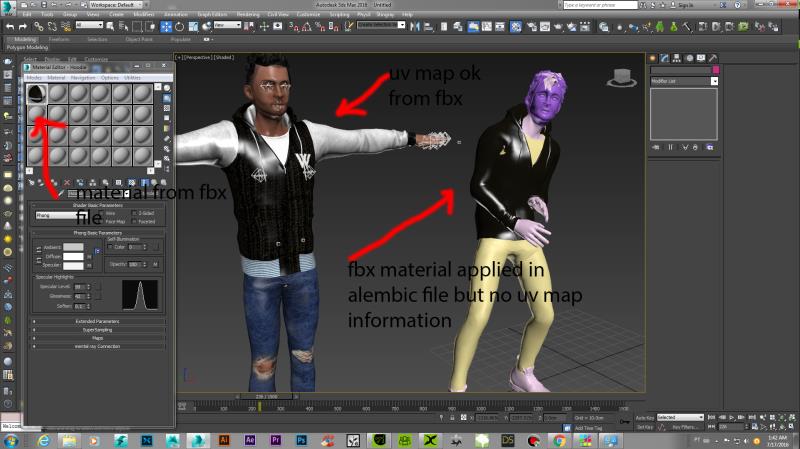
hello , i am a 3d max user, the Alembic export works great but loose all uv map information, i import the fbx file with the character and uv maps inside max, and import the alembic file , when i get the material shader from fbx and assign to the same in alembic the material go but the uv map reference is lose
|
|
By wildstar - 10 Years Ago
|
hello , i am a 3d max user, the Alembic export works great but loose all uv map information, i import the fbx file with the character and uv maps inside max, and import the alembic file , when i get the material shader from fbx and assign to the same in alembic the material go but the uv map reference is lose
|
|
By wildstar - 10 Years Ago
|
|
for export softcloth animations to render outside iclone
|
|
By wendyluvscatz - 10 Years Ago
|
I have gotten the watermark issue clicking undo now too
is a PITA to say the least to have to start over
|
|
By wires - 10 Years Ago
|
|
It would appear that using the undo function after ANY action will trigger the watermark. Comments confirming this issue can be added to the issue post in the Feedback Tracker here.
|
|
By wildstar - 10 Years Ago
|
|
the problem with alembic solved i is a incompatibility issue with alembic plug in from 3d max 2016 , so the iclone alembic export is NOT compatible with 3d max 2016, works in 3d max 2017
|
|
By Alien Maniac - 10 Years Ago
|
Can someone please verify this bug I am experiencing in IC6.5? with VR360
It has not been reported yet. I want to see if anyone else can verify if it is a bug.
1 I have a scene and render set to VR360 is set on.
Note: I can NOT work on scene as the prop selection tool is way too small to see.
2. Now I de-select VR360 in the render settings.
What happens now is that any prop I select and add a motion> the prop disappears.
but It does come back later on in the scene though.
How weird is that?
|
|
By vidi - 10 Years Ago
|
Morph Slider Creating ist now broken with Mudbox
No matter what I use . Template or export from CC , also a with import and export as obj via DAZ Studio do not fix this any more :crying:
|
|
By planetstardragon - 10 Years Ago
|
I don't know if this is a bug or limitation -
the camera won't turn clockwise nor counterclockwise - when i was trying to use the water as a mirror, it was impossible to move the camera in order to re-align the image. the locked rotation functions are extremely limiting creatively.
|
|
By Rampa - 10 Years Ago
|
|
planetstardragon (7/17/2016)
I don't know if this is a bug or limitation -
the camera won't turn clockwise nor counterclockwise - when i was trying to use the water as a mirror, it was impossible to move the camera in order to re-align the image. the locked rotation functions are extremely limiting creatively.
That's a limitation. You can accomplish what your after a little easier by linking the camera to a dummy object That sits directly in front of the camera. Now, when you look through the camera view, select the block and rotate it instead. Because the camera is linked to it, it will also rotate.
I think you do need to go to menu "Edit/Camera" and un-check "Auto Level" as well.
|
|
By wildstar - 10 Years Ago
|
i want know about the dev team if a compability with from iclone alembic and max 2016 will be implemented
|
|
By animagic - 10 Years Ago
|
|
wildstar (7/17/2016)
i want know about the dev team if a compability with from iclone alembic and max 2016 will be implemented
Alembic is neutral as to the application, so if the Max alembic implementation is correct it should work. I have tried with a variety of programs without problems.
|
|
By wires - 10 Years Ago
|
RL have posted on the Feedback Tracker that they cannot reproduce the watermark issue. I have posted a short screen capture demonstrating this problem, and sent them the project file used to test.
|
|
By BiggsTrek - 10 Years Ago
|
|
wires (7/18/2016)
RL have posted on the Feedback Tracker that they cannot reproduce the watermark issue.
We have devs like that where I work. Strikes me that they didn't try very hard and took the easy path (put it back on the user to prove). Hopefully your evidence will suffice and they can finally fix this EXTREMELY ANNOYING BUG.
|
|
By Alien Maniac - 10 Years Ago
|
LOL really??????
If RL can not find the same problem that we are all experiencing with the undo button......they just need to use IC 6.5 on any PC. LOL
or
Apparently all of us MUST have a corrupted download of IC 6.5
Has anyone tried to uninstall IC 6.5 and re-download and reinstall it? Just curious.
I have also found that the spotlight rotate does not work correctly. Can anyone verify this?
|
|
By mark - 10 Years Ago
|
I just tried the Spotlight rotate and seems to work fine here. I have also been trying the last few days, with many different projects and assets bought and built, and I can't seem to duplicate the UNDO problem either. Sorry...I just hate these problems that can't be replicated by everybody but so far I'm having no problem with UNDO and I've tried every-which-way I think ?
|
|
By Alien Maniac - 10 Years Ago
|
UPDATE: 6.5.3111
OK, I uninstalled IC>. Rebooted
I redoownloaded IC from my inventory. (NO patches) (was 6.5.3111)
I installed IC>setup 3d settings for Nvidia and set to run as Administrator
I rebooted
NOW:
The same exact problem is still there. Watermarks on UNDO
I have 2 copies if IC on 2 computers. BOTH do the same Watermarks on Undo.
|
|
By Peter (RL) - 10 Years Ago
|
|
wires (7/18/2016)
RL have posted on the Feedback Tracker that they cannot reproduce the watermark issue. I have posted a short screen capture demonstrating this problem, and sent them the project file used to test.
Hi Gerry,
Thanks for supplying the video and project. We are urgently looking into this issue. As soon as I have more news about a fix I will update again to let you all know.
Apologies for the inconvenience this issue is causing.
|
|
By wildstar - 10 Years Ago
|
|
The New function Lip Options implemented in Iclone 6.42 . dont export to fbx by collect clip function i post here cause i think is a important issue, i believe this issue comes from 6.42 version and no one knows.
|
|
By animagic - 10 Years Ago
|
|
wildstar (7/19/2016)
The New function Lip Options implemented in Iclone 6.42 . dont export to fbx by collect clip function i post here cause i think is a important issue, i believe this issue comes from 6.42 version and no one knows.
Do you save the Collect Clip as MotionPlus? That is required for facial animation.
|
|
By Gerskey - 10 Years Ago
|
Hi Peter,
when I drop and drag an image into Iclone as background or as a billboard it's upside down?
Peace
Gerskey
|
|
By wires - 10 Years Ago
|
|
Gerskey (7/19/2016)
Hi Peter,
when I drop and drag an image into Iclone as background or as a billboard it's upside down?
Peace
Gerskey
I just tried this using both jpg and png photos, all came in to iClone without any problems.
|
|
By wildstar - 10 Years Ago
|
yep, all info goes to FBX but lip options not, so if you plan use your animation with lyp sinc outside iclone dont use lip options or will get a bad surprise
|
|
By wildstar - 10 Years Ago
|
animagic (7/19/2016)
wildstar (7/19/2016)
The New function Lip Options implemented in Iclone 6.42 . dont export to fbx by collect clip function i post here cause i think is a important issue, i believe this issue comes from 6.42 version and no one knows.Do you save the Collect Clip as MotionPlus? That is required for facial animation.
sure i do, the lip options information like smoth, dont go to fbx, so if you plan use your animation outside iclone dont use that or will get a bad surprise like me
|
|
By theschemer - 10 Years Ago
|
Watermarks on UNDO. Argghh. Added vote to the tracker. There are only 8 votes there and I would imagine there are more than 8 people with this issue. Add your vote here:
CLICK HERE TO ADD YOUR VOTE
TS
|
|
By wendyluvscatz - 10 Years Ago
|
|
Thanks, was too lazy to look it up and yes only happens new scenes, my workaround is to clear saved ones now.
|
|
By Peter (RL) - 10 Years Ago
|
|
For those experiencing the Undo > Watermark issue, can you try running "Content - 1 Click Verification" (be warned it might take a long time). In addition can you let us know if the projects affected are stored in your iClone Custom Projects folder or are they saved elsewhere on your computer such as the Desktop?. Thanks.
|
|
By Peter (RL) - 10 Years Ago
|
|
Gerskey (7/19/2016)
Hi Peter,
when I drop and drag an image into Iclone as background or as a billboard it's upside down?
Peace
Gerskey
We can't reproduce this problem so it might a dodgy image file. Can you try with other images just to check. Thanks.
|
|
By Alien Maniac - 10 Years Ago
|
Hi Peter,
I did try 1 click verification......not the problem.
OK, I did some further tests.
Only the IC 6.4 projects on IC 6.5 are having the watermarks on UNDO.
Any new project (IC 6.5) work properly w/o watermarks.
None of the 6.4 projects have any un-purchased items in them. Verified.
I did uninstall IC 6. do a fresh download and install with all necessary settings. Same Problem and it is on both of my computers with IC 6.5 now. It is very odd that only a few people are having this issue.
When I make a new project (IC 6.5), everything appears to work great. When I load an IC 6.4 pre-made project.....NOT. They all have Watermarks on Undo. I have over 60 Pre-made projects that I can no longer use and must redo all of them? OHhhhh thu Pains and months of work....and now?
If I were you (RL)
I suggest to do as we have had to do.
1. Use a computer with IC 6.4 on it. (and with project files)
2. Update the Ic 6.4 to IC 6.5
3. Load a 6.4 project
4. Hit undo
If new projects work OK, but pre-built projects (IC 6.4) will not work in IC 6.5 and That Issue does not affect all computers Is it due to any specific computers?
I use MSI.GT 72 GTX 970M and an MSI GT683DX GTX570M. Both experience the same problem. UNDO Watermarks.
What computers are the others with this problem using?
Just a thought! We MUST find the problem and solution soon.
I know that RL is really baffled by this and are trying their best! What can we do to help?
|
|
By Rampa - 10 Years Ago
|
|
If it is only 6.4 projects causing the issue, would re-saving the projects (under a new name) from 6.5 maybe alleviate the issue?
|
|
By Postfrosch - 10 Years Ago
|
Hi Peter (RL)
I can confirm the statement of "Bry42".
Too have "1 Click Verfication" run "
It änder nothing to the watermarks when I use the "Undo" function
I deleted 6.5 and completely reinstalled. it is the same error
All projects 6.5 bring these watermarks according to the "undo"
6.5 projects go (for now?)
My projects are 6 project directory is not in the IC. Since IC I 6benutez own directory
Strange that once again only a few users are affected
Greeting Postfrosch
|
|
By Peter (RL) - 10 Years Ago
|
Thanks Bray and Rampa and Postfrosch for the feedback. It doesn't appear to be all 6.4 created projects as it isn't happening to those we have tested.
@Rampa if you have a download link for the project that you show in the video can you PM it to me. Thanks.
|
|
By Postfrosch - 10 Years Ago
|
|
If it is only 6.4 projects causing the issue, would re-saving the projects (under a new name) from 6.5 maybe alleviate the issue?
Hi Rampa,
no no works. Undo ist Watermarket
Greets Postfrosch
|
|
By Rampa - 10 Years Ago
|
|
Peter (RL) (7/19/2016)
Thanks Bray and Rampa for the feedback. It doesn't appear to be all 6.4 created projects as it isn't happening to those we have tested.
@Rampa if you have a download link for the project that you show in the video can you PM it to me. Thanks.
Oops! Got names crossed. I was not the one having the issue. Hopefully whoever it was will jump forward. :)
|
|
By Tarampa Studios - 10 Years Ago
|
Hi Peter,
This may sound like an odd question, but does the 1-click verifier work for packs and items that were purchased via the city marketplace, as well as the content store?
I only ask without actually trying it myself again yet, because my combined library of purchased and customised content from both stores is over 224Gig (almost 44,000 files), and because the fastest internet speed I can get out here in rural Australia is rarely higher than 6kbps, so the last time I tried to 1-click verify everything it took over 3 days, running 24 hours and preventing me from doing anything else... and then it crashed without getting halfway through the task anyway... and as a result, the pack checker in iC6 still shows many dozens of packs that I purchased from one store or the other as being either uninstalled or "new", when they should be neither.
So I'm also wondering is there any safe, fast and easy way to get all of my content from my old reliable (and comprehensive) iC5 files into iC6 yet, without losing or overwriting any of the new content for iC6 - some of which coincidentally have the same names as files in my old iC5 library...?
|
|
By BiggsTrek - 10 Years Ago
|
|
Peter (RL) (7/19/2016)
For those experiencing the Undo > Watermark issue, can you try running "Content - 1 Click Verification" (be warned it might take a long time). In addition can you let us know if the projects affected are stored in your iClone Custom Projects folder or are they saved elsewhere on your computer such as the Desktop?. Thanks.
Hi Peter,
I clicked the 1 Click verification about 30 mins ago and it's still sitting on 0 %, so I think that's a bust. I'll give it another 30 and see.
Also, I store my projects in the default directory (or a sub directory of that, actually.) No place weird...
|
|
By planetstardragon - 10 Years Ago
|
i'm trying to load a 4k mov file into iclone, getting an out of memory error ....are we using the vram to load videos ?
|
|
By wendyluvscatz - 10 Years Ago
|
my mp4 and mov files always load upsidedown
been all versions of iClone, nothing new but a PITA
|
|
By planetstardragon - 10 Years Ago
|
i'm trying to load an apple pro res movie into iclone - not working, it's a huge file - i have the pro res codec installed - https://support.apple.com/downloads/Apple_ProRes_QuickTime_Decoder_1_0_for_Windows and 16 gigs of ram, so I should be ok ....I was able to convert the file in Popvideoconvertor 2 - so the codec is working fine. The only thing I can imagine is that iclone is trying to load this huge file to vram.
|
|
By wires - 10 Years Ago
|
|
Peter (RL) (7/19/2016)
For those experiencing the Undo > Watermark issue, can you try running "Content - 1 Click Verification" (be warned it might take a long time). In addition can you let us know if the projects affected are stored in your iClone Custom Projects folder or are they saved elsewhere on your computer such as the Desktop?. Thanks.
My project files are all stored in the iClone Custom folder. The file that I sent for testing was created and saved in iClone 5.
Having had my PC blocked once for almost 6 hours while doing a 1 Click Verification I point blank refuse to do it again. The watermark problem has been caused by Reallusion, and they should provide a solution to it that does not cause me even one second of inconvenience. This problem did not exist in iClone 6.4.
|
|
By GIM - 10 Years Ago
|
My iClone 6.5 install would not even load with latest 3DExchange trial loaded. I'd double click the iClone 6 icon and nothing would happen. iClone would not be in the task manager either. I had to uninstall 3DExchange to get iClone back working.
MT
|
|
By BiggsTrek - 10 Years Ago
|
Peter,
I'd like a means to roll back to the previous version of iClone. Clearly this one is having issues that affects many of your users. I myself cannot continue production of my movie with this UNDO problem.
Thank you.
|
|
By wires - 10 Years Ago
|
@BiggsTrek,
A rollback would be a royal PITA if it needs to be done. You would need to uninstall iClone, 3DXchange and Character Creator as files from the newer versions will not work with an earlier version. Then you need to make sure that the registry is wiped clean before a full reinstall. You also have to reinstall the previous iClone Resource Pack as some of the stuff in the latest one also won't work with the last version.
I may have to do this myself, but I'm still hoping that it won't be necessary.
|
|
By BiggsTrek - 10 Years Ago
|
|
wires (7/20/2016)
@BiggsTrek,
A rollback would be a royal PITA if it needs to be done. You would need to uninstall iClone, 3DXchange and Character Creator as files from the newer versions will not work with an earlier version. Then you need to make sure that the registry is wiped clean before a full reinstall. You also have to reinstall the previous iClone Resource Pack as some of the stuff in the latest one also won't work with the last version.
I may have to do this myself, but I'm still hoping that it won't be necessary.
The word "yuck" comes to mind. Let's hope for a fix soon. I'm giving them 'til the weekend before I attempt any sort of rollback (was hoping Peter might supply a patch file to revert the changes without the hassle of uninstalling/reinstalling. Think they've done that before...)
:-/
|
|
By Alien Maniac - 10 Years Ago
|
YEA! I got one of my computers to run IC6.5 and no watermarks.
I either just got lucky or this was the problem somehow........
I had Malwarebytes on it and the subscription expired so I un-installed it.
NOW IC 6.5 works fine and NO WATERMARKS.
BUT> On my other machine> I will check that one today.
So can an AV or Malware program somehow be causing this problem?
|
|
By webmaster_70 - 10 Years Ago
|
|
After you install the version of iClone 6.5 PRO with a regular license the software will not start without giving any message?
|
|
By wires - 10 Years Ago
|
|
webmaster_70 (7/20/2016)
After you install the version of iClone 6.5 PRO with a regular license the software will not start without giving any message?
Is that a statement or a question?
Could you please try and be a little more precise so that someone can help if you have a problem.
If you are seeing a message, what does it say? Can you provide a screen shot of any message windows?
|
|
By Alien Maniac - 10 Years Ago
|
TESTING IC 6.5 > UNDO>Watermark
OK, here we go guys. Many of us but not all have the same problem with the UNDO Watermarks. RL can not duplicate it so those that are affected need to pull together to figure this out if possible. Somehow those of us affected share something that is causing this problem.
I have 2 MSI Laptops. MSI GT 72>GTX970M and an MSI GT683DX>GTX570M
My test results so far:
GT683DX>
I un-installed Malwarebytes> NOW my IC 6.5 works fine on this computer.
GT72> No malware program installed>
Still has Undo/Watermarks
Can not drag and drop any file into IC 6 and never would. BUT I can in any other program on my system. Weird.
OK, what I found so far is:
1. Any scene made in 6.4 loaded into Ic 6.5 >UNDO>Watermark
2. If I delete 1 prop in scene> watermark disappears. Tested with 10 different projects. All deleted props were purchased items. I could then reload that same prop and no watermark appeared.
3. Content 1-click verification> Same problem as before. Watermarks on Undo.
4. Any new IC 6.5 project is apparently not affected with the UNDO>watermark.
SO, that is it for now from my findings. I will update any further findings here.
This BUG does not affect everyones IC so::::::::
Please add your test results here so we can compare and check on them for our com systems. We must find this bug!
|
|
By Alien Maniac - 10 Years Ago
|
OK I checked in IC 6.5 to BUY ALL TRIAL content.
I got my shopping cart which has a few FREEBIES in it. ????/Whaaaat? Why?
Also a CC character> Christie standard human with clothing, $1
These were downloaded in IC 6.4 so why they are there I do not know.
I used this one (Christie) w clothing in a project test in IC 6.4 and it worked fine.BUT NOW I get the Watermark on UNDO (for any new prop added.). Arrrrgh! LOL what a BUG, hu?
|
|
By sbaerman - 10 Years Ago
|
I have also experienced the watermark issue :
1) Loaded the worker pants in Orange
2) Had the watermark
3) then deleted the worker pants in Orange
4) Watermark disappearing
5) added worker plants in blue
6) no watermark
Strange....
|
|
By sbaerman - 10 Years Ago
|
|
sbaerman (7/20/2016)
I have also experienced the watermark issue :
1) Loaded the worker pants in Orange
2) Had the watermark
3) then deleted the worker pants in Orange
4) Watermark disappearing
5) added worker plants in blue
6) no watermark
Strange....
7) then verfied the content
8) then deleted the blue worker-pants
9) then CC crashed
|
|
By Alien Maniac - 10 Years Ago
|
That is very strange. Usually we get a watermark only on new items not purchased.
The UNDO button is our problem. It does Undo but also gives a watermark.
Not sure why you are experiencing that specific type of problem.
After I had re-installed IC 6.5 properly.....I just discovered that I now have 2 Template directories mixed with different items in each one. Whaaaat? Wo How the Hxll did that happen?
OK does anyone know the formal directory tree for all of Ic 6? I want to check it out and correct it.
I have re-installed IC 6 many times and NEVER have I had this problem. GEEZ.
I have Ic 6 on C:/
I have all else stored on D:/
The problem is too many directories now that should not be there or are incorrectly placed. WO.The problems just never ends. ? Arrrgh LOL MURPHYs LAW I guess!
|
|
By Peter (RL) - 10 Years Ago
|
Watermark Issue Update:
Currently we are preparing an update to correct some issues including the watermark problem. As this will take a little time to prepare, we now have an early developer version of the 6.51 update that those affected by this problem may like to try.
If you are seriously affected by the watermark problem and would like to try this interim fix, please either PM me and I will send you the download links, or contact Technical Support. Please do not request the update if you are not experiencing the watermark problem as this is not a final version and it has only had limited testing.
Thank you all for your patience and understanding.
|
|
By Peter (RL) - 10 Years Ago
|
|
BiggsTrek (7/20/2016)
Peter,
I'd like a means to roll back to the previous version of iClone. Clearly this one is having issues that affects many of your users. I myself cannot continue production of my movie with this UNDO problem.
Thank you.
Hi BT,
Please contact us at Technical Support and we will supply you with an earlier build. Please note however that this will require fully uninstalling iClone 6 and then performing a full install of the older 6.42 version. It is also important to remember that projects and files saved since the 6.5 update will not work in 6.42.
|
|
By Peter (RL) - 10 Years Ago
|
|
Bray42 (7/20/2016)
After I had re-installed IC 6.5 properly.....I just discovered that I now have 2 Template directories mixed with different items in each one. Whaaaat? Wo How the Hxll did that happen?
OK does anyone know the formal directory tree for all of Ic 6? I want to check it out and correct it.
I have re-installed IC 6 many times and NEVER have I had this problem. GEEZ.
I have Ic 6 on C:/
I have all else stored on D:/
The problem is too many directories now that should not be there or are incorrectly placed. WO.The problems just never ends. ? Arrrgh LOL MURPHYs LAW I guess!
The default location for your template and custom folders are shown below. If you accept a default installation, this is where they will be.
C:\Users\Public\Documents\Reallusion\Template\iClone 6 Template\iClone Template\
C:\Users\Public\Documents\Reallusion\Custom\iClone 6 Custom
|
|
By Alien Maniac - 10 Years Ago
|
Peter......
Thank You for that info, great news, I hope it works......
|
|
By BiggsTrek - 10 Years Ago
|
Peter (RL) (7/21/2016)
BiggsTrek (7/20/2016)
Peter,
I'd like a means to roll back to the previous version of iClone. Clearly this one is having issues that affects many of your users. I myself cannot continue production of my movie with this UNDO problem.
Thank you.Hi BT, Please contact us at Technical Support and we will supply you with an earlier build. Please note however that this will require fully uninstalling iClone 6 and then performing a full install of the older 6.42 version. It is also important to remember that projects and files saved since the 6.5 update will not work in 6.42.
Thanks Peter. I'll give you guys another couple of days to sort it out before I do that. Rolling back sounds inconvenient to me now, and I'm lazy. :) In the meantime I'll just play in iClone 5 and make Particle Emitters.
Cheers!
|
|
By Alien Maniac - 10 Years Ago
|
Watermark Issue Update:
RL Peter said:
Currently we are preparing an update to correct some issues including the watermark problem. As this will take a little time to prepare, we now have an early developer version of the 6.51 update that those affected by this problem may like to try.
XXXXXXXXXXXXXXXXXXXXXXXXXXXXXXXXXXXXXXXXXXXXXXXXX
UPDATE Temp fix from RL tested:
I extensively tested the temp fix from RL and it works great on my system.
NO WATERMARKS on UNDO.
So you will want to try that.
|
|
By Peter (RL) - 10 Years Ago
|
rampa (7/19/2016)
[b]
@Rampa if you have a download link for the project that you show in the video can you PM it to me. Thanks. Oops! Got names crossed. I was not the one having the issue. Hopefully whoever it was will jump forward. :)
Apologies I did indeed get the names crossed. It's just with you being so popular it was an easy mistake to make. :P
|
|
By Peter (RL) - 10 Years Ago
|
|
wires (7/20/2016)
The watermark problem has been caused by Reallusion, and they should provide a solution to it that does not cause me even one second of inconvenience.
We should and we have. ;)
Please drop me a PM if you want to try the new 6.51 developer patch which seems to be solving the problem. :)
|
|
By sbaerman - 10 Years Ago
|
Hi all,
found another issue with the Indigo plugin / render settings for Iclone :
It happens as follows :
a) when you start Iclone resolution is set to 800 x 600 and when you then start Indigo, it all looks fine
 then when you set the Indigo Output to 1920 x 1080 it looks good to (only Problem is, that you can not see, what you get later in Indigo)  And then taddddaaaaah, when you set the render settings in Iclone to the same output resolution 1920 x 1080 you get this. (Obviously the framing is different, but that is not too much of the problem, look at the focus! It is not focussed ....  Feedbacktracker is done too! Lets see If RL will pick it up ! |
|
By Dragonskunk - 10 Years Ago
|
I have the infamous its own saved file is corrupt issue.
The file saved by iClone v6.5.3111.1 cannot open its own saved file.
I tweaked a character in 3DX then saved it. I reloaded it, doesn't load.
It goes to 26% then
/!\ Failed to load the file
Can RL help me save this file?
|
|
By animagic - 10 Years Ago
|
@Dragonskunk: This is an issue that seems to occur with certain files (I've had the same with iClone 6.42). The workaround that someone suggested is to first load a file that does open and then the file that is problematic. I have been successful in opening difficult files that way.
It's probably hard to reproduce in a test environment because it's only with some files.
|
|
By Dragonskunk - 10 Years Ago
|
|
animagic (7/23/2016)
@Dragonskunk: This is an issue that seems to occur with certain files (I've had the same with iClone 6.42). The workaround that someone suggested is to first load a file that does open and then the file that is problematic. I have been successful in opening difficult files that way.
It's probably hard to reproduce in a test environment because it's only with some files.
Thanks for the advice.
But not this time.
I even tried loading it with iClone 6.4x but also failed.
|
|
By wires - 10 Years Ago
|
|
The temp 6.51 fix for iClone has solved the watermark issue on my system. Thank you very much Peter for the link, and the Dev. team for the fix. :):cool::smooooth:
|
|
By sbaerman - 10 Years Ago
|
i all,
found another issue:
I have used the brown boots in CC, made them black and then saved them as custom item in CC.
When I load theminto a new projekt the shoes come back in caramel brown....
thanks
|
|
By Melanie (RL) - 10 Years Ago
|
sbaerman (7/22/2016)
Hi all, found another issue with the Indigo plugin / render settings for Iclone : It happens as follows : a) when you start Iclone resolution is set to 800 x 600 and when you then start Indigo, it all looks fine then when you set the Indigo Output to 1920 x 1080 it looks good to (only Problem is, that you can not see, what you get later in Indigo) And then taddddaaaaah, when you set the render settings in Iclone to the same output resolution 1920 x 1080 you get this. (Obviously the framing is different, but that is not too much of the problem, look at the focus! It is not focussed .... Feedbacktracker is done too! Lets see If RL will pick it up !
Hi Sbaeman~
We've received your comment and thank you for reporting the issue.
Can you share the case# and the link on feedback tracker and we will have our product team to look into this issue and get back to you as soon as we can.
Melanie
|
|
By justaviking - 10 Years Ago
|
|
wires (7/23/2016)
The temp 6.51 fix for iClone has solved the watermark issue on my system. Thank you very much Peter for the link, and the Dev. team for the fix. :):cool::smooooth:
6.51?
Did I miss an announcement?
|
|
By wires - 10 Years Ago
|
justaviking (7/25/2016)
wires (7/23/2016)
The temp 6.51 fix for iClone 6.51? Did I miss an announcement?
If you weren't experiencing the watermark issue then you didn't miss anything. The solution has been issued as a fix, and not an installable patch.
|
|
By Melanie (RL) - 10 Years Ago
|
Hi sbaeman,
We've found your case on feedback tracker and in order to let our product team find out the problem sooner, we would need your help to provide 1.) Project 2.) Character you used for this.
http://www.reallusion.com/FeedBackTracker/Issue/HD-Export-to-Indigo-is-unfocussed
Please send the items above to following email and we will make sure to get it tested soon.
feedbacktrackeradmin@reallusion.com
Thanks.
Melanie
Melanie (RL) (7/25/2016)
sbaerman (7/22/2016)
Hi all, found another issue with the Indigo plugin / render settings for Iclone : It happens as follows : a) when you start Iclone resolution is set to 800 x 600 and when you then start Indigo, it all looks fine then when you set the Indigo Output to 1920 x 1080 it looks good to (only Problem is, that you can not see, what you get later in Indigo) And then taddddaaaaah, when you set the render settings in Iclone to the same output resolution 1920 x 1080 you get this. (Obviously the framing is different, but that is not too much of the problem, look at the focus! It is not focussed .... Feedbacktracker is done too! Lets see If RL will pick it up ! Hi Sbaeman~ We've received your comment and thank you for reporting the issue. Can you share the case# and the link on feedback tracker and we will have our product team to look into this issue and get back to you as soon as we can. Melanie
|
|
By theschemer - 10 Years Ago
|
wires (7/25/2016)
justaviking (7/25/2016)
wires (7/23/2016)
The temp 6.51 fix for iClone 6.51? Did I miss an announcement? If you weren't experiencing the watermark issue then you didn't miss anything. The solution has been issued as a fix, and not an installable patch.
So do we have to ask tech support do get the fix??
Thanks,
TS
Found this: Guess I will wait for the update and hope it doesn't take too long. I went back to V5 for now.
Watermark Issue Update:
Currently we are preparing an update to correct some issues including the watermark problem. As this will take a little time to prepare, we now have an early developer version of the 6.51 update that those affected by this problem may like to try.
If you are seriously affected by the watermark problem and would like to try this interim fix, please either PM me and I will send you the download links, or contact Technical Support. Please do not request the update if you are not experiencing the watermark problem as this is not a final version and it has only had limited testing.
Thank you all for your patience and understanding.
Peter Edwards
Forum Administrator www.reallusion.com
|
|
By Alien Maniac - 10 Years Ago
|
YES,
You can PM Peter or Support and they will send you the link to download it. Once downloaded run it from where you have it.....iclone.exe rt.click Run as admin.
Enjoy!
|
|
By Melanie (RL) - 10 Years Ago
|
|
Dragonskunk (7/23/2016)
I have the infamous its own saved file is corrupt issue.
The file saved by iClone v6.5.3111.1 cannot open its own saved file.
I tweaked a character in 3DX then saved it. I reloaded it, doesn't load.
It goes to 26% then
/!\ Failed to load the file
Can RL help me save this file?
@ Dragonskunk,
Can you provide the steps and the project for our team and our product team will look into the issue.
It's also suggested to report the issue to Reallusion feedback tracker: http://www.reallusion.com/FeedBackTracker/
We have a dedicated team to review all the issues/bugs/suggestion through the system, and will make sure each of your question will be taken care of.
Please send your project to this email, this may help to speed up the process: feedbacktrackeradmin@reallusion.com
Melanie
|
|
By DickyJim - 10 Years Ago
|
I'm not sure this is the right place for this but after updating iClone and Character creator CC will no longer launch from either the desk top short cut or from within iClone.
I have reinstalled the two programmes and updated my graphics drivers and still no joy
My system:-
Windows10 64bit Intel Core i3-2120 CPU 3.30GHz
8GB RAM Nvidia Quadro K5000
Dick Cowen
|
|
By wendyluvscatz - 10 Years Ago
|
|
I am gonna wait and just work around the issue for now rather than fluff around with too many reinstalls, not happened often and once I was aware of it I can avoid it.
|
|
By Alien Maniac - 10 Years Ago
|
HI DJ
did you first uninstall IC and CC correctly while online?
THEN:
run a reg cleaner
shut down and start up Win new.
Re-install IC first> set to run as Admin and set up to use your GPU and then install the resources file again.
be careful to remember where your files are and set IC to store them there on that drive)))
After that> shut down again and then start Win
check IC and see if all is good, If so......then do the same with CC
That should get you going. BUT CHECK IC> add a prop to a scene> hit the undo button and see if it works properly, as some computers get watermarks, if not send a PM to Peter and he will send you a link for a temp fix.
Let us know here if all is OK.......or if you need more details on how.
|
|
By Melanie (RL) - 10 Years Ago
|
Dear Developers,
Thanks for reporting the bug to us, and the updated version of iClone v6.51 has included important bug fixes.
Please refer to the post here: https://forum.reallusion.com/292579/Whats-New-for-IC-651
You may go upgrade now for IC6.51. :)
Melanie
|
|
By DickyJim - 10 Years Ago
|
Thank. CC now appears to work after a fashion. It is extremely slow though !!!!
|
|
By Tesira - 10 Years Ago
|
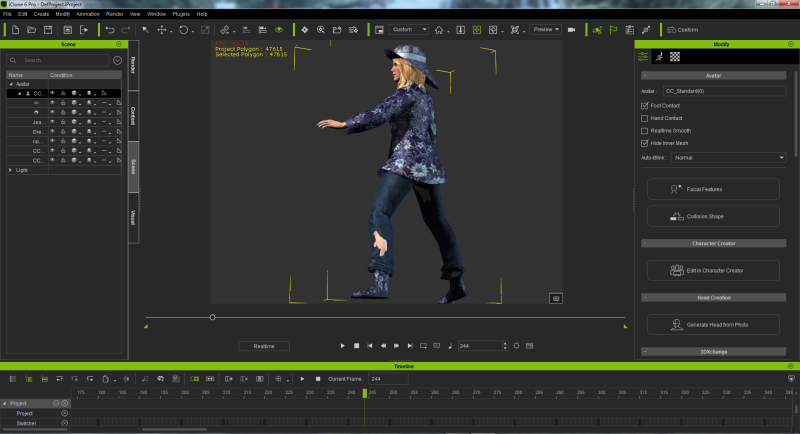
For me hide inner mesh never has worked so right. Is this a bug in iClone or do I something false?
I have activated hide inner mesh for the character as well for the jeans.
|
|
By Melanie (RL) - 10 Years Ago
|
Tesira (8/1/2016)
For me hide inner mesh never has worked so right. Is this a bug in iClone or do I something false? I have activated hide inner mesh for the character as well for the jeans.
@ Tesira,
We'd suggest you to report this bug through Feedback Tracker with the character / project you've used, and our product team will look into this case.
You may also send the items above to following email and we will make sure to get it tested soon.
|
|
By justaviking - 10 Years Ago
|
Melanie (RL) (8/2/2016)
Tesira (8/1/2016)
For me hide inner mesh never has worked so right. Is this a bug in iClone or do I something false?
I have activated hide inner mesh for the character as well for the jeans.
@ Tesira,
We'd suggest you to report this bug through Feedback Tracker with the character / project you've used, and our product team will look into this case.
You may also send the items above to following email and we will make sure to get it tested soon.
Perhaps add a comment (and a vote) to this entry:
http://www.reallusion.com/FeedBackTracker/Issue/Conform-Hide-Inner-Mesh-needs-fixing-or-at-least-a-lot-of-improvement
|
|
By Rampa - 10 Years Ago
|
Tesira (8/1/2016)
For me hide inner mesh never has worked so right. Is this a bug in iClone or do I something false? I have activated hide inner mesh for the character as well for the jeans.
If that is on your clothing, you need to hide the mesh in the mesh edit tools yourself. I don't think it's automatic yet for our own clothes.
|
|
By Tesira - 10 Years Ago
|
hi melanie, hi justaviking,
I have send now the project in an EMail, have voted and written a comment at feedbacktracker http://www.reallusion.com/FeedBackTracker/Issue/Conform-Hide-Inner-Mesh-needs-fixing-or-at-least-a-lot-of-improvement/#issue_comments.
hi rampa,
well this here are pants from reallusion. I have made them a little bit shorter in mesh edit, have runned conform , hide mesh is activated and this was the result:

Have a nice day
Tesira
|
|
By Melanie (RL) - 10 Years Ago
|
Hi Tesira,
Our team has received your project and will get back to you with the finding.
We'd suggest you to submit a new feedback in iClone 6 channel so it'd be helpful for you to trace the issue
Melanie
|
|
By Tesira - 10 Years Ago
|
hi Melanie,
thanks for your response. Well I have commented at the tracker topic, which was already there. I think, so you have all comments together in one topic.
Maybe it would be helpfully, if old topics come again at the top, when there comes new comments. otherwise we have there many topics to the same theme and the same questions are asked again and again.
Have a nice day
Tesira
|
|
By sbaerman - 10 Years Ago
|
Hi all, seems that the smooth function of character creator is not working somehow anymore. See attached images.
and now with smoothing switched on : no change

is this a problem of the character or is it a system issue?
|
|
By wires - 10 Years Ago
|
|
sbaerman (8/4/2016)
Hi all, seems that the smooth function of character creator is not working somehow anymore.
......................(images removed)
is this a problem of the character or is it a system issue?
I just tried it on several characters and everything works as expected.
|
|
By Zeronimo - 10 Years Ago
|
hi, SBaerman maybe your problem is Here: Real Time Smooth does not work in Medium.

|
|
By sbaerman - 10 Years Ago
|
|
yepp found it out myself, you can also smooth the character in character creator......
|
|
By sbaerman - 10 Years Ago
|
Sorry I have another one with Indigo (i know, it is only partially supported) but it still gets out of focus. I think it happens when you are moving the camera forward and backward in a scene. I tried it with : Indigo RT, official RL release and the latest beta of Indigo Renderer 4.0.43, so seems not to be an issue in indigo (though in iclone it looks fine)

Iclone version

Rendered with Indigo Renderer beta 4.04

Rendered with Indigo RT
see the quality of the eyes and the quality of the hair is better.....
|
|
By Skuzzlebutt - 10 Years Ago
|
iclone 360......
using any fog type of particle
or having glow
makes the stitching seems clearly show.
|
|
By Tarampa Studios - 10 Years Ago
|
Hi Peter...
Just letting you know that there are a few small problems with Character Creator;
1) When I update to version 2004, I get a message to say that it installed properly, but when I double check the version, CC is still telling me that it's still back on 2001. I asked 3 other iClone movie makers on facebook, and they are also experiencing the same issue.
2) When I try to save a set of eyes, or mouth settings into my custom library inside CC, it crashes. It lets me save hair, or anything else I made from the basic sliders, but nothing that uses anything from the essential slider pack (it seems), except for the whole avatar and project.
3) When I send the character to iClone, her custom pale blue eye lashes switch back to default black - just the top lashes, not the bottom ones which retain the pale blue... and her white fingernails in CC turn dark grey/black in iC6... not her toe nails, just her fingernails.

Note:I have iC6 Pro Pipeline, but I could only afford the essential morphs without export... and I did bake before sending her to iclone.
|
|
By Tarampa Studios - 10 Years Ago
|
zeronimo (8/4/2016)
hi, SBaerman maybe your problem is Here: Real Time Smooth does not work in Medium.
Thank you! That was one of my small hiccups too :)
|
|
By derekpackard - 10 Years Ago
|
Hi 6.5 was working on our computers but just downloaded the latest patch 6.51 today and now iclone won't start on either computer. Any ideas why.
CC was updated also and it starts fine.
DP
|
|
By DickyJim - 10 Years Ago
|
I am still having problems launching CC. After trying the suggestions given last time CC did launch but VERY slowly and it did work, also very slowly. I did manage to work out how to convert DAZ clothing and props to work in CC using Blender. See below. More of that later. But now!!!! I upgraded my computer from 8MB RAM to 16 to see if it would speed things up. Now I can't get CC to launch again, whatever I do. Needless to say this is getting very frustrating. Any suggestions will be gratefully received. What makes things more maddening is that before all the recent "upgrades" everything was working fine!!!
Dick Cowen

|
|
By derekpackard - 10 Years Ago
|
Hi 6.5 was working on our computers but just downloaded the latest patch 6.51 today and now iclone won't start on either computer.
Any ideas why.
And CC was updated also and it starts fine...today.
|
|
By lpatter - 10 Years Ago
|
THE GIZMO: After 8 Months, how I solved my own problem 2 days ago.
I kept reporting to RL that I can move the blue arrow up/Down but I could not move the left/right or front/back arrows,
It later found the Iclone 5 could move them but no assets created in Iclone 6 can be moved. Iclone 5 assets can be moved in iclone 6.
The response was "CANNOT DUPLICATE YOUR PROBLEM"
I asked about default, my GIZMO axis. it was obvious through no special sequence of events. I restarted my computer, opened a new project and loaded any prop and I could only move the up down arrow.
Since I have not been able to do any work since Iclone 6 was launched, I am not sure when this problem occurred but I think it was in December.
After December Iclone 6 was stable enough for me to start arranging my props. This was when I saw the problem.
The problem does not appear in iclone 5. BUT
My WORLD axis was confused with my LOCAL axis.
Are all the GIZMOS supposed to work in any axis? The SCALE and ROTATE work but the WORLD MOVE does not. They work in Iclone 5
I reported this detail.
So I cannot imagine how all you guys could not diagnose it in a heart beat! Neither the staff nor the community of experts
By the way please have an option to enlarge the text on the screen.
|
|
By animagic - 10 Years Ago
|
|
lpatter (8/15/2016)
So I cannot imagine how all you guys could not diagnose it in a heart beat! Neither the staff nor the community of experts
I think we really would like to help, but it's hard to analyze a problem if it doesn't occur.
I just loaded some props into iClone 6, and I can move and rotate them in any direction using the Gizmo with either the local or the world axis selected.
This under Windows 10 with a GTX 1080 graphics card, but I remember doing the same test a while ago, and again I could not reproduce the problem. The only thing I can think of is that it is a graphics card issue. I have had functionality disappear/malfunction because of a faulty driver.
|
|
By TheOldBuffer - 10 Years Ago
|
I'm having a problem with "look at". Whether I get a character to look at camera or an object it "looks at" target way before the key. Its solved by adding a release key sometime before the "look at" key but its a problem all the same.
I've added bug to feedback tracker.
|
|
By lpatter - 10 Years Ago
|
|
I can load and save props from my Iclone 6 Template. But I cannot load or Save anything in my Custom folder. I can drag them from my directory but not from the lclone folder. I essentially cannot do anything from my custom folder
|
|
By lpatter - 10 Years Ago
|
I am saying that my problem DID occur and I can make it reappear it at will.
Unless the World axis is supposed to have only the Up arrow move then it is not broken but if it is then there is a problem.
|
|
By 4DFans - 10 Years Ago
|
|
I have been working on a Blade runner 360 video in iC6 that I created from my blade runner video i did in ic5. I recently needed to change the audio track but found I could not find the old sound track (it does not show up under sound in timeline) to delete it. The track is in "sound FX" under project on the iC5 timeline, and I can remove it easily from the ic5 project. the aution file appear to have embedded itself. I have 2 project files for the blade runner the I have spent a lot of work on with the same problem. how do I fix it???!!!! and removing the old ic5 audio track .... and starting over is not an answer.
|
|
By wu_tone - 10 Years Ago
|
I have a slight problem I am seeking a solution to. Whenever I hook my laptop to an external monitor, I get a white screen in iClone 6. It works fine with its built-in display screen, but when I use a secondary display this is when I get the white screen problem.
|
|
By justaviking - 10 Years Ago
|
|
wu_tone (9/3/2016)
I have a slight problem I am seeking a solution to. Whenever I hook my laptop to an external monitor, I get a white screen in iClone 6. It works fine with its built-in display screen, but when I use a secondary display this is when I get the white screen problem.
Sounds like a GPU-related issue. Either you're physically underpowered, or maybe updating your graphics driver would help.
What laptop, and especially WHAT GRAPHICS CARD are you using?
|
|
By wu_tone - 10 Years Ago
|
Justaviking,
Thanks for reaching out. I don't think it's a problem with the graphics card, it was actually a problem with my own decision making and using the wrong output connection. I fixed the problem. Thanks for your concern. I really appreciate it. I attached a screen shot of the problem I was having below if you want to check it out.

|
|
By pedrosura - 10 Years Ago
|
Problem after updating Content Uploader. on 9/8/16
After the last update I can now longer drag video or image to the preview window while holding CTRL or right clicking. I have updated MicrosfC++, also my Nvidia video drivers, CODECs and unintalled and reinstalled IC6.513
Any ideas on what is the problem??
|
|
By theschemer - 10 Years Ago
|
I just tested dragging and dropping images and it did not work. Then I tried another folder and tried again after verifying the help manual didn't change how it worked. Then it started working. I tried both jpg's and png's at first with no luck. Now everything is working. So keep trying and maybe it will just start working. I tested it some more after closing and reopening IC6 and it works, then it chokes on the next image, then it works. Its definitely glitchy. I was thinking maybe file size but after I kept playing around with it, all the images I tried worked on one try or another.
TS
|
|
By pedrosura - 10 Years Ago
|
|
Thank you for this...However I have tried everything and I can't import anything. I am out of options. I hjave tried every codec out there. Next time I will delay doing updates. I will not do that again.
|
|
By theschemer - 10 Years Ago
|
I downloaded and installed Nvidia's latest driver and tested again. The first image worked but I noticed something peculiar when the 2nd image did not. It has a number "2" in the top center of the image when it is over the preview window and it does not work. Then if I choose another image it too, does not work, but it has a number "3" in the top center as it is over the preview window in IC6. And I can keep trying and go through more incrementing numbers then all of a sudden one will work. Weird. Definitely need to be investigated. Maybe some other members can verify this??
TS
|
|
By pedrosura - 10 Years Ago
|
i am also getting those numbers but it never works.. I got the error after updating content about a missing dll. I uninstalled and reinstalled and now I have the other problem with the images and video..
Hopefully RL will have a fix..
|
|
By animagic - 10 Years Ago
|
I usually don't use drag and drop (instead just loading the image in the Diffuse channel), but I tried this out. Left-click and drag works; right-click and drag works almost always; but ctrl and drag doesn't work most of the time. If you look closely at the icon and the number it seems to indicate that ever so many images are stacked on top of each other.
As this is reproducible, I would suggest creating an entry in Feedback Tracker, referring to this discussion thread.
|
|
By wires - 10 Years Ago
|
When using Ctrl + Drag you need to be sure that only one image is selected in the windows explorer window - the image that you wish to insert. Make sure that all other images are deselected and select only the image required with the left mouse button before pressing the Ctrl key, if not then windows assumes that you wish to select multiple files while holding down the Ctrl key.
This isn't an iClone problem, it's the way that files can be selected in the explorer window - left click only selects a single file, shift and left click selects a row/column of files, control and left click selects any number of files not in a row/column.
|
|
By pedrosura - 10 Years Ago
|
This problem started with the Content Uploader update. It worked well before. I can no longer loaded on the diffuse channel, or left click drag, or right click drag or hold ctrl, nothing works and yes I have only selected one file. Like I said, it worked well before the update. I have reinstalled, tried Nvidia drivers, codecs, loding from multiple directories, different file types, different Microsoft C++ updates. There was a DLL error after the update and since this error this feature does not work. I have already submitted a feedback tracker.
I just realized that when I did the Content uploader update because I got a MSVCP120.DLL missing error maybe I downloaded the 2015 Microsoft Visual C ++ as opposed to the 2013. I am not in front of my computer but maybe that is the problem.. I will check on this when I get back..
|
|
By theschemer - 10 Years Ago
|
|
wires (9/11/2016)
When using Ctrl + Drag you need to be sure that only one image is selected in the windows explorer window - the image that you wish to insert. Make sure that all other images are deselected and select only the image required with the left mouse button before pressing the Ctrl key, if not then windows assumes that you wish to select multiple files while holding down the Ctrl key.
This isn't an iClone problem, it's the way that files can be selected in the explorer window - left click only selects a single file, shift and left click selects a row/column of files, control and left click selects any number of files not in a row/column.
Interesting. I just tried what you said about first clicking the image, then CTRL-RightClick and it works every time. I just never had a problem with it before that I can remember. I learn something new every day. :)
Thanks,
TS
|
|
By Rampa - 10 Years Ago
|
theschemer (9/12/2016)
wires (9/11/2016)
When using Ctrl + Drag you need to be sure that only one image is selected in the windows explorer window - the image that you wish to insert. Make sure that all other images are deselected and select only the image required with the left mouse button before pressing the Ctrl key, if not then windows assumes that you wish to select multiple files while holding down the Ctrl key.
This isn't an iClone problem, it's the way that files can be selected in the explorer window - left click only selects a single file, shift and left click selects a row/column of files, control and left click selects any number of files not in a row/column. Interesting. I just tried what you said about first clicking the image, then CTRL-RightClick and it works every time. I just never had a problem with it before that I can remember. I learn something new every day. :)Thanks, TS
R-click and dragging it in works as well. It'll open a menu asking you what you want to do with it. Image layer, plain, billboard, or background.
|
|
By theschemer - 10 Years Ago
|
rampa (9/12/2016)
theschemer (9/12/2016)
wires (9/11/2016)
When using Ctrl + Drag you need to be sure that only one image is selected in the windows explorer window - the image that you wish to insert. Make sure that all other images are deselected and select only the image required with the left mouse button before pressing the Ctrl key, if not then windows assumes that you wish to select multiple files while holding down the Ctrl key.
This isn't an iClone problem, it's the way that files can be selected in the explorer window - left click only selects a single file, shift and left click selects a row/column of files, control and left click selects any number of files not in a row/column. Interesting. I just tried what you said about first clicking the image, then CTRL-RightClick and it works every time. I just never had a problem with it before that I can remember. I learn something new every day. :)Thanks, TS R-click and dragging it in works as well. It'll open a menu asking you what you want to do with it. Image layer, plain, billboard, or background.
I think the CTRL key was giving me all the problems. Its it working fine with R-click and drag. If you use the CTRL key you need to left click the image first, then CTRL and R-click drag. But there is really no need to do that. I was just trying to see if there was an issue so I tested per the OP's instructions and it sure caused a problem. He may have other issues as mine seems fine.
TS
|
|
By jminbox - 10 Years Ago
|
Hello,
I was hoping someone could help me with a Character Creator problem (v1.5, latest update). The image maps seems to be missing in the Appearance Editor.
All the input maps and all maps (diffuse, specular, etc.) are all missing for the shirts that come with CC. The thing is, I was able to change the diffuse map the other day and CC even retains the change I made on the sleeves! But now, the images do not show up under "Image Maps" or "Fabric [#]" or anywhere. All the sliders under the maps such as "Material", "Density", "Translate", etc. all appear.
Am I missing something or is this a bug?

|
|
By bigh43 - 10 Years Ago
|
yep
MSVCR120.dll missing
RL 2.18
do not do it
had to do a roll back to fix it
am not happy !
|
|
By pedrosura - 10 Years Ago
|
My problem started with MSVCR120.DLL MISSING. I ave\updated and re installed Iclone and the Visual C++ 2013 multiple times, codecs and I still have the problem (I KNOW HOW TO DRAG AND DROP, HAVE DONE IT MANY TIMES. THAT IS NOT THE PROBLEM)
So, I feel like I am out of options. I hope someone can think of something. I regret having done the RL Update to Content Uploader since this is what started all my problems. I strongly urge people to refrain from updating until others can verify that doing so will not cause you new problems. I have spent so much time trying to fix this to no avail. I have a feedbacktracker but they are telling me that they don't have my problem.
|
|
By animagic - 10 Years Ago
|
|
Although DOF is marked as fixed for 6.50, I just found out that it doesn't work at all for large-size renders (I'm exporting a 5400x8000 image for a poster), regardless of Super-sampling settings. I should probably create a new issue for this.
|
|
By Agonos - 10 Years Ago
|
Hello,
It would be possible to give us a shadow on the ground and from an avatar that we just added to a blank stage? As it existed in "IC5". It was convenient for easy video editing. Thx
|
|
By Agonos - 10 Years Ago
|
Chuck in IC 5 -> 
Chuck in IC6 -> 
|
|
By justaviking - 10 Years Ago
|
|
Agonos (9/13/2016)
Hello,
It would be possible to give us a shadow on the ground and from an avatar that we just added to a blank stage? As it existed in "IC5". It was convenient for easy video editing. Thx
Request posted in Feedback Tracker...
http://www.reallusion.com/FeedBackTracker/Issue/shadows
Maybe you should post a comment there, and link to your second post here with the pictures. That illustrates the problem perfectly.
|
|
By pedrosura - 10 Years Ago
|
PROBLEM SOLVED!
I have been having a drag and drop problem with images, videos, etc
The problem is that I was running Iclone 6 with Administrative Rights turned ON. I had to turn Administrative Rights OFF and got the capability back.
Try that is you are having problems...
|
|
By Kingdom Geek - 10 Years Ago
|
Does anyone have any issues with loading iClone and your interface is missing animation and texture icons tabs on the top right?
Closed and restarted iClone but still isn't working correctly and I have a big project to do. Smh!!
|
|
By wires - 10 Years Ago
|
|
Kingdom Geek (10/6/2016)
Does anyone have any issues with loading iClone and your interface is missing animation and texture icons tabs on the top right?
Closed and restarted iClone but still isn't working correctly and I have a big project to do. Smh!!
If you mean that the Modify Panel looks like this screen shot:

then this is normal. The Camera is active by default in the Modify panel when a Project is first opened, and Cameras do not have Animation or Material settings. The 2 "missing" tabs will be visible as soon as an item is selected on the stage, either by clicking on something or selecting it in the Scene tab first.
|
|
By Cary B - 10 Years Ago
|
Does anyone else have issues with the "look at" constraint? Specifically, when I use it, the constraint works to make a character look where I want. But,weirdly, it works throughout the whole timeline, even at points before I activated it. When I go to the constraint section of the timeline, it shows that the constraint is not in place in the earlier section, but the avatar behavior is as if the constraint were there throughout the whole timeline.
|
|
By Cricky - 10 Years Ago
|
Hint: When you first use the Look At Constraint, have the character or object look at it, then immediately press "SET Free", to add a Set Free Key. If you do this in Frame One you can use this same key over and over as a SET FREE option.
Copy this (SET FREE Key) to your clipboard and then paste it before the frame where you actually want to have the LOOK At take place or happen.
You can move that second SET FREE key to the left as far as needed to transition into the LOOK AT constraint, or leave it right next to the constraint for a SNAP Look at where the character or object pops to the constraint. REPEAT the Look at constraint key to hold the constraint, and then paste the SET FREE key afterwards to BREAK the constraint.
SET Free is assumed by the program without a key, so you have to have the character or object LOOK at first just so you can add a key for the SET Free to know it's even active.
Shadoesword (10/18/2016)
Does anyone else have issues with the "look at" constraint? Specifically, when I use it, the constraint works to make a character look where I want. But,weirdly, it works throughout the whole timeline, even at points before I activated it. When I go to the constraint section of the timeline, it shows that the constraint is not in place in the earlier section, but the avatar behavior is as if the constraint were there throughout the whole timeline.
|
|
By 4u2ges - 10 Years Ago
|
|
Cricky (10/18/2016)
Hint: When you first use the Look At Constraint, have the character or object look at it, then immediately press "SET Free"
This is sort of understandable. Starting point of the transition is required and if it is not there, transition would probably start at the very beginning.
What I don't understand is why fingers animation behaves the same way. Every time you edit motion layer (Full Body), LFingers, RFingers keys are recorded on the timeline. Yet, if you did not move them on a previous key, transition for the very next key (where you actually move them) starts at the first key in animation (or anywhere in the past, where fingers movement were applied last).
A bit annoying and I keep forgetting about it.
|
|
By Rampa - 10 Years Ago
|
|
When you use "full body", it will set keys for every part. If you use "body part, it will only set keys for parts that move.
|
|
By Cary B - 10 Years Ago
|
Thanks, I'll give this a try as a workaround, but the tutorials I've seen make me think it wasn't designed to work this way and that there is some issue in how it is performing. Appreciate the hint very much.
Cricky (10/18/2016)
Hint: When you first use the Look At Constraint, have the character or object look at it, then immediately press "SET Free", to add a Set Free Key. If you do this in Frame One you can use this same key over and over as a SET FREE option.
Copy this (SET FREE Key) to your clipboard and then paste it before the frame where you actually want to have the LOOK At take place or happen.
You can move that second SET FREE key to the left as far as needed to transition into the LOOK AT constraint, or leave it right next to the constraint for a SNAP Look at where the character or object pops to the constraint. REPEAT the Look at constraint key to hold the constraint, and then paste the SET FREE key afterwards to BREAK the constraint.
SET Free is assumed by the program without a key, so you have to have the character or object LOOK at first just so you can add a key for the SET Free to know it's even active.
|
|
By 4u2ges - 10 Years Ago
|
|
rampa (10/19/2016)
When you use "full body", it will set keys for every part. If you use "body part, it will only set keys for parts that move.
Yes, that is true Rampa, but not for fingers. With any part of the body movement, keys for fingers are visibly set in the timeline (while "full body" selected). But apparently they do not contain any information about current fingers position (until you actually move them). I think fingers are not part of the full body.
|
|
By Rampa - 10 Years Ago
|
Sorry. I wasn't clear enough. Any part that ends up in a new location gets a key. That's what I should have typed instead of "move". But if you have "body part" selected, the IK chains stop at the shoulders and hips, thus precluding the torso keys.
The fingers can also be set without effecting anything else by using the hand adjustment portion of the "edit motion layer" panel.
|
|
By 4u2ges - 10 Years Ago
|
No, no, I understood you perfectly. But let me demonstrate what I mean:
All key-frames are set in "full body". Movements flow is fine for shoulders and elbows. But not for fingers. He starts making fists probably from frame 2. Why?
Keys for LFingers and RFingers are set for second and third key-frames. But there is nothing recorded there. And also note at the last key-frame there is only LFingers and RFingers are set, but it is still "Full body" mode.
That is very inconvenient. I have to remember to record some slight fingers movement, just before I want to make a gesture with fingers.
|
|
By Rampa - 10 Years Ago
|
Ahhh.... I see. That is odd. I tested it and got the same thing. It just completely fails to actually record the finger keys with the rest as you said. Interesting. The fingers are being treated as a completely separate track, and only taking input when they are manipulated, as you mentioned.
There is the separate hands track for motion clips. It's like it actually has a separate key track that is not affected by the body tracks.
At least it's really easy to set the finger keys to default by just closing and opening the hand again. Unexpected behavior though.
Good find! :)
|
|
By animagic - 10 Years Ago
|
An old problem of the clothing of CC characters distorting when the figure is placed on a terrain has reemerged. See this thread: https://forum.reallusion.com/298383/CC-Character-Terrain-Issue.
EDIT: This seems to be the case for terrains above the grid.
EDIT 2: This is actually a different issue, because this also occurs with props, such as a plane, that are set to terrain.
|
|
By Postfrosch - 10 Years Ago
|
I've put the problem it into the feedback tracker http://www.reallusion.com/FeedBackTracker/Issue/CC-Avatar-clothing-is-destroyed-when-loading-on-a-terrain
Greetings from Postfrosch
|
|
By 4u2ges - 10 Years Ago
|
|
rampa (10/19/2016)
At least it's really easy to set the finger keys to default by just closing and opening the hand again. Unexpected behavior though.
Good find! :)
Thanks
That is what I was doing, or just do some tiny movements. But I keep forgetting about this behavior and then have to come back and do all the fixing
|
|
By justaviking - 10 Years Ago
|
4u2ges (10/20/2016)
rampa (10/19/2016)
At least it's really easy to set the finger keys to default by just closing and opening the hand again. Unexpected behavior though.
Good find! :)Thanks That is what I was doing, or just do some tiny movements. But I keep forgetting about this behavior and then have to come back and do all the fixing
A few months ago I encountered some odd keyframe behavior with hands/fingers, but have been unable to intentionally duplicate it. In short, I was having "phantom keyframes" (I think), where fingers would move in ways that didn't correspond to the keyframes I could see on my timeline.
I'm confident it was not user error, since I never had the same mysterious behavior with other body parts. (I do know how to use iClone keyframes.). It was only the hands, and only maybe three times over a 2-month span of editing.
A couple times I was sure I had the secret recipe figured out, but my attempts to start a new project and demonstrate the problem were not successful..
|
|
By Rampa - 10 Years Ago
|
|
Last week I was doing a bunch of key-framing, but it required the fingers being adjusted in almost every key, so I did not notice any "skipped" keys.
|
|
By animagic - 10 Years Ago
|
Since the terrain issue with CC characters is deemed unreproducible by RL, I have added specific steps that will show the issue, using a simple plane as terrain.
(Issue link is: http://www.reallusion.com/FeedBackTracker/Issue/CC-Avatar-clothing-is-destroyed-when-loading-on-a-terrain.)
There are two conditions for the problem to occur: (a) the terrain is elevated (Z value is > zero, 500 for example) and (b) the CC character has Foot Contact checked by default. If not checked, the character loads OK; this was actually the workaround we (probably Rampa) came up with at the time. Load your CC character without any terrain present, make sure to uncheck Foot Contact, and resave him/her.
As I can't add a picture in the Feedback Tracker comment, I provide one here to show what happens to Christian on an elevated terrain (a simple plane at Z = 500):
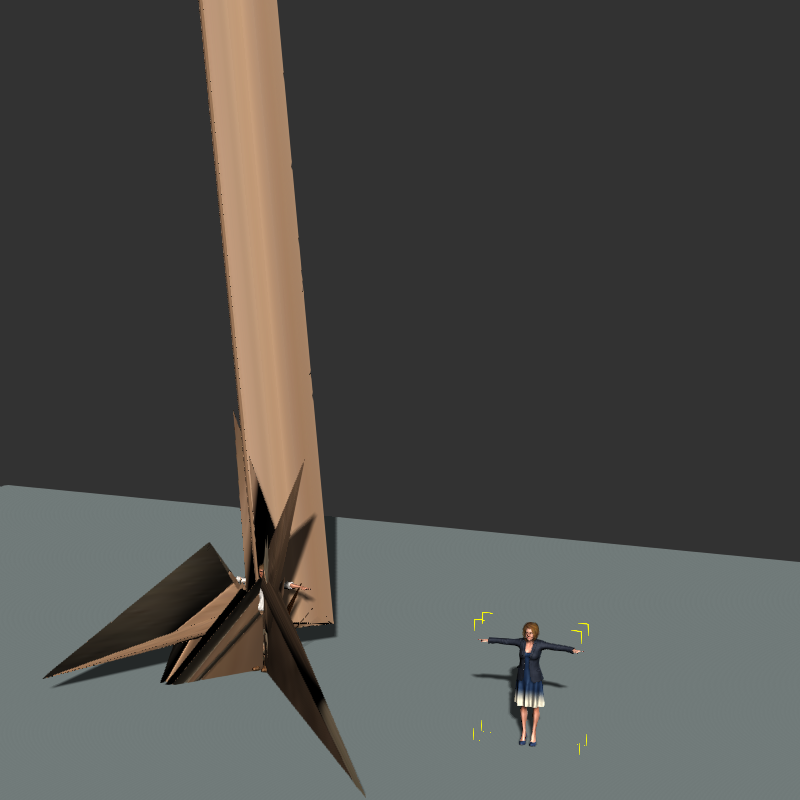
The custom CC character on the right does not have Foot Contact enabled and loads normally. After loading such character you can re-enable Foot Contact.
|
|
By Rampa - 10 Years Ago
|
|
I think it's primarily, maybe only, when a CC is loaded lower than a terrain. Dragging a character onto a terrain works fine, I believe. So the other workaround is not to double-click to add your character if using a terrain, but use drag-&-drop instead.
|
|
By animagic - 10 Years Ago
|
|
rampa (10/20/2016)
I think it's primarily, maybe only, when a CC is loaded lower than a terrain. Dragging a character onto a terrain works fine, I believe. So the other workaround is not to double-click to add your character if using a terrain, but use drag-&-drop instead.
I used dragging and the issue occurs. See my description of the steps to reproduce in the Feedback Tracker. Regardless, I think it needs to be fixed before v7 comes out.
|
|
By Rampa - 10 Years Ago
|
Odd. That worked for me last time I had a go at this. I also used the plain like you did Anamagic. Now I'm getting the same behavior as you in both cases. But I also was playing with "set as bounding box" for the terrain, and it would give 2 varying results. The plain seemed to lose its "terrain-ness" if bounding box was on. I tried a block instead, and the bottom surface is where foot contact happened. When the plain lost its "terrain-ness", the grid became the floor again. Of course it is quite unusual to have a 2D terrain. We usually just use the grid, or have a shape that also has depth. This affected characters already in the scene. Dragging a new character seemed to always place on the terrain.
I think someone else gets the credit for turning off foot-contact. My solution was to put the terrain below the grid.
|
|
By animagic - 10 Years Ago
|
|
Good news: the terrain issue was reproducible by RL and has been solved. There will be an iClone 6.52, it says in the comments.
|
|
By Rampa - 10 Years Ago
|
|
animagic (10/23/2016)
Good news: the terrain issue was reproducible by RL and has been solved. There will be an iClone 6.52, it says in the comments.
That's great news! Glad you shared the steps so they could repeat it and fix it. :).
|
|
By Dragonskunk - 10 Years Ago
|
Doing a search for the term "physics assignment failure"
I got this thread: https://forum.reallusion.com/255622/Physics
The thread is a year old, has a solution been found to why this occurs or do I have to also send my files to customer support?

|
|
By Dragonskunk - 10 Years Ago
|
It seems that props with sub-props cannot have physics.
Dragonskunk (10/27/2016)
Doing a search for the term "physics assignment failure" I got this thread: https://forum.reallusion.com/255622/PhysicsThe thread is a year old, has a solution been found to why this occurs or do I have to also send my files to customer support?
|
|
By animagic - 10 Years Ago
|
|
This should probably be added to this thread as well: several users have reported various kinds of timeline issues in 6.51. For those affected there is a Feedback Tracker entry (Issue 781): http://www.reallusion.com/FeedBackTracker/Issue/Timeline-acts-irrational.
|
|
By Cary B - 10 Years Ago
|
|
I've encountered an issue with the Direct Puppet tool, and before I report it in the Feedback Tracker, I'm posting this to see if it is a known issue that I haven't been able to find. When I link an Avatar to a moving prop (in this case, the pilot of a plane, linked to the moving plane) and then utilize the Direct Puppet tool to animate the Avatar (just some simple head movements), things work fine during the Preview. But when I complete the recording, the Avatar is suddenly displaced far from the prop. It seems as if the motion root of the Avatar is shifted radically. Is this something others have experienced?
|
|
By animatedbeing - 10 Years Ago
|
My avatar disappeared from the timeline. iClone hung during one of my saves. When I restarted iClone did a recover (restore) and the avatar was back on the timeline. I saved as a new name then opened a previous version and the avatar was again missing from the timeline.I hope that helps with debugging the software. Even though iClone 7 is announced, please fix the bug in 6. I just brought the Neuron plugin and suit. I'd like to be able to use what I have so far.
|
|
By animagic - 10 Years Ago
|
animatedbeing (11/23/2016)
My avatar disappeared from the timeline. iClone hung during one of my saves. When I restarted iClone did a recover (restore) and the avatar was back on the timeline. I saved as a new name then opened a previous version and the avatar was again missing from the timeline.I hope that helps with debugging the software. Even though iClone 7 is announced, please fix the bug in 6. I just brought the Neuron plugin and suit. I'd like to be able to use what I have so far.
Did you upgrade to 6.53? That should have fixed it.
|
|
By Colonel_Klink - 10 Years Ago
|
I have posted this on the tracker as well
I've recently returned to iclone after a long illness, and installed the latest version. To my disappointment every Genesis 2 (some 24+) characters I have created will not load.
Additional to what I have reported I'm experiencing a number of CC characters I have made not loading as well with the "Failed to load file notice. This file may be corrupted."
Is there a way to roll back this installation as these characters are important to my Colour Blind movie? Thanks.
 
|
|
By wires - 10 Years Ago
|
Hi Bob,
Unfortunately iClone does not have a roll-back system. The only solution is to uninstall and reinstall. Doing this will not remove any purchased or custom content, but will delete the contents of the Resource Pack. Since this problem does not seem to have happened to others - at least it hasn't been reported here - it might be worth trying to first reinstall the software "over itself" just in case something got messed up.
|
|
By Colonel_Klink - 10 Years Ago
|
Hi Gerry.
I uninstalled the whole shebang and reinstalled from the full version. Dunno what happened with the upgrade, but even some of my older content failed to load.
I must be getting too old for this stuff :)
Cheers
Bob
|
|
By emreboz34 - 10 Years Ago
|
When I start the project I get an error like this, there are 2 images. I removed the program and installed it again, but it did not improve?
|
|
By Postfrosch - 10 Years Ago
|
Have you the newest graphic card -Driver ?
Greets from Germany
Postfrosch
|
|
By RussellStudios - 9 Years Ago
|
Do you know if there's an uninstall for your update 6.53 ? .... WHY NOT?  You have 7 pages of people with the same problem since your upgrade... You have 7 pages of people with the same problem since your upgrade...
Nothing works right now on windows 7. All sorts of problems...Cant create heads... Extra skin when adding different clothes to upper, lower, boots And whatever. I need an uninstall for B4 6.53 so I can use my program on my computer.
|
|
By wires - 9 Years Ago
|
@RussellStudios
See my answer here.
|
|
By Snarp Farkle - 9 Years Ago
|
...
|
|
By RussellStudios - 9 Years Ago
|
OK...An update of information on this dilemma!
Peter instructed me to uninstall the 6.53 program and reinstall back to the original 6.51 system.
He told me however, I would lose all program files and avatars I had created past the 6.51 system.
I didn't want to, but this had to be done for it wasn't functioning at all without problems using windows 7 operating systems.
I Uninstalled 6.53 from my computer but not before backing up all files.
Reinstalled 6.51 and to my absolute amazement everything works.
I mean everything.
even opens files created in 6.53.
So far nothing is missing and all opens.
To all my fellow windows 7 operators, let me warn you....
This has worked for me and mine.
But it could work for you as well! Maybe.....
I will no longer allow updates to a functional system.
|
|
By theschemer - 9 Years Ago
|
|
RussellStudios (1/13/2017)
OK...An update of information on this dilemma!
Peter instructed me to uninstall the 6.53 program and reinstall back to the original 6.51 system.
He told me however, I would lose all program files and avatars I had created past the 6.51 system.
I didn't want to, but this had to be done for it wasn't functioning at all without problems using windows 7 operating systems.
I Uninstalled 6.53 from my computer but not before backing up all files.
Reinstalled 6.51 and to my absolute amazement everything works.
I mean everything.
even opens files created in 6.53.
So far nothing is missing and all opens.
To all my fellow windows 7 operators, let me warn you....
This has worked for me and mine.
But it could work for you as well! Maybe.....
I will no longer allow updates to a functional system.
So does that mean they are not going to fix it?? What changes or fixes were added from 6.51 to 6.53? Just curious in case I have to resort to reinstalling 6.51 but I would really rather have them fix it. :Whistling:
|
|
By RussellStudios - 9 Years Ago
|
I wrote to Peter and explained the situation.
Will they create a fix?
Unknown at this time but as I said this worked...FOR ME!
Windows 7 operation system.
He will take a day or 2 to get back to me, although if this worked... I cant see them making a special effort for a patch.
If I hear from him on something other then this I will post it here.
Are you using windows 7?
|
|
By theschemer - 9 Years Ago
|
|
RussellStudios (1/13/2017)
I wrote to Peter and explained the situation.
Will they create a fix?
Unknown at this time but as I said this worked...FOR ME!
Windows 7 operation system.
He will take a day or 2 to get back to me, although if this worked... I cant see them making a special effort for a patch.
If I hear from him on something other then this I will post it here.
Are you using windows 7?
Thanks for the info. Yes, I am running Windows 7 as are others that have this same problem. I would like to know what bugs were fixed between the working and non-working versions before I resort backwards as one would think if they can break it, they can fix it too. :P
|
|
By RussellStudios - 9 Years Ago
|

Dear Richard,
Thank you for updating us. We will pass on your findings to our development team.
As soon as I have any information about a permanent resolution to this problem I will be in touch again to let you know.
Thank you for your patience and understanding.
Best Regards
Peter
Technical Support
Reallusion Inc.
Sorry you would have to write iClone AKA Peter and ask him although I feel he would have to ask the true programers who may not be able to answer. As I said it will take a day or 2 to hear from him on any actions. And I will post it then!
|
|
By wendyluvscatz - 9 Years Ago
|
are they going to fix the panorama video export so you can do superHD
a 1920 x 1080 video stretched 360° is pretty low rez and fuzzy and image series export or avi you do not get the facebook metadata inject (I can do the youtube one with the youtube metadata exe on a composited mp4)
|
|
By RussellStudios - 9 Years Ago
|
are they going to fix the panorama video export so you can do superHD
a 1920 x 1080 video stretched 360° is pretty low rez and fuzzy and image series export or avi you do not get the facebook metadata inject (I can do the youtube one with the youtube metadata exe on a composited mp4)
Don't know! You should ask Peter!
|
|
By animagic - 9 Years Ago
|
|
wendyluvscatz (1/14/2017)
are they going to fix the panorama video export so you can do superHD
a 1920 x 1080 video stretched 360° is pretty low rez and fuzzy and image series export or avi you do not get the facebook metadata inject (I can do the youtube one with the youtube metadata exe on a composited mp4)
Under Windows 7 you can only export HD. This is an OS limitation. Under Windows 10 you can export UHD, which certainly looks better.
|
|
By wires - 9 Years Ago
|
The mp4 output resolution of the videos is restricted by the OS being used for the render:
4096x2048 (win10 only)
2048x1024 (windows 10 and 8)
1920x960 (Windows 7, 8 and 10)
This is a restriction placed by the Microsoft Encoder being used.
It does not apply to image sequences or uncompressed AVI files, although these files need to be run through a 360° Meta Data tool afterwards.
Added:
Job beat me to it. :)
|
|
By wendyluvscatz - 9 Years Ago
|
but I am pretty certain I have done UHD ones before the update?
I may need to recheck my files and uploads
yes it seems so with iClone
certainly I can do UHD mp4 from avi with Handbrake but can only inject metadata for Youtube not Facebook
|
|
By prairiemain - 9 Years Ago
|
I haven't seen a reference to my particular problem.
I have upgraded iClone PRO and 3DXchange PRO (and CC) to the latest versions yesterday. Today, I forgot the Indigo RT plug-in and noticed it had been updated, as well.
I downloaded it to update the plug-in and ran it. On first execution, I got a "Detected Previous Version of Indigo" message and I exited the installer and made sure IClone was
not running. I went into my control panel and uninstalled the Indigo RT as the message directed. After the uninstall finished, I received a warning that some folders still remained
and that those would need to be deleted manually.
I reran the update but got the same message. I didn't think the presence of folders would matter since the plugin had been uninstalled. I guess I was wrong. So I went
through the iClone 6.53 folders and deleted the plugin folder (which I was nervous about since it contained a large number of dlls). I could find no other files that appeared
to belong to Indigo.
I reran the update again and I'm getting the same message. At this point, I don't want to blind delete anything else because I have no idea what "previous" version it is
detecting or what file is causing the problem. I have never updated Indigo until now because I had so much trouble installing the plugin when it was first released (and
in light of this, my hesitation was justified).
Any suggestions on how to fix this so I can access the Indigo renderer again?
|
|
By Dragonskunk - 9 Years Ago
|
I'm just here to find out if a version after 6.53 is ever going to appear. When software can't even open its own format without crashing it's time to stop feeding the beast and let it die.
Yet again, I have another project I spent a good couple of hours working on that doesn't open.
By the way it is not a new account, just a buggy forum, at least reallusion is consistent.
|
|
By redparis - 9 Years Ago
|
Ran LiveUpdate a couple of days ago and have had nothing but crashes since. Version is 6.53.3511.1 on Windows 10. GTX 1080 with Nvidia driver 378.66
|
|
By animagic - 9 Years Ago
|
|
redparis (3/6/2017)
Ran LiveUpdate a couple of days ago and have had nothing but crashes since. Version is 6.53.3511.1 on Windows 10. GTX 1080 with Nvidia driver 378.66
The latest NVidia drivers turn out to be problematic. I had to revert to 376.33 (I think that's the version; it's from January).
|
|
By animagic - 9 Years Ago
|
|
Dragonskunk (2/17/2017)
I'm just here to find out if a version after 6.53 is ever going to appear.
Peter mentioned a version 6.54.
|
|
By redparis - 9 Years Ago
|
Thanks animagic! That definitely helped, rolling back to the January driver (which is actually 378.49)
|
|
By wires - 9 Years Ago
|
|
redparis (3/6/2017)
Thanks animagic! That definitely helped, rolling back to the January driver (which is actually 378.49)
378.49 also caused flickering in several situations, which is why I also rolled back to 376.33 - since then I've had no problems. :):cool:
|
|
By thanosxanderian - 9 Years Ago
|
Hello guys, I posted an issue on the Feedback Tracker page yesterday and didn't get any reply so far. Hence, I am posting here now so that I may find a solution here.
I installed iClone few days ago and it was working smoothly for a few days until it crashed yesterday. Since then, when I open iClone it asks me to restore previously unsaved work and when I choose to restore the project files, it crashes after opening the program. Even if I choose not to restore the previous unsaved work, it crashes while opening.
I couldn't find any error log files other than the windows event log. Here is the event log:
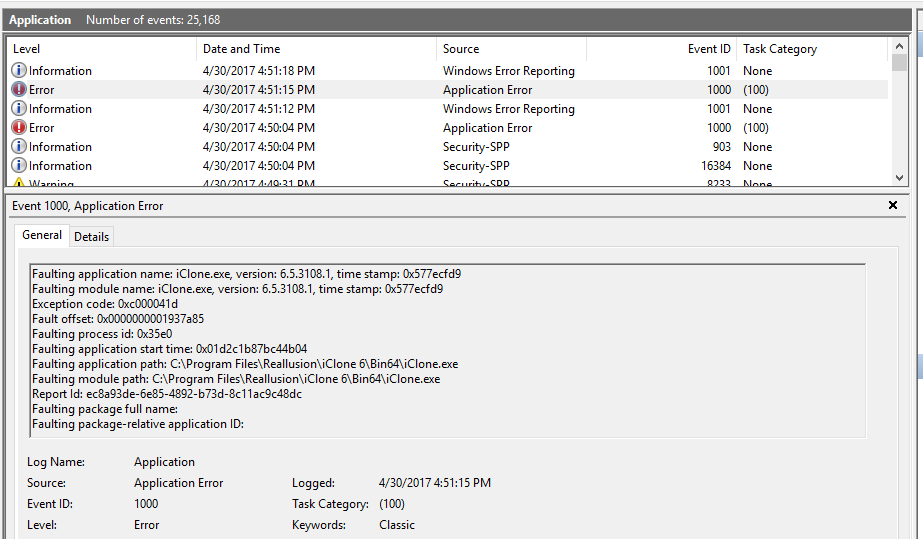
PC Specs
Brand - Toshiba
CPU - Intel i5-2430M
Graphics Card - Intel HD Graphics 3000
RAM - 8GB
Dedicated GPU - None
OS - Windows 10 64bit
What could be causing it to crash? And how can I resolve this?
|
|
By bigh43 - 9 Years Ago
|
you should version 6.53.3511 to start with - try that
|
|
By thanosxanderian - 9 Years Ago
|
I am already using version 6.53. Could that be the problem?
|
|
By bigh43 - 9 Years Ago
|
|
thanosxanderian (4/30/2017)
I am already using version 6.53. Could that be the problem?
you are using 6.53.3108
be sure you have the news version
|
|
By mr_vidius - 9 Years Ago
|
animagic (3/6/2017)
Dragonskunk (2/17/2017)
I'm just here to find out if a version after 6.53 is ever going to appear.
Peter mentioned a version 6.54.
yup.. Peter did say that. But he didn't say when that was to be released. He didn't understand why that patch was not released yet. perhaps..
perhaps.. he was forced to resign because he did ask. ya never know considering it is almost 6 months went by. and it's still not fixed. I can
just imagine what horrors await us in iclone 7. :w00t:
vidius
|
|
By thanosxanderian - 9 Years Ago
|
bigh43 (4/30/2017)
thanosxanderian (4/30/2017)
I am already using version 6.53. Could that be the problem?
you are using 6.53.3108 be sure you have the news version
I downloaded the latest version and it is still crashing when I open it.
|
|
By Pete_RL - 9 Years Ago
|
thanosxanderian (4/30/2017)
Hello guys, I posted an issue on the Feedback Tracker page yesterday and didn't get any reply so far. Hence, I am posting here now so that I may find a solution here. I installed iClone few days ago and it was working smoothly for a few days until it crashed yesterday. Since then, when I open iClone it asks me to restore previously unsaved work and when I choose to restore the project files, it crashes after opening the program. Even if I choose not to restore the previous unsaved work, it crashes while opening. I couldn't find any error log files other than the windows event log. Here is the event log: PC SpecsBrand - Toshiba CPU - Intel i5-2430M Graphics Card - Intel HD Graphics 3000 RAM - 8GB Dedicated GPU - None OS - Windows 10 64bit What could be causing it to crash? And how can I resolve this? Your specs show you are using an Intel HD 3000 Graphics card which isn't supported by iClone 6. Intel graphics are fine for everyday use but for 3D animation you really need a more powerful dedicated graphics card such as those from Nvidia or AMD. Please see below for a list of supported graphics cards. http://www.reallusion.com/iclone/iclone_requirements.aspxYou may be able to get iClone 6 to run in DirectX 9 mode as this mode is designed for less powerful graphic cards. With iClone 6 you can launch either the default DirectX 11 version or the DirectX 9 version.
You can do this by going to Start > All Apps > iClone 6 and then select "iClone Graphics Mode Selection". Then select the DirectX 9 version and launch iClone.
Do try this and see how you get on.
|
|
By thanosxanderian - 9 Years Ago
|
Your specs show you are using an Intel HD 3000 Graphics card which isn't supported by iClone 6. Intel graphics are fine for everyday use but for 3D animation you really need a more powerful dedicated graphics card such as those from Nvidia or AMD. Please see below for a list of supported graphics cards. http://www.reallusion.com/iclone/iclone_requirements.aspxYou may be able to get iClone 6 to run in DirectX 9 mode as this mode is designed for less powerful graphic cards. With iClone 6 you can launch either the default DirectX 11 version or the DirectX 9 version.
You can do this by going to Start > All Apps > iClone 6 and then select "iClone Graphics Mode Selection". Then select the DirectX 9 version and launch iClone.
Do try this and see how you get on.
As I said in my first post, I was using iClone in DirectX9 mode for few days. This issue occurred while I was working on a project and it suddenly crashed. Since then I haven't been able to use iClone. I think if Intel HD 3000 was unsupported, it wouldn't have worked in the first place, right?
|
|
By wendyluvscatz - 7 Years Ago
|
Does iClone 6 work on Windows 10?
I just got a Windows 10 PC and it won't launch
first go saw a specifications page now not at all
neither does CC2
3DX6 does
|
|
By wendyluvscatz - 7 Years Ago
|
ah direct X 9 it will run
odd
is my 980ti card from my other machine in this one
|
|
By wendyluvscatz - 7 Years Ago
|
speedtrees need direct X11
I have 12 actually
well crap
I am not happy
I bought this PC because my other one had a hardware issue and I could not mount a graphics card
yet
THAT loads iC6 direct X11 and speed trees on the on board intel graphics, .............. just not many
|
|
By animagic - 7 Years Ago
|
iClone 6 runs on Windows 10.
As to your DirectX problem: run dxdiag.exe and check the Display tab. Under Feature Levels it will state all DX levels supported.
I have a laptop with DirectX 12, but 11 is listed as well. Very few applications are DirectX 12 only, so 11 should be supported.
Another issue may be the drivers. The latest NVidia versions don't work. You need game-ready 431.60 or earlier.
|
|
By wendyluvscatz - 7 Years Ago
|
I did think of the driver
But
That will open a whole new can of worms with DAZ studio and Carrara Octane render 4 incompatibility
I might just have to be patient and see if that's the issue if Nvidia fixes it
Or less likely given I use iClone6 not 7 Reallusion does.
That is if that's the issue.
|
|
By wires - 7 Years Ago
|
Wendy,
I have iClone 5, 6 and 7 all working without any issues on the system listed in my signature. You don't mention which driver you are running for your Graphic card, as Job suggested try the Nvidia game driver 431.60 or earlier and see if that makes any improvements.
|
|
By wendyluvscatz - 7 Years Ago
|
Yes I do have the latest driver which could be the issue but the earlier ones won't work with Octane 4 and the latest DAZ studio beta so I am really screwed if that's the reason.
I cannot use Octane at all on my other computer but I can use iClone just a bit limited in scene size, well considerably limited but it works.
So for now at least it might have to be limited to direct X9 and do my character creation on my other PC and my Speedtrees.
I may try the older rougher ones I own from iC5.
980ti has no studio driver.
|
|
By Rampa - 7 Years Ago
|
The most recent known working driver (I am using it) is the "Studio Driver 431.86" from Sept. 4th. If that is not an option for your card, then the 431.xx game driver is what you will need.
Do Octane and Daz actually need 436.xx?
For the trees, try deleting your temp file before you next start iClone 6.5. Also make sure you have updated to the latest iClone 6 version. Download from your account, or update with the Hub.
Find this directory: C:\Users\your name\AppData\Local\Temp Delete this folder: iClone7Temp if it is there. Note that AppData is a hidden folder, and you may need to set "Show hidden files and folders" for Windows Also note that "your name" is your user name on your computer.
|
|
By wendyluvscatz - 7 Years Ago
|
Yes Octane 4 stopped working with the 30+ drivers until the last two
Was a fuss similar to this here about the latest ones on the Otoy forum
DAZ studio needs the later ones for Strand Hair AFAIK too but unsure know they stressed updating
I may try and see but if Octane fails to see the driver as happened before will need to go back.
|
|
By wendyluvscatz - 7 Years Ago
|
yes that older driver fixed it and Octane 4 seems OK with it
I might run into issues with the DAZ studio beta though, not tested yet
Character Creator too now opens
|