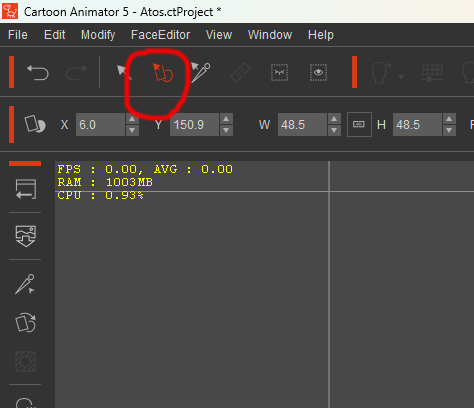
I will answer my question as I stumbled across it while doing something else. Neither the video I linked or the documentation show that in order to transform the
accessory you have to first switch to the Transform Sprite mode. Enter Transform Sprite mode by clicking on the icon circled in the attached pic. The default mode seems to be the Transform Part (arrow icon) which will not allow you to make changes to the
accessory.