|
Dragonskunk
|
Dragonskunk
Posted 10 Years Ago
|
|
Group: Forum Members
Last Active: 2 Years Ago
Posts: 368,
Visits: 1.4K
|
I seen this method mostly done with anime characters in 3D. How would I rig a character to control a texture of eyes on a surface instead of moving an eyeball? I can see practical uses for this like controlling flat eye brows for one.
If there is already a tutorial on this, that would be great.
Example of texture manipulation:
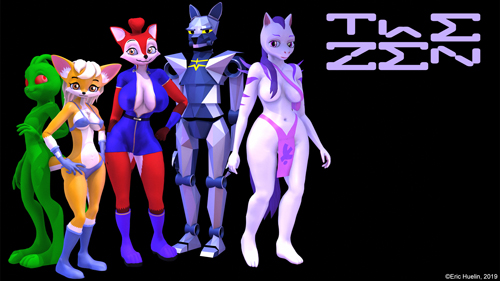
|
|
Cricky
|
Cricky
Posted 10 Years Ago
|
|
Group: Forum Members
Last Active: 3 Years Ago
Posts: 2.8K,
Visits: 13.8K
|
|
|
Dragonskunk
|
Dragonskunk
Posted 10 Years Ago
|
|
Group: Forum Members
Last Active: 2 Years Ago
Posts: 368,
Visits: 1.4K
|
How would I rig a character to control a texture of eyes on a surface instead of moving an eyeball? Can anyone show me how to do this? a URL, a YouTube video an online tutorial?
|
|
Cricky
|
Cricky
Posted 10 Years Ago
|
|
Group: Forum Members
Last Active: 3 Years Ago
Posts: 2.8K,
Visits: 13.8K
|
Dragonskunk (12/24/2015)
How would I rig a character to control a texture of eyes on a surface instead of moving an eyeball?
Can anyone show me how to do this? a URL, a YouTube video an online tutorial?
What are you planning on moving the eyes with? What I showed you above is just that; a Flat surface moving over a flat surface. That's everything including the Eyelids. You just need the parts
SKYPE ID: rc.650
http://city.reallusion.com/store/ModuleExpand.aspx?id=GS634545170497417354&mdid=18866
http://city.reallusion.com/ContentTag.aspx?tagname=Cricky&AuthorID=20081020688550191201#]Reallusion Store Content
" If I had Alzheimer's (Old Timers), would I know it? "
|
|
Rampa
|
Rampa
Posted 10 Years Ago
|
|
Group: Forum Members
Last Active: 2 days ago
Posts: 8.2K,
Visits: 62.6K
|
You could certainly key frame it. There is no way to use a rig for the UV animation though. You would have to change the values in the modify panel.
Your creating your own avatars from scratch, right? You could set up the facial morphs with flat eyes that shift position. This is getting back to using actual mesh, though. Not really what your looking for, but then it would be rigged. It also would not rely on the Avatar creator thingy.
|
|
Cricky
|
Cricky
Posted 10 Years Ago
|
|
Group: Forum Members
Last Active: 3 Years Ago
Posts: 2.8K,
Visits: 13.8K
|
Here's a Video (still processing as of this posting) of what you "seem" to be describing... but doing this will work you to death when animating. It would all have to be keyed as shown here. If doing a fifteen minute movie, this may take a week to finish just the eyes doing changes. https://youtu.be/OXWGbmLNZ4A
SKYPE ID: rc.650
http://city.reallusion.com/store/ModuleExpand.aspx?id=GS634545170497417354&mdid=18866
http://city.reallusion.com/ContentTag.aspx?tagname=Cricky&AuthorID=20081020688550191201#]Reallusion Store Content
" If I had Alzheimer's (Old Timers), would I know it? "
|
|
Dragonskunk
|
Dragonskunk
Posted 10 Years Ago
|
|
Group: Forum Members
Last Active: 2 Years Ago
Posts: 368,
Visits: 1.4K
|
I imagined setting up a blend shape that caused a texture offset that I could change values once in 3DX using the Expression Editor, not animating offset directly in iClone.
|