|
By thebiz.movies - 2 Years Ago
|
Hi all, About half of the Daz9 hair I've purchased seem not to use fiber mesh and get pretty good results evan after polygon reduction (good enough for me anyway). Are they back to cards?
The other half show up only as a scalp cap with the hair missing. Anyone have any thoughts on how to resolve this? Even the default 9 pixie hair has this issue.
|
|
By 4u2ges - 2 Years Ago
|
I would not even bother trying to import dForce fibermesh hair into CC/IC.
I did it in the past, it works and may render acceptable under certain lights, but most other times it looks lousy.
And most importantly geometry is usually over a million polygons.
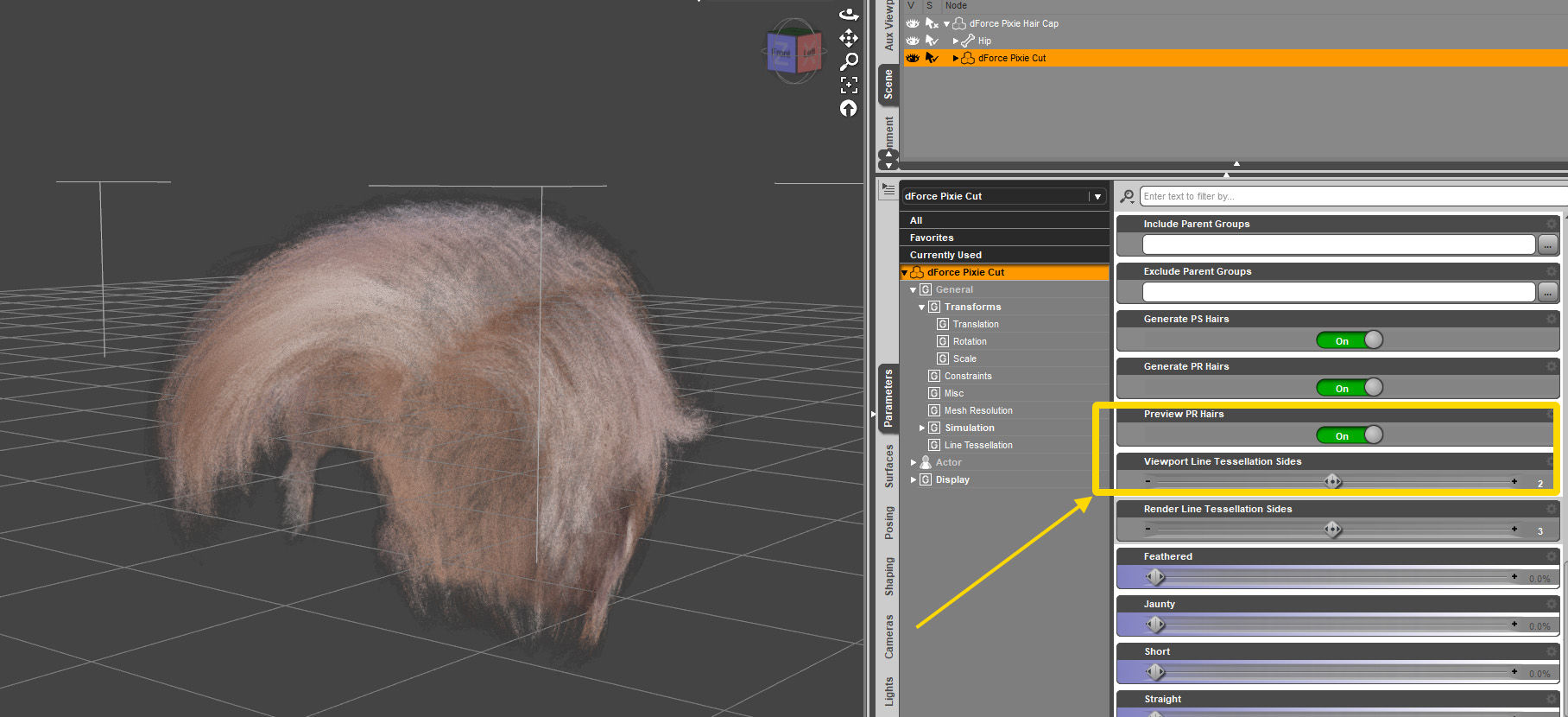
But if you wish to try, you need to play with Line Tessellation and possibly Preview PR.
Combination of those 2 would outcome with different results and poly counts.
|
|
By thebiz.movies - 2 Years Ago
|
|
Thanks for the reply 4u2ges. Ok I will try those settings. Never had this issue before though...lets see.
|
|
By 4u2ges - 2 Years Ago
|
I wish I could see some screenshots... because in addition to enabling Line Tessellation, there are 2 more issues.
One, is what I already mentioned, you could hardly get a decent render of fiber-mesh in CC real-time engine.
Hair most of the time would look thinned like on 100 yo person.
And two (this might relate to any object not only hair), sometimes it would appear and disappears as you move camera. In which case you have to export hair as OBJ, re-import it and restore materials.
This is due to current CC bug.
BTW default Pixie hair is a fiber-mesh - not cards.
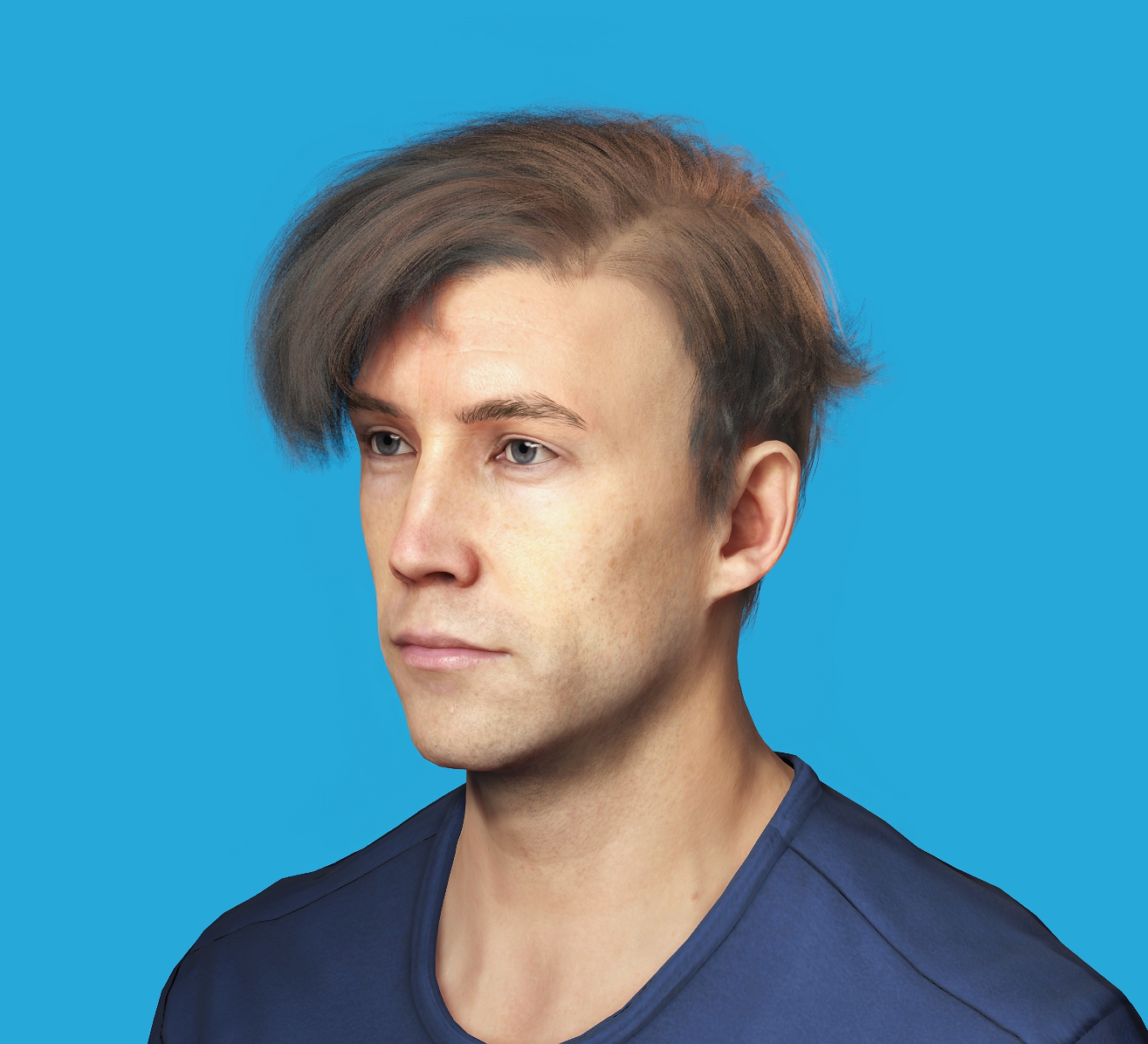
Here it is... It only looks more or less decent due to DLSS and 6M polygons
|
|
By thebiz.movies - 2 Years Ago
|
Here I imported it as an fbx using the settings you suggested. Scalp shows. Hair does not though the poly count is 6M

|
|
By 4u2ges - 2 Years Ago
|
OK Then go to the "two"..
========
And two (this might relate to any object not only hair), sometimes it would appear and disappears as you move camera. In which case you have to export hair as OBJ, re-import it and restore materials.
This is due to current CC bug.
========
And more, cap opacity you take from texture folder for DAZ Pixie hair is a 32 bit PNG, it will not work in CC. You have to either convert it to 24 bit PNG (stripping alpha channel), or re-save as JPG.
Then convert all hair materials to DHS (except for the cap) and vary color for each (as well as for the cap) to achieve nice shading.
|