|
By Keyi_Node.03 - 2 Years Ago
|
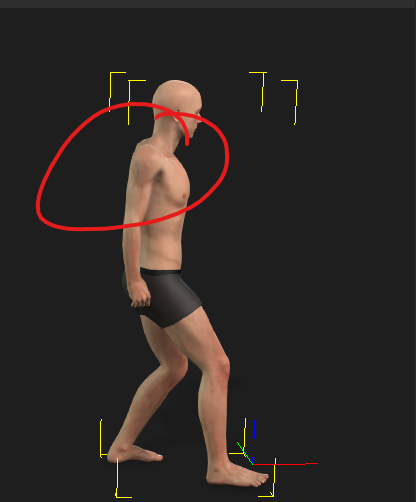
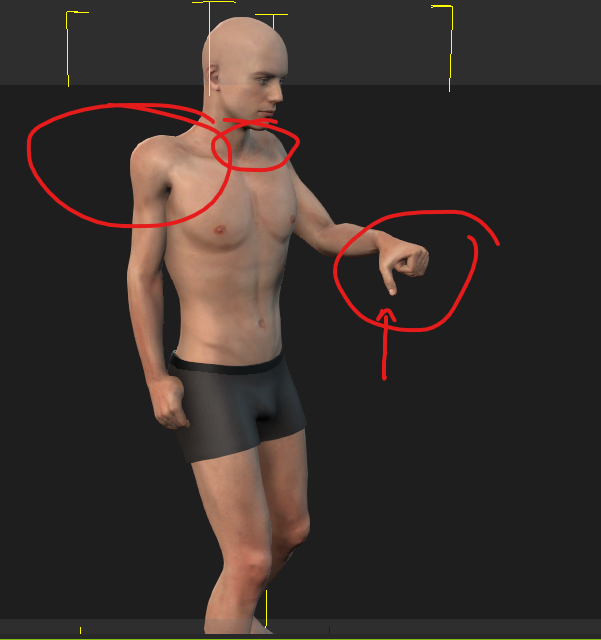
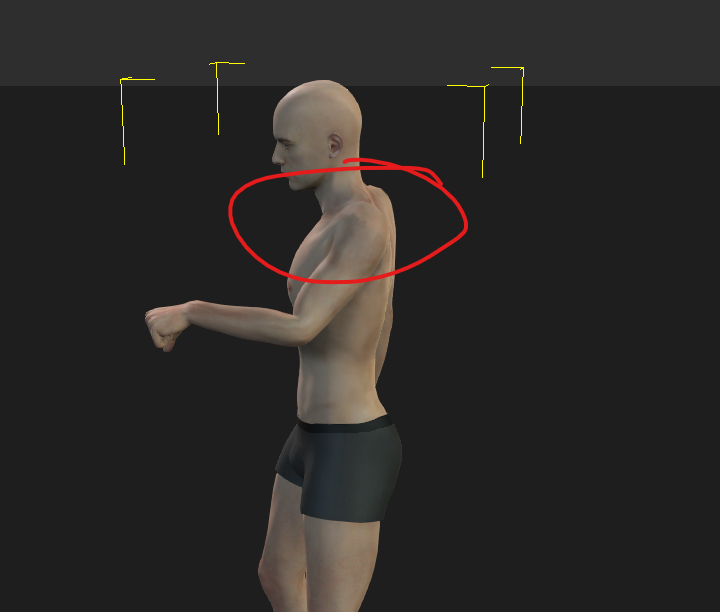
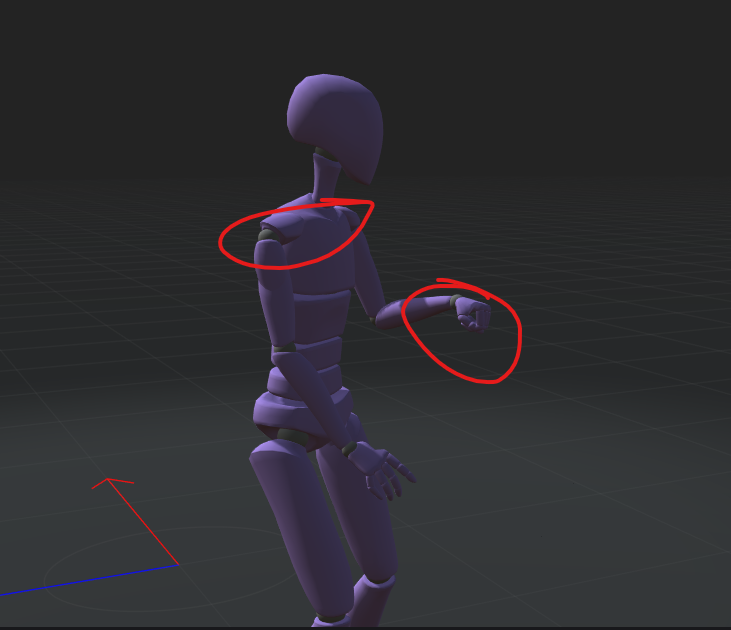
Hello I'm currently experiencing where my FBX export is coming out of Rokoko and then being imported into Iclone. When I import the animation into Iclone - I get these weird positioning with the shoulders and also the fingers are off. In rokoko the mesh it's showing during the animation is fine but once I export that animation over to iclone and drag it on the character. This is what it does. Anyone ever experience this?
|
|
By Kelleytoons - 2 Years Ago
|
I don't have the Rokoko suit (yet) but with my other mocap suits this isn't uncommon during retargeting. If you adjust the posture at the first frame (correct the shoulders and hand) it will then propagate throughout the animation.
For sure use the Mixamo export option and only export the motion, not the character. Here's the complete workflow if you want to follow it:
https://www.rokoko.com/insights/iclone-retargeting-workflow-the-ultimate-guide-to-retargeting
(Note that about 3/4 of the way through he does mention his own export needs work with the shoulders - so this DOES happen, but he shows how to correct it).
Hopefully that helps - when my suit comes I'll capture direct to iClone which does correct some of these issues and is something else you can try next time.
|