|
By Da_Drood - 3 Years Ago
|
I wanted to try this pipeline for the first time so i followed the tutorial which could be a bit slower paced and more detailed in my opinion, especially the fact that you need to import the resources manually into Substance Painter and set them as texture, since it might not be so obvious to anyone who's learning.
Anyway, after finishing decorating the textures for the test, i exported the textures using the preset provided by Reallusion, set the settings as in the tutorial and exported everything. Upon clicking the "Update textures from Substance Painter" button, i get a window reporting multiple errors as stated in the screenshot attached.
Am i doing anything wrong? Is this bugged? Please help me fix this. Thanks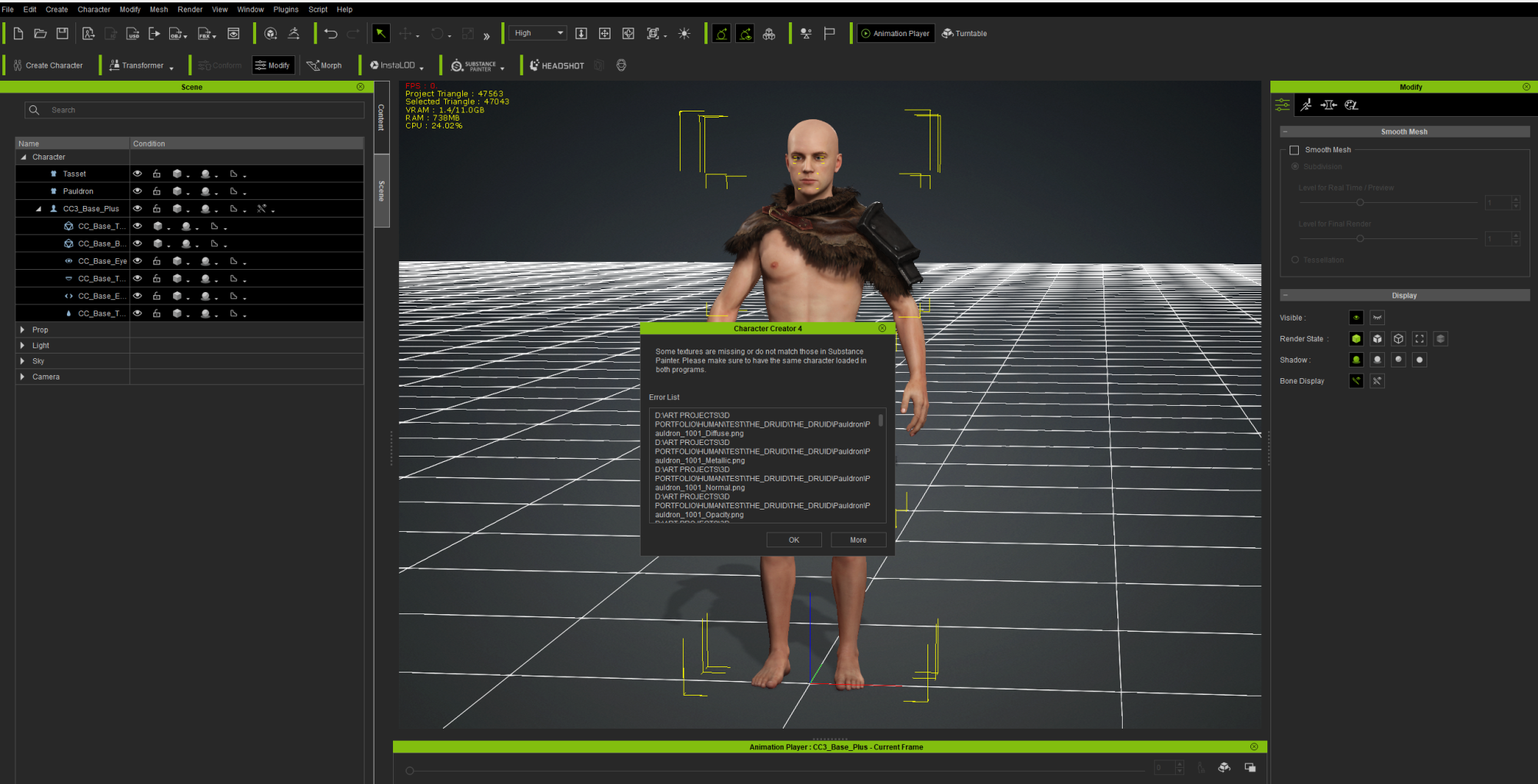
|
|
By dan.goyette - 3 Years Ago
|
This definitely happens if you choose a different directory than CC4 is expecting when importing the textures. You might have chosen one level too deep, or not deep enough, on that dialog.
For example, let's say you choose "Export Character to Substance Painter", and you export the character as "MyCharacterExport.obj". You bring that into Substance Painter, and you texture everything, and export it to a directory named "C:\Temp\SubstancePainter\Export". Now if you look in C:\Temp\SubstancePainter\Export, you'll find a directory with the same name is the .obj file you initially imported:

Back in Character Creator, choose Update Textures from Substance Painter, and choose that specific folder (the one with the same name as the Obj file), then press Select Folder:

Don't simply choose the "C:\Temp\SubstancePainter\Export", or one of the directories within "C:\Temp\SubstancePainter\Export\MyCharacterExport". You need to choose "C:\Temp\SubstancePainter\Export\MyCharacterExport" exactly. Assuming you do that, and that you remembered to export from Substance Painter with the "Character_Creator" export settings, it should reimport into Character Creator correctly.
|
|
By Da_Drood - 3 Years Ago
|
Apologies for the very late reply. Thanks so much for clarifying that. The tutorial provided by Reallusion is a bit poor on explanations. Thanks again :)
|
|