|
By animagic - 2 Years Ago
|
I have noticed a sudden very high CPU usage (around 50%) by the Hub. This occurs on both my installs. Anyone else has noticed this?
This is on Windows 10, 22H2, and only when the Hub UI is open.
|
|
By pinguintje - 2 Years Ago
|
This is how it's here:
Hub closed:
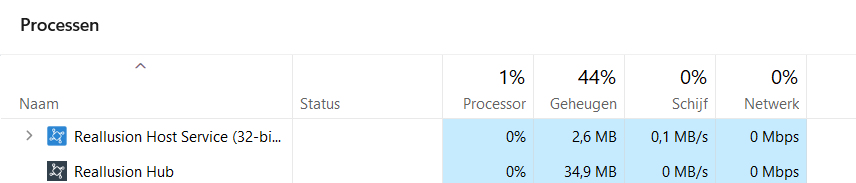
HUB open:
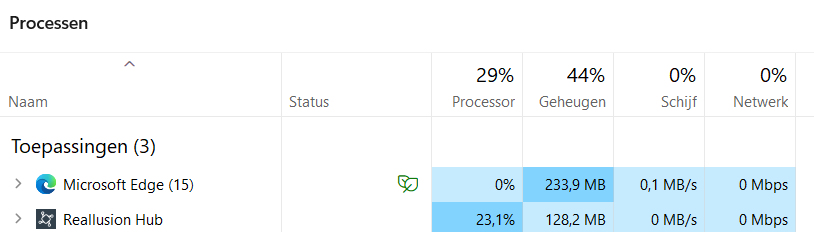
I have Windows 11.
Happy Easter
Best Regards,
Arie
|
|
By toystorylab - 2 Years Ago
|
As I normally would use the Hub at start of day and than close, not really a drama.
But, yes, surely high CPU usage...

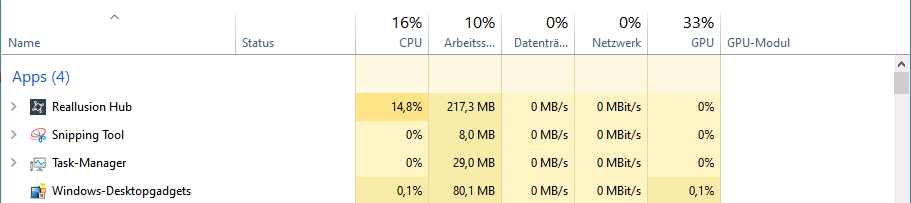
Win 10...
|
|
By Leodegrance - 2 Years Ago
|
Never noticed it before, but after opening Task Manager and testing it out, I've noticed the same thing. I'm using Windows 10 as well.
|
|
By animagic - 2 Years Ago
|
|
Thanks. I was worried it had something to do with my system.
|
|
By Mystic360VR - 2 Years Ago
|
|
LOL Damn it I was just coming here to post that opening the Hub sends my gpu fan into overdrive. You beat me to it.
|
|
By JeffJ - 2 Years Ago
|
|
Windows 11 pro= When Hub is open about 40% CPU, high power consumption, fans working like crazy. 2% CPU as soon as Hub is closed.
|
|
By Peter (RL) - 2 Years Ago
|
|
Thank you for all the feedback. The high CPU usage issue should be fixed in the latest version of the Reallusion Hub.
|
|
By Leodegrance - 2 Years Ago
|
|
Confirmed. Latest update to the RL Hub corrects the high CPU usage issue in win 10 at least.
|
|
By animagic - 2 Years Ago
|
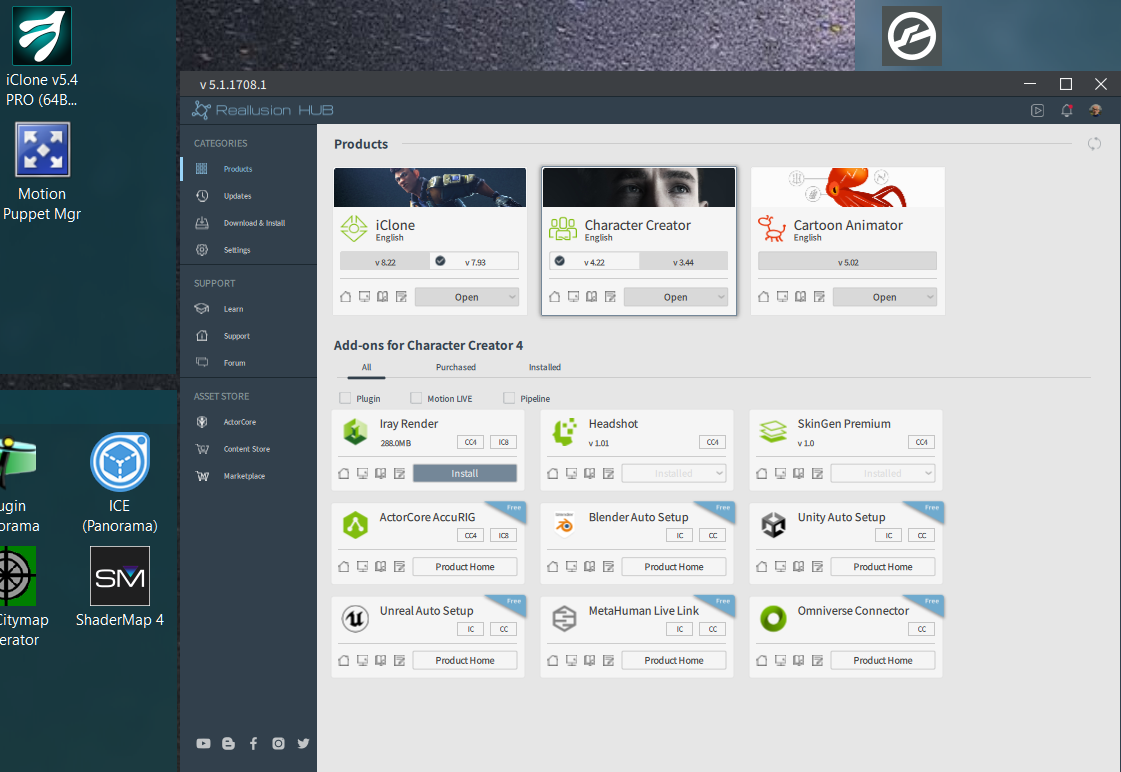
Hmm, the latest update has no longer high CPU usage but some UI fonts are miniscule. The usual trick of changing the High DPI settings has no effect. I'm showing the desktop icon fonts as comparison.
|
|
By Kelleytoons - 2 Years Ago
|
|
I don't have any problem with small fonts (which are normally a problem for me in a lot of things).
|
|
By animagic - 2 Years Ago
|
|
Very strange: it's like I reported on one system but OK on the other...:unsure:
|
|
By JeffJ - 2 Years Ago
|
Yes, the high CPU is fixed, The fonts are larger (no problem) on the HUB than the desktop? 
|
|
By animagic - 2 Years Ago
|
|
I found the solution for my problem. It concerns a new setting called View Mode. It was set to Small for some reason, setting it to Medium solved the problem.
|