|
By mark_stentz - 2 Years Ago
|
|
I am a newbie and want to use legacy iClone 7 plugins in my iClone 8. Reallusion Tech Support said I need to redownload the iClone 8 python plugin for iClone 8. Go to go to my Marketplace Inventory, select "Version iClone 8.0" and download. I am unable to find any of what Tech Support wrote in the Support Ticket. Can someone out there educate me? What the .... am I doing wrong? Am I getting bogus information from Reallision?
|
|
By wires - 2 Years Ago
|
You have failed to mention what was in the support ticket answer that you don't understand, so try the following.
Login on to Your Reallusion user account and from the dropdown under your name on the main page click on "Plug-in" below "Inventory List"
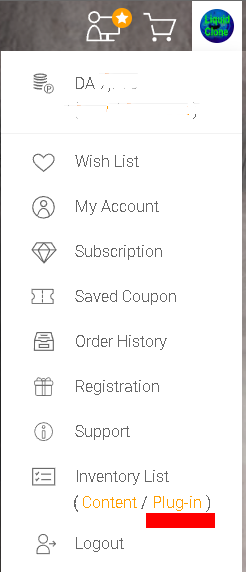
This will take you to the Marketplace page containing all of the plugins that you have downloaded:
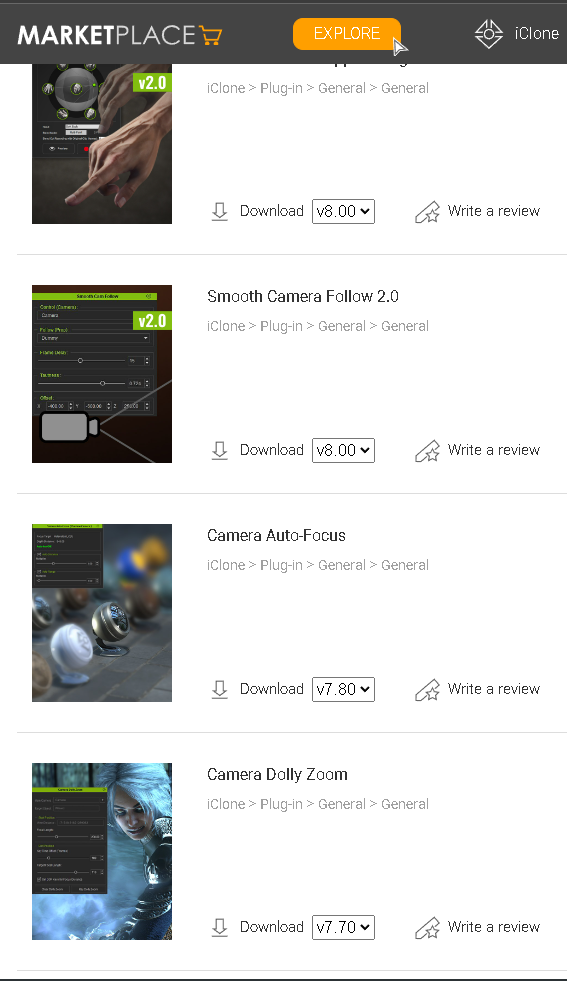
Not all plugins have been updated by the creators to work in iClone 8, but beside each one the latest version of iClone that it will work with is shown beside "Download".
After downloading most of them need to be unzipped and then placed in "C:\Program Files\Reallusion\iClone 8\Bin64\OpenPlugin"
|
|
By mark_stentz - 2 Years Ago
|
|
So Gerry, I followed your directions and it worked. Thank you for your help -- I appreciate you!
|