|
By Catpickle! - 3 Years Ago
|
Hey,
Does anyone know if it's possible to rig a la lego mini figure style? so just 1 axis of movement for the limbs, hands and head?
Thanks
Barry
|
|
By Catpickle! - 3 Years Ago
|
|
Wonder if the physics toolbox will allow me to add the necessary springs or hinges.....
|
|
By gordryd - 3 Years Ago
|
|
I imported a mini-fig model and tried Accu-Rig, with unsatisfactory results. One problem is the pre-curved arms; another is the long 'waist' with legs that only have one joint. It might be do-able with enough tweaking, but I gave up after several tries. Maybe you'll have better luck...
|
|
By 4u2ges - 3 Years Ago
|
With Auto-rig it's hard because it will eventually deform mesh and will not weight paint rigid.
Best chance is to have a separate pieces and attach them to CC armature bones without Scale inherit (I did convert a baby morphed character into Game base to have less bones and materials). Then set opacity to 0.
But before attaching, I used Adjust bones and stretched limb bones all the way. Like Spine01 bone is stretched from thigh all the way to the head and upper arm twist is stretched all the way to the hand.
It looks like that in T-pose
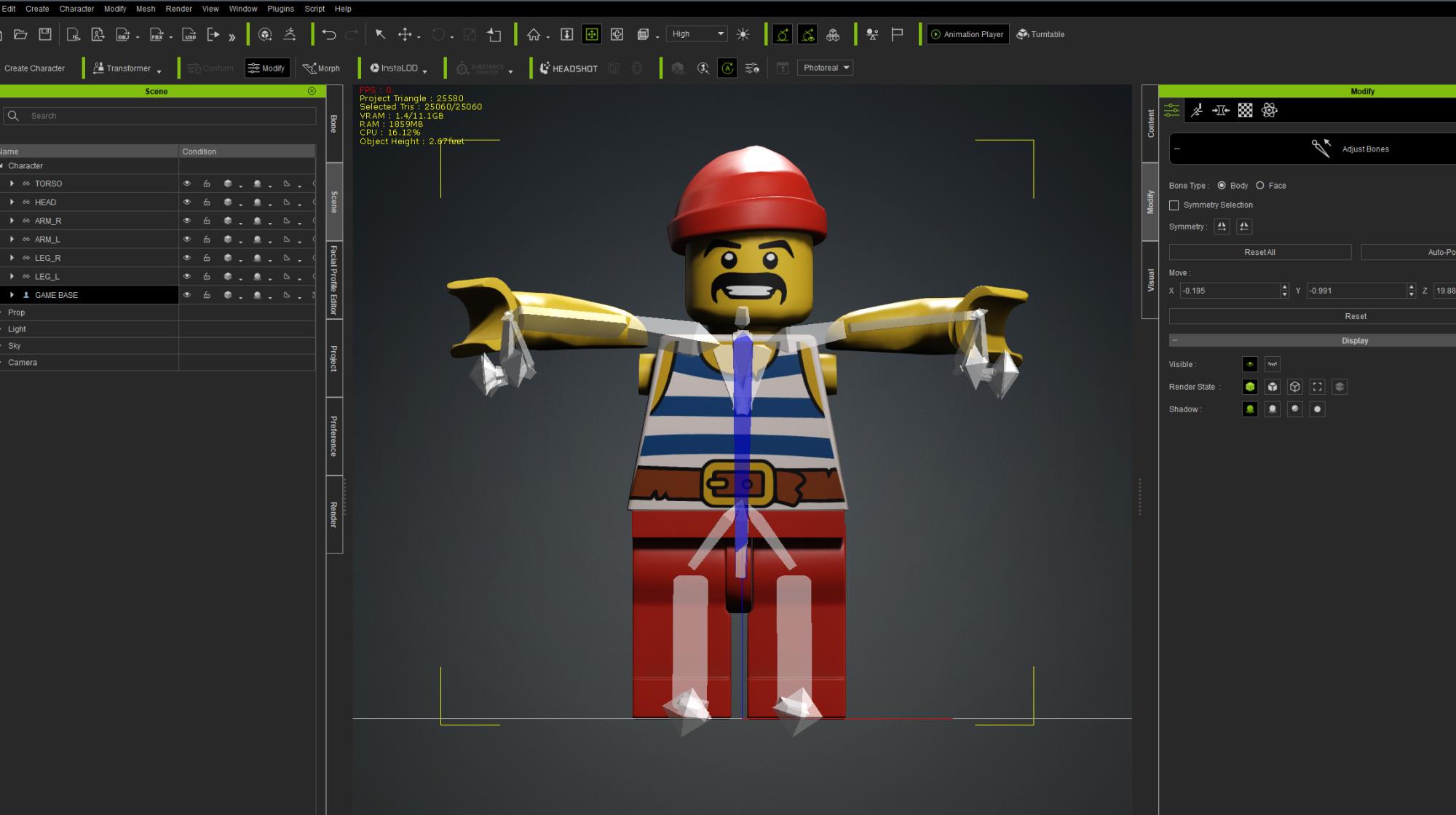
Some additional tweaking between Proportion and Bone Adjust required after attaching pieces to match pivot points.
I then added walk motion and sent to iClone.
The goal here was to take out all those inappropriate bones movements, which I did a lot by Sampling clip optimized and sending to Curve Editor.
Came out more or less OK. And for manual animation only certain bones would be in effect mostly (those pieces are attached to).
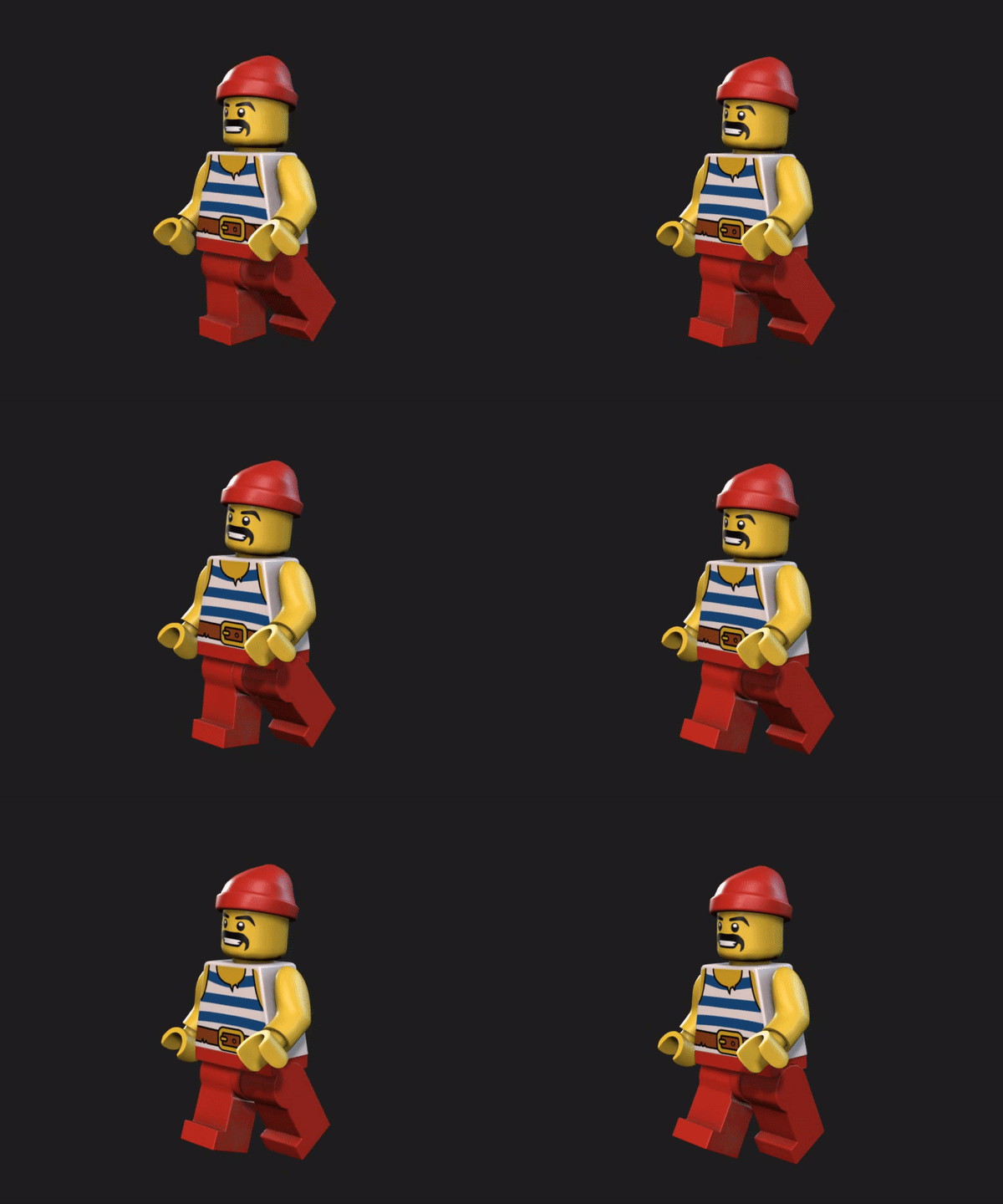
|
|
By gordryd - 3 Years Ago
|
|
4u2ges - Looks pretty good! Is that 'rig' transferable to other characters, or would you have to re-do it for every different character?
|
|
By 4u2ges - 3 Years Ago
|
Thanks, yes, it could be used for anything if you attach pieces to 6 relevant bones.
In this case it is: head, spine01, upperarm_twist_01_r, upperarm_twist_01_l, thigh_twist_01_r, thigh_twist_01_l
All would be OK as long as bones start/end adjusted to match the mesh joints.
I could have made it with 8 relevant bones (include hands boned as well),
but I figured it would be easier to just attach hands to arms, set the correct pivot for hands mesh and simply animate by local transform if necessary.
Some other bones have influence (by IK/FK chain), that is why animation clips for humans have to be thoroughly "cleaned" in Curve Editor.
Mainly all the spines (except spine01) and clavicles animation have to be removed, then in FK animation mode L/R clavicles adjusted so that arms are properly aligned with shoulders at the beginning of the clip.
I would also remove neck animation keys in some cases if head is popping a lot out of place.
After such cleaning and if there is no excessive arms rotation, the animation would look good. Like this funny little dance (it is a Club_Dance_01 from Dream Girls pack).
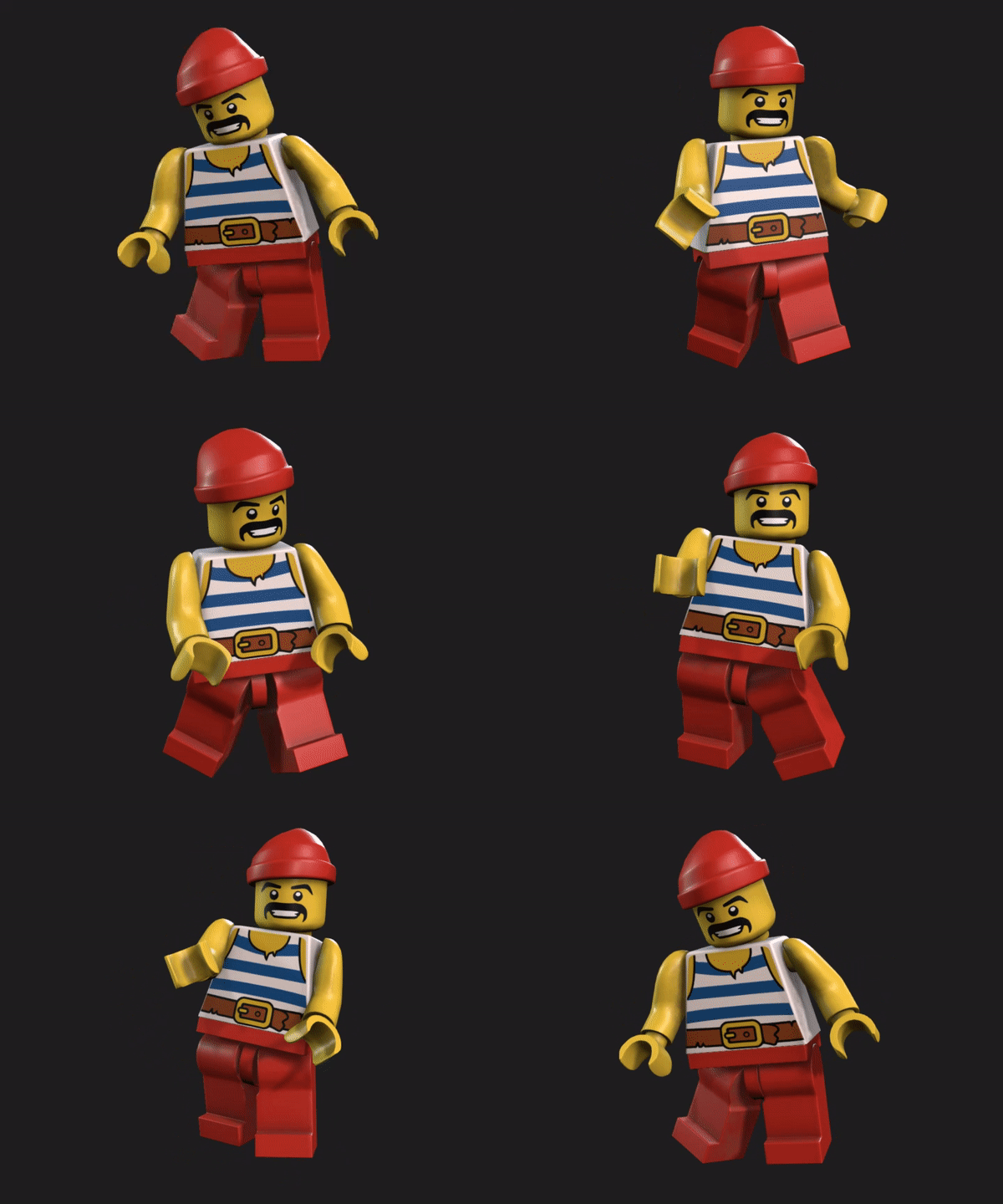
Of course to make it super clean, it can be taken to Blender for complete human mesh removal as well as removal of finger bones.
|
|
By wires - 3 Years Ago
|
|
Brilliant solution as always Gurgen.
|
|
By gordryd - 3 Years Ago
|
|
Now we only need Lego Facial Profile! :D
|
|
By gordryd - 3 Years Ago
|
Now we only need Lego Facial Profile! :D
Sorry for double-post -- must have clicked too fast...
|
|
By 4u2ges - 3 Years Ago
|
Thanks Gerry :)
@gordryd With enough vertices for the face, a basic Standard profile could be built rather fast in CC:
Or a full CC3+ head with Extended profile could be shaped and attached to a non-standard human like I did for this guy a while ago:
|
|
By Catpickle! - 3 Years Ago
|
Thanks for replying mate, yeah i tried for around an hour but it doesnt seem to cater for 1 axis of movement, thanks for responding as you did.
Barry
|
|
By Catpickle! - 3 Years Ago
|
4u2ges
Man you're invincible lol - I will have to study exactly what you have stated there but that looks just the ticket, I will be so pleased if I can pull this off, Ill let you know.
Cheers
Barry
|