|
By BrandyDE - 4 Years Ago
|
Dear Cartoon Animator Users,
I`am new to CTA 5.01 and have Inkscape 1.2.2.
I created in Inkscape 1.2.2 SVG File (tried normal and inkscape) with thin outline. After importing it in CTR5 I have heavy lines at the whole charakter.
Please check image im uploaded.
I tried so much but nothing helped.
I checked also this page: Cartoon Animator 5 Online Manual - Changing Line Width (reallusion.com)
But this also did not help me.
Has anyone any clue?
Thanks :-)
|
|
By Peter (RL) - 4 Years Ago
|
Hi...
This issue can occur when the canvas/page is too small. Please make sure the shortest side of the canvas/page is 1,500 to 2,500 pixels across and check the result again.
|
|
By BrandyDE - 4 Years Ago
|
Hi Peter, thanks for your fast reply.
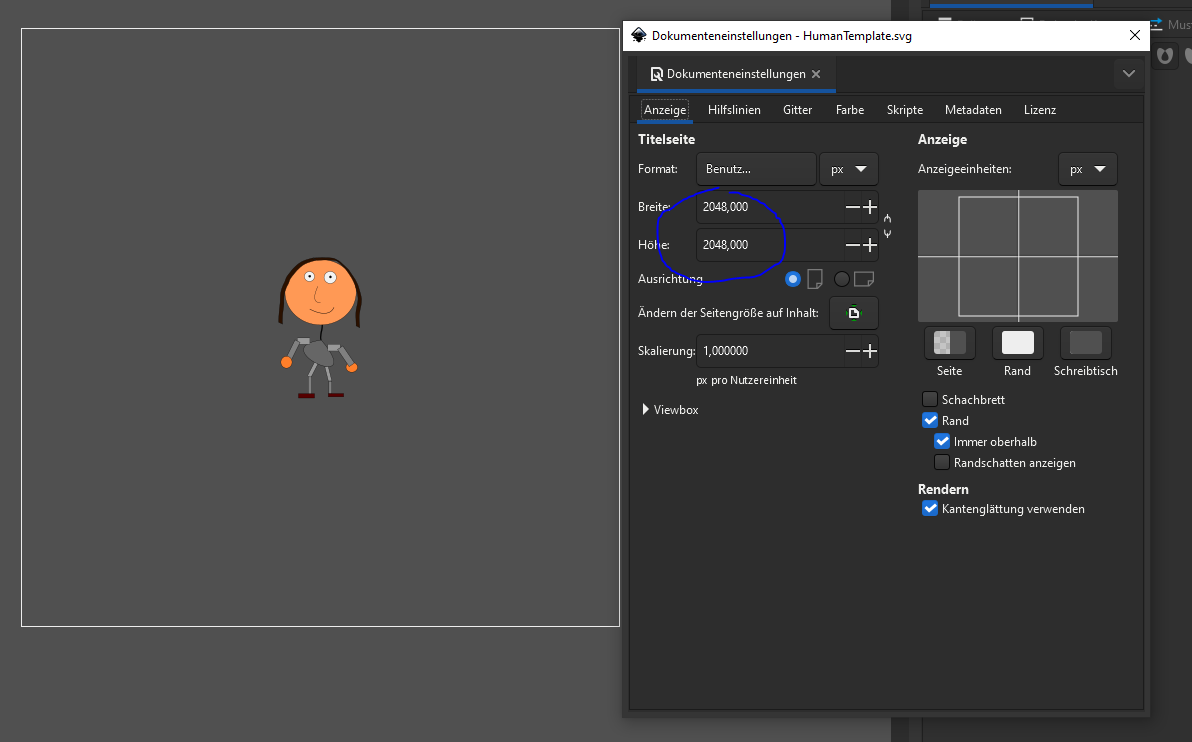
Sadly if I understood you right, your advice is not working. I took the human template for inkscape.
Both sides have 2048px.
I uploaded you a screenshot the canvas/page settings.
Inkscape 1.2.2 page settings:
Insert in CTA 5.01:
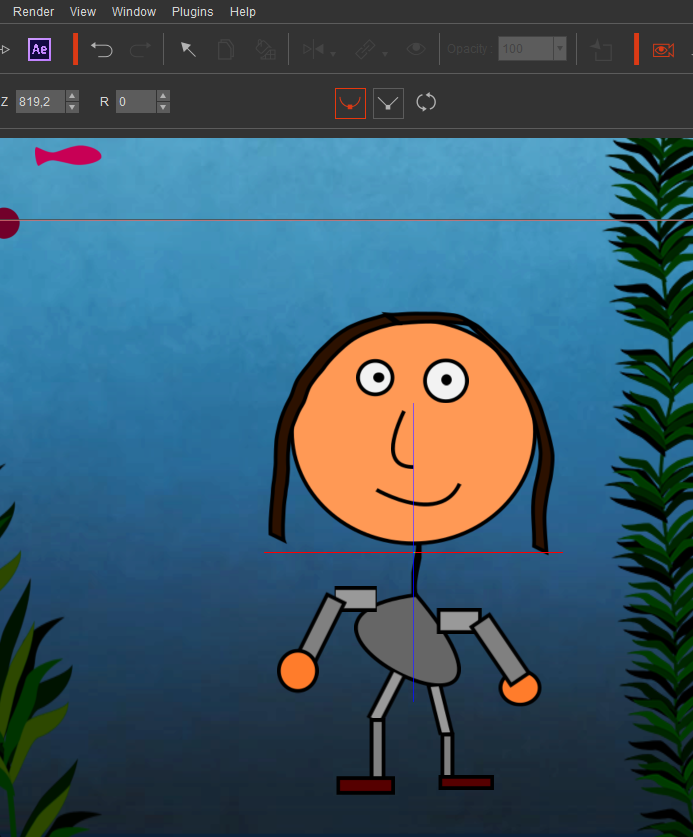
Still thick lines.
Thanks in advance!
|
|
By BrandyDE - 3 Years Ago
|
After checking new release CTA 5.02 this bug is solved now. Awesome!
Thank you to the dev-Team for bug fixing!
BR
|